LG Home Appliances on Noon UAE: seller context — coupon eligibility · TAR71
If you’re asking how to check coupon eligibility before payment on Noon UAE for home appliances, you’re in the right place.
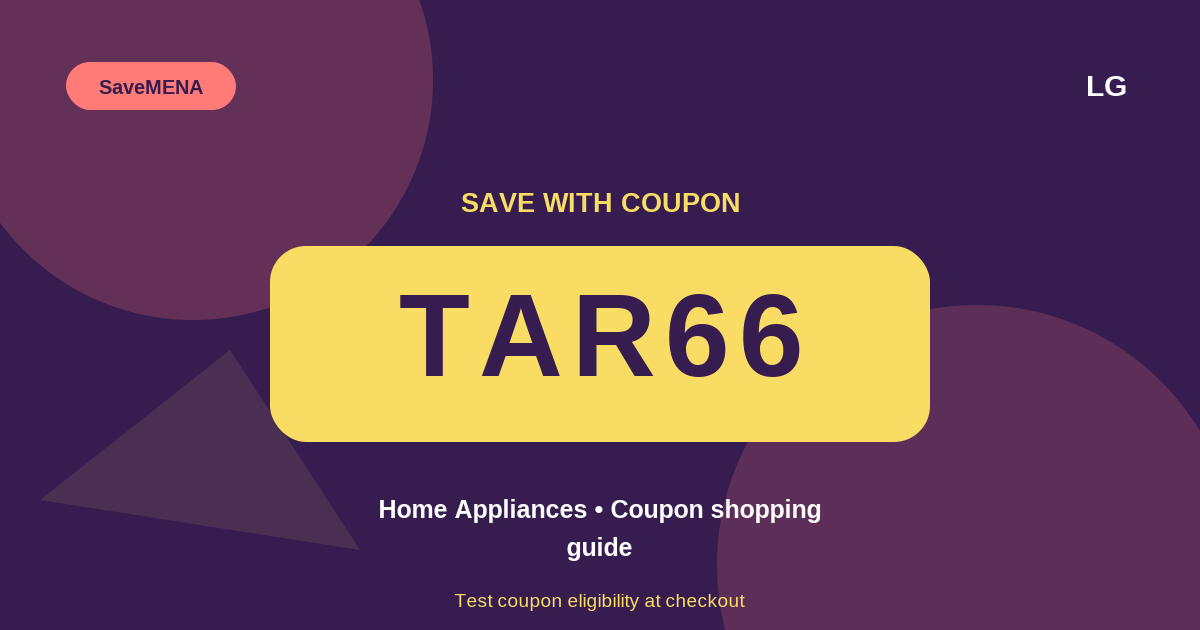
Codes available to try while comparing
These codes are not guaranteed for the article topic or listed brands; test them at checkout and use the live result.
1. Identify the LG Seller Before Adding to Cart
Start by locating an LG seller that lists the appliance you want. Noon’s search filters allow you to narrow results by brand and seller name.A coupon is not guaranteed; verify its result at the retailer checkout. Look for clear seller information in the product description and cross‑check reviews and ratings for typical reliability.
Once the seller is confirmed, add the LG appliance to your cart. A thumbnail of the seller’s logo and the product’s available stock levels will appear in the cart preview. Double‑check that the variant chosen matches your specifications. This preliminary validation step helps prevent later surprises when applying coupons or during checkout.
2. Locate and Apply the Coupon Code in the Cart
Navigate to your cart on Noon UAE and look for the “Enter Coupon Code” field. Type in TAR71, the code you’re considering applying. Noon’s system will instantly check coupon eligibility against the cart contents, ensuring that the selected product, seller, and total price meet any hidden constraints.
After entering the code, the interface will either confirm that the coupon is accepted or display a message explaining why it isn’t. If the code is accepted, you’ll see the discount reflected in the subtotal. If it isn’t, note the message and proceed to the next step to troubleshoot the issue.
3. Verify Eligibility Criteria on the Checkout Page
Proceed to the checkout page where Noon finalizes the order details. The page lists each line item, the selected seller, and a breakdown of charges. Look for any notes that indicate eligibility conditions, such as minimum spend or seller restrictions. Even though we lack explicit parameters for TAR71, the system’s feedback remains reliable.
Check the “Available Coupons” section on checkout: this area will reiterate whether TAR71 is applicable to the current cart. Confirm that the shop totals shown match the figures displayed earlier in the cart. Any discrepancy suggests an eligibility issue, prompting you to revisit the cart to adjust quantities or seller selection.
4. Understand Seller‑Specific Constraints
Seller context matters because certain sellers may impose unique terms that affect coupon usage. Look for any seller‑centric notes in the product detail or in the cart description. For example, some sellers might exclude their products from specific promotional codes or require additional minimum spend levels.
If you encounter a seller‑specific restriction, it will typically appear as a warning next to the coupon application field or in a tooltip. Compare these notes with Noon’s general coupon rules. If the seller’s status doesn’t align with TAR71’s requirements, you may need to consider an alternative seller or a different coupon.
5. Confirm Final Payable Total Before Placing the Order
Once you believe the coupon should apply, review the final payment summary on the checkout page. This summary includes item prices, shipping fees, taxes, and any discount from the coupon. The system calculates the subtotal and displays the updated payable amount.
Before submitting the order, cross‑verify that the clickable “Place Order” button corresponds to the exact amount you see. If the discount isn’t reflected as expected, double‑check the cart and any seller constraints. Only after confirming the final total should you complete the payment.
6. Keep a Record of the Discount Application
After placing the order, Noon will send a confirmation email summarizing the purchase. This email includes the applied coupon code and the savings received, if any. Retain this email for your records and for potential future disputes.
In case the discount is not applied in the confirmation, contact Noon support with the order ID and the coupon code. They can verify the internal application status and assist with any corrections needed. Having a screenshot of the checkout page can expedite this process.
7. Explore Alternative Coupons If the Code Fails
If TAR71 does not apply, look for other active coupons on Noon’s promotional page or via third‑party coupon sites that match LG home appliances. Always copy and test new codes in the cart before proceeding to checkout to confirm applicability.
Additionally, consider purchasing from a different seller on Noon that may have better compatibility with available coupons. Evaluate seller ratings and shipping times to maintain a balance between discount and service quality.
8. Final Checklist for UAE Shoppers Using Noon Coupons
A coupon is not guaranteed; verify its result at the retailer checkout. A coupon is not guaranteed; verify its result at the retailer checkout.
Stay alert to any updates Noon may release regarding new coupon restrictions or seller changes. Regularly revisit the coupon policy or user forums for real‑time feedback from other shoppers. By staying informed, you’ll consistently maximize savings on home appliances, especially from trusted sellers like LG.
Related SaveMENA pages
Related articles
Official sources to check
Frequently asked questions
Can I use the TAR71 coupon on multiple LG appliances in the same order?
Noon UAE does not specify a limit for this coupon, but it applies to the cart as a whole. If you add multiple LG appliances from the same or different sellers, the coupon will process once unless it’s stated otherwise during checkout.
What happens if the coupon code shows a message that it’s not applicable?
If Noon indicates that TAR71 is not eligible, verify that all selected items and the seller meet the coupon requirements. You may need to change the seller or choose different variants that align with the coupon terms.
Does the coupon apply to delivery fees?
Coupons typically affect the product subtotal. Delivery fees are generally calculated after the coupon discount. Confirm the final payable amount on the checkout page to see the effect.
Can I get a refund if the coupon isn’t applied after I place the order?
Place a support claim using your order ID and the coupon code. Noon will review the transaction details and may adjust the payment if an error is confirmed.