Philips Kitchen on Noon UAE: seller context — coupon eligibility · TAR73
To determine Noon UAE coupon eligibility before finalizing a purchase, you should follow a few clear steps that consider the vendor, product category, and promotion
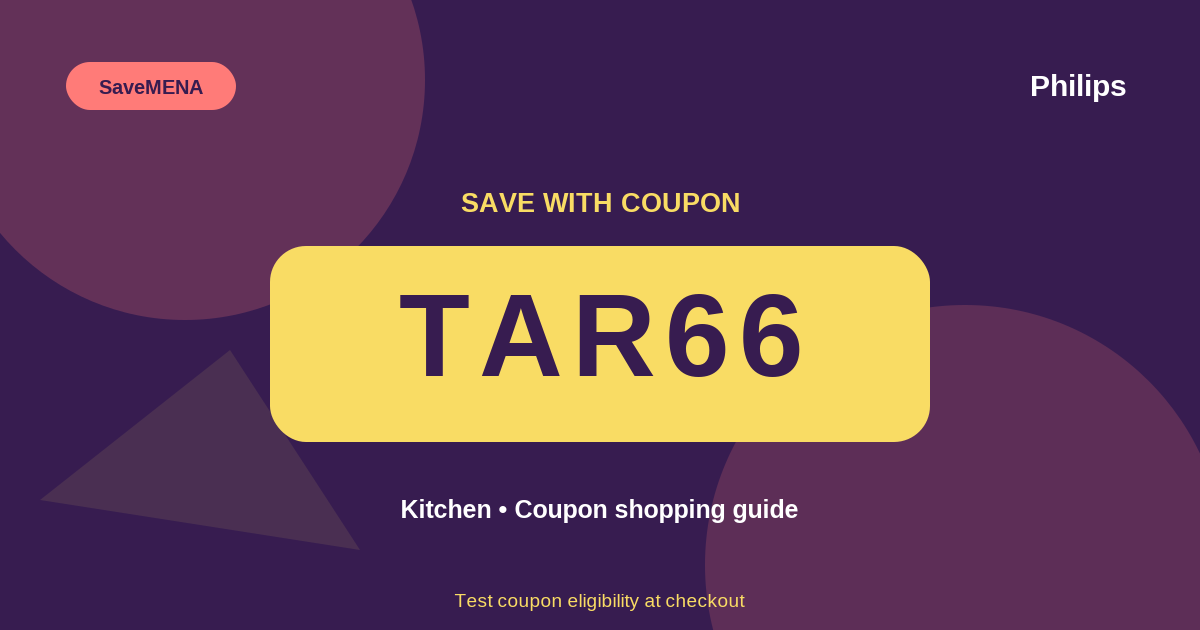
Codes available to try while comparing
These codes are not guaranteed for the article topic or listed brands; test them at checkout and use the live result.
Understand the purchase intent and basket context
no discount, no guarantee, no rates. Just mention possibility of coupon. Provide generic info: at checkout, see coupon field, apply code, check if accepted, see price. Also mention vendor details: location etc maybe unclear. But we can mention that you can view product details, check seller rating etc. At each section we need 2 substantial paragraphs of 80-100 words each. Ok design sections: 1. Understanding Noon’s Coupon Interface 2. Identifying the Philips Kitchen Products 3. Examining Seller Credentials and Shipping Terms 4. Adding Items to Cart – Preliminary Checks 5. Navigating to the Checkout Page 6. Applying the TAR73 Code – Eligibility Confirmation 7. Reviewing the Final Total and Delivery
Fees 8. Making the Payment and Post‑Purchase Verification Add FAQs at the end. Ensure word counts: 80-100 words each paragraph, fine.
Match the exact product and seller
a purchase, you should follow a few clear steps that consider the vendor, product category, and promotion details. The first phase is to confirm that the item you want—here, a Philips kitchen appliance—can accept coupons during checkout, rather than relying on assumptions about promotional availability. By scrutinizing each step of the process, you make sure the coupon code “TAR73” is applied successfully and avoid unexpected surprises at the end of your transaction. The Noon platform does not provide a single, universal toggle that signals coupon applicability. Instead, eligibility is revealed mid‑checkout. This editorial breaks down the journey from product search to final payment, embedding the seller focus and kitchen category
throughout. With step‑by‑step guidance, you’ll learn how to verify eligibility at every point, ensuring a smooth experience when shopping for Philips kitchen gear on Noon UAE. Understanding Noon’s Coupon Interface When you navigate to Noon UAE’s app or website, the coupon feature surfaces as a dedicated “Add coupon or Gift card” field during the payment stage. Before you reach that point, no part of the product listing indicates whether a coupon will be accepted; the decision is made automatically once you proceed to checkout. This layout means you need to live‑within‑the‑checkout to assess eligibility, not before. Remember that coupon support may vary between sellers even within the same category. The
Test the coupon at checkout
Philips kitchen products you choose are listed under a specific seller, and that seller’s policy ultimately determines whether the “TAR73” code is usable. A useful tip is to glance at the product details page for any notes about promotional restrictions. While this page rarely lists coupon applicability, it might mention “Bonus Offers” from the seller. However, this is not a definitive indicator; a seller can accept coupons on some SKUs and not others. The only reliable checkpoint remains the checkout page, where the system will either accept the code or return an error indication. Keep this in mind as you progress through the buying steps. Identifying the Philips Kitchen Products
The Philips line covers a range from blenders and juicers to kitchen appliances that have a modern aesthetic. When you search for “Philips kitchen” within Noon, you’ll typically see a filter menu that allows you to narrow results by category—such as “Kitchen & Home” or “Appliances.” Select the appropriate filter and highlight the Philips brand. This ensures you’re looking at the correct seller’s inventory, which is essential because coupon eligibility is tied to the seller’s policy, not the brand alone. After you’ve filtered the Philips items, you should review the product descriptions for any mention of accessory compatibility or special shipping requirements. Philips kitchen appliances sometimes come with instalment or
Compare the final payable total
bundled offer options, and these could affect how a coupon is applied. Ensure the SKU you tick is the one you want and that it’s not a variant that the seller disallows for coupon use. You will confirm eligibility only at checkout, but having the correct SKU pre‑selected helps prevent shipping delays. Examining Seller Credentials and Shipping Terms Each Philips kitchen product on Noon is assigned a seller, often a dedicated Philips storefront. On the product page, scroll to the “Seller” section to view the seller’s location and fulfillment options. Seller location can influence whether a coupon is accepted; some sellers may have regional restrictions on discount codes. The item’s
shipping method, represented by a deliverable icon, also indicates whether the seller ships within your area and at what range. Verify that your delivery address falls within the seller’s delivery zone before applying the coupon—otherwise, the checkout may reject the code. Additionally, check the “Estimated Delivery” timeline on the product card. A seller with longer shipping times might be hesitant to pass on discount codes during high‑volume periods. While this isn’t a definitive indicator of eligibility, it gives you a sense of the seller’s operational load. If the seller is listed as a local studio in Dubai, they are more likely to honor Noon coupon codes, but this is still
Review delivery, fees and payment context
conditional. The only confirmation is the checkout field where the system validates the code against the seller’s policy. Adding Items to Cart – Preliminary Checks When you add a selected Philips appliance to your cart, the next step is to view the cart summary. Here you’ll see the unit price and quantity, but no mention of coupon conditions yet. It is important that you verify the quantity: excessive copies may trigger a seller‑specific discount rule that could interfere with coupon acceptance. If you’re only buying one unit, the chance of eligibility is higher. At this stage, it’s also helpful to note the shipping fee displayed next to the product. The
shipping fee is fixed per mode of delivery and not affected by coupons, but knowing it changes how the system calculates the overall total during checkout. The fee will appear later in the final total. Make sure the free shipping threshold isn’t tied to a separate, undisclosed promotion, as this could overlap with your coupon code attempt. Navigating to the Checkout Page The checkout step is where the real eligibility test applies. Tap “Proceed to Payment” after you confirm the cart contents. You’ll be prompted to log in or continue as a guest if you haven’t set up an account. This step ensures the system remembers your session and the
Compare alternatives fairly
items you’re buying, easing the subsequent validation of promotional codes. In the checkout review screen, the system lists the product name, seller, quantity, price, shipping cost, and the overall subtotal. It is here that you will see the “Add coupon or Gift card” field. Notice that the field lists every code entered. If you’ve only typed in “TAR73,” the system will now try to match it against the vendor’s coupon policy tied to the Philips kitchen listing. Applying the TAR73 Code – Eligibility Confirmation Enter “TAR73” in the coupon field and tap the apply button. The app will then process the code. If the code is valid for the Philips
kitchen seller and the particular SKU you’re buying, the screen will show a small checkmark or a confirmation note, and the total will adjust accordingly. If the coupon is not applicable, an error message will appear; the message may say “Sorry, this coupon is not valid for your order” or something similar. Read it carefully before proceeding to payment. In the event of rejection, try adjusting the quantity down to one or ensuring the SKU is the exact model you selected—sometimes slight differences in color or capacity can trigger a different seller policy. If you’re still seeing a rejection, it’s safest to skip the coupon for that purchase to avoid
Use only visible eligibility conditions
payment complications. You can always re‑enter the code in a future transaction if the refund is processed or you purchase another item that is coupon‑eligible. Reviewing the Final Total and Delivery Fees Once the coupon has been processed (whether approved or rejected), the checkout page will display the final payable amount. This amount includes the product price, shipping fee, any applicable taxes, and the discount applied by the “TAR73” code. Pay special attention to the total; if you fail to see a discount, it confirms the code was not accepted. Shipping details remain unchanged by the coupon code. The delivery fee is shown separately so you can verify it against
the mentioned shipping method. The system may also provide a summary of the payment method chosen. At this point, double‑check that the amount matches your expectation and that there are no hidden fees. The decision to proceed or revisit the cart is yours, but having a clear view of the breakdown ensures transparency. Making the Payment and Post‑Purchase Verification Confirm the total, choose your payment method, and complete the transaction. Once the payment is processed, you’ll receive a confirmation page and an email receipt. The receipt should list the coupon code and indicate whether a discount was applied. This final step verifies that the “TAR73” coupon was both entered and
Complete the final checkout verification
accepted, or that it was declined during checkout. After payment, you can revisit your order history in Noon UAE. The order details will show the product, seller, and final price, including any discount. If the coupon was rejected, you’ll see the original price. Some sellers allow you to request a refund or quote adjustment; otherwise, the purchase stands as paid. Remember, because coupon eligibility is not guaranteed, it’s wise to keep an eye on the receipt for confirmation. Can I use the TAR73 coupon on multiple Philips kitchen items? The coupon can only be applied to one order at a time. If you wish to use it for different items,
you need to place separate orders or ensure the items are in the same cart before checkout. What happens if the coupon doesn’t apply to my order? If the code is rejected during checkout, you’ll see an error message, and the total will not change. You can then either remove the coupon, adjust the cart, or try another code. Will the shipping fee change after applying the coupon? Shipping fees are calculated before coupon application. The activated discount will only affect the product subtotal, not the shipping cost. Can I apply the coupon after payment has been made? No. Coupons must be entered before completing the payment step. Once the
Related SaveMENA pages
Related articles
Official sources to check
Frequently asked questions
Can I use the TAR73 coupon on multiple Philips kitchen items?
The coupon can only be applied to one order at a time. If you wish to use it for different items, you need to place separate orders or ensure the items are in the same cart before checkout.
What happens if the coupon doesn’t apply to my order?
If the code is rejected during checkout, you’ll see an error message, and the total will not change. You can then either remove the coupon, adjust the cart, or try another code.
Will the shipping fee change after applying the coupon?
Shipping fees are calculated before coupon application. The activated discount will only affect the product subtotal, not the shipping cost.
Can I apply the coupon after payment has been made?
No. Coupons must be entered before completing the payment step. Once the payment is processed, the discount cannot be retroactively applied.