HP Laptops on Noon UAE: seller context — coupon eligibility · TAR73
If you want to know how to check coupon eligibility before payment on Noon UAE for laptops, you're in the right place.
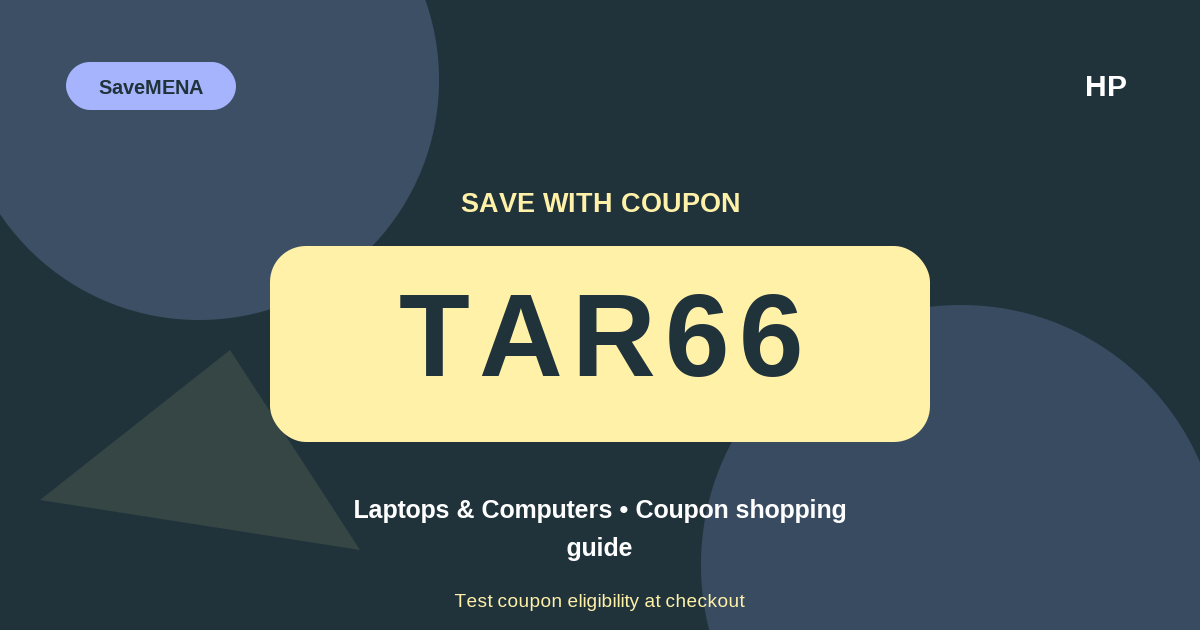
Codes available to try while comparing
These codes are not guaranteed for the article topic or listed brands; test them at checkout and use the live result.
1. Pinpoint HP Laptop Listings with Coupon Potential
Start by navigating Noon’s search bar and typing “HP laptops.” To narrow results, select the “Laptops” filter, then filter by “HP” under brands. Look at the product pages for any indication of a coupon icon or coupon label nearby the price. While the listing may not show a fixed discount, this visual cue signals that the item could support a coupon application at checkout. It’s an initial gauge of eligibility, and you should cross‑check with the seller details before adding the laptop to your cart.
Once you have a shortlist, jot down the SKU and model details—memory size, storage type, and processor generation. This information will help confirm that you’re selecting the exact variation you intend to purchase. Keep an eye on seller proximity; a local seller may offer faster delivery, which can affect the coupon’s applicability when you hit the final payment step.
2. Read Seller Profiles for Coupon Compatibility
Every Nvidia‑style listing features a seller card on the right‑hand side of the product page. Click on the seller’s name to access their profile, where you’ll find ratings, response time, and customer feedback. A high‑rated, active seller typically profiles a stable inventory, which can provide clues about coupon processing reliability. Since the coupon eligibility can vary between sellers, confirming the seller’s standing precedes any cart‐adding actions.
Check the seller’s listed pickup locations or delivery capabilities. If the seller offers “Point of Delivery” options, review if the coupon has been tested with that delivery type. Some sellers may restrict discount codes for certain shipping methods. If the seller’s profile indicates “Delivery in UAE,” that’s an overall sign the coupon could be functional, but you still need a final confirmation before proceeding to payment.
3. Add the Precise Laptop Variant to Your Cart
On the product page, use the dropdown menus to select memory, storage, and color options. Selecting all the correct parameters preserves the product’s inventory slot, ensuring the coupon remains valid for that precise configuration. Once chosen, click “Add to Cart.” Overflowing items of the same product but a different variant may affect the coupon’s regime once you proceed to payment.
Verify the count of the item in your cart; if you are purchasing multiple units, double‑check that each unit reflects identical specifications. Payment systems often apply coupon eligibility to the cart totals; mismatched variants may trigger a re‑evaluation of the coupon status. Keep the cart open until you are ready to confirm eligibility, and do not finalize the shopping session prematurely.
4. Apply the TAR73 Code at the Right Moment
Navigate to your cart overview before checkout. Within the cart page, locate the coupon field that appears under the payment methods. Enter “TAR73” carefully—casing matters for many coupon systems. By inputting the code here rather than earlier in the product page, you ensure the system evaluates your entire cart against the eligibility rules.
After submitting the code, observe the immediate response. A message might indicate “Coupon applied successfully” or something similar; however, the result might also be “Coupon unavailable” if constraints are not met. Either way, the cart will display the new total (if applied). Do not assume eligibility yet; confirm that the coupon’s applicability is refreshed before you proceed to the payment method.
5. Confirm Coupon Eligibility on the Checkout Banner
Proceed to the checkout page, where all final order details populate, including shipping, tax, and total amount. A banner or flag should appear indicating the coupon’s status. If the coupon was applied, you’ll see an amended total line; if not, an error notice or absence of a discount line reflects the lack of eligibility. Only a successful flag on this page provides final confirmation.
Cross‑verify the seller name and product details listed on the checkout screen. The seller’s information should match the one displayed earlier. If there’s a discrepancy, it indicates a potential mismatch that could invalidate the coupon. Always double‑check the model, memory, and SKU against the listing. If everything aligns and the coupon banner confirms it, the purchase can safely move to the payment window.
6. Adjust Quantities or Swap Variants If Needed
Should the coupon banner show a failure, consider modifying your cart’s quantity or product variant. Increasing the quantity might satisfy a minimum purchase requirement, while selecting a different configuration could align with an eligible SKU. However, only adjust if you’ve confirmed the new variant is valid under the seller context and still falls within Noon’s pricing rules.
After making changes, redisplay the coupon field again to see if the eligibility status updates. This iterative process can help you hit the threshold for coupon support without compromising your chosen specifications. Note that each adjustment revolves around ensuring consistency between product, seller, and the coupon code, which collectively determine the final discount possibility.
7. Verify Final Details Before Confirming Payment
Once the checkout page confirms coupon eligibility, review each line item thoroughly—check the model number, quantity, shipping method, and customer information. Take a moment to confirm that your logged‑in profile matches the address used for delivery; address mismatches sometimes trigger coupon ineligibility during payment.
Before clicking the “Pay” button, scan the final summary. If a discount line appears, notice that the total reflects the optional savings. If not, proceed knowing that the coupon was deemed ineligible on the final screen. Even in the absence of a discount, you still benefit from the free shipping or other app‑wide offers that might be active.
8. Post‑Purchase Follow‑Up With SaveMENA Insights
After completing your transaction, keep the order confirmation for reference. In case the coupon did not apply, SaveMENA suggests reviewing the seller’s customer support contact for a follow‑up. Emailing the seller with the coupon code and transaction details can sometimes resolve eligibility disputes, particularly if the code was recently released.
Preserve the chat logs or screenshots showing the coupon code entry and the checkout banner status. Should you encounter any post‑payment issues—such as a refund for an unapplicable coupon—these records will be vital when filing a support ticket through Noon’s help portal. SaveMENA also highlights the importance of double‑checking future coupon code releases on official Noon notifications, ensuring you stay ahead of any new eligibility guidelines.
Related SaveMENA pages
Related articles
Official sources to check
Frequently asked questions
How do I know if the coupon is still eligible for my cart?
At the checkout page, look for a banner or message that confirms the coupon application. If it is still listed after you enter “TAR73,” the coupon remains eligible. If an error appears, the coupon is not currently valid for your cart and will not affect the total.
What happens if I change the quantity after applying the coupon?
Adjusting the quantity can alter eligibility, especially if a minimum‑spend rule exists. Re‑enter the coupon code after changing the quantity to verify if it still applies to the updated cart.
Can I combine this coupon with other discount codes?
Coupon codes from Noon are typically applied one at a time. If another discount or promotion is active, it may override or block the TAR73 code. Review the cart for any conflicts before finalising payment.
If the coupon wasn’t applied, should I cancel the order?
No. Canceling isn’t necessary. If you prefer the discounted price, explore adjusting the cart’s device or seller, then test the code again. Otherwise, complete the purchase as listed without the coupon.