Lenovo Laptops on Noon UAE: seller context — coupon eligibility · TAR71
Checking coupon eligibility before final payment is essential for UAE shoppers ready to score a Lenovo laptop on Noon.
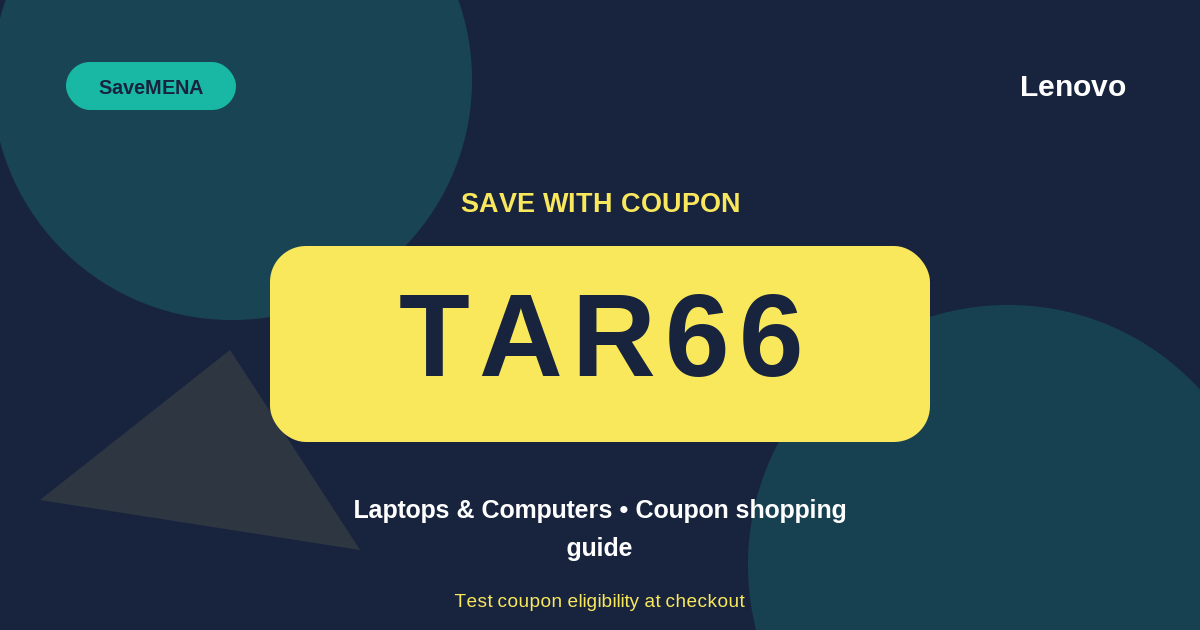
Codes available to try while comparing
These codes are not guaranteed for the article topic or listed brands; test them at checkout and use the live result.
Seller Identification Matters When Using Noon Coupons
Noon’s marketplace hosts numerous sellers, each with its own policy on promotions and discounts. When you’re eyeing a Lenovo laptop, knowing which seller is offering the item is the first clue to coupon compatibility. Some sellers may allow coupons, while others might block them, regardless of the coupon code’s presence on the site. Therefore, pay special attention to the seller name and rating displayed on the product’s main page.
To verify the seller before adding anything to your cart, scroll to the section below the product’s title where the seller details appear. Confirm the seller’s name and check for any seller‑specific purchase notes or store policies that mention coupon use or restrictions.
Finding the Right Lenovo Laptop From Reputable Sellers
Use Noon’s search bar with “Lenovo laptop” and then filter by seller rating to ensure you’re looking at vendors with high customer satisfaction. A top‑rated seller is more likely to provide a smooth purchasing process and clearer coupon handling instructions. Browse the results and click on each listing to inspect the seller’s page.
On the product page, note any seller messages or FAQs near the price. These often contain crucial information about coupon eligibility, return policies, or warranty details tied to that seller’s stock.
Spotting Coupon Code Placement on Noon’s Platform
Coupon codes can appear in various places on Noon: sometimes directly in the product description, occasionally in a dedicated “Deal” section, or at the bottom of the seller’s page. Look for a highlighted field labeled “Apply Coupon” or a button that says “Enter Code.”
When you come across the code TAR71, check that it is attached to the product listing rather than a general sale banner. If the code is explicitly mentioned in the product or seller details, this usually signals that it may be compatible with the item you’re buying.
Adding to Cart While Preserving Coupon Eligibility
Click “Add to Cart” once you’ve settled on the Lenovo laptop model. Adding items to the cart can influence which promotions are available, particularly if you have other items already in the basket.A coupon is not guaranteed; verify its result at the retailer checkout.
If the cart shows a dedicated coupon field, paste TAR71 there. The system will then attempt to validate the code against the current cart contents and the specified seller. Any errors will typically display right away, letting you adjust before proceeding.
Pre‑Checkout Eligibility Checks
Before going to the payment step, review the cart’s brief summary at the top right of the page. This area often lists the subtotal, any applied savings, and a note on whether the coupon is active. If the coupon field is blank or shows “Not eligible,” the seller may not support it.
Check for common eligibility cues such as minimum spend requirements, which may be displayed as “Add X more AED to unlock” or similar text. If the item is low in quantity or marked as a limited‑stock item, some coupons might not apply to avoid stock depletion issues.
Using the Coupon Code Effectively
Enter TAR71 into the coupon field after adding the laptop to the cart. If the input is accepted, the cart will automatically recalculate the total. Some sellers might provide a gentle confirmation, while others may simply adjust the price without extra notification.
Even if the site shows a revised total, it’s prudent to double‑check that the laptop variant and seller information remained unchanged. Mis‑applied codes can sometimes lead to a different product or seller showing up in the cart.
Final Eligibility Confirmation at Checkout
When you click “Proceed to Checkout,” you’ll be redirected to a page that consolidates all details: the exact laptop model, seller name, quantity, shipping option, and the final payable amount. This is the ultimate checkpoint for coupon eligibility.
Review every line item on the checkout page, especially the coupon section. If TAR71 has been recognized, the amount should’ve adjusted accordingly. If the code appears invalid or has no effect, the system will note that the coupon didn’t apply, allowing you to try again or proceed without the discount.
Beyond Coupons: Choosing the Right Seller for Your Longevity
Opting for a reputable seller goes beyond coupon compatibility. It influences after‑sales support, warranty claims, and return processing. Sellers with solid feedback rankings typically offer reliable customer service and clearer refund policies.
After finalizing the purchase, keep the product receipt and any seller contact information. Should you need assistance with your Lenovo laptop, a clear seller identity streamlines communication and ensures you receive the help you expect.
Related SaveMENA pages
Related articles
Official sources to check
Frequently asked questions
How can I confirm whether TAR71 works for my specific Lenovo laptop?
You should check the coupon field on the cart page immediately after adding the laptop. The system will indicate if the code is accepted or requires additional items. If it doesn’t work, review the seller notes or try at checkout.
What if the coupon appears invalid at checkout?
Invalid coupons may stem from seller restrictions, minimum spend, or expired terms. Verify the seller’s coupon policy or replace the laptop with a different Lenovo model if the code is specific to certain items.
Can I use TAR71 on multiple Lenovo laptops in one order?
Coupon applicability per order depends on seller rules. Some sellers allow multiple uses per basket, while others restrict it to one. Check the cart summary for indications or contact the seller for clarification.
Do seller ratings affect coupon eligibility?
Seller ratings reflect customer satisfaction and can hint at reliable coupon support. High-rated sellers are often clearer about coupon use, but you must still verify eligibility on the product or cart page.