Apple Mobile Accessories on Noon UAE: seller context — coupon eligibility · TAR73
To determine whether the TAR73 coupon is valid for your Noon UAE purchase, you must first verify its eligibility before finalizing payment.
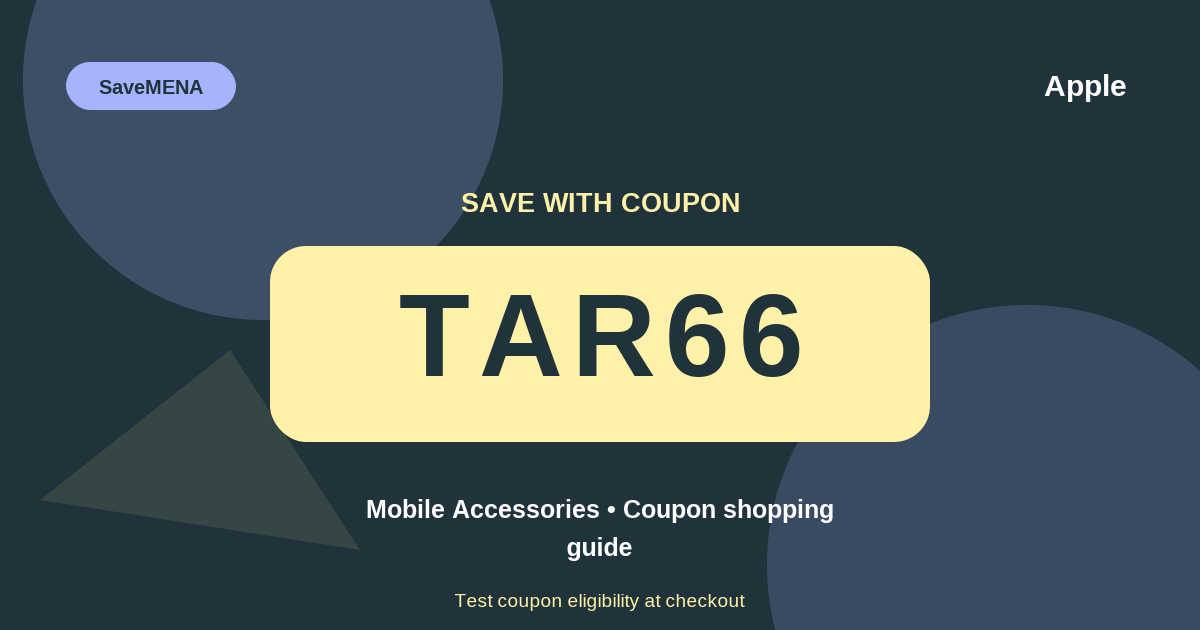
Codes available to try while comparing
These codes are not guaranteed for the article topic or listed brands; test them at checkout and use the live result.
Understanding Noon UAE Coupon Eligibility in the Seller Context
Coupon eligibility on Noon UAE often depends on the seller’s specific inventory, return policies, and compliance with platform standards. Shoppers the coupon code mobile accessories, especially Apple-branded items, should look for sellers rated by independent feedback and offering legitimate stock certifications. Since the TAR73 code may be tied to particular seller agreements, you should first note the seller’s name, location, and any visible authenticity markers. These details form the foundation for the subsequent verification steps, ensuring you are dealing with a trustworthy source before proceeding to checkout.
Once the seller’s brand reputation is established, examine the product list for any exclusion tags or notes regarding coupon usage. Sellers may indicate special conditions such as “premium items” or “excluded promotions.” By cross‑checking these indicators, you’ll gain insight into how likely the coupon is to apply to your selected mobile accessory. Keep this seller context in mind as you compile your cart, because it directly influences the validity of the TAR73 code.
Step‑by‑Step: Checking Eligibility for the TAR73 Coupon
Begin by adding the desired mobile accessory—preferably an Apple‑compatible case, charging cable, or protective screen—to your shopping cart. Ensure the product is sourced from the seller identified in the previous step. Once the cart is populated, navigate to the “Apply Coupon” section typically located near the subtotal field. Type in the TAR73 code and submit. The platform will instantly cross‑reference the coupon with the cart items and seller details, displaying validation feedback. If the code is accepted, you’ll see a message confirming application; if not, an error message will appear, indicating a mismatch.
If the code appears invalid, do not proceed with purchase. Instead, double‑check the seller’s terms or try removing any items not relevant to mobile accessories to isolate the issue. Some sellers may allow the coupon only on specific accessories, so adjust the cart accordingly. Each adjustment should prompt a re‑validation of the code. Repeat until you either receive a positive confirmation or determine the coupon is inapplicable for that seller or product mix.
Seller Credibility: Why It Matters in Coupon Checks
Seller credibility directly influences the outcome of coupon validation. A reputable seller on Noon UAE should feature verified trade licenses, clear return policies, and visible star ratings that reflect consistent customer satisfaction. These indicators reassure that the seller complies with platform guidelines, which is often a prerequisite for retailer‑specific coupons like TAR73. When reviewing seller details, focus on aspects such as professional product photography, detailed descriptions, and explicit authenticity seals—especially for Apple accessories that are prone to counterfeit.
High‑quality sellers also provide transparent shipping information, which is crucial if the coupon’s savings might depend on free or discounted delivery thresholds. By verifying that the seller offers reliable logistics and customer support, you avoid post‑purchase complications that could otherwise nullify the coupon’s effectiveness.A coupon is not guaranteed; verify its result at the retailer checkout.
Mobile Accessories and Apple Products: What to Verify
When shopping for Apple-compatible accessories, confirm that the item’s specifications align with your device—such as charging voltage, connector type, and compatibility with newer iOS features. Seller listings often detail these technical aspects; mismatches can lead to exclusion from coupon eligibility. If an accessory states “Apple Certified” or carries official support badges, it’s more likely to qualify for retailer-specific coupons like TAR73. Skipping this verification step might result in a failed coupon application, leaving you with a higher final cost.
Also, evaluate how the accessory’s price point relates to the seller’s typical pricing strategy. Sellers offering persuasive discounts or frequent promotional bundles may implement internal rules that prevent coupon stacking. Since the TAR73 code may be limited to single‑product or single‑seller conditions, review the product’s pricing tier relative to any advertised promotional thresholds. Adjusting the cart price by selecting alternative accessories can sometimes unlock coupon eligibility, but be mindful of the aforementioned seller criteria.
The Checkout Window: Final Confirmation of Eligibility
Upon moving to the final checkout page, the application of the TAR73 coupon is confirmed one last time. The summary will display the original subtotal, any coupon discount (if valid), shipping fees, and the final payable amount. If the code is not recognized here, it means the earlier validation failed or the eligibility criteria changed after adding the item to the cart. At this stage, the platform no longer allows further product changes; you must either restart with a different seller or remove the coupon entirely.
Pay careful attention to the “Redeemed Offers” section of the checkout screen. Some sellers separate discountable items from non‑discountable ones, listing each beneath an expandable list. If TAR73 appears under “Unavailable Offers,” reconsider the seller or product selection. Verify that the seller remains consistent with the one originally chosen in the cart, as deviations can invalidate the coupon unexpectedly.
Common Seller‑Related Pitfalls When Applying Coupons
One frequent issue is unintended cart items from the same seller that exceed the coupon’s scope. For example, a bundle that includes non‑eligible accessories could inadvertently block the coupon, as the system applies rules at the order level rather than individual items. To avoid this, manually purge any unrelated products before applying the code. A second pitfall is returning to a different seller after adding an item; the platform may re‑evaluate the coupon against the new seller’s terms, which often leads to a "code no longer valid" message.
Additionally, sellers sometimes update their inventory in real‑time, causing a discountable item to be temporarily removed from stock. If the item disappears between validation and checkout, the coupon may lose applicability. Always confirm the item’s continued availability after entering the code, and keep an eye on the seller’s “in‑stock” status during the final verification step.
Measuring Success: Tracking Your Coupon Usage with Seller Interaction
After a successful purchase, maintain a record of the seller’s details, including order confirmation and any customer support references. The seller’s notification of coupon usage can serve as proof if you encounter post‑purchase discrepancies. If you later discover that the TAR73 code was not applied despite earlier validation, contact the seller through the platform’s messaging system for clarification. Storing these records helps you identify patterns in coupon reliability across different sellers.
Over time, use this information to adjust your shopping strategy. Sellers that consistently honor the TAR73 code become preferred partners for mobile accessories, allowing you to streamline future purchases. By building a list of reliable sellers, you reduce the risk of delayed coupon validation and improve overall shopping efficiency.
Preparing for the Next Purchase: Retaining Seller Insights
Before initiating another order, revisit the seller’s updated terms and condition pages. Sellers sometimes revise their coupon policies or offer new codes, so staying informed ensures you don’t miss available savings. Periodically test the TAR73 code on a fresh cart to confirm it remains functional. This proactive check is especially valuable if you are purchasing from a new SKU or a different accessory line within the same seller’s catalog.
Further, consider clustering your purchases by seller when feasible. Consolidating multiple mobile accessory orders with a single seller can simplify coupon management and reduce the chance of code invalidation due to cart discrepancies. By weaving seller context into your buying approach, you strengthen your ability to exploit promotional opportunities effectively.
Related SaveMENA pages
Related articles
Official sources to check
Frequently asked questions
How do I know if my seller offers a valid coupon for mobile accessories?
Check the seller’s store page for any coupon notes, ask customer support, or try applying the code in the cart. A successful validation confirms eligibility.
Can I use the TAR73 coupon with other discount codes?
Coupons typically cannot stack. If the platform indicates incompatibility, choose the most beneficial offer.
What happens if the coupon shows “invalid” at checkout?
Re‑verify the product, seller, and cart configuration. If it remains invalid, the coupon might not apply to that seller or item.
Is the TAR73 code limited to a particular seller?
Coupon applicability can depend on seller agreements. Confirm the seller’s eligibility before finalizing your purchase.