Samsung Mobiles on Noon UAE: seller context — coupon eligibility · TAR71
When you’re hunting for the best deal on a Samsung mobile on Noon UAE, the first question you’ll ask is whether your coupon code will stick.
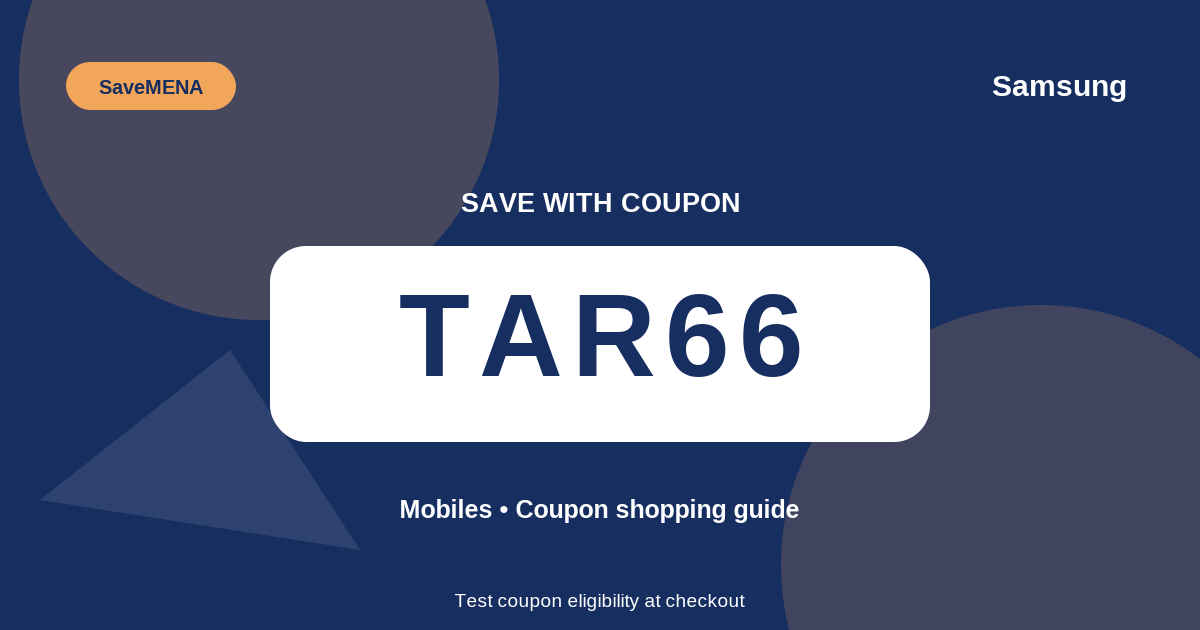
Codes available to try while comparing
These codes are not guaranteed for the article topic or listed brands; test them at checkout and use the live result.
1. Identify the Samsung Mobile and Seller on Noon UAE
Start by searching for the Samsung model you want on Noon UAE. When you find a listing, take note of the seller’s name that appears beneath the product title. Sellers on Noon can be individual storefronts or corporate accounts, and each may support coupons differently. Ensure the product is listed by a seller that frequently offers discounts; seller profiles often display a “Discounts Available” badge if that is the case.
Before adding the item to your cart, click the seller’s page to review their storefront. Here you can see the seller’s ratings, return policy, and any highlighted promotions. This initial seller context check helps you gauge whether the seller traditionally accepts public coupon codes like TAR71, setting the stage for later eligibility confirmation.
2. Verify the Seller’s Coupon History and Policies
On the seller’s page, scroll to the “Promotions” or “Discounts” section. Sellers often list active coupon codes they accept or showcase periodic sales. While specifics such as percentage or expiry are not disclosed, the presence of a “Coupon Code” option signals they process such codes during checkout. Look for mention of “TAR71” or a similar placeholder; if it appears, it indicates that the seller has handled this code before, which increases the likelihood of compatibility.
Check the seller’s return and refund policy for any conditions that might affect coupon usage. Policies may state that certain discounts are not combinable with other offers or that they apply only above a minimum order value. Though you can’t confirm the exact threshold, the policy wording can hint at whether the coupon will be permissible for a single Samsung mobile purchase. This seller‑centric approach to policy review saves you from stumbling at the final checkout step.
3. Add the Samsung Mobile to Cart and Examine Cart Totals
Once you add the Samsung phone to your cart, tap the cart icon. Inspect the line item details to confirm that the correct model, variant, and quantity are listed. Pay attention to the seller label next to the product; this again confirms seller context for the upcoming coupon application. Some sellers enable coupon eligibility checks right at the cart page by showing a warning or “Eligible” tag when a valid code is entered.
At this stage, do not apply the coupon yet. Instead, look for any “Discount Applied” section that automatically populates if the seller allows Hermes-like coupons standardly. The absence of such a section indicates that no coupon is active, which is normal before you actually input the code.A coupon is not guaranteed; verify its result at the retailer checkout.
4. Apply the TAR71 Coupon Code Before Payment
Below the price breakdown in the cart, you’ll usually find a text field labeled “Coupon Code.” Input TAR71 exactly as shown. The page should instantly validate the code against the seller’s coupon database. If the code is recognised, you’ll see a green confirmation message, often indicating “Coupon applied.” This is the point where the seller context is crucial; the validation is performed by the seller’s system, not a global Noon filter. Thus a successful message here means the seller is ready to honor the discount for this item.
If the coupon is not recognised, a red error appears, prompting you to double‑check the spelling or to try another code. This instant feedback saves you from adding the coupon at checkout only to have it rejected later. Don’t proceed with payment until you see that the TAR71 code has been accepted by the seller’s cart, ensuring continuity through the payment step.
5. Understand Seller-Specific Coupon Restrictions
Seller‑specific restrictions are not always printed directly on the product page. However, they can often be inferred from the seller’s general listing description or from the policy tabs. For instance, some sellers note that coupons deactivate for subscriptions or for items purchased via the “Buy Now” button instead of the cart. Reviewing these nuances helps you decide whether you need to purchase via cart, or whether a Samsung mobile sold by that seller is restricted from coupon use altogether.
These restrictions typically fall under the seller’s discretion, so it’s wise to look up any bold statements like “This item cannot be purchased with a coupon.” If the seller’s description does not mention such restrictions, it generally means the seller is willing to apply the TAR71 code to orders that match the cart’s contents. This seller‑centric lens ensures you don’t overlook hidden conditions that could invalidate your coupon at checkout.
6. Verify Accepted Payment Methods and Final Seller Confirmation
Some sellers accept only specific payment methods or consider certain credit cards ineligible for coupon‑eligible purchases. Check the “Payment Options” on the seller’s policy page before finalising your order. If there’s a restriction such as “Coupon cannot be used with external wallets,” you will have to choose an alternative method like a value‑added “Pay on Delivery” or the seller’s preferred banking gateway. This step ties payment choice directly to coupon eligibility.
After selecting a compatible payment method, return to the cart. The total price should now reflect any discount applied by the seller. This price will be shown in the final checkout screen as the amount you will actually pay once payment is processed. Confirm the displayed total matches your expectation; any discrepancy here indicates the coupon wasn’t applied correctly or that the seller’s policies changed after you entered the code.
7. Final Checkout: Confirm Coupon Eligibility and Final Payable Total
During the checkout flow, the final screen will reproduce the cart contents, seller information, and the payable amount. Look for a message confirming “Coupon Applied” or a line that reads “Coupon discount” next to the price. This figure is calculated by the seller’s checkout engine, reflecting whether TAR71 is accepted. If the line is missing or a red error appears, the coupon was not applied, and the amount reflects the full price. This final visual cue confirms eligibility.
Before confirming the order, double‑check that the seller name next to the phone is still the one you intended and that the payment method matches the accepted options listed in the seller’s policies. When all elements align—seller name, product details, accepted payment method, and the coupon confirmation line—you can proceed to “Place Order.” This final scrutiny caps your coupon‑eligibility journey with certainty.
8. Avoid Common Mistakes When Using Coupons on Samsung Mobiles
A popular pitfall is applying a coupon to a different product or to a quantity change after the code has been inserted. If you add or remove items in the cart after a successful coupon application, the eligibility is often recalculated. Sellers on Noon UAE may cancel the discount if the line items change. Thus, once you’ve confirmed the coupon on the exact Samsung model and quantity, avoid any cart modifications until you confirm payment.A coupon is not guaranteed; verify its result at the retailer checkout.
Another mistake is not double‑checking the seller’s policy page for changes. Sellers can update coupon rules after a product listing is live. If the seller recently adjusted their policy to exclude coupons for specific models, you might receive an error at checkout. To stay ahead, revisit the policy section a few hours before finalising the purchase, ensuring your SAP code still applies to the selected Samsung mobile.
Related SaveMENA pages
Related articles
Official sources to check
Frequently asked questions
Does Noon UAE automatically apply coupons when I add a Samsung mobile to my cart?
Noon UAE only applies coupons after you manually enter a valid code such as TAR71. Sellers manage coupon validation, so you must input the code in the cart to see if it’s accepted.
Can I use the same coupon on multiple Samsung mobiles?
Coupons are validated per order, not per item. If the seller’s policy allows, you can add several mobiles to the cart, apply TAR71 once, and the discount will apply to the total. Verify the seller’s coupon conditions if unsure.
What happens if my coupon is rejected during checkout?
If the coupon is not accepted, you will see an error message and the original price will revert to the cart total. Check seller policies or contact seller support for clarification before proceeding with payment.
Will using a different payment method affect the coupon?
Some sellers restrict coupon use with specific payment methods. Check the seller’s “Payment Options” section prior to checkout. If your selected method isn’t compatible, the coupon may be invalidated.