Dell Office on Noon UAE: seller context — coupon eligibility · TAR71
Noon’s coupon ecosystem is built around real‑time validation. Unlike static discount codes, each coupon is checked against the checkout basket and seller profile as
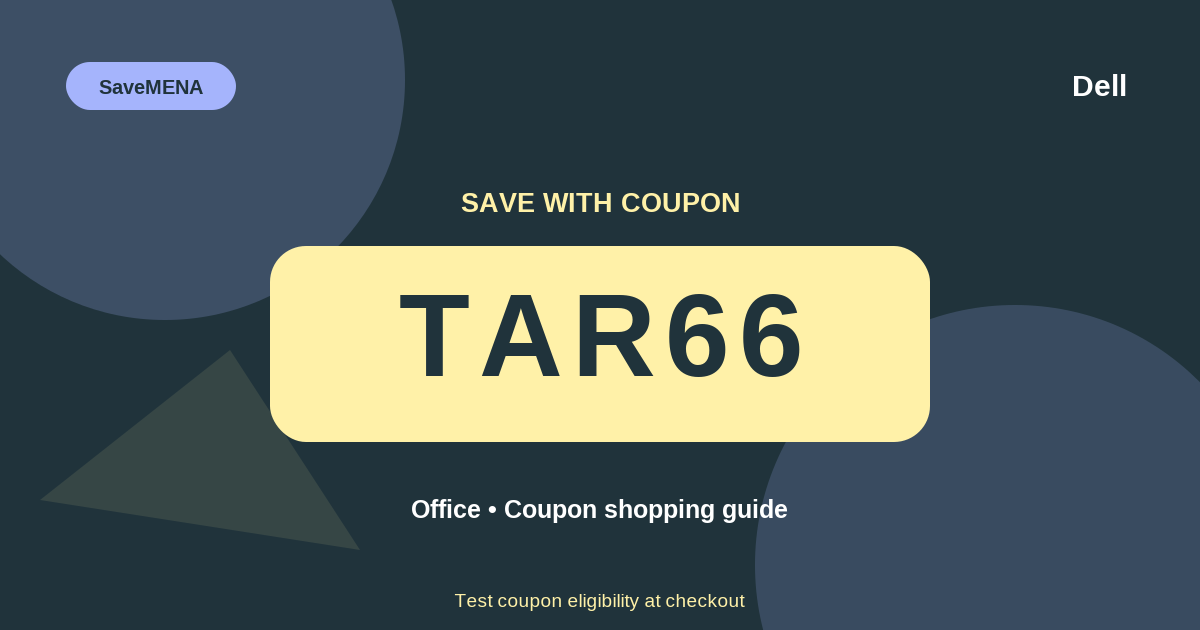
Codes available to try while comparing
These codes are not guaranteed for the article topic or listed brands; test them at checkout and use the live result.
Understanding Noon UAE Coupons: What Makes Them Unique
Noon’s coupon ecosystem is built around real‑time validation. Unlike static discount codes, each coupon is checked against the checkout basket and seller profile as soon as you attempt to apply it. The service includes a pre‑payment eligibility screen that displays whether a code will work before you finalize payment. For sellers such as Dell that handle their own inventory, Noon’s algorithm often requires that the vendor name appears exactly as listed on the product page. This keeps the coupon relevant, preventing accidental mismatches that could lead to a higher checkout total.
Because Nubia’s appraisal may differ for each vendor, it is essential to consider the selling context. An application that works with one Dell outlet might fail with another if the “Seller” field differs. In the UAE market, Noon identifies sellers by a unique deal ID, so always note the bottom‑page reference that lists the official seller name. Only after confirming this match will the coupon legibility cease to be uncertain and become a reliable indicator of potential savings.
Identifying Eligible Dell Products on Noon
The first step in determining coupon eligibility is locating the Dell product you want to buy. Open the Dell list in the Office category on Noon and scan the “Seller” tag. A genuine Dell seller will have a name that mirrors the company’s official branding, often “Dell UAE.” If the seller label reads differently, cross‑check the product ID on Noon. This step is critical because Noon’s eligibility engine assigns codes based on the accurate seller imprint.
Once you’ve confirmed the correct seller, note the product variation. Dell offers a range of monitors, laptops, and accessories each with options such as size, color, or specifications. Each of these is treated as a distinct item for coupon computation. Therefore, if you are selecting a Dell UltraSharp monitor in a specific aperture, you should scan the product detail page to verify the “Variant” field and ensure it is the same as the one you intend to purchase. This increases the probability that the coupon check will go through smoothly.
Seller Context Matters: Why the Source Seller Affects Coupon Use
In the Noon ecosystem, seller context is more than a label—it determines which coupons the platform deems applicable. The code TAR71, for example, is offered as a general discount but uses a filter list that includes Dell sellers. When the cart shows the “Seller” field as “Dell UAE,” Noon’s rule engine permits the code at validation time. If the seller column does not match, the engine rejects the coupon silently, often presenting an “Invalid coupon” notice at the checkout.
This distinction means that shoppers buying the same Dell product from the same Amazon seller, a local retailer, or a third‑party could see different coupon behavior. Ensuring that your cart contains the exact seller reference used by Noon protects against accidental cancellations of free savings. Keeping the seller lock of the cart constant, even when you change product colour or size, is part of a best practice strategy for confirming coupon eligibility during the pre‑payment screen.
The Role of Variation and Quantity in Coupon Eligibility
When you adjust product variation—say, choosing a Dell laptop from 256GB to 512GB storage—Noon re‑calculates the eligibility score. Some coupons are brand‑wide, while others may work only with certain configurations. If you increase quantity beyond one, the engine examines if the coupon can be applied across all items in the cart or whether a capped number of units is needed. These details are often flagged in the pre‑payment eligibility notice, allowing you to either reduce the quantity or choose a different variant that keeps the coupon valid.
Multiple items from the same Dell seller can also trigger a bundle multiplier. Noon may treat a 4‑item bundle as a single entity for coupon application, effectively bundling the coupon over the whole set. Sellers sometimes release bundle‑specific tags that the algorithm flags. For instance, a “Dell Office Bundle” might be noted on the item description; if the tag is present, the coupon will automatically apply without you needing to adjust your purchase plan. Always verify that the bundle tag or variant note matches the Noon instructions when you are near checkout.
How the Checkout Process Validates Coupon Eligibility
When you click the “Apply” button on the checkout screen, Noon initiates a validation request that compares the displayed coupon against the cart contents, seller tag, and any bundle markers. At that moment, the system communicates whether the code is eligible, and if so, presents the reduced amount temporarily. If the coupon is not eligible, Noon shows a message explaining the de‑eligibility, such as mismatched seller or unavailable variant, and keeps the original price in place.
If the code passes validation, the final amount field updates instantly to reflect the deduction. This value is the definitive payable total, and no further discount will be applied automatically afterward. Even if you customize shipping options or add late‑stage services, the coupon eligibility will not change. Therefore, once the validation screen settles, the next step is to confirm the seller context still matches and that your chosen quantity is acceptable for the coupon rules.
Practical Tips for Manual Eligibility Checks Before Payment
Even before you reach the validation step, you can proactively confirm eligibility by reviewing the cart details. Scroll to the “Seller” field, double‑check the variant, and read any seller-provided terms that appear adjacent. If you notice a mismatch between the seller label you see on the product page and the one that appears in the cart, manually adjust the product back to the correct listing. This avoids an unexpected denial when you try to apply the coupon.
Next, take note of the “Price Reading” right before you click “Apply.” Noon uses the live price during validation; if your price deviates because of a user-chosen size or an upgrade, the coupon might appear ineligible. Reviewing the final price in the order summary and confirming it matches what you calculated beforehand lets you gauge whether you are eligible for TAR71 before the engine checks. If discrepancies arise, adjust the product before validation to keep the coupon viable.
Common Pitfalls and How to Avoid Them as a Saver in UAE
One frequent mistake is applying a coupon to a card that does not belong to the same seller category. For instance, adding a Dell product sold by a third‑party refurbisher, even if it is a genuine Dell part, may trigger the omission of the code. The Noor system treats each seller as a separate entity, so only the recognized Dell seller list triggers the code during validation. Always verify that the seller title in the cart exactly matches the retailer’s name provided on the product page.
Another pitfall involves sharing a cart among multiple users or plugging a coupon in while multiple currencies are displayed. Noon uses the active account’s primary currency for calculation; if you navigate the vendor page in a secondary home page, the coupon might appear inactive. Mitigate this by staying within a single currency flow—start the cart, keep the account currency consistent, and avoid toggling between regional settings during checkout.A coupon is not guaranteed; verify its result at the retailer checkout.
Final Steps: Applying the TAR71 Coupon Successfully
Once you have confirmed seller context, variation, and quantity, navigate to the “Enter Coupon” field on the checkout page. Type TAR71, ensuring there are no leading or trailing spaces. The system will immediately notify you whether the code is accepted. If accepted, the total payable drops accordingly—displaying the new amount in the order summary. It is important to note that this display reflects the final price; subsequent steps such as selecting expedited shipping will not alter the coupon calculation.
If the coupon appears invalid at this stage, review the seller details again. Make sure the Dell product is your only entry and that you are not in a discounted bundle silos that alter the seller tag. If all else checks out, consider attempting the coupon again after clearing the cart or purging cookies, as sometimes a stale session may affect the validation. Finally, once the coupon is reflected in the final amount, proceed to payment, ensuring the chosen payment method (credit card, store credit, or UAE tap) aligns with your account settings.
Related SaveMENA pages
Related articles
Official sources to check
Frequently asked questions
How can I confirm the seller of a Dell product on Noon prior to checkout?
The best method is to look at the product page’s “Seller” label, usually shown just below the item title. Match this name with the seller name listed in your cart before you apply any coupon.A coupon is not guaranteed; verify its result at the retailer checkout.
Does the product’s price influence the eligibility of the TAR71 coupon?
No, the coupon check first examines the seller tag and product variant. Only if those match does the price factor into the final calculation. So price differences alone won’t invalidate the code as long as the seller and variation criteria are satisfied.
Can I combine TAR71 with other promo codes or bundles on Noon?
Noon’s logic generally allows only one active coupon per cart. If you try to stack TAR71 with another code, the platform will reject the second coupon.A coupon is not guaranteed; verify its result at the retailer checkout.
What should I do if TAR71 shows as invalid during checkout?
Double‑check the seller tag and ensure you are purchasing from an exact Dell seller. Also confirm you are using the correct product variation. If all details match and the coupon still fails, you can reach out to Noon’s customer support for clarification on their current eligibility rules.