Perfumes on Noon UAE: seller context — coupon eligibility · TAR71
To determine whether your Noon UAE coupon for perfumes is valid before you hit payment, you’ll need to audit the seller’s details, the product’s eligibility, and
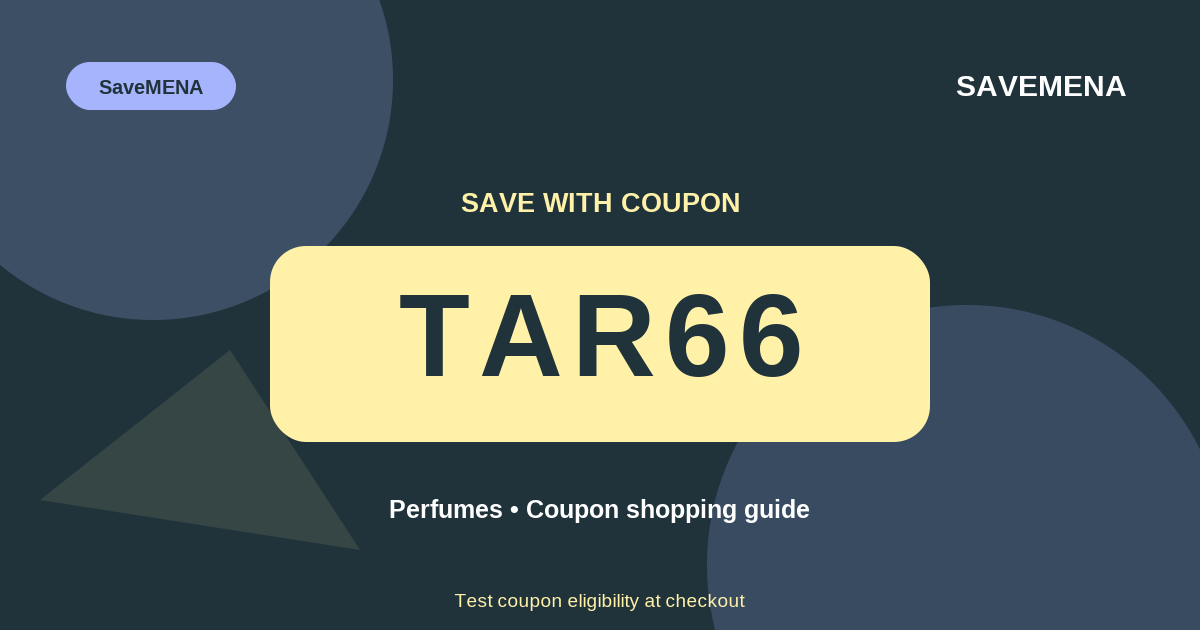
Codes available to try while comparing
These codes are not guaranteed for the article topic or listed brands; test them at checkout and use the live result.
1. Identifying the Perfume Seller on Noon UAE
When browsing Noon UAE, each perfume product page displays the seller’s name, often found beneath the product title or on a separate “Seller” tab. In the seller context, it is essential to note whether the store is a registered Noon seller or a third‑party vendor, as this can influence how coupons are applied. Some sellers may block discount codes for certain categories, whereas others allow multiple coupons including store‑wide codes such as TAR71. Record the seller’s name to reference later during checkout or customer support inquiries.
Comparing the seller’s reputation and product description can also signal eligibility. If a perfume is sold directly by a brand with its own store on Noon, coupon restrictions might differ from when an independent fragrance retailer is selling the same item.Check the seller details directly; do not infer identity verification or reliability from a badge.
2. Understanding Coupon Eligibility Parameters
The TAR71 code is designed to be broadly accessible, but the coupon’s generosity is not guaranteed for all product categories or sellers. When exploring a perfume listing, look for any “Coupon Accepted” badges, and review the solidified terms that appear in the product description or accompanying policy links. These will outline whether the coupon applies to the given fragrance line, the seller, or the whole marketplace.
Because Noon UAE updates coupon policies regularly, and because each seller can opt‑in or opt‑out of certain discounts, the eligibility may change between browsing and checkout. In the seller context, verify whether the seller has opted to accept SMA‑style discounts, as some might disable other promotion types. This pre‑checkout check is critical to saving time and preventing a failed transaction later.
3. How to Apply the TAR71 Coupon Code in the Shopping Cart
After adding your chosen perfume to the cart, navigate to the checkout page where you will encounter the “Enter Coupon Code” field. Input the exact code TAR71; capitalization matters only if explicitly required, but Noon typically accepts uppercase letters. The field is usually positioned near the total cost summary, so you will see whether it accepts transaction‑level or product‑level codes instantly.
Once entered, the interface will indicate a successful recognition or an error message. A successful receipt will recalculate the total and display any discount credit, which may not be visible until you press “Apply.” If you see an error, proceed to the next section to troubleshoot eligibility based on seller information.
4. Checking Eligibility Before Payment
To avoid disappointment, double‑check the coupon status on the final total screen. Here, Noon clearly lists the “Coupon Applied” line, if any, and recalculates the subtotal, taxes, and delivery charges. Verify that the flash discount shown corresponds to the entered TAR71 code—not an automatically applied promotion—and that the coupon amount appears in the breakdown.
Additionally, ensure no hidden minimum spend requirement appears after you add the perfume. If the coupon’s application condition requires a threshold that you haven’t met, Noon will often alert you at this stage. In such cases, the code will not apply, and the system will revert to the original payable amount.
5. Common Pitfalls with Noon UAE Coupons for Perfumes
Many shoppers encounter issues where the coupon code appears accepted but the final price shows no change. This discrepancy can stem from seller‑level restrictions or a mismatch between promotional eligibility and product category. Verify the perfume’s SKU against the coupon’s stated category to rule out this mismatch.
Another frequent problem is discrepancy between cart and checkout screens. If the coupon is applied in the cart but not reflected after entering delivery details, revisit the seller's terms linked within the perfume listing, as some sellers might disable discounts post‑checkout. Remember, the seller context can override marketplace‑wide offers.
6. Step‑by‑Step Guide for UAE Shoppers
Step 1: Search for your perfume and note the seller’s name. Step 2: Verify the “Coupon Accepted” badge and seller’s policy link. Step 3: Add the item to the cart and proceed to checkout. Step 4: Enter TAR71 in the coupon field, press “Apply,” and observe the total refresh. Step 5: Confirm the discount line before final payment.
If the discount does not appear or the code is rejected, check for any “Required Minimum Spend” or “Exclusive Seller” tags. Should issues persist, contact Noon support or the seller’s customer service for clarification, as this could signal a technical glitch or policy change.
7. What to Do If the Coupon Doesn’t Work
Encounter a “coupon code not valid” error? First, double‑check the spelling of TAR71. If the entry is correct, the code may have been deactivated for this seller or category. In that case, evaluate whether a different discount option is available, such as a full‑store sale or a gift card. Alternatively, investigate the seller’s own promotions; some sellers run exclusive coupons visible only on their store page.
When a coupon fails, consider reaching out to Noon’s customer support via the chat or email. Provide the perfume SKU, seller name, and the error notification. This confirmation can help clarify if the code is truly invalid or if a temporary technical issue exists, giving you a roadmap for resolution or a chance to adjust your purchase plan.
8. Maximizing Perfume Purchases with Savings
Even when a specific coupon fails, there are ways to reduce spending. Look for Noon’s weekly deals or clearance sections dedicated to fragrances, where price reductions may exist independent of coupon codes. Additionally, combining a product‑level discount with Noon’s free delivery thresholds can create a more attractive total.
Another strategic move involves purchasing a perfume’s “sample pack” or smaller bottle size, if available through the same seller. Smaller quantities often carry lower per‑unit prices, giving you more buying power to meet any a minimum-spend condition, if the retailer shows one code or future promotions.
Related SaveMENA pages
Related articles
Official sources to check
Frequently asked questions
How do I confirm the seller accepts Noon coupons?
Check the product page for a “Coupon Accepted” badge and review the seller’s policy link. If the badge is present, the seller typically permits coupon usage during checkout.
Will the TAR71 code work for all perfume sellers on Noon?
Not automatically. The code’s eligibility depends on each seller’s opt‑in status and any category restrictions highlighted in the product description.
What happens if the coupon shows accepted but the price stays unchanged?
This indicates a seller‑specific restriction or a minimum spend not met. Re‑confirm the total on the final screen and review any additional thresholds stated by the seller.
Can I use the coupon after choosing delivery options?
Yes, the coupon can be applied after selecting delivery, but it must pass all eligibility checks before the final payment is processed.