School & Stationery on Noon UAE: seller context — coupon eligibility · TAR71
If you’re hunting for the best deal on school and stationery supplies, you likely wonder how to confirm a Noon UAE coupon is usable before you hit “Buy.”
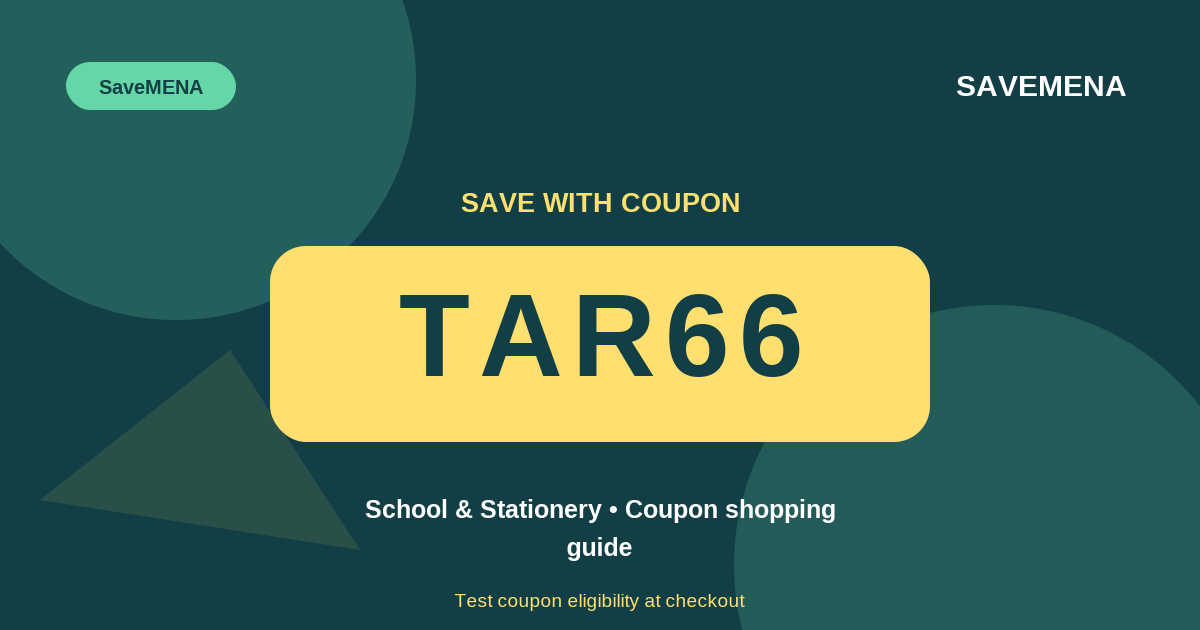
Codes available to try while comparing
These codes are not guaranteed for the article topic or listed brands; test them at checkout and use the live result.
1. Know the Basics: What Makes a Coupon Eligible With a School & Stationery Seller?
Bonuses like Noon UAE coupons depend on several factors set by the seller and the platform. In the school & stationery segment, sellers often restrict coupons to specific product categories or to items within a certain price range. When shopping for pencils, notebooks or backpack essentials, verify that the seller’s policy states that coupons apply to all stationery items. If the policy is unclear, it is safe to assume the coupon may be limited to particular sub‑categories such as “writing instruments” or “stationery sets.”
Since Noon’s interface shows the sender’s identity, look for a seller that is verified and tags “School & Stationery” in its description. Coupons tied to such sellers are typically eligible for all routine stationery items but may exclude bulk orders or premium stationery lines.A coupon is not guaranteed; verify its result at the retailer checkout.
2. The Pre‑Add Checklist: What To Inspect Before Loading Products Into Your Cart
Before you drag a notebook or pair of mechanical pencils into your cart, scroll to the product description. The seller usually lists whether coupons are accepted. A simple “Coupon available” tag signals eligibility. Additionally, ensure the product title matches the seller’s category. For instance, items labeled “Conference‑Ready Alkaline Pencil Set” are clearly stationery, while a romance novel would trigger a mismatch.
Check the seller’s page for a field called “Coupon Policy.” If you see “Applicable to all items for students,” that is a green light. On the other hand, a note saying “TAR71 only for branded school bags” means the code won’t apply to your notebooks. On the Farther United Arab Emirates interface, you’ll see an icon or short explanatory text. Verify this before proceeding further to fix a future checkout error.
3. Dive into the Seller’s Product Page: How to Spot Eligibility Flags
When you land on a product page, the seller may place an eligibility badge next to the price. The badge might read “Coupon OK” or “Discount Code Allowed.” These visual cues come from the seller’s settings, not from Noon’s default layout. Look for any text such as “Use coupon code TAR71 at checkout,” which signals the seller has enabled the coupon for that product.
Scroll down to customer questions; sometimes the seller clarifies coupon usage there.A coupon is not guaranteed; verify its result at the retailer checkout. The more explicitly the seller references the coupon, the higher the chance of successful redemption.
4. Using the Cart to Test the Coupon Before Checkout
Once you add a stationery item to the cart, click the cart icon to verify coupon compatibility. Noon’s cart will flag items that refuse coupon use with a small warning icon. If you see a warning next to the item, the seller has blocked coupon usage for that particular SKU or price tier. In contrast, a green check‑mark means the cart accepts TAR71 for the selected products.
With the cart open, input “TAR71” in the coupon field. If the code triggers a temporary “Coupon applied” message, it gives you a provisional green light. However, this early test is not conclusive—final confirmation only happens at checkout. Use this step to catch obvious mismatches before you fill the rest of your form or finalize your purchase.
5. Applying the Code at Checkout: The Final Confirmation
At the checkout page, you’ll reach the “Apply Coupon” section, where Noon summarizes the coupon’s eligibility for the entire cart. If the seller’s policy aligns with the code, the field will allow you to paste “TAR71” and receive a green success notification. If compatibility is missing, you’ll either avoid any alert or obtain a brief notice that the coupon is not applicable.
Read the displayed message carefully: Noon may mention that the coupon only covers items under a certain price or category. If the seller uses a restrictive coupon (e.g., only for back‑packs), the message clarifies this limit. Should the coupon be invalid, review the items in the cart to ensure none fall outside the seller’s allowed categories.
6. Common Pitfalls and How to Resolve Them
One frequent oversight is adding mixed‑category items to the cart. If you combine a library desk set with a set of pens, the seller might disallow the coupon for the second item. In such cases, split the purchase into two separate carts: one for stationery items and one for other supplies. This approach helps the coupon apply where it is allowed without affecting unrelated products.
Another issue arises when items are part of the seller’s “Gift Basket” promotion. Gift baskets often bundle different objects, and coupons commonly do not apply to them. To avoid confusion, look for a note “Coupon not applicable for gift bundles.” If your selected items come under a bundle, decide whether the savings outweigh the missing coupon application.
7. Why Checking Eligibility Early Matters for UAE School & Stationery Shoppers
In a fast‑moving student market, many sellers update their coupon policies daily. Verifying eligibility before payment prevents last‑minute redirection to the seller’s page or having to cancel an order. This step preserves your shopping time, protects you from extra costs, and keeps you informed about the seller’s current discount rules.
UAE consumers also benefit from this practice because Noon’s platform sometimes shifts coupon service to external payment portals. By confirming the coupon in the cart and at checkout, you mitigate the risk of overlooking a seller’s internal rules that could otherwise nullify a coupon like TAR71 during the final transaction.
8. Next Steps After Confirmation: Saving on Your Final School & Stationery Bill
Once the coupon applies successfully, you’ll see the discount reflected in the “Total Due” line. This confirmation allows you to evaluate whether the coupon provides a meaningful saving given your total consumption. If you find that you could still lower your spend by adding complementary stationery items, proceed cautiously—every new addition re‑validates coupon eligibility.
Keep the receipt and coupon code handy. If you encounter a discrepancy later, be ready to contact the seller’s customer service with the cart ID and coupon mention. Since SaveMENA is an independent platform, it serves as a reference point, but your final proof of coupon use comes from Noon’s transaction ledger. Verification brings peace of mind to any UAE school‑and‑stationery shopper.
Related SaveMENA pages
Related articles
Official sources to check
Frequently asked questions
How do I know if TAR71 works only for one item or all items in the cart?
During checkout, Noon will display the coupon status next to each product line. If you see a green pass for all items, the code applies to everything. A warning next to any line indicates the coupon is limited to specific products or categories.
Can I combine TAR71 with other discounts or promotional offers?
Coupon combinations vary by seller. Noon usually applies the coupon first, then any site‑wide promotions. If a sticky “TAR71 plus free shipping” offer is listed, that is a seller‑initiated bundle and should appear clearly on the checkout page.
What should I do if the coupon is rejected at checkout?
Check the cart items for categories that fall outside the seller’s coupon policy. Remove or replace those items, then re‑apply TAR71. If issues persist, contact the seller’s support for clarification on eligibility across the product group.
Is it safe to rely on the coupon status shown on the cart page?
The cart status is an early indicator but the definitive check occurs at checkout. Final validation by Noon’s payment gateway confirms whether TAR71 applies and will reflect any adjustments in the total due line.