Puma Shoes on Noon UAE: seller context — coupon eligibility · TAR71
Coupon eligibility is governed by the conditions set by Noon for each promotional code. For the TAR71 code you must first verify that it is applicable to the
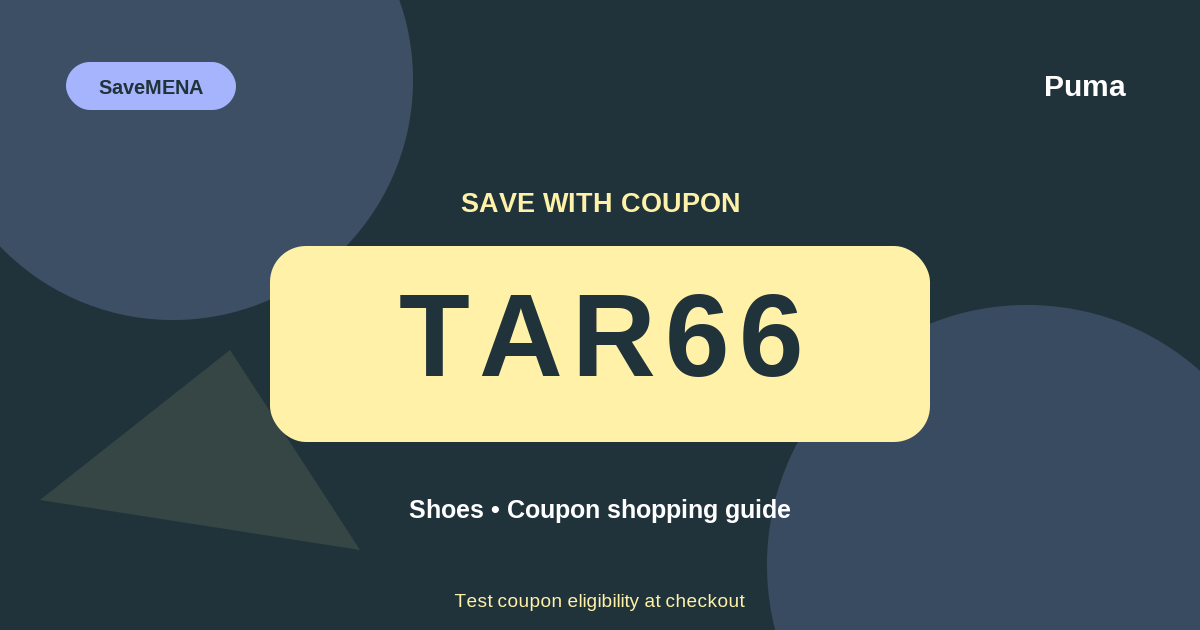
Codes available to try while comparing
These codes are not guaranteed for the article topic or listed brands; test them at checkout and use the live result.
1. Understand the Coupon Eligibility Basics for Noon UAE Shoppers
Coupon eligibility is governed by the conditions set by Noon for each promotional code. For the TAR71 code you must first verify that it is applicable to the product type you are buying. Since you’re looking at Puma shoes, confirm that the coupon lists footwear as an eligible category. However, keep in mind that eligibility can change with time, so always double‑check at the point of sale. This step is the foundation before moving into product‑specific checks.
The seller context also affects eligibility. Products sold by authorized Puma licensed sellers are more likely to honor promotional codes. Make sure the seller’s credentials align with Noon’s policies for brand‑specific offers. If the seller is a third‑party or affiliate, eligibility might be restricted. Therefore, simply knowing the coupon exists is not enough—you must cross‑reference both category and seller information before adding the item to your cart.
2. Identify the Right Seller: Why Puma Matters on Noon
When searching for Puma shoes, pay attention to the seller’s name and rating displayed near the product title. A seller quoted as “Puma Official” or with a high customer rating signals authenticity and higher likelihood of honoring brand‑specific coupons. If the listing appears under a generic marketplace seller, eligibility can be uncertain.A coupon is not guaranteed; verify its result at the retailer checkout.
In addition, confirmed sellers often provide return policies and warranty details that align with Puma’s standards. This consistency supports coupon eligibility because Noon’s terms often favor legitimate, well‑rated sellers to maintain quality control. By picking a verified Puma seller, you reduce the risk of encountering a non‑eligible item and make the later steps of coupon verification smoother.
3. Inspect Product Listings for Eligible Shoes
Product pages on Noon include a section for promotional details. Scan this section for any mention of coupon eligibility or special offers. Even if the listing does not explicitly list TAR71, it may refer to “save with coupons” or “apply discounts at checkout.” If such indications are present, it implies that the product could accept general coupon codes, including yours. Should the listing lack any promotional language, be cautious when proceeding.
Also note the listed product variations (size, color) and match them to your wishlist. Some SKU variants may have different eligibility. Confirm that the specific variation you intend to buy is marked as eligible for discount codes. This granular check prevents errors later in the checkout process and ensures the item remains perfunctory throughout.
4. Evaluate Seller Ratings and Feedback Before Adding to Cart
Beyond the seller’s name, Noon displays customer feedback and overall ratings. A rating above 4 stars generally shows a reliable seller, which is a good sign that promotional codes will be honored. Buyers often leave comments about coupon application, so reading a few recent reviews can reveal whether the seller’s customers encountered issues when employing codes. This community insight can preclude surprise disqualifications.
While ratings do not guarantee coupon acceptance, they form a useful proxy. If you spot frequent complaints about “cancellation of discounts after adding to cart,” consider waiting for a seller with cleaner feedback. Trusted sellers frequently maintain smooth coupon systems, thereby reducing your chance of missing the discount during the final step.
5. Use the Shopping Cart to Test Coupon Eligibility
Adding the desired Puma shoe to your shopping cart is the first technical test. Once the item is in the cart, you should see an option to “Apply coupon” on the cart page. Enter TAR71 into the coupon field. If the coupon is ineligible, Noon will immediately notify you—this is the definitive first test. If it appears accepted, you will see a placeholder for the potential discount amount, which will be finalized at checkout.
Do not finalize the purchase after this test; simply let the cart confirm.A coupon is not guaranteed; verify its result at the retailer checkout. If the cart rejects the coupon, it may already be time to reassess the seller or product variation before adding more items. Use this checking stage to avoid the effort of adding more products only to later find the coupon invalidated at checkout.
6. Confirm Eligibility at the Checkout Stage
Even if the coupon seemed valid in the cart, the final confirmation happens at checkout. As you proceed to payment, Noon re‑evaluates all eligibility rules—seller status, product category, and code parameters—against your cart. At this point, the total payable amount will reflect whether the coupon was applied. If the coupon is successfully accepted, the system will deduct the discount and display the final amount. If the coupon is disallowed, Noon will flag an error at this stage.
Be aware that the cart may have shifted items if you added or removed items during your navigation. Always double‑check the final summary before confirming payment. The checkout screen is the definitive reference for eligibility and the ultimate payable total. No preliminary screen can correct a disqualified code that fails here.
7. Troubleshoot Common Coupon Issues
When a coupon fails at checkout, start by verifying whether you are logged in to the correct Noon account. Some codes are tied to a particular user profile and may not be transferrable. If the code still fails, revisit the product page and check for any hidden restrictions—such as “Apply only on authorized sellers” or “Excludes third‑party sellers.” Adjusting the seller or product variation can often resolve the problem.
Another typical issue arises when users attempt to combine the coupon with other active offers. Noon’s policy might limit the number of concurrent discounts on a single product. Thus, disabling or removing other offers before re‑applying TAR71 can help. If the code still does not function, consider contacting Noon customer support for clarification, as they can confirm whether the coupon remains active for the selected seller and product.
Related SaveMENA pages
Related articles
Official sources to check
Frequently asked questions
What should I do if the coupon code is not accepted during checkout?
If the coupon fails at checkout, first double‑check that you are logged into the correct Noon account and that the product’s seller still supports the code. Then review the product page for any hidden restrictions or updates to the seller’s status. If the issue persists, contact Noon customer support for confirmation of eligibility.
Can I use the TAR71 coupon on multiple Puma shoe purchases at once?
When multiple Puma shoes are added to the cart, the coupon can be applied at checkout once, provided all items belong to eligible sellers and meet the code’s conditions. Once applied, the discount will reflect the total aggregate price of the items, assuming the seller and category restrictions are satisfied.
Will the coupon work if I add a Puma shoe from a third‑party seller?
The coupon’s applicability depends on the seller’s certification status. If the item is sold by a third‑party not recognized as an authorized Puma seller, the coupon may be rejected. Always confirm the seller’s legitimacy before adding the item to the cart.
What information should I verify on the product listing before applying the coupon?
You should check the product page for any mention of coupon eligibility or special offers, ensure the listed seller appears authentic (often “Puma Official”), and consult recent customer feedback. This helps confirm that the item can accept the TAR71 coupon before you commit to a purchase.