Huawei Smart Watches on Noon UAE: seller context — coupon eligibility · TAR71
Every coupon on Noon carries its own set of conditions, often linked to specific sellers, product types, or minimum purchase amounts.
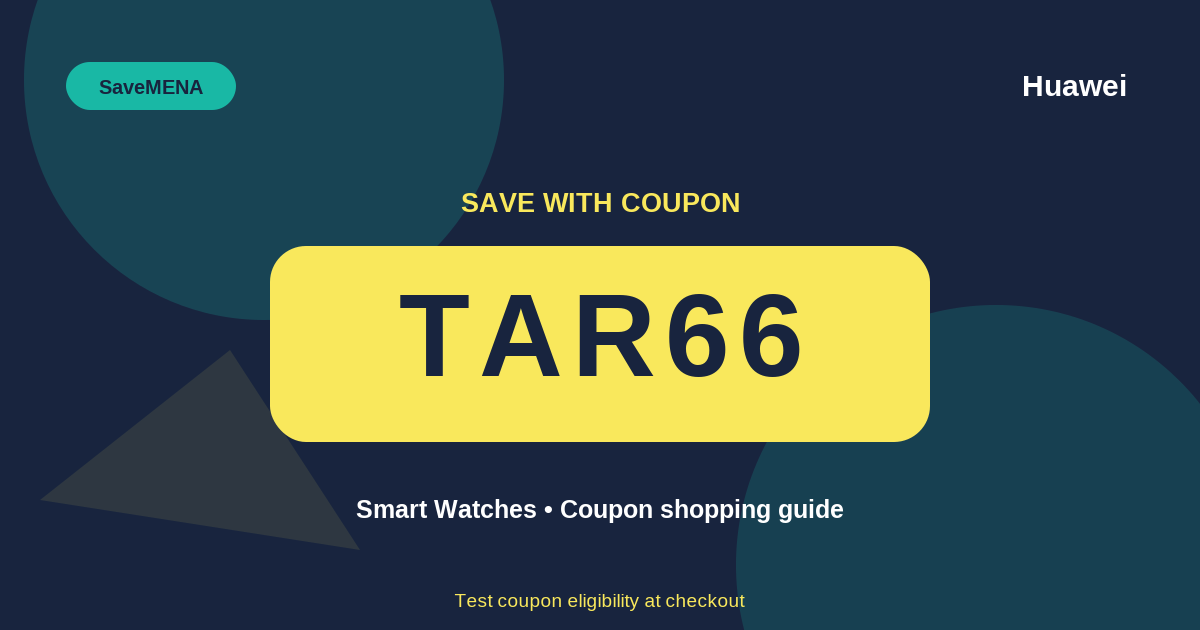
Codes available to try while comparing
These codes are not guaranteed for the article topic or listed brands; test them at checkout and use the live result.
1. Understanding the Coupon Eligibility Process on Noon
Every coupon on Noon carries its own set of conditions, often linked to specific sellers, product types, or minimum purchase amounts. The first move is to locate the coupon description listed on the coupon page or within the product listing. This description will reveal whether the code is broadly applicable or tied exclusively to certain vendors. Keep in mind that Noon’s coupon engine evaluates eligibility only when you attempt to apply the code at checkout, so the subsequent steps will confirm this match.
Before reaching the cart, glance at the product details, particularly the “Seller” label and any badge indicating verified or authorized partner status. Sellers who consistently deliver high‑quality customer service are more likely to honor coupon conditions, reducing the risk of being rejected at the payment stage. By logging these vendor details early, you will have a clearer context when deciding whether a particular smartwatch fits your discount criteria.
2. Selecting the Ideal Huawei Smart Watch for Your Needs
The Huawei smartwatch range covers fitness tracking, notifications, and style, with models differentiated by chipset, battery life, and band material. Begin by matching your use case—whether you need advanced health metrics or just a convenient companion to your smartphone. This alignment will ensure you’re choosing a product that genuinely adds value to you, regardless of discounted pricing.
When browsing, noted the product’s “Seller” field for each listing. Seller accuracy can affect availability, warranty processing, and ultimately how the coupon applies. A trusted seller can streamline the post‑purchase experience, while an unfamiliar one may introduce complications, especially if the coupon is restricted to specific vendors.
3. Evaluating Seller Reputation and Trustworthiness
On Noon, sellers are identified by their store name or the Noon's own verified label. A seller’s reputation is mirrored in customer ratings, response time, and return policy clarity. Research the seller’s track record to see if past buyers have reported issues with delayed delivery or non‑compliance with discount policies. A solid reputation increases confidence that your chosen product will be processed smoothly, including any coupon verification.
Additionally, sellers listed directly by Huawei or with an authorized partner badge are more likely to honor manufacturer‑provided promotional codes. Checking whether a seller claims to be a direct Huawei distributor can add another layer of assurance before you commit to the purchase and the coupon application.
4. Adding the Product to Cart and Reviewing Coupon Details
Place the chosen Huawei smartwatch into your cart by confirming the desired quantity and variant. Once in the cart, locate the coupon field, usually situated near the total price. Enter TAR71 into this input box—a simple action that triggers an internal check of eligibility. Notice how the interface responds: it either indicates “Coupon applied” or displays a message such as “Coupon not applicable.” This immediate feedback can prevent surprise at the payment stage.
While the cart screen updates, also review the seller information again. Conflicts between the listed seller and the coupon’s specified seller can surface here. Pay close attention to any notes about vendor restrictions; if the coupon was issued in partnership with a specific seller, the cart will reflect that restriction quite clearly.
5. Applying the TAR71 Code: Step‑by‑Step Guidance
After entering TAR71 in the cart’s coupon box, click “Apply.” The checkout interface will recalculate the total, adjusting the discount if the code is valid. Ensure the new total updates immediately; if it does not, double‑check the spelling and attempt to reapply. A UV code that fails at this stage likely does not fit the vendor or product criteria.
Should the coupon appear invalid, do not proceed to payment yet. Instead, revisit the product listing, verify that the seller matches any stated coupon requirements, and confirm that the smartwatch model is still listed under the product category the coupon intends to cover. Make adjustments accordingly before retrying the code application.
6. Final Verification at Checkout: Seller Confirmation and Coupon Validity
Proceeding to checkout will present a final confirmation window. Here you can cross‑check the seller name once more, along with shipping details and the final price reflecting any applied discount. If TAR71 was accepted, the discount amount will appear; if not, the interface may revert to the original price. This step is crucial because Noon’s payment gateway finalizes the coupon eligibility before authorizing the transaction.
At this stage, any hidden conditions—such as a specific payment method requirement—will surface. Confirm that the chosen payment method aligns with the coupon’s terms, if any. Once all these elements agree, you can safely complete your payment, confident that the coupon has been applied correctly.
7. Common Pitfalls When Using Noon UAE Coupons for Smart Watches
One frequent issue is confusion between seller‑specific coupons and generic platform coupons. A coupon shown on a product page may never function if the vendor is not on the approved list. Ensure the seller listed for your chosen Huawei smartwatch matches any noted restrictions before applying the code.
Another pitfall involves overlapping promotions. If the smartwatch is part of a separate flash sale or a holiday discount, Noon’s system might not stack TAR71. In such cases, verify whether the store allows coupon stacking by reviewing any “Promotions” banner or contacting the seller via the messaging feature for clarification.
8. Next Steps After Checkout: Tracking, Returns, and Feedback
Once the payment goes through, head to your order summary to track delivery progress. Noon provides real‑time updates and shipment notifications which can help you anticipate arrival times. Keep an eye on the delivery window, especially if the coupon gave you a cost savings that might reduce shipping options.
After receipt, inspect the smartwatch and confirm it matches the product description. If there is an issue, use Noon’s return portal or contact the seller directly for a swift resolution. Providing feedback on the seller and product can help future shoppers make informed decisions while also sustaining the seller’s standing on the platform.
Related SaveMENA pages
Related articles
Official sources to check
Frequently asked questions
Do I need to create a Noon account to use TAR71 on a Huawei smartwatch?
Noon requires a registered account to apply any coupon code, including TAR71. Signing up is straightforward via the app or website, and you’ll be able to enter the code during checkout to verify its eligibility.
Can TAR71 be combined with other discounts or promotions?
Coupon stacking rules are set by Noon and vary by promotion. Review the product page or contact the seller to confirm if any other discounts apply alongside TAR71.
What happens if TAR71 is not accepted after I finish checkout?
If the coupon fails at checkout, Noon will revert to the original price and cancel the discount portion of the transaction. You will still receive the product as ordered.
How can I be sure the seller is authorized to sell Huawei smart watches?
Look for a verified badge or the “Authorized Seller” tag on Noon. Sellers listed directly by Huawei or with a recognized partnership designation typically meet the required authentication standards.