Philips TVs on Noon UAE: seller context — coupon eligibility · TAR73
How to check coupon eligibility before payment on Noon UAE when buying Philips TVs is the practical question many shoppers ask.
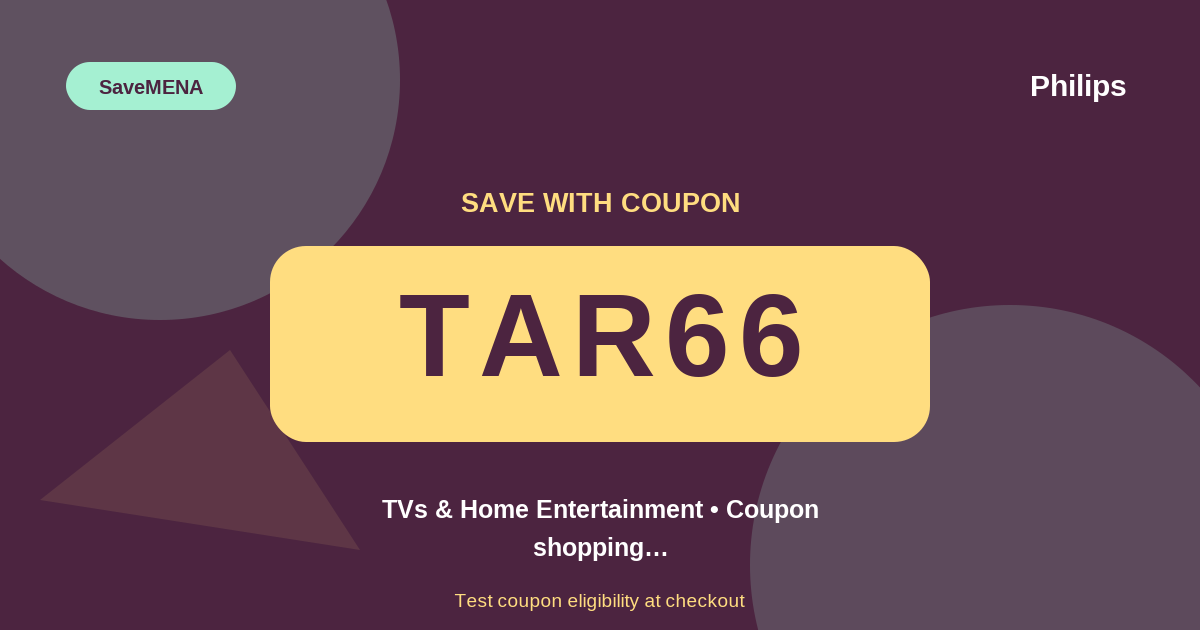
Codes available to try while comparing
These codes are not guaranteed for the article topic or listed brands; test them at checkout and use the live result.
1. Understanding Seller Context on Noon UAE
Noon UAE’s marketplace hosts a wide variety of sellers, from authorized Philips distributors to independent retailers. Each seller sets its own conditions for coupon use, which directly influences whether the TAR73 code will apply.Check the seller details directly; do not infer identity verification or reliability from a badge. Keep this seller context in mind throughout the shopping flow, as it determines the final discount eligibility at checkout.
When you find a Philips TV listing, review the seller badge, rating, and transaction history. Noon often displays a brief seller profile on the product page, providing insight into reliability and customer satisfaction. This information not only influences trust but also informs whether a noon UAE coupon is likely to be accepted, making seller context a foundational lens for your purchase decision.
2. Selecting a Philips TV – Product and Seller Details
Choose the Philips TV model that fits your needs, ensuring the product details—screen size, resolution, smart features—match your preferences. On the Philips listing, scroll to the "Seller" section to see who is offering the item. Pay attention to the seller’s name displayed, and check if the seller is flagged as authorized by Philips, which can affect warranty and support options.
Once you have identified the Philips TV and its seller, make a note of the SKU and variant. This information will later aid in verifying coupon eligibility, as some sellers may restrict coupons to certain models or variants. Maintaining consistency with the product variant you intend to buy reduces the risk of checkout errors related to coupon application.
3. Verifying Seller’s Eligibility for Coupons
Before adding the Philips TV to your cart, use Noon’s built‑in coupon eligibility checker. On the product page, locate the "Coupon Eligibility" tab or section, which usually lists applicable codes and the associated seller. Confirm that TAR73 is listed under the current seller’s promotions. If the code is not displayed, the seller may not accept it.
Additionally, check for any sellers’ exclusive coupons that could override general codes. Some sellers offer their own discount vouchers that supersede third‑party coupons like TAR73. Recognizing this policy difference at the seller level ensures you won’t be surprised if the coupon does not reduce your price during checkout.
4. Adding the TAR73 Coupon – Step‑by‑Step
Add the Philips TV to your cart and proceed to the cart overview page. Next, expand the coupon section, which typically appears as an input field adjacent to the item total. Type the code TAR73 exactly as presented, and tap “Apply.” The system will instantly indicate whether the coupon is accepted or rejected.
If applied successfully, the cart will display the discount amount next to the item subtotal. However, note that many sellers impose a minimum spend or a limited quantity of coupon usage; if such conditions exist, they will appear in the coupon confirmation message. Verify these details before moving to checkout to avoid any last‑minute surprises.
5. Checking Availability of Coupon Before Payment
At this point, the coupon’s acceptance is confirmed. Nonetheless, you should double‑check on the checkout page, especially if you have multiple items. Noon’s checkout interface aggregates all cart items and applicable coupons, maintaining seller context for each. The the coupon code text will read “Coupon applied” along with the seller name if the coupon belongs to that seller.
There can be situations where the coupon is only valid for the first item or for orders from a single seller. Ensure your entire cart matches those conditions, or reduce the cart to a single Philips TV from the same seller to guarantee the discount will not be revoked during the final payment step.
6. The Role of Seller Policies at Checkout
During checkout, every seller on Noon highlights its return, warranty, and payment policies. These policy bulleted lists also affect coupon applicability. If the seller’s policies list “Coupon exclusions,” the code may become invalid once the transaction is confirmed. Therefore, read this policy block carefully before proceeding.
In addition, sellers often specify whether coupon codes are compatible with Zero Down Installment plans or other financing options. If you choose an installment plan, confirm whether TAR73 can still be applied; the seller’s policy section will clarify this condition to avoid payment hurdles later.
7. Common Pitfalls When Using Coupons from Different Sellers
One frequent mistake is mixing items from multiple sellers while expecting a single coupon to apply. Noon separates cart items by seller for discount calculations. A code like TAR73 may only pick up the first eligible item, leaving others at full price. To mitigate this, group relevant goods under the same seller when purchasing.
Another pitfall is overlooking seller-specific coupon validity windows. Some sellers activate coupon codes only during promotional events or from certain dates. Checking the code’s validity period in advance helps you avoid applying it when it would be automatically rejected at checkout.
8. Final Confirmation and What to Do If the Coupon Doesn’t Apply
After confirming the coupon’s presence, double‑check your total. If the code still does not reflect in the final payment amount, go back to the product page and re‑verify the seller context. Ensure you are not shopping as a guest or using a promotional link that may alter the seller’s identity.
In the rare event the coupon fails at checkout despite prior successful application, contact Noon’s customer support. Provide order ID, seller name, and note that TAR73 was applied earlier. The support team can clarify whether the seller policy changed or if there was a technical issue during the final transaction.
Related SaveMENA pages
Related articles
Official sources to check
Frequently asked questions
What does seller context mean when checking coupon eligibility?
Seller context refers to the specific retailer offering the Philips TV on Noon UAE. It determines whether a coupon like TAR73 will be accepted, based on the seller’s own discount policies and any exclusive promotions they run.
Can I use TAR73 for multiple Philips TVs from the same seller?
Use of TAR73 on multiple items from the same seller depends on the seller’s policy. Some allow a single code per order, while others permit it across multiples. Check the coupon eligibility notice on the seller’s product page for clarification.
Will the coupon apply if I choose an installment payment plan?
Installment plans may restrict coupon usage if the seller's policy excludes financing options.A coupon is not guaranteed; verify its result at the retailer checkout.
What if the coupon is accepted but not deducted at checkout?
Refunds can occur due to seller policy updates or technical glitches. If this happens, reconnect with Noon customer service, provide your order details, and highlight that the coupon applied earlier, so they can investigate the discrepancy.