Logitech Office on Noon UAE: warranty and support — coupon eligibility
Picking the right office gadget is the first decision. With Logitech’s range, identify the exact model that meets your workflow—whether it’s a wireless keyboard
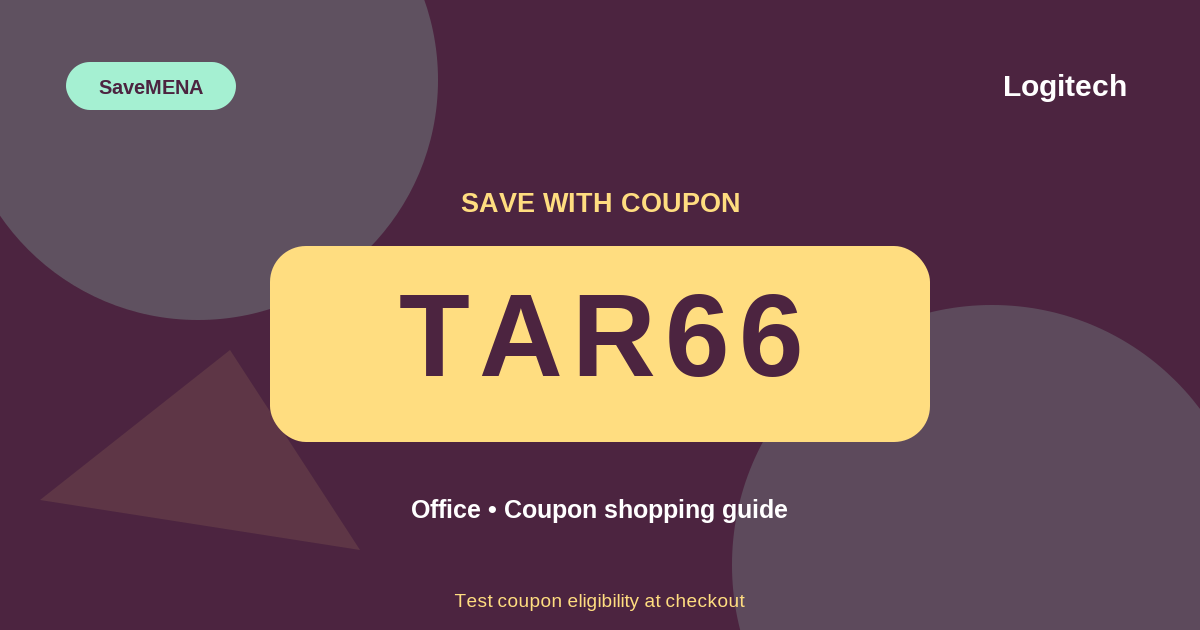
Codes available to try while comparing
These codes are not guaranteed for the article topic or listed brands; test them at checkout and use the live result.
1. Identify the Product and Verify Warranty Availability
Picking the right office gadget is the first decision. With Logitech’s range, identify the exact model that meets your workflow—whether it’s a wireless keyboard that pairs via BT, a mouse boasting adjustable DPI, or a headset with noise cancellation. Once the product page is open, scroll to the ‘Warranty’ or ‘Product Details’ section. Look for explicit coverage wording, such as “2‑year limited warranty” or “on‑site support.” Because your warranty determines the scope of future service, confirm that the listed period matches your expectations before adding anything to the basket.
Logging the warranty details is more than a formality. Hold a quick note of the coverage start and end dates, or copy the text into your device notes. This way, if the store changes the detail wording in a later update, you’ll already know the original promise. Keep a record of the manufacturer’s support email or phone number; it’s handy when you need to open a claim or ask a query after payment.
2. Add to Cart and Review Delivery Options
After locking in the product, push ‘Add to Cart’ and click through to the cart view. Here, you can confirm that the price displayed matches what you saw on the product page. UAE shoppers should also check whether the delivery fee shows up separately or is included. Even if the fee appears zero, it’s essential to ensure a delivery date that fits your office timeline. This setting will surface any shipping restrictions that could influence post‑purchase returns or warranty activation.
In the cart, look for the “Shipping to UAE” stamp or similar indicator. A clear shipping destination guarantees that any return or service request can be routed to the right local center. Some listings hide handling fees until checkout; if a fee appears later, it may affect how you calculate the total cost—including the coupon you intend to apply. Note any “Free Shipping” claims carefully; they often come with conditions that you’ll want to double‑check before proceeding.
3. Check for Eligible Coupons Before Payment
With your cart ready, the next checkpoint is the coupon box. Enter the “TAR66” code in the designated area and watch the screen update. If no discount appears, it is likely the coupon is either not applicable to your cart or expired. The site will show a message in either case, and you should double‑check the icon or wording that says the coupon “could not be applied.” Even a brief hint of failure signals you have more to do.
Before finalizing, read any on‑screen explanation that appears with the coupon attempt. Some e‑commerce sites note conditions such as “does not apply to warranties” or “exclusive to apps only.” If you see such language, it signals that the code might still work elsewhere but not in this context. Confirm that the coupon’s conditions are met—this includes checking that you’re buying an office item from the same seller if a seller restriction exists. This process ensures you do not trigger a last‑minute ‘code didn’t apply’ error after your card is charged.
4. Read the Warranty Terms Carefully
Now that the coupon situation is clear, revisit the warranty details on the product page or in the cart. Pay close attention to the coverage’s scope: does it hit manufacturing defects, or does it also cover accidental damage? Some office accessories offer extended coverage or additional support only if you purchase a companion plan. Notice any portion of the warranty that requires proof of purchase or registration, as these steps cement your entitlement and enable smoother claims later.
When the warranty is “online‑registered,” you’ll typically need the invoice number or a digital receipt. The registration process may happen automatically after payment on some platforms; however, in many cases you’ll have to log onto a manufacturer portal to upload your proof. Tracking these details keeps you ahead of support deadlines, so you’re never left in the dark when you face a hardware hiccup.
5. Confirm Post‑Purchase Support Details
A comprehensive support strategy involves more than a warranty. Identify the primary contact points: an online chat, a telephone hotline, or an email address specific to the office equipment brand. Verify that these channels are operational for UAE customers. If you see a “Support” tab, open it and read the responses it offers for common issues, such as firmware updates or connectivity problems that often affect office peripherals.
Backing this through a quick test, if possible, adds meaningful confidence. Some vendors provide a “diagnostic tool” or a trick to restore a device to factory settings; knowing the steps to follow yourself removes reliance on delayed customer service. Lastly, note any local service centers or repair shops approved by the manufacturer that you can visit without incurring international shipping.
6. Confirm Checkout Eligibility After Applying Coupon
Once the coupon code is technically applied—if it shows a discount—proceed to the checkout page. Here, you’ll see the final payable total. Verify that the Totals column reflects the coupon deduction correctly, or if the deduction is absent, confirm whether additional fees appear that could offset the discount. Also note any “Additional fees” such as a delivery surcharge or local tax—these could change the effective value of the coupon.
If the coupon does not deduct as expected, look for a “Coupon code not valid” error next to the payable amount. The checkout screen will sometimes list the reason; pay attention to phrases like “does not apply to this item” or “already used.” This transparency enables you to choose whether to proceed, search for an alternative offer, or reach out to customer support for clarification before you commit your payment method.
7. Final Price Review for Guaranteed Coverage
Before hitting “Place Order,” give the final price one more read. Confirm that the displayed figure includes any local VAT, shipping charges, and that the coupon discount has been permanently applied. If the amount feels off or if there’s a hidden fee, double‑check your cart’s “Order Summary” for a detailed line‑up. A clean, error‑free summary means you’re ready to acknowledge both your financial and support commitments.
During this check, also scan once more for any “Return Policy” or “Service Guarantee” link that appears in the checkout header. Policies often list deadlines for returns and specify what “post‑purchase support” covers. Having the policy in front of you right before finalizing the payment ensures you have a clear reference for any future service claim you may need.
8. Track the Order and Activate Warranty
After payment, you’ll receive a confirmation email and a tracking link. Use the tracking number to monitor the delivery status—knowing when your Logitech device arrives gives you a clear window to test warranty registration and support resources. If your product is part of a bundle, confirm each component shows up; missing parts can affect the overall warranty’s validity.
Once the item is in hand, register the warranty as soon as possible. Many manufacturers provide a quick online registration form that accepts the order confirmation number. Completing this step reveals that you’re officially covered, which can save time if you need help. Record the registration date and keep the confirmation receipt for future reference, especially if you must claim a repair or replacement through the warranty service within your coverage period.
Related SaveMENA pages
Related articles
Official sources to check
Frequently asked questions
How do I check if the “TAR66” coupon applies to my Logitech office gadget?
Enter the code in the designated coupon field at checkout. If the screen updates and shows a discount, the coupon is eligible. If a message indicates it cannot be applied, the coupon does not fit the product, seller, or cart conditions.
Does the coupon affect the warranty terms?
No. The coupon code only adjusts the payment amount; it does not modify the warranty coverage defined by the manufacturer or seller.
What if I see a fee added after I apply the coupon?
Check the order summary. Fees are added automatically if they were not listed earlier. If a new fee appears, read the explanation next to it; canceling or contacting support may be necessary before final payment.
How do I activate the warranty after delivery?
Many manufacturers require you to provide the order number or receipt. Log into the brand’s support portal, select “Register Warranty,” and follow prompts. Confirmation typically arrives via email.