Skechers Shoes on Noon UAE: warranty and support — coupon eligibility
Noon UAE coupon eligibility Shoes Skechers warranty and post-purchase support: If you’re planning a new pair of shoes on Noon UAE and wondering how to confirm
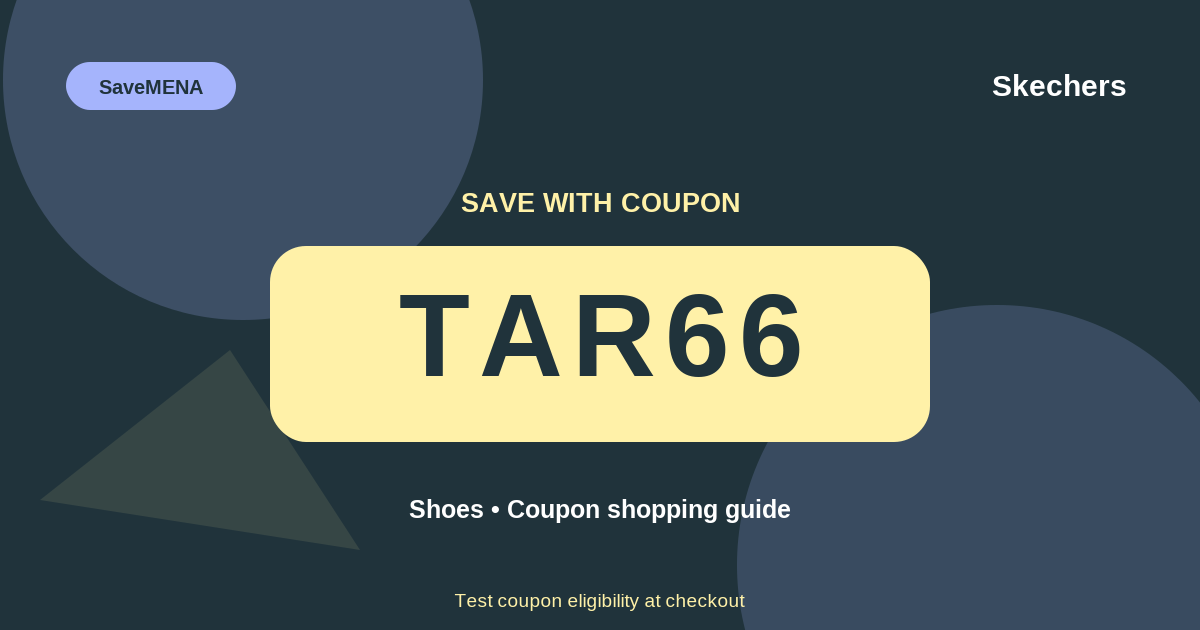
Codes available to try while comparing
These codes are not guaranteed for the article topic or listed brands; test them at checkout and use the live result.
1. Pinpoint Eligible Skechers Shoes on Noon UAE
Begin by searching for Skechers shoes on Noon UAE’s platform. Pay close attention to the product headline, which should clearly state “Skechers” and a specific category, such as “Men’s Running Shoes” or “Women’s Casual Sneakers.” The SKU page will list the authorized listing status and seller information. If the product displays a “Verified Seller” badge or “Authorized Reseller” tag, it increases confidence that the item is legitimate, which is a prerequisite for most coupon eligibility checks. Always verify that the product type matches your intended purchase; generic “Shoes” listings may not support the TAR66 coupon, even if they belong to the Skechers brand.
Next, review the product description for any listed coupon restrictions. Some items may mention “No online coupons” or “Exclusive to selected promotions.” If the description includes such a clause, the TAR66 code will not apply, regardless of the brand or category. To be safe, capture the exact model or style number into a note; this helps you compare listings if you receive conflicting information while checking eligibility later.
2. Add the Item to Cart and Review Initial Price Lock
Once you’ve identified a suitable Skechers pair, click “Add to Cart” and proceed to the cart summary page. Here, Noon UAE retains the current price and any applicable taxes or fees in a snapshot that will persist when you apply coupons. The cart page also highlights whether the item is eligible for online discounts in a small eligibility notice. If the notice says “Eligible for coupons,” you can proceed with confidence; if it instead states “Coupons not applicable,” the TAR66 code will be moot.
On the cart, you’ll also see any seller‑provided warranties or return policies listed near the product details. Make a mental note or mark the page so you can reference these policies when you later confirm warranty coverage. This pre‑payment step ensures you’ve captured the product’s listed warranty details before any potential price changes occur during coupon application.
3. Apply TAR66 and Observe the Coupon Field
Within the cart, locate the “Apply coupon” field and type TAR66. The field will respond with a quick visual—either a green checkmark or a warning icon. A green indication means the system has preliminarily verified the coupon’s eligibility for the items in your basket, whereas a warning sign signals a problem, such as a mismatch of brand, category, or minimum purchase criteria. At this point, the discount hasn’t yet been subtracted from your total; it’s only an eligibility check.
If the field lights up green, proceed to the checkout step. Should the field display an error message, review the product list: perhaps a non‑Skechers shoe was inadvertently added or the TOR restrictions applied. Remove or replace such items, then re‑apply TAR66. Remember that the coupon can only be tried; no assurance is given that it will apply at checkout if changes occur after this step, such as price adjustments, inventory updates, or promotional policy revisions.
4. Verify Skechers Warranty Conditions from the Product Page
Before finalizing your purchase, return to the Skechers product page and navigate to the “Warranty” or “Shopper Assurance” section. Skechers typically offers a limited period warranty covering manufacturing defects. The page will list the duration (e.g., 12 months) and the scope (e.g., defects in materials or workmanship). Note any exclusions, such as wear and tear or accidental damage, as these factors affect your post‑purchase support experience.
Some sellers may offer extended warranty options or complimentary return policies. If such are included, read the terms: are returns free of charge? Is the return window narrow or extended? Logging these details ensures that if an issue arises after delivery, you know exactly how to proceed and what to expect, aligning with the decision lens that places warranty coverage at the forefront of your browsing decisions.
5. Inspect Post‑Purchase Support: Return, Exchange, and Customer Service Channels
Once the warranty terms are clear, check the “Customer Support” or “Return Policy” section on the seller’s profile. Reputable sellers list the number of days to return a pair, the method for returning (e.g., prepaid label, courier pickup), and any restocking charges that may apply. Sketch a quick process map: place the return request online > receive confirmation > pack the shoes properly > drop off or schedule pickup. This roadmap prepares you for real‑world steps if the product fails to meet your expectations.
Also explore the platform’s live chat or helpline options. Good post‑purchase channels mean you can reach someone swiftly in case of defects, fit problems, or warranty claims. Document the earliest response time you experience during your research phase; the quicker the support, the better the overall buying experience. Keep this information handy as you verify coupon eligibility, especially if the coupon’s benefit depends on a smooth return workflow.
6. Confirm Delivery Charges and Timing Before Applying the Coupon
The delivery fee structure on Noon UAE can influence overall cost. Visit the “Shipping” tab to read about free shipping thresholds or differentiated charges for express delivery. For example, some sellers provide free shipping for orders over a certain value. Since the coupon remains in test mode, check whether the delivery fee changes after discount application; sometimes the fee may adjust if the total price falls below a threshold.
Shipping times are also critical: a longer transit period may increase the likelihood of damage in transit, affecting warranty claims. Read each seller’s estimated delivery window and whether they provide tracking updates. If the seller is located internationally, additional customs or import duties may apply; verify if any extra fees would be added after the coupon is applied. Ensuring clarity here stops surprise costs downstream.
7. Navigate to Checkout and Validate the Final Eligibility Statement
Proceed to the checkout screen after successfully applying TAR66 in the cart. The checkout summary will present a final breakdown: item price, discount (if the coupon applies), delivery fee, taxes, and the total. Here, the platform displays a prominent “Coupon Applied” banner or a message stating “Coupon Not Applied” if the system determines it cannot be used due to updated conditions. This is the definitive eligibility checkpoint; only here can you confirm the discount’s final status.
To be thorough, read all footnotes under the total. Sometimes, coupon eligibility is contingent on exact match of product codes or quantity thresholds that appear only at checkout. If the discount is retained, verify that the discount amount appears as expected. If it isn’t, note that the coupon was temporarily functional but failed at the final validation step. Record any discrepancy for possible inquiry with Noon’s support team.
8. Post‑Purchase Monitoring: Warranty Activation and Order Follow‑Up
After placing the order, check the “Order Confirmation” email or the Noon app’s order summary. The confirmation will reaffirm any applied coupons and list the expected delivery date. Store this confirmation; it serves as proof of the coupon’s application should any issue arise. If you notice a mismatch between the expected and actual discount, you can reference this email when contacting customer service for resolution.
Within a few weeks of receiving the shoes, activate the Skechers warranty by registering the product on the brand’s official website or following the seller’s instructions. Document the registration number and keep it in the order notes for future reference. If you need to claim a defect, having the warranty badge ready ensures a smoother refund or replacement process, aligning with the decision lens that emphasizes warranty and post‑purchase support.
Related SaveMENA pages
Related articles
Official sources to check
Frequently asked questions
Can I apply the TAR66 coupon to any Skechers shoe on Noon UAE?
Only if the product listing and cart indicate coupon eligibility. The TAR66 must be entered in the cart before checkout, but it is not guaranteed to apply at final payment.
What should I do if the coupon is marked as eligible in the cart but not applied at checkout?
Check the final checkout page for a notice. If the coupon fails, note the reason if provided, then contact Noon support for clarification. The coupon’s applicability may depend on updated conditions.
Does the Skechers warranty cover delivery damage?
Warranty terms are product‑specific; review the listed warranty section for exclusions. Delivery damage is usually handled through the return process rather than the manufacturer’s warranty.
Will free shipping be available if I use the TAR66 coupon?
Shipping eligibility may change if the total falls below a free‑shipping threshold after discount. Verify the shipping details during checkout to confirm the final fee.