ASUS Computer Accessories on Noon UAE: account eligibility — final price comparison
If you want to compare the final price after a coupon for computer accessories on Noon UAE, the first step is to understand how the platform calculates the final
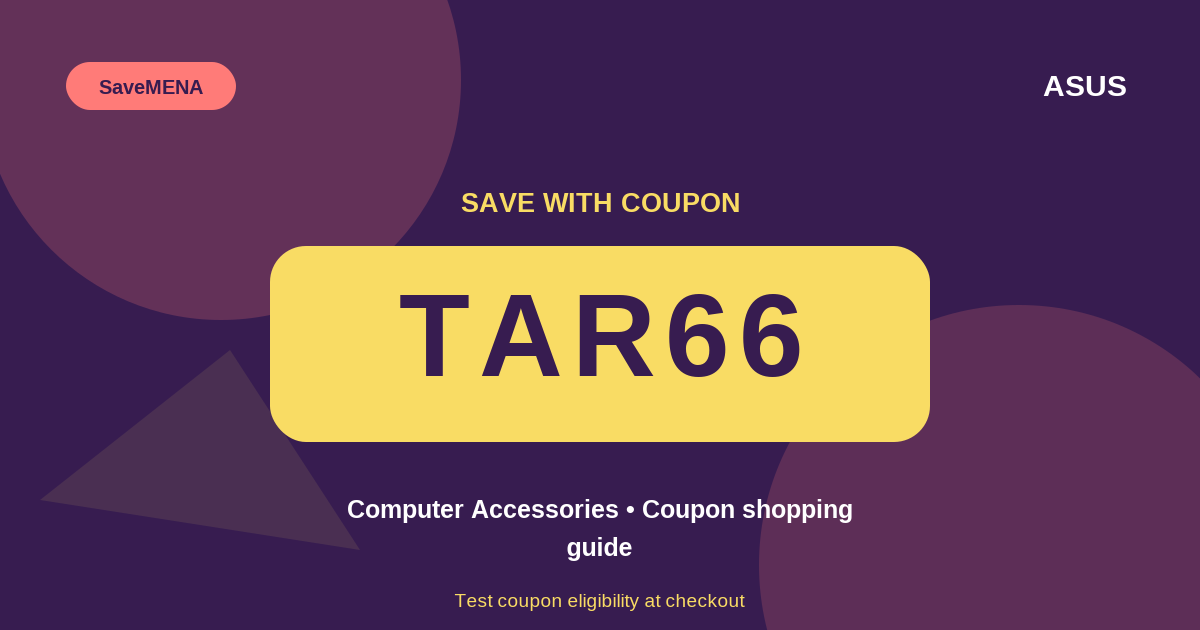
Codes available to try while comparing
These codes are not guaranteed for the article topic or listed brands; test them at checkout and use the live result.
Understanding Noon UAE Final Price for Computer Accessories
On Noon UAE, the displayed price for computer accessories is only the starting point. The final amount includes a variety of extra charges: delivery fees can vary by carrier and size, VAT is automatically added based on the product price, and sometimes a small service fee applies. These components are calculated together during the checkout flow, which means the total you see on the product page may differ from the final amount displayed after logging into your account. Knowing this helps you set realistic expectations before you begin testing any coupons.
In the context of Asus accessories, these variations can be subtle but important. An Asus mouse may have a slightly higher base price than a generic model, which can influence the delivery surcharge due to weight. Additionally, Asus gadgets are sometimes sold by official distributors who provide a higher level of customer support. Checking the seller information early on is part of maintaining an account‑centric approach to price comparison.
Why Account Context Matters When Comparing Prices
Account context is the lens through which you should evaluate every price component on Noon. The platform uses information tied to your individual profile—such as registered address, loyalty status, and preferred payment method—to customize shipping options and fee structures. When you log in, the checkout page displays the final amounts that have been tailored for your specific account settings, and this can differ from what a guest sees. Recognizing these differences is essential when you want a fair comparison between sticker prices and the final payable total.
Additionally, some coupons may be restricted to users who have completed certain account actions, like confirming their email or adding a physical address. The TAR66 code is just one example that requires you to apply it *after* logging in, as the checkout engine checks your user profile before confirming eligibility. In an account‑first approach, you will know exactly which price applies to you personally, not to a generic shopper.
Step‑by‑Step: Adding an ASUS Peripheral to Your Cart
Begin by navigating to the computer accessories section on Noon’s website and searching for the specific Asus item you need. Once the results appear, click on the product to view its detailed description. Verify the technical specifications, and confirm the model matches your requirements. After confirming the details, select the desired quantity and tap “Add to Cart.” This action locks the current price and prepares the item for checkout where the final amount will be calculated.
After the item appears in your cart icon, click on the overlay to review the subtotal. This screen shows the raw product price, but no shipping or tax has yet been added. At this point, you only know what you pay to the seller. To fully incorporate account context, you must proceed to the checkout page where the platform will automatically factor in your profile‑specific variables.
Checking the Product and Seller Details
On Noon, each product page lists the seller’s name, rating, and contact details. For Asus accessories, it is common to see official distributors highlighted, which can lend credibility to the price and support. Examining the seller’s reputation scores gives insight into potential hidden costs or missed fees—such as a higher shipping tier that may apply to certain sellers. This is part of a broader account‑centric check, because your chosen shipping method may vary depending on the seller’s location relative to yours.
While reviewing the product, also look for any mentions of applicable VAT on the listing. Noon does not typically display this separately, but it will appear during checkout. Understanding how VAT is added onto the final Make sure to keep an eye on whether the seller accepts your preferred payment type; this can affect any final convenience fees that may apply specifically to your account.
Applying the TAR66 Coupon Safely
To use the TAR66 code, log into your Noon account and proceed to the checkout page. The coupon field usually appears next to the total amount. Enter TAR66 and click apply. The system will evaluate the code against your account profile and the items in your cart. If the coupon is valid for the Asus accessory, you’ll see a reduction reflected in the final calculation; otherwise, a notice will indicate that the code does not apply.
It is important to note that the coupon’s applicability might depend on your account’s status. For example, new users might need to have verified their email, or the coupon might restrict usage to certain payment methods. Since we cannot guarantee the coupon will work, you should verify the final amount after applying it, rather than assuming a particular discount value.
Reviewing Shipping, Taxes, and Fees Before Checkout
Before finalizing the purchase, take a moment to examine the breakdown of all costs beyond the product price. Shipping charges on Noon depend on factors like delivery speed, courier tier, and your registered address. VAT is automatically computed based on the product's cost and the current rate applied to your account. Additionally, if your cart contains multiple items, some sellers bundle certain fees, which only become visible at this step.
Because your account’s shipping destination can change the fee structure, compare what you see for the Asus item against any similar listings to confirm consistency. This comparison ensures that you’re not being charged unnecessarily because of differing seller policies. Double‑check that no hidden service fees appear separately, as some sellers on Noon include an extra handling charge to offset shipping costs.
Final Price Verification at the Checkout Page
The checkout screen is the definitive reference for account context. At this stage, Noon pulls together every piece of data: product price, seller fees, VAT, delivery charges, and any discount applications like TAR66. The final total displayed here is only after all these variables have been computed for your specific profile. The platform will also show any applied coupon savings, if applicable, immediately next to the total.
If the final price appears higher than expected or the coupon does not apply, revisit the cart and confirm that the correct product quantity, delivery option, and payment method are still selected. Keeping these variables consistent prevents the platform from recalculating the totals unexpectedly, ensuring the final price reflects what you actually agreed to pay.
Strategies to Maximise Savings with Noon Account Features
Beyond coupons, Noon offers several account‑dependent benefits that can impact the final price. For instance, the platform sometimes provides loyalty points or official discounts for registered users who have completed a certain number of purchases. Checking the “My Account” section for any available credits or reward points is useful before completing your order—these can often be applied to reduce the final total.
Also consider updating your shipping address within your profile. A location that aligns with a high‑density delivery hub may reduce your courier cost. Keep in mind that Noon’s shipping fee structure can differ for free‑delivery promotions, which may be eligible for a small number of orders per month for active account holders. Reading the terms associated with each promotion segment helps you maximize savings while staying within the account context.
Related SaveMENA pages
Related articles
Official sources to check
Frequently asked questions
Does the TAR66 coupon apply to all Asus accessories on Noon?
While the TAR66 coupon can be entered on the checkout page, its applicability depends on the current promotion rules set by Noon. The code may not work for every Asus product, and there may be restrictions such as minimum spend or specific seller constraints that you need to check at checkout.
Will my final price includes VAT automatically?
Yes, Noon calculates the final total including VAT during the checkout process. The VAT amount will appear next to the subtotal, ensuring that the final amount you pay reflects the full cost with taxes added.
What if the TAR66 code doesn’t apply to my order?
In that case, the coupon field will show a notice explaining why it was rejected. You’ll still be able to proceed with the purchase and review the final price without any discount, and you can always try using other available offers that your account may qualify for.
Can I cancel the order after seeing the final price?
Once you confirm payment, the order is processed. However, Noon’s policies allow you to request cancellation or refund within a specific timeframe, typically depending on the seller’s return window and fulfillment status. Check the order details in your account for exact cancellation guidelines.