Headphones on Noon UAE: account eligibility — final price comparison
If you’re looking to compare the final price of headphones on Noon UAE after applying a coupon, understanding the account‑centric steps is crucial.
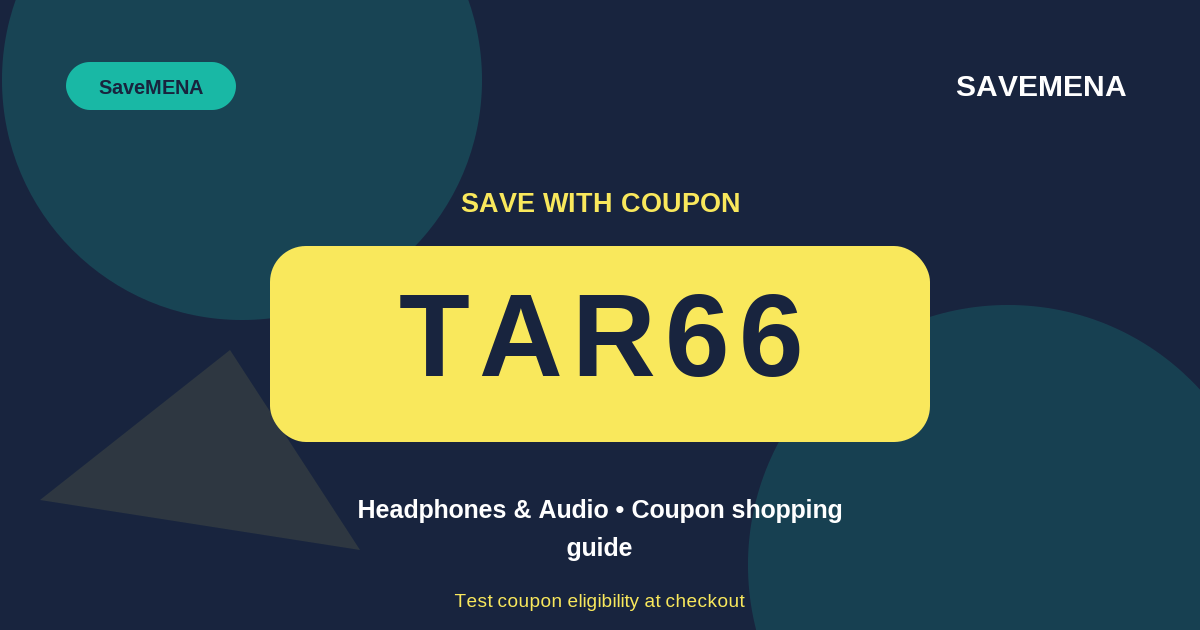
Codes available to try while comparing
These codes are not guaranteed for the article topic or listed brands; test them at checkout and use the live result.
Understanding Base Prices for Headphones on Noon UAE
In the first place, a headphone’s listed price on Noon represents its base amount before any promotions, taxes, or shipping fees are applied. When you filter by the headphone category, each product card displays a price that stays constant until you add items to your cart. This figure is crucial because it establishes the reference point against which any coupon effect will be measured. It is important to note that the listed price may vary between models, brands, or seller-specific listings, but the base price always appears identically on the product page.
Because Noon’s interface shows the price in UAE dirhams, you should plan your micro‑budget accordingly. As shoppers in the UAE, you can expect any taxes or duties to be factored later in the checkout process. Regardless of the specialty headphones you choose—be it over‑ear, on‑ear, or in‑ear—the initial price remains the starting point for all coupon calculations. Check that the price is the most recent one, as sellers occasionally refresh their listings with new promotions that may modify the base cost.
Adding Desired Headphones to Your Cart on Noon UAE
Once you have identified the headphone pair that fits your listening preferences, add the item to your Noon UAE cart. The cart serves as your temporary shopping basket allowing you to compile several products before proceeding to checkout. Pay attention to the seller information displayed alongside the item; different sellers may offer the same model at slightly different prices, which impacts the coupon application later. The cart uses your account’s default currency, ensuring any regional pricing adjustments are automatically reflected.
During this stage, confirm that the quantity matches your intent. In many cases, headsets can be purchased singly or in multiples, and the number of items affects the final payable total. Should you add multiple variations—such as different color options—the cart will list each distinct variant, providing an accurate accounting of the combined base price before any discount is considered.
Entering the TAR66 Coupon Code and Observing Immediate Effects
Enter the coupon code TAR66 directly into the designated field on your cart page. Noon typically offers a real‑time update after the code is applied, refreshing the cart totals to reflect potential savings. However, this update may not show the final payable amount yet because other adjustments—shipping or taxes—are still pending. The display usually changes from the original price to a “New Price” or “Discounted Price,” but the variations may be listed separately, allowing you to see both figures side by side.
It is essential to remember that the coupon result displayed at this point is provisional. Noon advertises that coupons are available to try, not guaranteed for all users or all products. The exact discount magnitude depends on the coupon’s internal algorithm, the product category, and the user’s account status. Thus, you should treat the shown figure as a best‑guess and verify the final amount once you proceed to the checkout step.
How an Account Login Influences Discount Eligibility
Account context often determines whether a coupon applies. When you log into Noon using your UAE email or phone credentials, the platform recognizes your customer profile and access level—such as a regular shopper, frequent buyer, or a new member. Some coupons have hidden eligibility conditions that the site only confirms during the checkout process where the account ID is verified. This means that a coupon might appear successful in your cart but fail to apply once you proceed to purchase.
If you are not logged in, Noon treats you as a guest shopper, and the site may restrict certain promotional codes. Conversely, a logged‑in user may benefit from additional loyalty points or previously earned discount tags that supplement the coupon’s effect.A coupon is not guaranteed; verify its result at the retailer checkout.
Reaching Checkout: The Final Payable Total Refers to Account Status
Checkout is the stage where all pricing components converge—base price, coupon relief, taxes, delivery fees, and any applicable seller charges. Noon’s checkout page summarizes each part of the cost, including any discount applied via the TAR66 code. The site’s final payable amount reflects account‑specific details such as your selected shipping address, payment method, and any active rewards or vouchers tied to your Noon profile.
Because checkout is the authoritative source for the final price, you should save the screen or note the total before proceeding to payment. This final number is what determines whether the coupon was valuable in the context of your account and shopping scenario. It is also the number that the banking or credit card system will authorize, so any discrepancies between the cart and checkout totals would trigger a correction issue.
Transparently Comparing Pre‑Coupon vs. Post‑Coupon Prices
To gauge the coupon’s true impact, take note of both the pre‑coupon price displayed on the product page and the post‑coupon total shown in your cart after entering TAR66. The percentage of discount is not revealed directly; you can estimate it by calculating the difference between these two figures. However, remember that this evaluation is conditional on the same order composition—same quantities, same seller, and same account status—removing any external variables that could skew the comparison.
In many cases, the difference may be subtle. A small numeric saving could have a higher emotional purchase value, while a larger price cut might be negated by a higher delivery fee depending on your location. Hence, a detailed comparison includes the base price, the applied discount, the shipping cost, and the final payable total so you have a holistic view of the trade‑off introduced by the coupon.
Common Pitfalls That Can Mislead Your Price Comparison
A misstep often occurs when shoppers overlook that Noon may adjust prices after checkout due to regional tax changes, currency fluctuations, or seller updates. If your user account later switches to a different shipping region or if the seller changes their listed price, the coupon’s applicability may shift. Since Noon’s system only confirms eligibility during payment authorization, any last‑minute price adjustments may render the coupon ineffective.
Another frequent error is assuming that the “discounted” price you see after applying the code is the final amount payable. Shipping charges, locker pickup fees, or special handling fees can sometimes be added after the coupon effect, raising the final total. Validating the checkout page in real time is essential to catch these hidden additions before the purchase is finalized.
Practical Checklist Before You Confirm Your Purchase
Headphones shoppers on Noon UAE should verify: (1) that they are logged into their account for accurate coupon application; (2) that the cart lists the correct items and quantities; (3) that the coupon code TAR66 is displayed with a provisional discount; (4) that the shipping and handling fees are clear; and (5) that the final payable total matches the sum of all deductions, taxes, and fees presented on checkout.
Following this checklist ensures you are not caught by an unexpected price increase or a coupon code that fails at the last moment. If any component differs from what was anticipated—such as a higher shipping cost or an absent discount—contact Noon’s customer support or double‑check the item’s eligibility on the product page. A mindful approach protects your budget and confirms that the coupon’s effect is accurate for your account context.
Related SaveMENA pages
Related articles
Official sources to check
Frequently asked questions
Can I use the TAR66 coupon on multiple headphone orders?
It depends on Noon’s internal coupon policy, which is only confirmed at checkout. While the coupon is displayed in the cart, its usage may be limited by account or product rules. Verify at checkout to see if multiple items are eligible.
What happens if the coupon doesn't apply during checkout?
If the coupon fails, Noon’s checkout will typically show the original price with a message explaining the disqualification. This might be due to account status, product category constraints, or the coupon’s active terms.
Do I need to add a voucher or loyalty points before applying the coupon?
Adding vouchers or loyalty points is optional but can influence final payable totals. The coupon will still be applied first, and any additional benefits from loyalty points will be deducted afterward at checkout.
Is the final price displayed after checkout final and non‑changeable?
Yes, the checkout page’s total is the reference for the amount that will be authorized. Any changes after payment, such as shipping adjustments, are handled by Noon’s refund policy, not by altering the final price.