Braun Kitchen on Noon UAE: account eligibility — final price comparison
When you add a Kitchen Braun product to your Noon cart, the first number you see is just the starting price set by the seller.
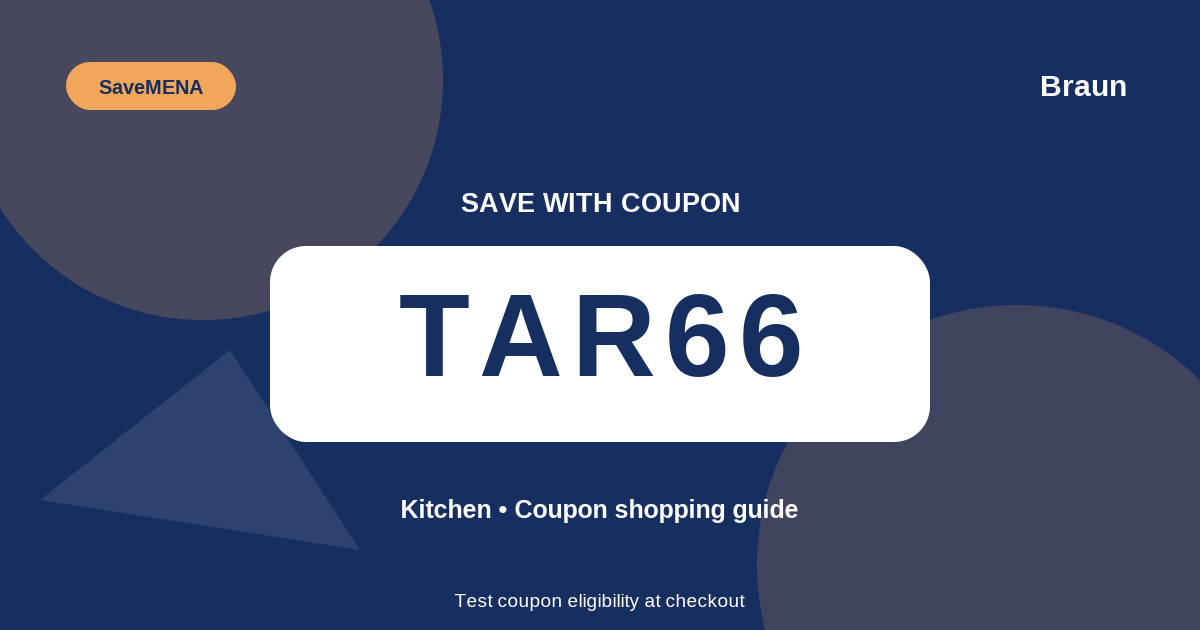
Codes available to try while comparing
These codes are not guaranteed for the article topic or listed brands; test them at checkout and use the live result.
Understanding Noon UAE Final Price for Kitchen Braun Products
When you add a Kitchen Braun product to your Noon cart, the first number you see is just the starting price set by the seller. Noon then calculates a series of adjustments—including taxes, shipping, and any applicable coupons—to arrive at the final price you will pay. The final price is only definitive once you reach the checkout page, where all of those elements are summed into a single, clear figure.
A common mistake is to trust the displayed price at the product page as the amount that will be charged. But Noon’s pricing model separates the base price from the final payable total to simplify last‑minute changes. Partner sellers sometimes alter the base price right before checkout, or the platform may introduce a dynamic shipping fee based on delivery distance. Therefore, always view your shopping basket before reaching the final checkout screen to confirm that the price you see matches your expectations.
The Role of Account Context in Final Price Calculation
Your Noon account can influence the final price in two main ways: through stored preferences and through account‑specific eligibility. If you’ve saved a delivery address, Noon may apply a local delivery fee instead of the standard fee calculated for external addresses. Similarly, a saved payment method can affect the way fees are displayed, especially if the payment method is linked to a credit card with a rewards program.
Another layer of account context is loyalty and membership status. If you’ve accumulated points or belong to a special club tier, Noon may offer a waiver for certain fees. These benefits are automatically applied at checkout and reflected in the final price line, helping you see the real amount you’ll pay. Therefore, keeping your account up‑to‑date and reviewing available benefits before checkout can reveal savings that a coupon alone might not provide.
Applying the TAR66 Coupon – Step‑By‑Step Verification
Once you have the product and your account status verified, the next step is to apply the TAR66 coupon. Locate the coupon field on the checkout page, which is typically labelled “Enter Voucher Code.” Input the code carefully and click the apply button. Noon will instantly show whether the code is accepted, whether it applies to the product, and how much it deducts from your sum. Keep an eye on the final price line; if the coupon fails to apply, you’ll see no change in the total.
After applying TAR66, Noor will recalculate taxes and shipping. If the coupon was accepted, the discount should appear either as a line item or a subtraction in the final amount. This immediate update lets you compare whether the coupon offers a better deal than the baseline account‑based discounts. If the code doesn’t work, double‑check that it’s still active, that it applies to the product category, and that the product is sold by a Noon‑approved seller.
Comparing Final Prices Across Sellers – Common Mistakes
Same Kitchen Braun model can appear under multiple sellers on Noon, each with its own base price and shipping cost. One seller may offer a lower base price but a higher delivery fee. Another may include free shipping for the first purchase of the week. When comparing, look not just at the list price, but at the final price after the coupon and after shipping is applied.
Often buyers forget that free shipping is only matched if they meet a threshold, which may vary per seller. This threshold is shown only during checkout, under the shipping options. A cheap base price that triggers a higher shipping cost can end up being more expensive overall. Make a quick note of final prices from each seller before you finalize your choice, especially if you’re planning to use TAR66 for each option.
Tracking Account Stored Savings and Loyalty Offers
In addition to the toaster’s baseline price, your Noon account may accrue savings through loyalty points that convert into vouchers. At checkout, the platform will display any available points or vouchers in a separate discount field. These benefits can compound with coupons like TAR66 if both are eligible for the same product.
It’s important to monitor the monitoring column, which shows which discounts are currently active. If you see multiple discount lines, the platform will clarify how each one reduces the final price. In some cases, the system may limit the total discount that can be applied, meaning that the last nominee wins. Checking this before you place the order helps ensure that you’re not left waiting for a reversal or a credit.
The Impact of Delivery Fees and Payment Options on the Total
Noon allows various payment methods, each with distinct post‑payment handling. A card purchase may involve an exchange fee if the card was issued outside the UAE. Some wallets or PayPal accounts might waive this fee entirely. When checking out, it’s prudent to review the payment options to see how each one will affect the final total.
Delivery fees can also vary depending on if you choose standard fast delivery or shouldered shipping. Standard delivery may be cheaper but offers longer processing times; if you choose a premium or same‑day option, the cost rises. In most cases, the Apple Pay option is free of extra fees, but not all payment methods have that advantage.
Real‑Time Price Alerts – Staying Ahead in the Kitchen Category
To avoid missing a good moment to use TAR66, consider setting up price alerts for your the coupon code Kitchen Braun product. Noon’s notification system can inform you when a product’s price dips, allowing you to add it to your cart and immediately apply the coupon before adding other items that may block the discount.
Alerts are managed through your Noon mobile app or web interface under the account settings. A spike or dip is promptly sent, giving you several minutes to react before the next checkout cycle. By staying alert, you’ll convert your coupon into the maximum possible saving – without forgetting to check the final field at the last step.
Making the Decision – When the Final Price Meets Your Budget
Once you’ve reviewed the final price with all applicable discounts, compare that total to your personal budget for the kitchen appliance. Keep in mind that the final price shown is *the price you will actually pay*. If the amount exceeds your budget, consider either saving for the later or searching for a different model.
Before confirming the purchase, verify that the total includes all expected fees – shipping, taxes, and any payment surcharges. Check that the applied coupon line appears as the intended discount, and that your loyalty benefits are accounted for. This last‑minute verification ensures that you’re not surprised by hidden costs and that the coupon has delivered at least the perceived value it promised.
Related SaveMENA pages
Related articles
Official sources to check
Frequently asked questions
A coupon is not guaranteed; verify its result at the retailer checkout.
No. The code is only available to try. Eligibility can vary with the live account, basket, item, seller and campaign context, so checkout is the final reference.
Where should I confirm the coupon result?
Apply the code in the Noon basket and review the live message and final payable total before payment. Do not rely on an undocumented percentage or condition.
Can the result vary by product or seller?
Yes. Eligibility and offer context can vary with the current basket details, so compare the exact item, seller, variant and final total before purchasing.
What should I do if the code does not work?
Check the market, account, item, seller, basket and payment context, then try another code available to try without guessing an unsupported reason.