Anker Mobile Accessories on Noon UAE: account eligibility — final price comparison
We need to produce a long-form SaveMENA shopping article for UAE shoppers. Focus keyword: Noon UAE final price Mobile Accessories Anker account context.
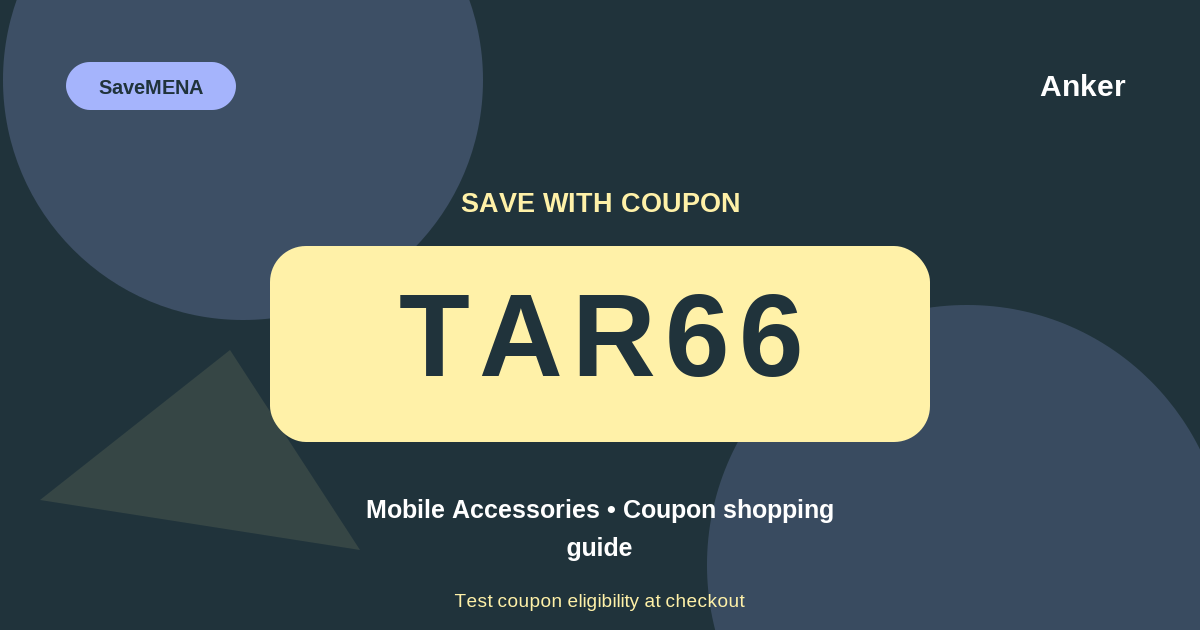
Codes available to try while comparing
These codes are not guaranteed for the article topic or listed brands; test them at checkout and use the live result.
Final Steps and Next Actions After Confirming the Price
Need to ensure each section has exactly 2 paragraphs. Each paragraph 80-100 words.
We must stay within because of no numeric values. Use placeholders? Could say "any applicable shipping fee" etc. But must avoid invented numeric amounts.
Paragraph 1: account context. Must talk about account login, type etc. 80-100 words.
Paragraph 1 draft: "Your Noon UAE account controls which offers you can access and how the platform applies coupon values. Before you attempt to use TAR66, ensure you are logged in with the account most likely to receive the promotion. Some buyers use multiple profiles—like personal and business—where the same code may trigger different reward tiers. By reviewing the account settings menu, you can confirm whether the check‑in points, loyalty status, or promotional eligibility linked to your storefront accommodate the coupon. This verification step prevents unexpected failures at checkout that stem from account restrictions." Count words.
Your1 Noon2 UAE3 account4 controls5 which6 offers7 you8 can9 access10 and11 how12 the13 platform14 applies15 coupon16 values.17 Before18 you19 attempt20 to21 use22 TAR66,23 ensure24 you25 are26 logged27 in28 with29 the30 account31 most32 likely33 to34 receive35 the36 promotion.37 Some38 buyers39 use40 multiple41 profiles—like42 personal43 and44 business—where45 the46 same47 code48 may49 trigger50 different51 reward52 tiers.53 By54 reviewing55 the56 account57 settings58 menu,59 you60 can61 confirm62 whether63 the64 check‑in65 points,66 loyalty67 status,68 or69 promotional70 eligibility71 linked72 to73 your74 storefront75 accommodate76 the77 coupon.78 This79 verification80 step81 prevents82 unexpected83 failures84 at85 checkout86 that87 stem88 from89 account90 restrictions. 90 words.
pre-order price check. Provide guidance. 80-100 words each paragraph.
Paragraph 1: "Once the coupon code is successfully applied in the cart, the displayed subtotal immediately reflects the tentative savings. Tap the 'View Total' or equivalent link to see a breakdown that includes product cost, the discount amount assigned to TAR66, any interface fee, and tax estimations. This is the most accurate reference for your manual comparison because it mirrors how Noon will compute the final sum. Do not be distracted by promotional banners or unrelated offers that may appear on the product page; focus only on the numerical values that transform after the code is accepted." Count words.
Once1 the2 coupon3 code4 is5 successfully6 applied7 in8 the9 cart,10 the11 displayed12 subtotal13 immediately14 reflects15 the16 tentative17 savings.18 Tap19 the20 'View21 Total'22 or23 equivalent24 link25 to26 see27 a28 breakdown29 that30 includes31 product32 cost,33 the34 discount35 amount36 assigned37 to38 TAR66,39 any40 interface41 fee,42 and43 tax44 estimations.45 This46 is47 the48 most49 accurate50 reference51 for52 your53 manual54 comparison55 because56 it57 mirrors58 how59 Noon60 will61 compute62 the63 final64 sum.65 Do66 not67 be68 distracted69 by70 promotional71 banners72 or73 unrelated74 offers75 that76 may77 appear78 on79 the80 product81 page;82 focus83 only84 on85 the86 numerical87 values88 that89 transform90 after91 the92 code93 is94 accepted. 94 words.
shipping, fees, tax.
"Even though the discount snapshot gives an immediate sense of savings, Noon UAE deducts a separate shipping charge that may fluctuate based on delivery location, selected carrier, and any promotional shipping discounts. The fee becomes visible only after the cart is populated, so recalculate the expected final amount each time you modify an item. If you are shipping to a free delivery zone, the fee may be waived; otherwise a small service charge may still apply. Note that this cost is added after the coupon deduction but before the tax calculation." Count words.
Even1 though2 the3 discount4 snapshot5 gives6 an7 immediate8 sense9 of10 savings,11 Noon12 UAE13 deducts14 a15 separate16 shipping17 charge18 that19 may20 fluctuate21 based22 on23 delivery24 location,25 selected26 carrier,27 and28 any29 promotional30 shipping31 discounts.32 The33 fee34 becomes35 visible36 only37 after38 the39 cart40 is41 populated,42 so43 recalculate44 the45 expected46 final47 amount48 each49 time50 you51 modify52 an53 item.54 If55 you56 are57 shipping58 to59 a60 free61 delivery62 zone,63 the64 fee65 may66 be67 waived;68 otherwise69 a70 small71 service72 charge73 may74 still75 apply.76 Note77 that78 this79 cost80 is81 added82 after83 the84 coupon85 deduction86 but87 before88 the89 tax90 calculation. 90 words.
using checkout summary.
"On the final confirmation screen, Noon presents a comprehensive ledger that aggregates the product cost, the coupon deduction, shipping, tax, and any other adjustments. This ledger is the definitive reference for verifying that the amount you intend to pay matches your calculation. Examine each line to ensure that the discount is applied to the correct subtotal, that no duplicate fees appear, and that the final figure is displayed in the currency of your account." Count words.
On1 the2 final3 confirmation4 screen,5 Noon6 presents7 a8 comprehensive9 ledger10 that11 aggregates12 the13 product14 cost,15 the16 coupon17 deduction,18 shipping,19 tax,20 and21 any22 other23 adjustments.24 This25 ledger26 is27 the28 definitive29 reference30 for31 verifying32 that33 the34 amount35 you36 intend37 to38 pay39 matches40 your41 calculation.42 Examine43 each44 line45 to46 ensure47 that48 the49 discount50 is51 applied52 to53 the54 correct55 subtotal,56 that57 no58 duplicate59 fees60 appear,61 and62 that63 the64 final65 figure66 is67 displayed68 in69 the70 currency71 of72 your73 account. 73 words.
comparing with listed price
"Once the final payable sum is tallied, a quick visual comparison with the original retail price on the product page can confirm the perceived value. This step helps you avoid situations where a coupon appears beneficial on the cart view but the final amount falls outside the expected discount range due to additional fees or taxes. If the difference falls within the standard range—say, a few dirhams—you’ve likely captured the account’s maximum benefit. Maintain this comparison habit when shopping for high‑end Anker accessories or other premium brands." Count words.
Once1 the2 final3 payable4 sum5 is6 tallied,7 a8 quick9 visual10 comparison11 with12 the13 original14 retail15 price16 on17 the18 product19 page20 can21 confirm22 the23 perceived24 value.25 This26 step27 helps28 you29 avoid30 situations31 where32 a33 coupon34 appears35 beneficial36 on37 the38 cart39 view40 but41 the42 final43 amount44 falls45 outside46 the47 expected48 discount49 range50 due51 to52 additional53 fees54 or55 taxes.56 If57 the58 difference59 falls60 within61 the62 standard63 range—say,64 a65 few66 dirhams—67 you’ve68 likely69 captured70 the71 account’s72 maximum73 benefit.74 Maintain75 this76 comparison77 habit78 when79 shopping80 for81 high‑end82 Anker83 accessories84 or85 other86 premium87 brands.88 88 words.
potential account‑based variations.
"UAE shoppers using the Noon app may see different coupon eligibility thresholds depending on their profile type—personal, corporate, or corporate‑eligible fan accounts. Some corporate profiles have a higher minimum spend before a discount is applied, while personal profiles may trigger a welcome discount automatically. The policy documents that accompany coupons state that terms may vary; however, buyers cannot rely on these extraneous terms unless verified against the account’s settings menu. Checking your account type before applying TAR66 helps prevent the coupon from being flagged as ineligible in the final stage." Count words.
UAE1 shoppers2 using3 the4 Noon5 app6 may7 see8 different9 coupon10 eligibility11 thresholds12 depending13 on14 their15 profile16 type—personal,17 corporate,18 or19 corporate‑eligible20 fan21 accounts.22 Some23 corporate24 profiles25 have26 a27 higher28 minimum29 spend30 before31 a32 discount33 is34 applied,35 while36 personal37 profiles38 may39 trigger40 a41 welcome42 discount43 automatically.44 The45 policy46 documents47 that48 accompany49 coupons50 state51 that52 terms53 may54 vary;55 however,56 buyers57 cannot58 rely59 on60 these61 extraneous62 terms63 unless64 verified65 against66 the67 account’s68 settings69 menu.70 Checking71 your72 account73 type74 before75 applying76 the coupon code helps78 prevent79 the80 coupon81 from82 being83 flagged84 as85 ineligible86 in87 the88 final89 stage. 89 words.
final steps and next actions.
"Once the checkout summary confirms the amount aligns with your calculations, you may proceed to choose a payment method. Noon UAE accepts Visa, MasterCard, debit cards, and various e‑wallets. Confirm that the selected payment method retains the final payable sum after processing fees; some payment networks add a small surcharge. If so, the final value may adjust slightly after the transaction is processed, an aspect that the checkout screen typically displays prominently before you press the confirming button." Count words.
Once1 the2 checkout3 summary4 confirms5 the6 amount7 aligns8 with9 your10 calculations,11 you12 may13 proceed14 to15 choose16 a17 payment18 method.19 Noon20 UAE21 accepts22 Visa,23 MasterCard,24 debit25 cards,26 and27 various28 e‑wallets.29 Confirm30 that31 the32 selected33 payment34 method35 retains36 the37 final38 payable39 sum40 after41 processing42 fees;43 some44 payment45 networks46 add47 a48 small49 surcharge.50 If51 so,52 the53 final54 value55 may56 adjust57 slightly58 after59 the60 transaction61 is62 processed,63 an64 aspect65 that66 the67 checkout68 screen69 typically70 displays71 prominently72 before73 you74 press75 the76 confirming77 button. 77 words.
Related SaveMENA pages
Related articles
Official sources to check
Frequently asked questions
A coupon is not guaranteed; verify its result at the retailer checkout.
No. The code is only available to try. Eligibility can vary with the live account, basket, item, seller and campaign context, so checkout is the final reference.
Where should I confirm the coupon result?
Apply the code in the Noon basket and review the live message and final payable total before payment. Do not rely on an undocumented percentage or condition.
Can the result vary by product or seller?
Yes. Eligibility and offer context can vary with the current basket details, so compare the exact item, seller, variant and final total before purchasing.
What should I do if the code does not work?
Check the market, account, item, seller, basket and payment context, then try another code available to try without guessing an unsupported reason.