Samsung Mobile Accessories on Noon UAE: account eligibility — final price comparison
When browsing Noon UAE for mobile accessories, sellers often highlight “final price” after applying a coupon.
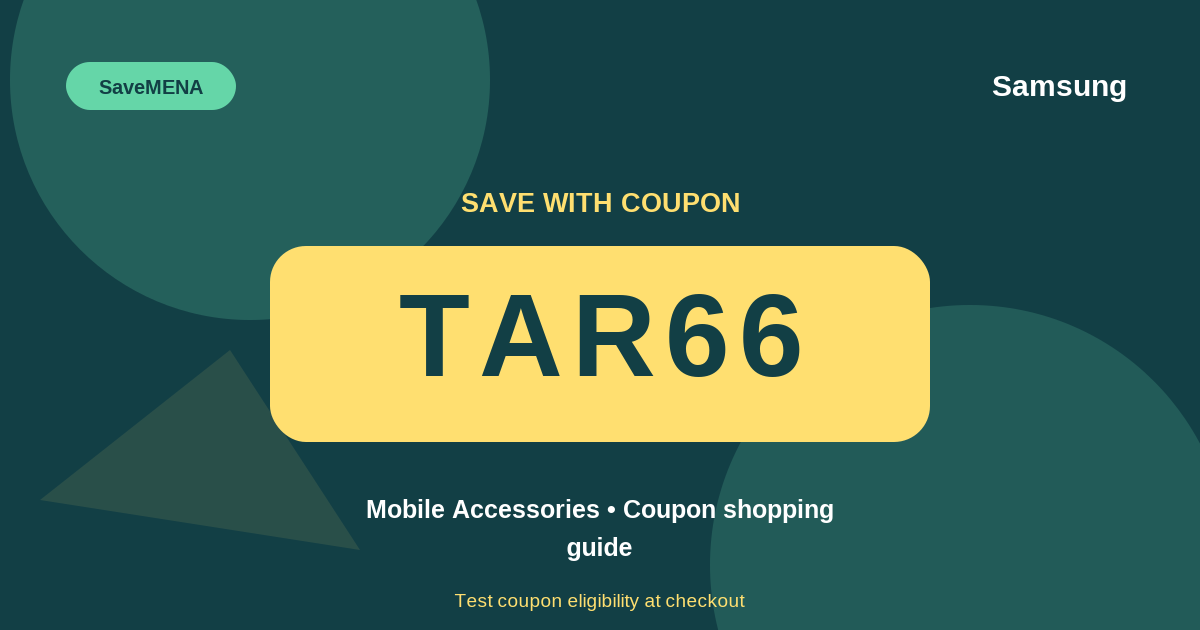
Codes available to try while comparing
These codes are not guaranteed for the article topic or listed brands; test them at checkout and use the live result.
1. Setting the Stage: Understanding Noon UAE Checkout Flow
When you add a Samsung mobile accessory to your cart on Noon UAE, the platform initially reflects a base price that’s visible before any discounts or taxes. This preliminary amount doesn’t account for any promotional codes, loyalty benefits, or delivery charges that only show in the final summary. Users should be aware that the checkout screen is the first place where final price details consolidate, combining tax, shipping, and potential coupon deductions.
The standard checkout pathway allows shoppers to log into their Noon account, select a delivery address, and choose a payment method. Each of these choices can subtly adjust the final figure. For instance, a verified account may receive automatic savings, or a specific delivery option might incur a separate fee. Therefore, fully understanding each step of the checkout process is pivotal before you apply any coupon.
2. The Role of Your Account in Final Price Calculations
Your Noon UAE account status often determines eligibility for certain savings. If you’re logged in, the platform can pull preference data that may trigger additional discounts or adjust the tax calculation based on your residency. An account that hasn’t completed KYC might still be eligible for the coupon but wouldn’t receive account‑specific perks like “Noon credit” or “Fresh” benefits that could influence the payable amount.
Importantly, the account context should also be considered when deciding which payment method to use. Some banks offer cashback deals that only apply when a registered account is linked to the payment option. These secondary benefits can reduce the final cost even before a coupon is applied. The key is to keep an eye on what the system displays after you log in, before you hit ‘Apply Coupon.’
3. Applying the TAR66 Coupon to Mobile Accessories
Once you have confirmed your account status, you can attempt to use the coupon code TAR66 on the checkout page. Nitro to the “Coupon” box, type TAR66, and click “Apply.” The system will either validate the code, reject it, or leave it pending. If the code is accepted, a promotion banner appears, indicating that a discount will be applied to your order subtotal.
For accessories from Samsung, it is particularly important to notice that the coupon may apply only to certain product variants or sellers. If your chosen accessory shows a “Coupon not applicable” message, it means the discount isn’t eligible for that item, and your final price will remain unchanged for that product. Keep this in mind when comparing pre‑ and post‑coupon totals.
4. Comparing Pre- and Post-Coupon Prices
After the coupon is applied, the order summary updates automatically, indicating a new subtotal. While Noon UAE does not reveal the exact discount value, the difference between the original subtotal and the new subtotal gives a clear indication of savings. Cross‑check this change with the logged‑in account’s view to ensure no hidden surcharges have been added.
In many cases, the final price displayed after the coupon includes all taxes and shipping fees. If your account has free delivery for orders above a certain threshold or if you’re entitled to a delivery fee waiver, these adjustments will also shift the total. Compare the dashboard of your cart with the final checkout screen to spot any discrepancies before confirming the purchase.
5. Samsung Accessories: Specifics to Watch
Samsung mobiles often have a range of accessory options like protective cases, wireless chargers, or screen protectors. Each variant can be priced differently, and some sellers may offer exclusive deals that are only accessible through the Noon platform. The coupon’s effect can vary if the accessory is sold by a third‑party vendor rather than Noon’s own store.
Additionally, be aware that Samsung‑branded accessories that are certified by Samsung itself may be exempt from certain promotions. The website will usually denote such items with a “Samsung Certified” tag, and this tag could affect coupon eligibility.A coupon is not guaranteed; verify its result at the retailer checkout.
6. Account‑Specific Perks That Can Influence Price
Shoppers with a Noon wallet balance often see automatic deductions on their final amount. If your account holds a balance, the platform will apply it before computing the coupon discount. This can further reduce the total payable sum. Checking your wallet amount in the profile section will help anticipate how much your balance can offset.
Moreover, if your account is linked with a Noon loyalty program, you might receive points that can be redeemed as a coupon in future purchases. These points won’t alter the current final price but can be factored into a long‑term savings strategy. Reviewing your loyalty status can, therefore, influence the overall price perception even if the coupon itself doesn’t apply to the current transaction.
7. Step‑by‑Step Guide to Verify Final Price Post-Coupon
First, ensure you’re logged into your Noon UAE account before adding any Samsung accessory to the cart. Next, proceed to checkout and enter your delivery details. Once you reach the payment section, look for the “Coupon” field. Input TAR66 and verify that the system responds positively. After the coupon is applied, take note of the updated order summary reflecting your pre‑ and post‑discount subtotals.
Finally, review the “Payment” row, which lists the total amount to be charged via your selected card or wallet. Double‑check that no extra processing or delivery fees have surfaced. If any new charges appear after applying the coupon, compare them against the item list for hidden fees or cross‑seller charges. This final cross‑check ensures the price you see in the preview matches the amount you actually pay.
8. Common Pitfalls and How to Avoid Them
A frequent oversight is assuming the coupon covers shipping and taxes automatically. In reality, the code usually discounts only the item subtotal; delivery fees might still apply unless waived by your account perks. If no confirmation banner appears after entering TAR66, the discount might be invalid or already in use, so verify any recharge information on the cart page.
Another issue arises from using a guest checkout. While guests can still apply coupon codes, they’ll miss account‑specific benefits like wallet discounts or loyalty points. Opting for a logged‑in session typically yields a more accurate final price assessment, especially when juggling multiple savings avenues.
Related SaveMENA pages
Related articles
Official sources to check
Frequently asked questions
Does the TAR66 coupon cover shipping fees in Noon UAE?
No, the coupon typically applies only to the item’s price or subtotal. Shipping and taxes are usually added after the discount is applied, unless your account has free delivery benefits or specific promotions for shipping.
Can I use the TAR66 code alongside Noon wallet balance?
Yes, the wallet balance will be applied before or after the coupon discount, depending on the platform’s calculation order. Both will reduce your final payable amount, so check the order summary for the exact adjustment.
Is the TAR66 coupon valid for all Samsung accessories?
The coupon’s applicability depends on the seller and product variant.A coupon is not guaranteed; verify its result at the retailer checkout.
What if the coupon code is rejected during checkout?
If the code is not accepted, the platform will usually display an error or simply remove the discount area. In that case, verify if you’re logged in and that you’re using the correct code. If the problem persists, the coupon may no longer be valid.