Samsung Mobiles on Noon UAE: account eligibility — final price comparison
If you’ve been hunting for the best deal on a Samsung mobile on Noon UAE, the first question is usually, “What exactly is the final price I’ll pay?” This article
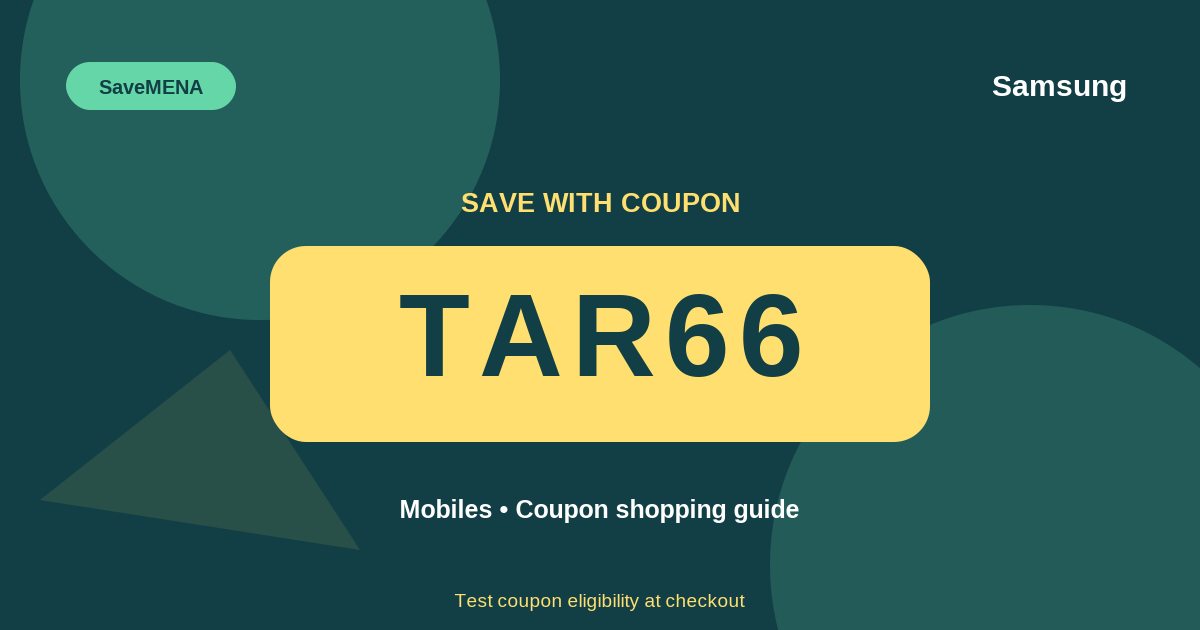
Codes available to try while comparing
These codes are not guaranteed for the article topic or listed brands; test them at checkout and use the live result.
Understanding Final Price on Noon UAE for Mobiles
When you first glance at a Samsung mobile listing, the shown price often reflects the manufacturer's wholesale cost or a promotional rate. However, this label does not include a wealth of additional fees that the checkout page will list: taxes, delivery charges, and any service fees particular to the chosen payment method. The Noon UAE final price is assembled by adding all these components together so that the amount you pay at the end is transparent and non‑hidden.
Because the mobile category on Noon is highly competitive, sellers frequently adjust prices and fees. The final price, therefore, can vary not only by model but also by seller preference and shipping method. Knowing that the “final price” is what appears on the confirmation screen ensures that you are not surprised by unseen costs and that your comparison of alternatives is grounded in reality.
Step‑by‑Step: Applying TAR66 Coupon on Samsung Mobile Deals
Once you add a Samsung phone to your cart, look for a field labelled “Coupon Code” or “Promotions.” Enter TAR66 there, then click “Apply.” If the code is valid for the selected model and your account, the system will instantly recalculate the final price and display a new figure that includes the coupon’s effect. Importantly, this recalculation occurs before you proceed to the payment step, giving you the full picture of how the discount applies.
At this point, you’ll see the revised final price change in real time. Read the new total carefully: it should now reflect the original price minus the coupon’s value, with all taxes and delivery fees intact. If the screen does not update, double‑check that your cart still contains the intended Samsung variant and that the coupon code is not separated by accidental spaces.
Account Log‑In: Impact on Final Price and Coupon Validity
Before you can activate the coupon, it’s essential to be logged into a Noon UAE profile. Some coupons have account‑level restrictions, meaning only users with a registered profile can claim the discount. Even though TAR66 claims to be generally accessible, its cutting‑edge savings might only apply if you have previously completed a profile on the platform.
Login managers also set up the currency for the final price display. A verified account ensures that any regional tax calculations specific to Dubai, Abu Dhabi, or other emirates are applied correctly. If you aren’t logged in, Noon will still show a rough estimate but will refuse to confirm the coupon until you sign in, guaranteeing that the final amount you see is accurate for your location.
Reviewing Delivery Charges, Taxes, and Payment Method Fees
Delivery fees on Noon vary by seller and shipping speed. While the coupon might reduce the product’s cost, the final price still includes the fee you are willing to pay for different delivery options. On the checkout page, you’ll see a breakdown: the product cost, any delivery charge, and taxes applicable to your emirate.
Payment methods can also add a small surcharge if you choose a specific credit card or alternative payment. This surcharge is added after coupon and tax calculations. Reading the final price screen gives you a clear view of each contribution — ensuring you can compare offers from other platforms or sellers who may waive fees.
Comparing Prices Across Sellers Using the Same Samsung Model
On Noon UAE, multiple vendors often sell the identical Samsung mobile. Even with the same headline price, variations in seller‑specific delivery fees and stock conditions lead to different final prices. Use the “Compare” feature on the product page to list the same model from different sellers side by side, then apply TAR66 on each to see how the coupon values across choices.
When comparing, remember that the final price is what the platform registers after all fees and coupons. Do not rely solely on the “list price” displayed on the listing. Instead, add the product to the cart for each vendor and follow the coupon claim procedure to confirm that each final amount is accurate under the same account context.
Verifying Final Total at Checkout: What to Watch For
On the final checkout screen, Noon UAE will list every component that contributes to the amount. This includes the product base price, delivery charge, tax, coupon adjustment, and any payment‑method surcharge. Scrutinize each line item; if any changes appear after you accept the terms and conditions, re‑applying the coupon may be necessary.
When the total is confirmed, scroll down to the “Confirm Order” button and double‑check the amount again. This step ensures that no additional or unexpected fees have been appended after your acceptance. A clear final price on this screen is the definitive number you will pay, confirming the coupon’s effect and the account’s role.
Using Account Rewards and Loyalty Points Alongside Coupons
Many Noon UAE users accumulate loyalty points via frequent purchases or from partner programs. These points can often be applied as a discount in addition to a coupon like TAR66. At checkout, there is usually an option to “Redeem Points” which subtracts the associated value from the total.
Since each account’s point balance is tied to its profile, the amount your points deduct can vary. However, the system will not allow you to apply both a coupon and points in a single transaction that exceeds the transaction limit. After you apply TAR66, simply select the “Redeem Points” checkbox and confirm how many points will be used before finalizing your payment.
Common Pitfalls When Calculating Final Price—What to Avoid
One frequent mistake is assuming that the listed price has already factored in taxes and delivery fees. The Noon UAE final price is only visible after you complete the cart and coupon steps. Relying on the listing can keep you unaware of the real amount due.
A second issue is applying coupons after confirming payment method surcharges. Some users try to reuse or combine coupons with payment‑method discounts that overlap. Noon’s checkout disallows combining on the same transaction, so make sure you apply the coupon before confirming the payment type. Report any discrepancies directly to Noon customer service if the system behaves unexpectedly.
Related SaveMENA pages
Related articles
Official sources to check
Frequently asked questions
Can I use TAR66 on any Samsung mobile, or only specific models?
TAR66 is a general coupon code available on Noon UAE. It can be entered for most Samsung mobiles, but its application depends on the seller’s offer and the coupon’s current status. Check the coupon field after adding the specific product to your cart; if the code is accepted, it applies to that variant.
Do I need to be logged in to see the final price after applying the coupon?
Yes. The final price, after applying coupon to the cart, calculates under your Noon UAE account. Logging in ensures that domain‑specific taxes and delivery fees are applied correctly. If you are not logged in, the system will prompt you to sign in before confirming the coupon.
Will there be a delivery fee if I use TAR66?
TAR66 only affects the product price. Delivery fees are added separately by the chosen seller and shipping speed. The final price screen will list the fee after the coupon reduces the base price. It's unrelated to the coupon’s discount.
Can I combine TAR66 with loyalty points or other discounts?
You can redeem loyalty points after applying the coupon, but one transaction can only have a single coupon applied. Check the “Redeem Points” option on the checkout page after the TAR66 has been applied. Noon UAE will then subtract the points’ value from the already discounted total before you finalize payment.