Dell Office on Noon UAE: account eligibility — final price comparison
We need to produce an article with specific structure. Requirements: - Intro word count 140-180 words.
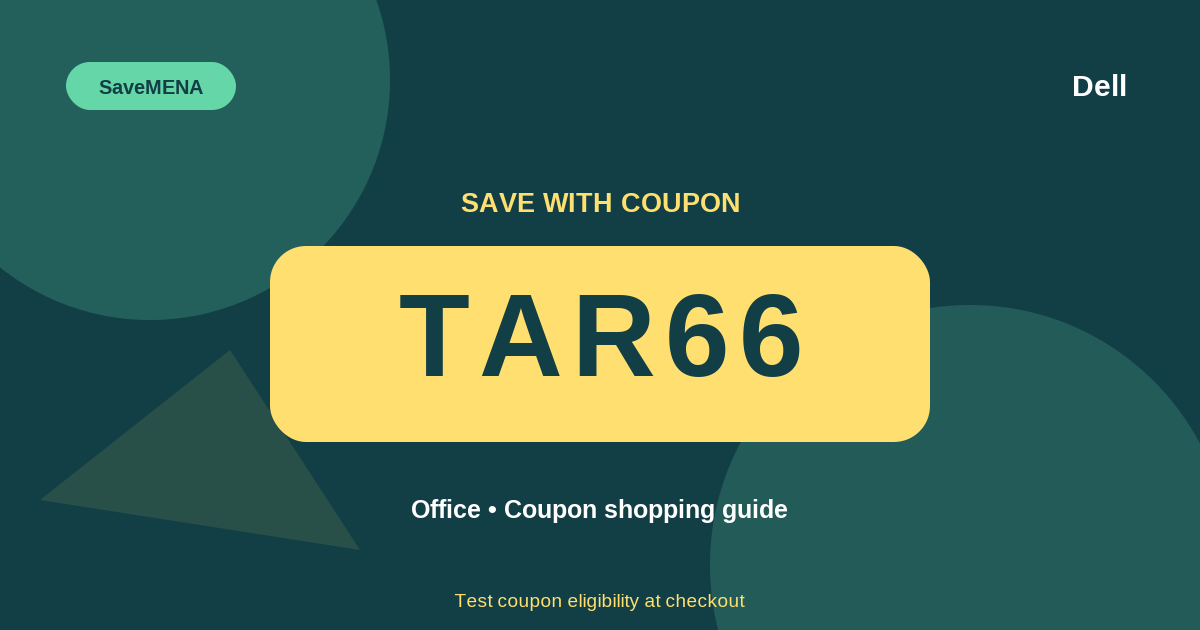
Codes available to try while comparing
These codes are not guaranteed for the article topic or listed brands; test them at checkout and use the live result.
Common Pitfalls When Relying on Coupon Codes on Noon UAE
Now paragraphs: 80-100 words each. Let's approximate with around 90 words paragraph. We'll count roughly; if errors adapt.
We must not invent numeric values for price or discount or fees. So talk in general terms. Use placeholder "X" if needed? Better to avoid numbers; use words.
Understanding the Final Price on Noon UAE: What Makes It Different?
Noon UAE lists many components that contribute to the price displayed on a product page, including the base cost, manufacturer’s suggested retail price, and sometimes a visibility factor that sets a minimum displayed amount. The figure you see initially is often just a starting point, prior to any promotions or account benefits. Because the site separates the coupon field from the “Add to Cart” action, shoppers must explicitly enter their discount code, such as TAR66, before the platform recalculates the line items. Even if a code is accepted, the final amount you’ll actually pay is displayed only in the order summary during checkout, because the system must evaluate all possible variables—such as restock fees or dynamic currency adjustments—at that moment.
Noon UAE’s policy of showing the post‑coupon total only at checkout can create confusion, especially for office equipment buyers who rely on precise budgeting. By keeping the final price hidden until the last step, the platform encourages users to double‑check each discount and fee before they confirm the order. Therefore, understanding how the platform structures price representation is the first essential step toward obtaining an accurate final cost for a Dell office solution.
How to Apply the TAR66 Coupon in a Dell Office Context
To activate a coupon on Noon UAE, first add the desired Dell office product—such as a laptop, monitor, or keyboard—to your cart. The cart page typically contains a field labeled “Enter your promotional code.” Enter the code TAR66 exactly as it appears, noting case sensitivity, and click apply. The system will evaluate the code against the cart’s total. If the code is valid, a line item indicating the discount will appear, reducing the subtotal accordingly. The visual cue is a small tag next to the original price, often labeled “Discount applied.” This confirmation assures you that the coupon has been accepted and will be considered in the final calculation.
Because NOON UAE does not guarantee any particular discount amount for this coupon, the actual reduction may vary. After applying TAR66, you should cross‑check that the subtotal shown has decreased, and that the discount is reflected in the list of offer details. If the code does not seem to affect the price, double‑check that it hasn’t expired or that it’s still eligible for the product category. Ensuring the code has taken effect before proceeding to checkout is critical, as the final price will not update automatically after the order is placed.
Tracking Discounts During Checkout: Where to See the Final Amount
Once you reach the checkout page, Noon UAE presents a detailed order summary: each item’s price, any applied discounts, shipping fees, and potential tax information. The discount applied by TAR66 appears beneath the individual product lines, often with a small note explaining the coupon. The subtotal shown after discounts is the figure you pay for the items alone. Add any applicable delivery fees—standard or expedited—next to the subtotal to get the line called “Shipping & handling.” This amount depends on your selected delivery method, address, and the seller’s policy.
After adding shipping, the next section labeled “Total” aggregates all components: discounted pricing, shipping, taxes, and any service fees. This is the final payable total visible before you confirm payment. If you have an active Noon UAE account, you might also see a field for applying account credits or loyalty points; these will reduce the total further if eligible. Verify that the total matches all deductions you expect before choosing the payment method and submitting the order.
Account‑Specific Factors That Influence the Final Price
Your Noon UAE account status can affect the final price in multiple ways. Account holders might receive auto‑applicable loyalty rewards that lower the total, or they might have access to exclusive member‑only discounts announced in their account dashboard. These benefits typically have their own code or toggle button and are applied during checkout. Because the Lucky Code TAR66 and account benefits operate independently, you need to confirm whether they stack by reading the terms on the coupon’s discount description. If stacking is allowed, you will see two discount lines in the order summary; if not, only one will be applied.
In addition to credits and loyalty points, the selected payment method can introduce potential surcharge or surcharge‑free allowances. Some credit cards or payment schemes may add a small fee for using their service, surfacing in the “Payment charges” line of the final amount. Conversely, certain bank‑linked payment methods may waive those charges. Since Noon UAE does not disclose a fixed fee, always scroll the “Payment information” section at checkout to see any hidden charges or savings before final confirmation.
Comparing Coupon Savings Across Dell Office Products
Different Dell office items may qualify for varying promotional rules on Noon UAE. A high‑end workstation laptop could have a higher base price, affecting how the TAR66 code translates into a dollar reduction. Similarly, peripheral devices like keyboards or monitors often have smaller price points; here, the same percentage discount leads to lower absolute savings. To compare effectively, add each product to a separate cart, apply TAR66 separately, and record the discounted subtotal and final payable total. By using note‑taking or spreadsheet assistance, you keep a side‑by‑side comparison that clearly shows the actual benefit per item.
When evaluating multiple Dell models, pay close attention to any “bundle” offers that combine a monitor with a laptop. Coupon codes sometimes apply only to the core item, leaving accessories unaffected. If this occurs, you’ll see no discount applied to the accessory in the cart summary. It’s essential to match the displayed discounted price with the final amount at checkout for accurate budgeting, particularly for office setup bundles where total cost and shipping can converge into significant totals.
The Role of Delivery Fees and Payment Options in the Final Total
Delivery charges on Noon UAE vary by seller and shipping speed, and are displayed only after you add the product to the cart and enter your address. Once the cart page refreshes, a shipping estimate appears next to the subtotal. Selecting a faster or a free‑delivery tier can alter this line. If you are comparing final prices for a Dell office monitor, ensure that the shipping method you intend to use is consistent across comparisons; otherwise, differences may misrepresent the true cost advantage of one product over another. Payment options can also add to the final price.
For example, using a PayPal or a specific credit card might apply a small processing fee, reflected after the shipping line but before the grand total. In contrast, some local payment methods might benefit from surcharge waivers for account holders. Since these fees become visible only at checkout, you should try multiple payment setups for each product to fully understand the range of potential final amounts. Carrying the same product through several checkout scenarios gives you a comprehensive view of all possible fees and thus an unbiased comparison.
Best Practices for Comparing Final Prices Across Multiple Cart Sessions
Because Noon UAE saves cart data per user session, it’s advisable to use different browser windows or private‑incognito tabs for each Dell office item you wish to compare. This approach ensures that the cart contents do not inadvertently overlap, preventing errors in discount application or shipping calculation. Fill each cart with the specific product, apply TAR66 and account credits, then complete the checkout flow through the order summary without confirming payment, to capture the displayed final payable total. Record these figures before re‑opening the session.
After completing this data collection, cross‑check that the final totals match the order details you would actually pay. Note that individual sellers may bundle offers differently, and some may not honor the same promotional codes. When you want a precise comparison across multiple vendors, consider logging out and logging back in to refresh any pending offers; Noon UAE may offer real‑time discounts that appear only after session validation. Employing a methodical approach ensures you do not overlook a hidden discount or shipping fee that could tilt the balance in favor of one product.
Related SaveMENA pages
Related articles
Official sources to check
Frequently asked questions
Does the TAR66 code work for all Dell office products on Noon UAE?
The TAR66 code may apply to many Dell office items, but eligibility can vary by product and seller. Check the coupon description or contact Seller Support for confirmation. If the code doesn’t reflect as applied, it may not be valid for that specific item.
Will my Noon UAE account automatically apply loyalty rewards after using TAR66?
Loyalty rewards and the TAR66 discount usually operate independently. After applying the coupon, you can still add any available account credits in the checkout. Verify both deductions in the order summary before submitting.
Can I combine TAR66 with a free shipping offer on Noon UAE?
Free shipping bonuses are separate from coupon discounts. If a free‑shipping promotion is active, it will appear as a reduced or zero shipping fee in the final total. The effect of combining both depends on seller rules.
What happens if TAR66 isn’t accepted during checkout?
If the code fails, its discount line will not appear in the order summary. Review the coupon status on the cart page and confirm that the code is typed correctly. If you suspect an issue, reach out to Noon UAE Help Center.