Office on Noon UAE: account eligibility — final price comparison
The final price displayed at checkout on Noon UAE is the sum of the product price, any applicable coupon discount, tax, delivery fee, and potential service charges.
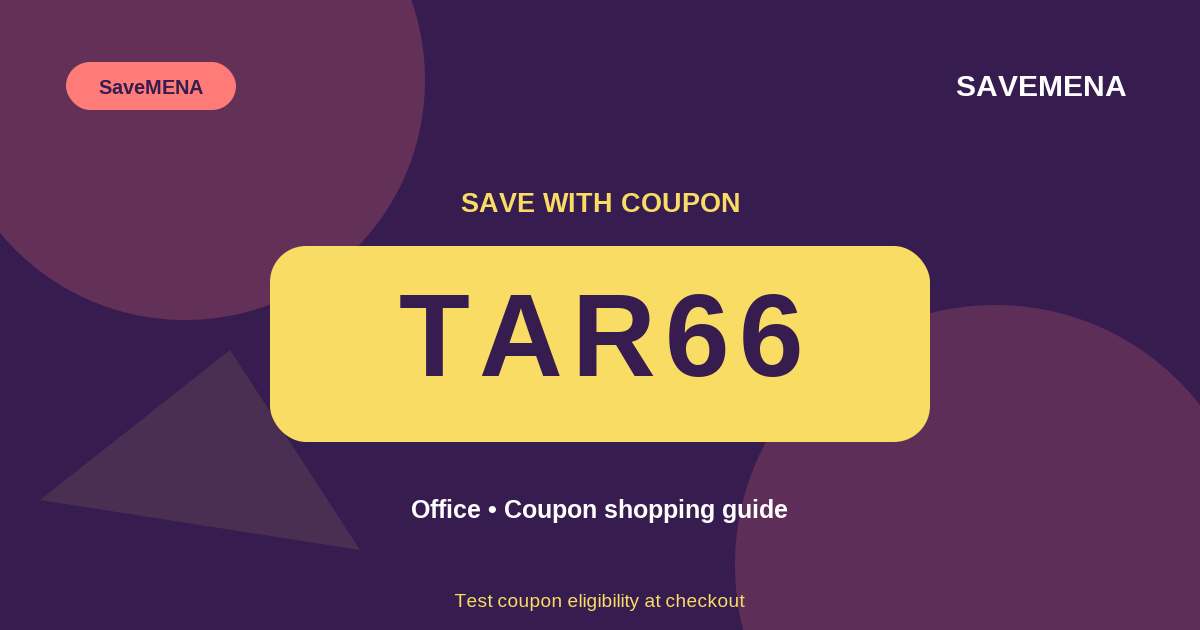
Codes available to try while comparing
These codes are not guaranteed for the article topic or listed brands; test them at checkout and use the live result.
The Crucial Role of Final Price Verification in Office Shopping
The final price displayed at checkout on Noon UAE is the sum of the product price, any applicable coupon discount, tax, delivery fee, and potential service charges. Unlike the listed price, it does not include estimated savings from the coupon until applied, so it is vital to review each component in the order summary. For office items, where bulk orders and cross‑vendor price differences are common, verifying the final amount ensures you’re not overpaying or missing an exclusive seller discount that may affect the total.
When you are purchasing office essentials such as printers, desks, or stationary, the final price also reflects any taxes mandatory in the UAE. These may vary based on your location or the seller’s base. By confirming the final number before confirming payment, you can spot discrepancies early—whether it’s a wrong shipping fee or a missing discount—without having to reverse an order afterward.
Decoding Noon UAE Final Price: What the Number Really Means
The “Noon UAE final price” is shown after the application of your coupon. It shows the exact amount that will be debited from your chosen payment method. This metric saves you from confusion between the list price, the discount percentage, and the net payment. Because coupons like TAR66 may apply at different levels—direct product discount, free shipping threshold, or a credit—reviewing the total shows the net impact of the code on the purchase.
When you’re comparing office products, many sellers list different base prices for the same item. The final price, though, might vary due to shipping route or seller promotions. By focusing on the final amount displayed after the coupon is applied, you eliminate the noise of base price fluctuations and get a clear picture of the true cost you will spend.
Applying the TAR66 Coupon: A Step‑by‑Step Process
A coupon is not guaranteed; verify its result at the retailer checkout. While the coupon can be applied to any qualifying item, some sellers reserve specific discounts that are not extendable beyond their stock. To apply, click on the promo code field during checkout, select the coupon TAR66, and tap apply. The system will immediately recalculate the total if the code meets the eligibility conditions.
Secondly, review the “Update” notice after applying the coupon. This prompt lists any new shipping fee adjustments or tax recalculations. It’s also in this check‑box that any remaining discount is reflected in the final price. If the system rejects the code, the final price will remain unchanged and display the error message, signalling that the coupon might not support that particular seller or item at the time.
Comparing Prices Across Sellers Before Checkout
When you encounter multiple sellers for the same office product, compare the base price, shipping fee, and estimated shipping time for each. You can then pull in the coupon code for each individual cart separately, if you wish, to see how the redeemed price sits against the alternatives. This approach guarantees an apples‑to‑apples comparison where the final price truly reflects each seller’s cost structure.
Check that each seller’s page lists any return policy or warranty—especially important for office electronics—because a lower final price may mask hidden service fees or limited coverage. By evaluating the final price coupled with the overall buying experience details, you reduce the risk of choosing a cheaper product that later requires additional costs for returns or repairs.
Account‑Related Variables that Affect the Final Price
Using a Noon UAE account can unlock additional benefits like loyalty points, exclusive member coupons, or faster checkout. These perks may influence the final amount once applied. For instance, a registered user might receive a free shipping voucher automatically that appears after your coupon is entered, thereby lowering the final price further.
Ensure your account is active and your billing and shipping addresses are up to date, as mismatches can trigger extra shipping charges or delay processing. Certain sellers prefer verified accounts for bulk orders; missing verification can result in an unexpected surcharge or a failed order confirmation. Checking these details at the checkout stage will keep the final price accurate and the purchase process smooth.
The Office Category: Specific Tips for Desk Supplies and Equipment
Office equipment such as printers, monitors, and ergonomic chairs often come bundled with extended warranties or installation services. These services can shift the final price upward even after a coupon is applied. Where possible, read the item description for any separate service costs that might not be included in the initial cart total.
For consumables like paper or ink, sellers may apply a minimum quantity requirement for a discount to apply. If you’re buying in bulk for a company, request a quantity quote before adding items to your cart. The final price will then reflect the actual discounts, and a correct quantity will avoid overpayment or under‑discount situations.
Practical Checklist Before You Confirm Your Order
Before clicking purchase, review the shipping options and any associated fees. Verify that the selected courier matches your delivery timeline expectations; some sellers offer same‑day or free delivery for specific zones, which can modify the final price breakdown. Confirm that the coupon TAR66 is still applied, as some sellers reset the coupon field when you change shipping options.
Also double‑check the tax estimate and applied VAT. The UAE imposes taxes on electronic and non‑standard office goods; ensuring they’re accounted for in the final price will prevent surprise charges. Finally, confirm the payment method. Some methods might carry processing fees that are reflected in the final price but not in the coupon calculation. This last step ensures the final amount you see is the amount that will actually be debited from your account.
Compare alternatives without guessing
When you compare another option in Office, keep the specifications, quantity and seller as consistent as possible and compare the total shown at checkout. A different coupon does not automatically make a deal better because delivery, fees and the live basket context can change the outcome. Use the final payable total as the practical comparison point.
If the retailer shows a specific condition, rely on that visible message; if it does not, do not turn an assumption into a general rule. Test available options one at a time and note any real change in the total or eligibility message. That creates a verifiable shopping comparison instead of a recommendation built on an unsupported marketing claim.
Related SaveMENA pages
Related articles
Official sources to check
Frequently asked questions
A coupon is not guaranteed; verify its result at the retailer checkout.
No. The code is only available to try. Eligibility can vary with the live account, basket, item, seller and campaign context, so checkout is the final reference.
Where should I confirm the coupon result?
Apply the code in the Noon basket and review the live message and final payable total before payment. Do not rely on an undocumented percentage or condition.
Can the result vary by product or seller?
Yes. Eligibility and offer context can vary with the current basket details, so compare the exact item, seller, variant and final total before purchasing.
What should I do if the code does not work?
Check the market, account, item, seller, basket and payment context, then try another code available to try without guessing an unsupported reason.