Nike Shoes on Noon UAE: account eligibility — final price comparison
When you navigate to a Nike shoes listing on Noon, the first price you see is the advertised list price.
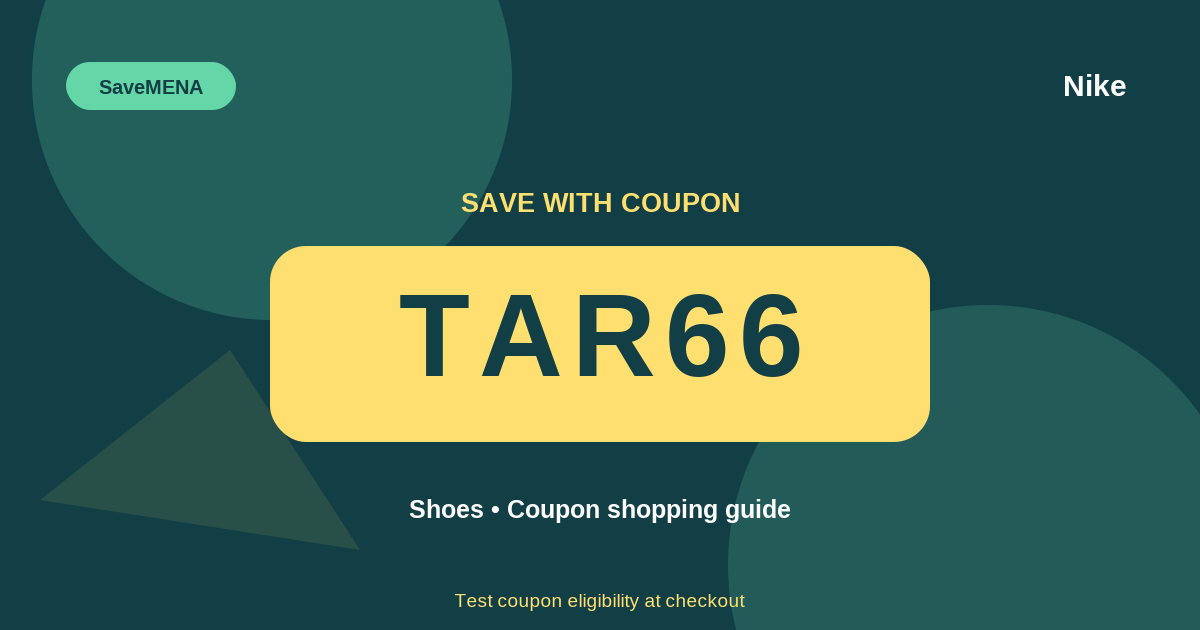
Codes available to try while comparing
These codes are not guaranteed for the article topic or listed brands; test them at checkout and use the live result.
1. Understanding Noon’s Final Price Display
When you navigate to a Nike shoes listing on Noon, the first price you see is the advertised list price. This figure is the baseline that appears before any discounts, delivery charges, or coupon codes are considered. Noon aggregates any manufacturer promotions or seasonal sales into this list price, so ensure you read the whole product description to see if a price drop is already applied. This helps you establish a starting point before introducing the TAR66 coupon into the equation.
Notice that the final price you’ll see at the checkout—once you’ve added the item to your cart—includes not just the discounted product price but also any delivery fee, restocking charges or mandatory surcharges. These components are dynamically calculated based on your location and shipping preference. Because the final price is only finalized at checkout, always pause to review the entire order summary to confirm no hidden fees have surfaced after coupon application.
2. How Coupons Influence the Final Price
Coupons on Noon serve as a small but tangible discount that reduces the subtotal before delivery fees are appended. When you add the TAR66 code, Noon subtracts the coupon value from the product price; however, the exact amount it lowers depends on the coupon’s terms, which are not disclosed in a fixed percentage. Checking the order summary after entering the code will show the reduced subtotal, and the final price will be displayed after the delivery fee is added. This ensures transparency if you want to see how much you actually saved.
Because Noon’s system calculates the coupon discount immediately after you input the code, be aware that the “final payable total” you see after the delivery fee reflects the coupon impact. Any discount is applied before the final price calculation, but the delivery charges stay constant. Therefore, if your goal is to compare two Nike models, focus on the post‑coupon subtotal and not the before‑coupon list price.
3. The Role of Your Noon Account in Buying Nike Shoes
A Noon account unlocks a range of functionalities that affect the final price, such as access to member‑only promotions or personalized coupon availability. If you are logged in, Noon may indicate which coupons, including TAR66, are applicable to your chosen SKU. Without an account, you still see the product price and delivery fee, but you might miss eligibility cues that can alter the final payable amount. Therefore, verify the account status first to confirm your coupon’s applicability.
Account holders also gain the ability to track order history, preserve coupon preferences, and reapply favorite codes in future scrolls. For some Nike shoes, Noon’s algorithm may suggest alternative colors or sizes that are free of coupon restrictions, providing a better final price once the discount is applied.A coupon is not guaranteed; verify its result at the retailer checkout.
4. Step‑by‑Step: Adding a TAR66 Coupon to Your Cart
Start by adding the desired Nike shoe to your cart, then proceed to the cart page. Located on the right side of the screen, the coupon field typically reads “Enter your coupon code.” Input TAR66 exactly as spelled, keeping capitalization consistent. Some SC sites may auto‑populate the field if you’ve saved the code; otherwise, type it manually. The system checks the code’s validity against the selected product’s perks.
After hitting “Apply,” a brief notice will appear, either confirming that the coupon was accepted or notifying you of invalidity. At this stage, the cart will update to reflect the new subtotal, still excluding delivery. Verify that the new subtotal is indeed lower than before applying the code—if it’s unchanged, the coupon may not be valid for that SKU or may have expired.
5. Comparing the Final Price: Before and After the Coupon
To accurately gauge the impact of TAR66, subtract the new subtotal (after applying the coupon) from the original product price. This manual calculation gives you a clear idea of the discount amount, though the platform shows the result as a price difference internally. Remember that the delivery fee is added after the coupon deduction, so the final price displayed after checkout includes that fee.
When you go to the checkout page, a “Final Payable Total” label aggregates the discounted subtotal and all added costs. This is the number you’ll confirm before payment. By comparing the final payable totals from two different Nike shoes—or the same shoe in different sizes—you can verify which offers the better overall price when the same coupon is applied. Always rely on the checkout view for the most reliable comparison because earlier pages may omit optional fees.
6. Tracking Delivery Fees, Restocking Charges and Payment Methods
Delivery fees on Noon vary by region and selected shipping option. Some retailers charge an extra fee for fast delivery; others include the fee in the listed price. In any case, the final price calculated at checkout will show you exact totals after the coupon deduction. This transparency is vital for comparing models with different sizes or colors, as the delivery fee may remain constant while the product cost changes.
Restocking or handling charges are typically shown under a separate line item and are fixed for a particular seller. Ensure you review the order summary before confirming the purchase, as these fees are added after your coupon has already been applied. Most payment methods on Noon—credit cards, wishlist‑based payments, or local bank transfers—do not alter the final price, but using saved payment information may streamline the process without impacting the cost.
7. Early Access & Loyalty Benefits for Account Holders
If your Noon account has a loyalty level, you may qualify for tier‑specific perks, which sometimes include unused coupon codes or exclusive price adjustments for high‑margin items like Nike shoes. This tier status is visible in your account profile and can sometimes auto‑apply a discount at checkout if the coupon is linked to the loyalty level. Verify the benefits by reviewing the “Offers” section of your profile, as some perks are applied automatically.
Certain promotional windows, such as product launch celebrations or seasonal sales, might allow account holders to redeem a bundle of coupons, including TAR66. During such periods, the final price may reflect an extra discount beyond the single coupon. To avoid missing these bonuses, keep your account open and active, and check the notifications tab for any extra coupon alerts that can be combined with TAR66 for a sharper final price.
8. Common Pitfalls When Using Coupons on Nike Footwear
A frequent mistake among shoppers is entering the coupon code outside the context of an active cart—for example, pasting it on the product page rather than in the cart’s coupon box. This can lead to the code being rejected or applied to a different order item entirely. Always ensure you’re in the cart, have selected the appropriate Nike shoe, and that your account is logged in before using TAR66.
Another oversight involves ignoring the possibility that some Nike shoes may be excluded from coupon applicability, either by the seller or by Noon’s policy on certain SKUs. If after applying TAR66 the discount does not appear, double‑check the product description’s coupon eligibility. If uncertain, contacting Noon support or consulting the “Help” section will clarify whether the coupon can be used with that specific pair.
Related SaveMENA pages
Related articles
Official sources to check
Frequently asked questions
What happens if the TAR66 coupon isn’t applied?
If the code fails to apply, Noon typically shows an error message beside the coupon field. In that case, the cart subtotal remains unchanged and your final price will not benefit from the potential discount.A coupon is not guaranteed; verify its result at the retailer checkout.
Can I use another coupon alongside TAR66?
Noon requires that only the first applied coupon be considered for a particular SKU. If a second coupon is entered after applying TAR66, the platform will usually override the first code or disregard the second. Confirm at checkout which discount has actually taken effect by reviewing the order summary.
Is the final price the same across devices?
The final payable total should be consistent across devices, provided you’re logged into the same Noon account. However, some device‑specific caching issues can briefly display outdated prices; clearing your browser cache or restarting the app can resolve such discrepancies. Verification at checkout guarantees the final amount is correct.
How to check if my Nike shoes are eligible for TAR66?
Open the product page, look for a “Coupon Eligibility” note or click the “View Details” link under the price section. If you don’t see any restriction listed, the SKU is likely eligible. Also, when you add the item to the cart and the coupon code is accepted, the discount will appear in the order total automatically.