Adidas Sports on Noon UAE: account eligibility — final price comparison
When you log into Noon UAE, the platform automatically pulls data about your account status, such as membership tier, recent purchasing history, and any loyalty
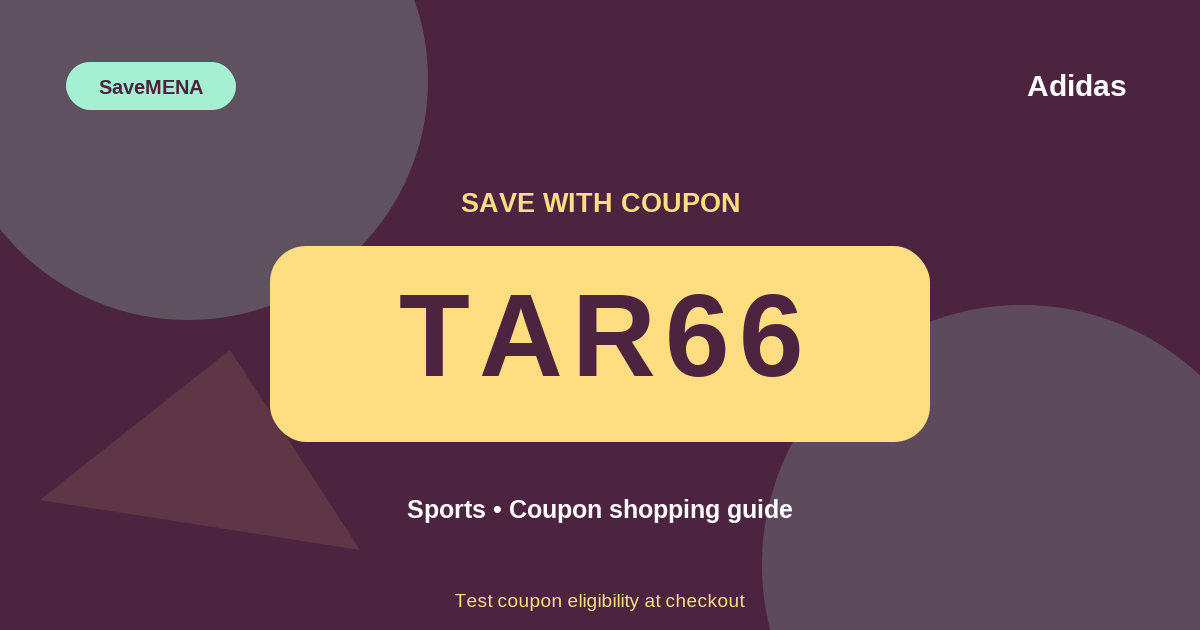
Codes available to try while comparing
These codes are not guaranteed for the article topic or listed brands; test them at checkout and use the live result.
1. The Role of Your Noon UAE Account in Pricing
When you log into Noon UAE, the platform automatically pulls data about your account status, such as membership tier, recent purchasing history, and any loyalty points you may carry. This information can affect which coupons you’re eligible to use and whether you qualify for special member rates on sports shoes or apparel. The system may also apply store‑wide promotions that are invisible to guests, so it’s important to verify that your account is fully logged in before you add items to the cart.
Because Noon applies account‑related discounts after the item’s base price but before shipping and tax, the final amount you see might differ subtly from the product page price. If you’re unsure whether your account has activated a particular benefit, double‑check the “Profile” section or contact Noon’s support. This step ensures you’re comparing apples with apples when you later see the final payable total.
2. Step One: Selecting Your Sports Adidas Item
Start by searching for the Adidas sports product you want—whether it’s running shoes, training gear, or performance shirts. The product page will show a base price that excludes any active coupons or account‑level discounts. Note that this price is the starting point for all subsequent calculations.
When you add the item to your cart, Noon’s system records the exact SKU, size, color, and quantity. This precision matters because some items have variation‑dependent price tiers, which can influence how a coupon is applied. Make sure the variant you choose matches the specifications you need before proceeding to checkout.
3. How Noon Calculates the Base Price Before Discounts
Noon’s checkout algorithm first computes the subtotal by multiplying the item price by the quantity. At this stage, no coupon codes or special member rates are considered; this is purely the raw amount you will pay for the goods themselves.
After obtaining the subtotal, the platform checks for any active promotional offers assigned to your user account. If you have a membership that includes a discount on sports items, that rate is applied next. The outcome is the “discounted subtotal” before any external coupon code is entered.
4. Applying the TAR66 Coupon: What Happens Behind the Scenes
When you enter the coupon code TAR66 during the checkout process, Noon verifies that the code is currently active and applicable to the chosen item. If the system accepts it, the coupon’s discount—if any—for the item is subtracted from the discounted subtotal. Remember, the coupon is available to try; acceptance is not guaranteed and may depend on time‑based restrictions not publicly listed.
Because the coupon can only be applied after the account discount is processed, the displayed final amount after entering TAR66 will reflect the combined effect of both deductions. If the coupon is not accepted, the system will keep the price at the level of the account discount alone.
5. Comparing Your Final Price in the Shopping Cart
Once all discounts are applied, the cart will show a “final price” or “amount payable” figure that includes shipping fees, taxes, and any other surcharges. This amount is the one that Noon will bill you before you confirm payment. It is crucial to compare this figure with the initial product page price to understand the net savings.
To verify the accuracy, drag the amount shown in the cart onto a calculator or write it down. Cross‑check it against the discount calculations you performed earlier. If any discrepancy appears, double‑check the applied coupon, account status, and applicable shipping method.
6. Recognizing Additional Savings and Fees
Noon may add shipping fees or taxes that vary by your pick‑up location or the courier you choose. Some sellers also impose a handling fee for sports gear. These additional charges appear after the coupon and account discounts are applied, so the final price you see in the cart includes them.
Because the sum of the base price, the account discount, the coupon discount, and all extra fees constitute the final amount, you should account for each element when evaluating whether a deal is worthwhile. If you’re uncertain whether a push‑pull extra charge applies, contact Noon’s help centre; they can confirm the applicable fee structure for your order.
7. Confirming the Price Before Final Payment
Before you hit “Pay”, Noon will display a final review page summarising the item details, quantities, the total cost, and the chosen payment method. If you’re using a saved card or another payment option, the card number will be partially masked, but the amount charged will match the final price you reviewed.
Check for any prompts that ask you to enter a promo code or that display a “You are saving X%” message. If the currency is displayed in AED, convert it to your preferred unit for clarity. Once you are satisfied, confirm the payment; the amount will be deducted from your chosen payment source at that instant.
8. Common Pitfalls When Using Coupons on Sports Gear
Many shoppers err by assuming a coupon will automatically stack with all other discounts. However, Noon’s system only allows one coupon to be applied per purchase, and it typically processes after any loyalty or membership discounts. Additionally, some coupons have usage limits per account, so double‑checking usage history prevents missing out on savings.
Another frequent mistake is applying a coupon to the wrong product type. If the coupon’s eligibility is for “all sports items,” it may not work on accessories or non‑sports apparel. Reading the terms—usually found in the coupon description—helps avoid this pitfall. Finally, ensure your cart is still under the same shipping zone as when you added the item, because changes can alter the final price.
Related SaveMENA pages
Related articles
Official sources to check
Frequently asked questions
Can I apply the TAR66 coupon to my sports Adidas items on Noon UAE?
Yes, you can try to apply the TAR66 coupon to Adidas sports items during checkout. The coupon’s success will depend on its current activation status and any product‑specific criteria set by Noon. However, coupon usage is never guaranteed, and you should still verify its acceptance at checkout.
What happens if the coupon is not accepted during checkout on Noon UAE?
If Noon does not accept the TAR66 coupon, the cart will remain at the price after your account discount only. You can proceed with payment without the coupon, or adjust your order to remove items that might prevent acceptance.
Does Noon UAE offer exclusive discounts for account holders on sports gear?
Noon may provide member‑only promotions or loyalty benefits that affect sports gear prices. These discounts apply before coupon codes and are visible once you are logged into your account. Always check your account dashboard for any active member offers before adding items to the cart.
How can I verify my final price on Noon UAE before completing payment?
You can review the final report on the payment confirmation page, which lists the subtotal, discounts, shipping, taxes, and the total amount due. Cross‑check this figure with the price displayed during the cart review stage to ensure consistency before capturing payment.