Nike Sports on Noon UAE: account eligibility — final price comparison · TAR64
When you search for a Nike sports product on Noon UAE, you want to know exactly how much you will pay after applying a discount.
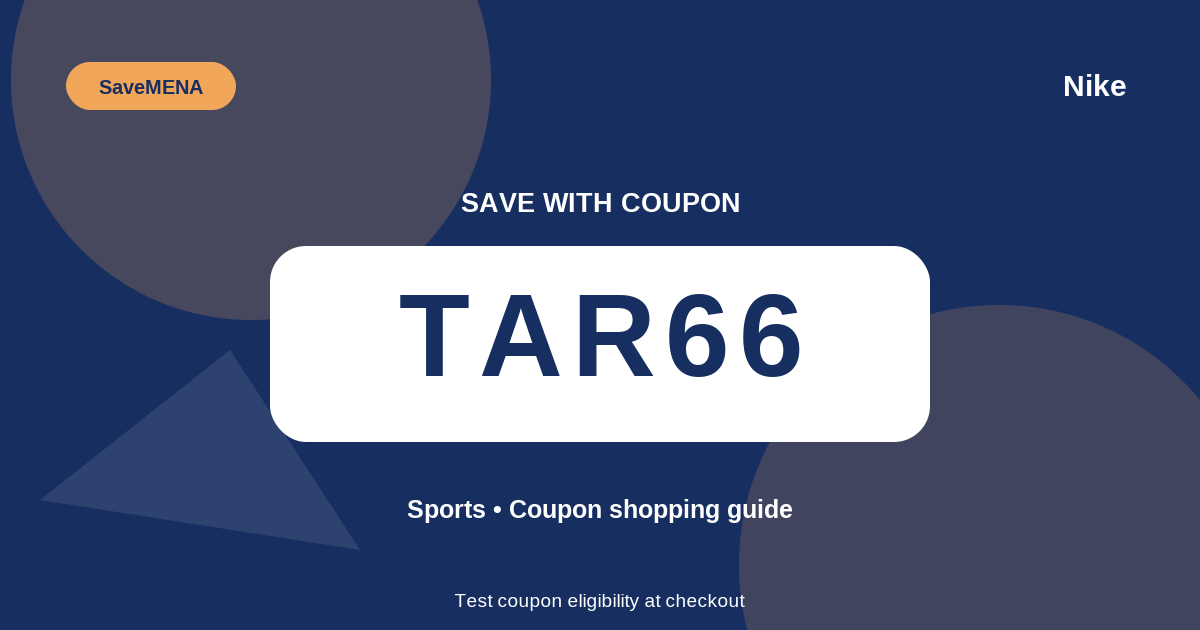
Codes available to try while comparing
These codes are not guaranteed for the article topic or listed brands; test them at checkout and use the live result.
Understanding Noon UAE Final Price for Nike Sports Gear
When you view a Nike product on Noon UAE, the price displayed on the product page is the list price before any coupon or discount is applied. This is the amount that normally appears before you add the item to your cart. Once you progress to the cart page, Noon may show additional charges such as shipping and handling, as well as variable taxes based on your delivery location within the UAE.
The final price you see after you proceed to checkout reflects the true amount you will be charged. This total includes the product price, any applied coupon discount, taxes, possible delivery fees and any adjustments made by the platform. The checkout screen also lets you confirm the delivery address, payment method and any discount codes you wish to use.
How the TAR64 Coupon Fits Into Your Checkout Flow
Entering the coupon code “TAR64” once you have a Nike item in your cart is straightforward. The code field can be found on the cart page beneath the product list or directly in the checkout screen before you finalize your purchase. When you type the code, Noon will validate it against existing promotional rules and update the line‑item subtotal accordingly.
It is important to note that the platform will only apply a discount if the code is valid at the time of checkout and if the item meets any inclusion criteria. Because this is a coupon you can try, you should observe if the code is accepted or rejected. If accepted, the discount amount will appear immediately, giving you a new “final payable total.” If rejected, the discount will not be applied and the original price remains.
Comparing Prices with and without the Coupon
To see the true value of the coupon, simply note the price shown on the cart page before you enter “TAR64”. Then, after you successfully apply the code, the cart will display an updated total. Document both numbers—preferably by taking a screenshot—so you can refer back to them later on your phone or computer. This side‑by‑side comparison shows the actual reduction RaspberryBath.
However, make sure you also compare the final total displayed at checkout. Occasionally, Noon may apply additional taxes or fees after coupon validation, which can slightly alter the final payable price. The best way to verify is to keep an eye on the final amount before you confirm the payment. This gives you a complete picture of how much you save and what you ultimately owe.
Account Context: Why Your Login Matters
Your Noon UAE account status directly influences the visibility and usage of promotional codes. Logging in allows the platform to recognize any available store credit, loyalty points or expiration rules tied to your profile. Furthermore, if you have saved a delivery address, Noon may apply location‑based discounts automatically in addition to any coupon you enter.
A coupon is not guaranteed; verify its result at the retailer checkout. If you checkout as a guest, some coupon benefits may not be recognized. Always log into your Noon account before proceeding through the checkout flow to avoid missing any applicable savings.
Shipping, Payment, and Final Payable Total
Once your coupon is applied, Noon’s checkout will summarize all charges: product subtotal after discount, taxes, shipping, and any other fees. The final payable total you see is the amount that will be charged to the payment method you have selected. Pay close attention to whether the shipping fee is waived or if it remains in the final calculation.
Remember that the checkout sum is the last reference for the amount you will pay. After you confirm the order, Noon will not adjust the price again unless there is a known system error. The final number displayed in the confirmation screen is what you should keep for future reference, as it represents your actual transaction value.
Real‑World Tip: Track Your Order from Noon to Your Door
After finalizing the payment, Noon provides an order tracking feature on both the website and the app. You can monitor the status of your shipment—whether it is confirmed, being processed, or out for delivery. Tracking will also show any changes to the shipping cost or handling fees if they occur during processing.
During the tracking journey, you can double‑check that the discounts applied at checkout are reflected in the final invoice that you will receive for confirmation. If there is a discrepancy in what you expected versus what was recorded, you can contact Noon’s customer support using your order number. This ensures that your final price information stays consistent from the point of sale to delivery.
Avoiding Common Mistakes When Applying the Coupon
One of the most frequent errors is attempting to apply a coupon after the checkout button is pressed. Noon’s interface typically requires the coupon to be entered before payment to be recognized. If you add the code too late, the system may not recalculate the total, leaving the discount unacknowledged.
Another pitfall is using a coupon designed for a different marketplace or brand. The “TAR64” code may not work if you’re purchasing a non‑Nike product or if the coupon’s terms specify a particular product line. Verify that the coupon is relevant to the item in your cart by reviewing the eligibility notes displayed next to the coupon field.
Wrap‑Up: Making the Most of the Final Price Strategy
By rigorously comparing the listed price, the cart total before and after applying “TAR64”, and the final checkout amount, UAE shoppers gain a dependable method to confirm they receive the best possible deal on Nike sports gear.A coupon is not guaranteed; verify its result at the retailer checkout.
Repeat this process each time you shop on Noon UAE, especially when stacking promotional codes or when your subscription benefits might apply. Consistency in record‑keeping and a clear understanding of the checkout flow prevent surprises and keep your sports gear acquisitions efficient and cost‑effective.
Related SaveMENA pages
Related articles
Official sources to check
Frequently asked questions
How do I confirm the coupon has been applied correctly?
After you enter “TAR64” at checkout, look for a discount line in the cart that shows the deducted amount. The product subtotal should decrease accordingly, and the final total displayed should reflect this reduction. If no change appears, the code may not be valid.
Can I use the coupon code after I complete payment?
No. Coupon codes must be entered before payment confirmation. Once the order is submitted, Noon does not retroactively apply discounts. If you want to use a promotional code, it must be entered on the checkout page before finalizing the purchase.
Does the coupon apply to all shipping options?
The coupon affects only the product price, not shipping. Shipping fees may vary based on your delivery address or selected shipping speed. However, if the coupon qualifies for a free shipping promotion, it might be applied automatically once the code is accepted.
What should I do if I notice a discrepancy in my final price?
Verify the total during checkout before confirming payment. If a discrepancy appears after you’re past the payment screen, contact Noon support with your order number. They can confirm whether the coupon was applied correctly and rectify any oversight.