Tablets on Noon UAE: account eligibility — final price comparison
The final price you see when adding a tablet to your Noon UAE cart reflects several layers: the base price, taxes, shipping charges, and, if applicable, any
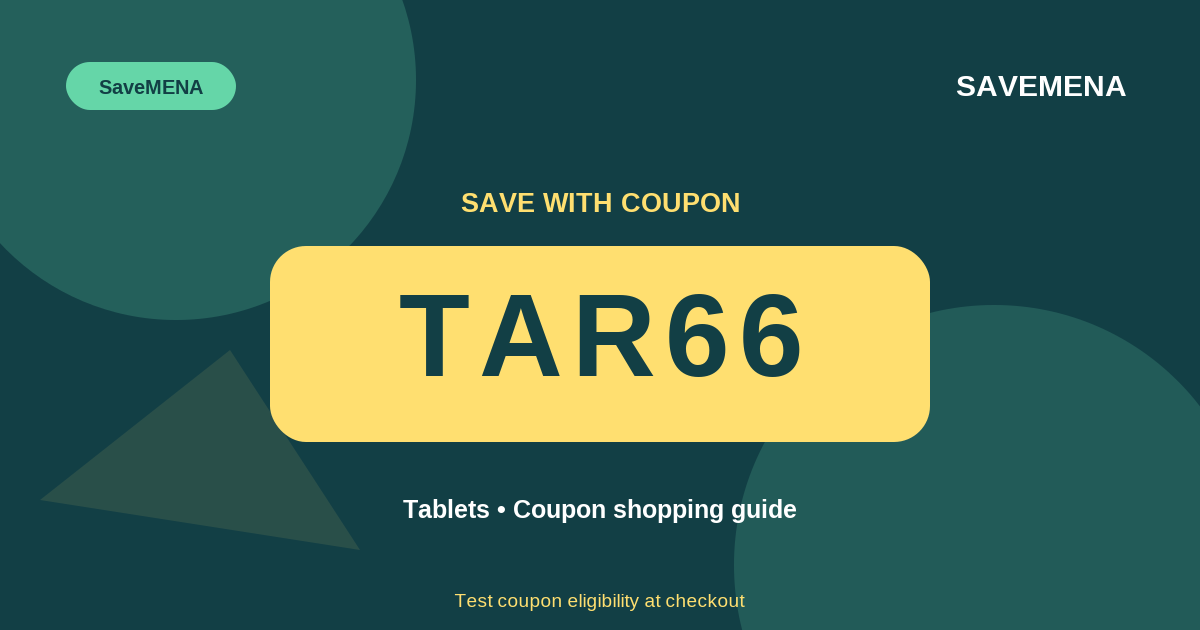
Codes available to try while comparing
These codes are not guaranteed for the article topic or listed brands; test them at checkout and use the live result.
Understanding Final Price vs. Coupon Impact on Noon UAE Tablets
The final price you see when adding a tablet to your Noon UAE cart reflects several layers: the base price, taxes, shipping charges, and, if applicable, any discount you entered. The coupon code TAR66 attaches after these components but before the last check-out confirmation. Because the coupon’s application depends on your account settings and any cart restrictions, it’s crucial to understand the difference between the advertised list price and the final price that appears on the checkout page. By reviewing each element, you can verify that the coupon is indeed activated and that no extra cost has slipped in during the process.
This section emphasizes the decision lens of the account context, which means every step may interpret differently for each Noon member. Your profile settings could influence whether the coupon is valid for the chosen tablet model, the payment method, or the delivery zone. Therefore, you’ll want to inspect the final price after proceeding to checkout, where all terms and conditions are applied and all eligible discounts are summarized.
Step‑by‑Step: Adding a Tablet to Your Cart and Reviewing the Final Price
Begin by searching for your desired tablet on Noon UAE’s website or the app. Once you’ve chosen a model, select the preferred configuration—storage, color, or any accessories—and add it to your cart. At this point of the shopping process, you will only see the base price, shown before any tax or shipping calculations. This price remains unchanged until you hit the “review cart” page, where taxes and shipping are tallied. Checking the cart page allows you to note the exact amount you’ll be paying before applying the TAR66 coupon.
When you proceed to the cart review, each item’s total—including VAT—will be displayed along with a line for delivery fees. This secondary review acts as a checkpoint: if there’s a discrepancy between the listed price and what you expect, you can more accurately gauge any potential discount once the coupon is used. Keep a mental or written record of this number, as it will be the baseline against which you compare the price after the coupon is applied.
Applying the TAR66 Coupon: What Happens at Checkout
Enter the coupon code TAR66 in the promotional field located on the checkout page. Once the code is submitted, the system will instantly verify its validity against your chosen tablet and the current cart. The result of this verification appears only on the final payment screen, where it subtracts from the subtotal if eligible. Because the validity of TAR66 may depend on your Noon account, purchase history, or geographic region, the screen will reflect whether the code has been accepted or rejected. This step marks the most accurate point to confirm the coupon’s influence.
If the coupon is accepted, a line item labeled “Coupon Discount” will display beside the total amount due. The amount may vary depending on the tablet’s price and may not be a fixed percentage. Watch closely for any changes in the shipping if the coupon impacts delivery charges. If the code is not accepted, check the error message that appears; it will often point to the reason for rejection, whether eligibility or restriction. This moment is essential for verifying that the coupon truly applies to your purchase under your account context.
How Your Noon UAE Account Preferences Alter the Final Price
Noon’s account settings influence many aspects of the shopping experience, including the application of coupons. If your Noon account is linked to a particular promotion channel—such as email newsletters or a loyalty program—the system may automatically flag the TAR66 coupon as usable or unusable. Your preferred payment method, linked payment cards, or store credit balances also factor into how the final price is displayed, especially if they offset part of the purchase value. Knowing these settings helps you anticipate whether the coupon will be accepted.
Before finalizing the purchase, review the account dashboard for active promotions and confirm that you have not exceeded any purchase limits tied to your account tier. For instance, some members might have restrictions on using multiple coupons at once, or certain models might be exempt from coupon discounts. By checking your account profile beforehand, you reduce the risk of the coupon being rejected right when you’re about to complete the transaction.
Comparing Price Levels Across Tablet Models Before Activation
When deciding on a tablet, it makes sense to compare the price tags of several models side‑by‑side. Look for a comparison table on Noon UAE that lists each model’s offline price, online price, and any standard discounts available before you factor in a coupon. This data gives you a clearer picture of the relative value and whether a particular tablet will benefit most from the TAR66 code.
Keep in mind that each tablet’s final price after coupon application may differ even if their base prices are close, due to the way the discount is calculated. Some devices might qualify for a larger percentage reduction, while others may not activate the coupon at all. By performing this comparison early, you can choose the model that not only fits your needs but also maximizes the potential savings under your account context.
Hidden Fees and Shipping: Factors That Change the Final Payable Total
Even after a coupon has been applied, the final amount you pay can be altered by subtler costs. Delivery charges vary by location, delivery speed, and the total value of your cart, and these fees are applied only after the coupon’s deduction. Additionally, if your chosen tablet is a premium model that requires special handling, there may be an extra “handling fee” separate from shipping. All such fees are shown only on the checkout page’s final summary.
Coupons like TAR66 rarely cover these ancillary costs, so a smaller tablet might appear cheaper than a larger one after shipping is considered. Before clicking “Place order”, scroll through the entire payment summary carefully, ensuring that no hidden fees are added unexpectedly. If a discrepancy arises, you can alter delivery options or reach out to Noon support for clarification.
Practical Tips for Ensuring the Coupon Applies Successfully
First, double‑check that you have typed the coupon code TAR66 exactly as it appears—case‑sensitive, no extra spaces. After clicking the “Apply” button, give the page a moment to refresh. If the discount line disappears or an error appears, verify that your Noon account is active and that the cart contains only eligible items. Removing non‑eligible accessories or changing the tablet model may resolve the issue.
If the coupon still fails, check whether your Noon app or browser cache is displaying a cached version of the checkout page. Clearing your browser’s cache or restarting the app often resolves such glitches. If all else fails, contact Noon’s customer service; providing them with your cart details and the attempted coupon code can help them troubleshoot on their end. These steps draw directly from the account context and avoid assuming any imaginary discount guarantees.
Related SaveMENA pages
Related articles
Official sources to check
Frequently asked questions
A coupon is not guaranteed; verify its result at the retailer checkout.
No. The code is only available to try. Eligibility can vary with the live account, basket, item, seller and campaign context, so checkout is the final reference.
Where should I confirm the coupon result?
Apply the code in the Noon basket and review the live message and final payable total before payment. Do not rely on an undocumented percentage or condition.
Can the result vary by product or seller?
Yes. Eligibility and offer context can vary with the current basket details, so compare the exact item, seller, variant and final total before purchasing.
What should I do if the code does not work?
Check the market, account, item, seller, basket and payment context, then try another code available to try without guessing an unsupported reason.