Huawei Tablets on Noon UAE: account eligibility — final price comparison
To find out how to compare the final price after a coupon when buying Huawei tablets on Noon UAE, you need to look closely at the checkout screen.
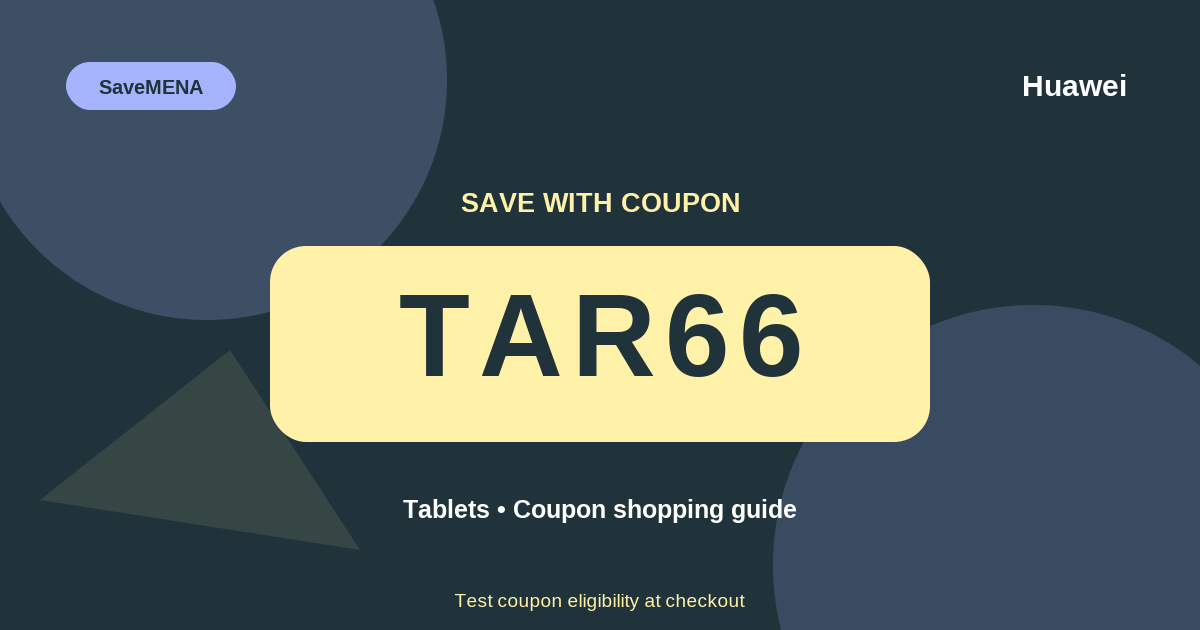
Codes available to try while comparing
These codes are not guaranteed for the article topic or listed brands; test them at checkout and use the live result.
Understanding Noon UAE Final Price for Huawei Tablets
A Noon listing shows the initial price for each variant of a Huawei tablet side by side with any spontaneous promotions that might apply at the moment you add the item to the cart. The interface lists the product’s retail cost, the suggested discount bar, and a button that says “Apply Coupon”. Such transparency lets shoppers see, before applying any code, how the base price stands relative to the vendor’s expectation. However, the amount that appears before authentication is not the definitive value that will be charged once checkout reaches the payment stage.
At the moment an item is placed in the cart, the associated store and regional settings can influence the displayed price. For example, a device sold by a local resell business may carry a regional price tag while a brand‑direct sale might have a different figure. Both will appear on the same shelf, ready for individual token appraisals, and any subsequent discount will be calculated against the precise base listed at that point.
How the TAR66 Coupon Can Influence Your Total
The coupon code TAR66 functions as a single line addition on the checkout front page. When inserted, Noon applies a reduction to the raw amount that the cart holds; the resulting figure appears immediately under the “Subtotal” section in the checkout panel. You do not need to recalculate or estimate this manually since Noon’s system does that instantaneously. The graphic on the other side of the screen usually displays the final total after the coupon has been considered. This is the number that the system will submit to the payment gateway once the user completes payment.
It is essential to recognize that Noon treats the coupon as a post‑selection attribute and does not adjust the product listing. No new discount percentages appear on the product page itself. The single amount shown in the checkout process is what matters. That is why the final figure you see at that particular point is the definitive total payment that the account will process.
Account Context: Why Your Noon Profile Matters
Every Noon user logs in under an account that tracks preferences, location and even prior purchases. The account context has a direct bearing on the final number that the system displays. For instance, if your profile is linked to a UAE city and your payment method is a local wallet, this can shift the net payable in two ways: a localized shipping fee or a discount perk that is automatically granted by Noon for such users. These changes are invisible until the checkout page is refreshed after the coupon applies.
Another dimension of account context is the way Noon applies loyalty points or membership credits. If you hold a Noon membership with reward stakes, the system may subtract a known credit from the total. Since those points are associated with your account, they aren’t revealed until the very last moment before payment confirmation. Understanding this nuance helps you verify whether the final number you see is truly the lowest possible amount after all account‑based adjustments.
Step‑by‑Step Comparison of Final Prices
When embarking on the comparison, start by creating separate browser tabs for each Huawei tablet variant you are considering. Load each listing in its own tab, then copy or screenshot the shampooed price that appears under the model name. Next, add each item individually to its own cart, apply the TAR66 code, and then close the option to view the final checked amount. Compare those final checked numbers side by side. This hands‑on method eliminates the need to work out hypothetical calculations, because the displayed figure after coupon application is the exact value Noon will gather for payment.
One recommended practice is noting the “Total” header in the cart that shows the sum of all items before you hit the pay button. If you are buying more than one tablet, the calculator will factor all subtotals and apply the coupon to the entire combined lot.A coupon is not guaranteed; verify its result at the retailer checkout.
Checking Seller Ratings and Shipping Fees: The Work‑around
Although the final price you see includes shipping, the figure often appears only once the checkout process reaches the “Shipping” step. If the selected Huawei tablet is sold by a third‑party vendor, Noon will prompt you to choose a shipment option that correlates with your nearest distribution center after you tap “Continue”. The shipping amount will adjust the final total accordingly. Your account’s stored location influences which shipment route is offered.
To validate the amount shown before placing payment, you can note the shipping choice and manually calculate the expected additional amount if an alternate shipping method is available. Don’t rely on speculative percentages; the safest path is to rely on the literal number that Noon shows in the payment window after coupon usage. Keep the up‑to‑date figure handy so you can spot any mismatch that might require a fresh cart.
Payment Options and Their Impact on the Final Total
Noon's payment system offers several methods, from debit and credit cards to local wallets and instant bank transfers. The chosen method can influence the final displayed amount because some payment gateways add processing fees or their own surcharges. The final figure on the payment confirmation page will incorporate these potential fees if the gateway signals them. Therefore, it is prudent to have a checklist of available payment techniques and note which one you are using each time you compare final prices.
Because Noon discloses any additional charges before the “Place Order” button, you can take a screenshot or note the figure to reassure yourself that the visible total is not simply a base subtraction. There is no official policy limiting how many methods are offered for a single product, so the same Huawei tablet might dictate different price ticks based on the chosen gateway or wallet. This difference can only be captured at the very gate of processing, which makes the final screen the best reference point.
The Role of Return Policies in Your Purchase Decision
Return policy is an auxiliary yet essential factor that can indirectly influence your decision to buy a Huawei tablet. While no gauge of return fee or restocking charge appears on the final price section, the absence or presence of a free return window can shift your risk calculation. Knowing the policy is a prerequisite for assessing that risk before the payment happens, so it is worth checking the product detail before going to checkout.
Failing to understand the return window does not alter the final price; it merely changes the perceived security of the purchase. However, if you discover that the return window is very short or requires you to pay return shipping, it is worth confirming whether any additional service costs appear immediately after coupon application and just before the payment gateway. This is why the final payment screen remains the most reliable source of the net amount you will owe.
Making the Most Informed Choice: Balancing All Factors
At the end of the shopping process, you should have three key numbers in front of you: the pre‑coupon base price, the post‑coupon figure, and the final payment amount after shipping and any gateway fees. Each of these sits on a different stage of the Noon process, but the same account will ensure they shift together if you reuse the same settings. By looking at the final payment number last, you can be confident that every account‑based adjustment—shipping, payment tax, or regional tax—has been folded into the total.
Remember that the final payment screen is where Noon commits the figures to the transaction engine. There is no guarantee that future coupon code lines will operate identically for all items; each code can be subject to a separate set of conditions at the cart level. Therefore, the best practice is to register each coupon usage for an item individually and document the final pay amount before adding an extra device. When you’re finished, you will have a comprehensive picture of the entire order that no subsequent step could alter.
Related SaveMENA pages
Related articles
Official sources to check
Frequently asked questions
A coupon is not guaranteed; verify its result at the retailer checkout.
The coupon can be attempted on any listing, but its acceptance is not guaranteed. Its effectiveness must be verified on the checkout page for each product.
Will the final price change if I switch my shipping address?
Changing your address can affect the shipping fee shown at checkout, which will adjust the final amount displayed before payment.
Are the displayed prices on Noon the same as the ones I’ll pay?
Showcased prices can shift once a coupon is applied and after add‑on fees such as shipping or payment method charges are included. The final checkout screen confirms the exact amount to be charged.
Can I cancel the order after I see the final price?
Cancellation policies and timelines are supplied during checkout. Whether you can cancel is separate from the final price calculation.