Samsung Tablets on Noon UAE: account eligibility — final price comparison
When you’re looking to buy a Samsung tablet on Noon UAE, the first thing you’ll want to understand is how the final price you see after applying a coupon really
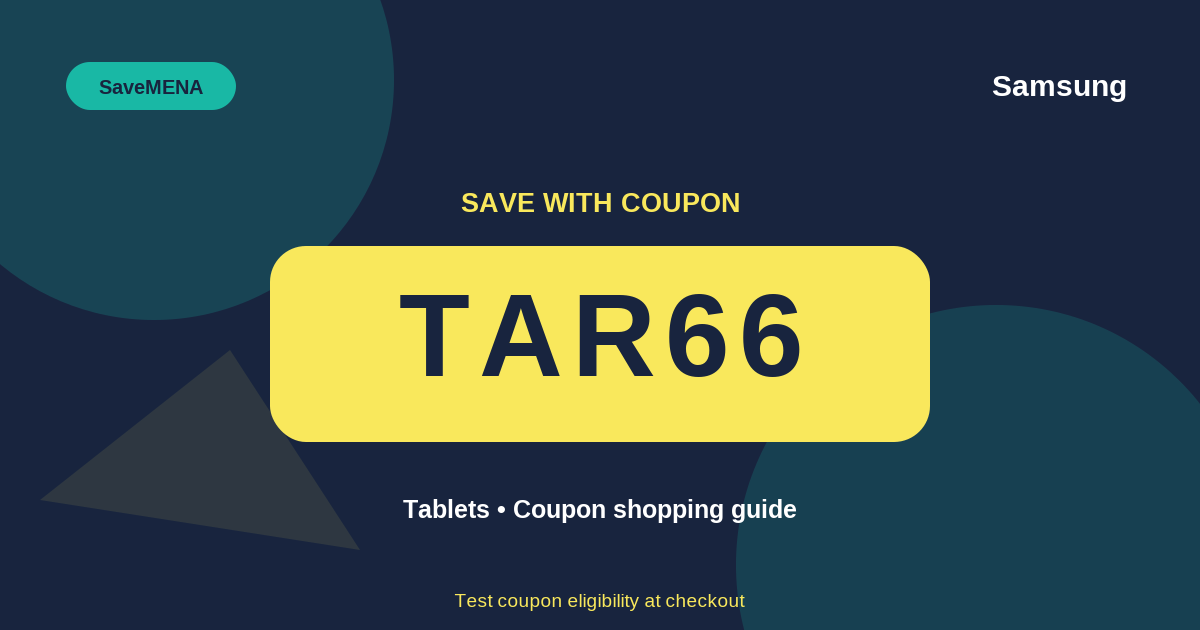
Codes available to try while comparing
These codes are not guaranteed for the article topic or listed brands; test them at checkout and use the live result.
Understanding Final Prices on Noon: Basic Concepts
On Noon, the “Final Price” box is the amount that will be charged once you confirm your order. Unlike the MSRP shown on product listings, this figure already deducts any coupons or promotional credits applicable to your account. It also includes the refreshingly low delivery fee that Noon charges for most electronics, ensuring you have an accurate total before you commit.
For shoppers aware of their account status—such as a Noon app subscription or a loyalty tier—the final price may also factor in exclusive perks like a free return shipping tag or a waived delivery fee. Checking the breakdown in the shopping cart before proceeding lets you see exactly where each component comes from, preventing surprise costs at the “Checkout” stage.
Choosing the Right Tablet Variant: Specs, Storage, and Display
Samsung tablets come in a range of configurations—different screen sizes, storage capacities, and processor speeds—all displayed under the same product listing. When you browse Noon, use the “Filter by” options to limit results by your desired “Screen Size” or “Internal Storage” because these specs can affect the price significantly. For example, a 32‑GB model may be cheaper than a 64‑GB counterpart, even after a coupon is applied.
Account context matters here, too. If you’re counting on a Noon credit balance or a loyalty rebate, you’ll want to understand which variants are inclusive of those benefits. Not all tablet configurations receive the same discounts, so selecting the right variant early in your cart ensures your final price calculation reflects your specific purchasing power.
Applying the TAR66 Coupon: Step‑by‑Step Procedures
To add the TAR66 code, begin in the shopping cart with your selected tablet. Scroll to the “Apply Coupon” field, type “TAR66”, and click “Apply.” The MIT‑UAE system will instantly recalculate the line items, adjusting the subtotal in real‑time. On Noon’s desktop interface, you’ll see the discount appear beneath the original price as a separate line; the same effect is visible on the app.
Before confirming, double‑check that your Noon account is logged in, since this coupon only applies to verified users. If you’re using a guest checkout or a new account with no prior purchase history, the discount may not be accepted—hence, reviewing the final price after applying TAR66, on logged‑in status, is essential to see the exact payable amount.
Calculating Your Expected Savings: From Sticker to Checkout
Take the product’s listed price (the “Price” field in the product description), subtract any direct discounts shown (such as a promotional % off), and then apply the TAR66 discount as displayed during the cart update. The resulting number should match the “Subtotal” shown in your cart. Notice the differences after you add the delivery fee, which Noon usually charges a fixed amount for tablets.
Because Noon’s algorithm may smooth out rounding differences or apply extra conditional fees, it’s useful to compare the calculated figure against the “Final Price” shown at checkout. If the numbers don’t match, re‑enter the TAR66 code or refresh the page; but if they still differ, the discrepancies are likely due to unseen taxes or account‑specific fees you’ll see only once you hit the final payment screen.
Factors That Influence the Final Payable Total
Although the coupon slash the raw price, the checkout total on Noon can be influenced by three main variables: delivery fee (often a flat AED 30 or waived for Noon Prime members), sales tax (the UAE’s the discount shown at checkout VAT applied to most electronics), and any surcharge for credit‑card processing. These amounts are added to the “Subtotal” after discounts are calculated.
Account‑level perks can also play a role. For example, if you are a Noon Prime member with a free delivery subscription, the delivery fee is removed, which can change the final amount you see before confirming. Always review the cart’s fee list to ensure no hidden costs are buried beneath the label “Final Price.”
Confirming Eligibility and Handling Refunds at Checkout
When you press “Proceed to Checkout,” Noon will require the last layer of verification: checking your account balance, shipping address, and payment method. If you’re using an external card connected to a Noon wallet, ensure the card has sufficient credit to cover the “Final Price.” In some instances, a lower-than-expected final amount may be flagged and you’ll be asked to confirm payment or provide an alternative.
In the event of a dispute over the final amount, Noon offers a standard return window (often 30 days) and a clean refund process. Keep your receipt and order confirmation handy for reference. Since coupons like TAR66 are applied at the cart level, any partial refund will exclude the coupon frame and only return the added subtotal.
Comparing Similar Samsung Tablet Deals on Noon and Other UAE Marketplaces
Side‑by‑side reviews of Samsung tablets on Noon versus competitors like Amazon UAE, Carrefour, or The Entertainer can reveal price differences that may affect your choice. Some sites also have exclusive offers—so it’s worth noting whether each platform offers a comparable coupon code or membership perk that could reduce the final price further.
Keep in mind, though, that coupon viability on Noon is specific to the TAR66 code. Competing sites might not honor an identical coupon, and their discount structures can vary, so always confirm the “Final Price” on each site before deciding where to spend. The decision lens of the account context still applies: if you’re more comfortable with Noon’s loyalty program, it might outweigh a slightly lower price elsewhere.
Maximising Value: Expert Tips for Gaining the Best Tablet Experience
Beyond the raw price, holistic value includes warranty, after‑sales support, and bundled accessories. Noon sometimes offers first‑year protection plans or special gift card bundles when you purchase a Samsung tablet. These extras can tip the scale even if the initial final price appears higher on another site.
Additionally, consider the long‑term subscription or affiliate programs Noon offers; accumulation of points or unlockable discounts on future purchases can offset an initial higher purchase cost. Always balance the one‑off final price against the potential savings the account context (loyalty tiers, return benefits) will provide over time.
Related SaveMENA pages
Related articles
Official sources to check
Frequently asked questions
What happens if the TAR66 coupon doesn’t apply at checkout?
If Noon indicates the coupon is not valid, double‑check that your account is logged in and that the code was entered correctly. Ensure you’re reviewing a useable SKU, as some Samsung tablet variants may not support the coupon. If still unresolved, you can reach out to Noon customer support for clarification.
Are there additional fees I should expect after applying the coupon?
Yes, taxes, a fixed delivery fee, and, possibly, credit‑card surcharges remain in the final total. These are added after the coupon discount is applied and vary by location and payment method. Review the fee breakdown in the cart before checkout.
Can I use TAR66 on multiple Samsung tablets in the same purchase?
The standard Noon policy allows a single coupon per transaction. Attempting to apply TAR66 to multiple items will prompt an error or apply the discount only once. If you want to purchase multiple tablets, double‑check the coupon’s terms for bulk use during checkout.
Does my Noon Prime subscription affect the final price?
If you’re a Noon Prime member, you may benefit from a waived delivery fee, which could reduce the final amount. Prime status does not automatically alter the coupon discount amount, but it does streamline your checkout by removing the shipping cost line from the cart.