LG Electronics on Noon UAE: item availability — final price comparison
Begin by locating the exact LG product on Noon UAE’s catalogue. Each listing often contains multiple variant options such as storage size, color, or resolution.
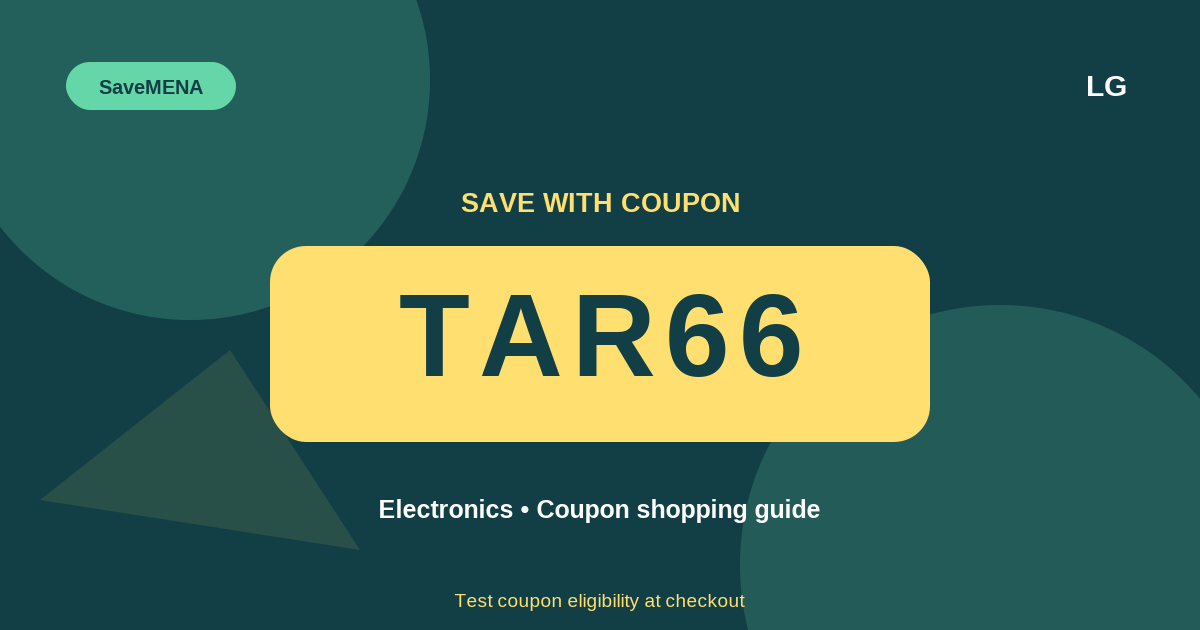
Codes available to try while comparing
These codes are not guaranteed for the article topic or listed brands; test them at checkout and use the live result.
1. Pinpoint the LG Model and Variant You Want
Begin by locating the exact LG product on Noon UAE’s catalogue. Each listing often contains multiple variant options such as storage size, color, or resolution. You must note the model number (e.g., LG OLED55UP9) and the specific variant you intend to buy—so you do not accidentally select an alternative variant that lacks the same features or support. Write down the full model details including any descriptive tags like “HDR10+” or “Thin‑Bezel” to prevent later confusion.
Before adding the item to your cart, double‑check that the listing’s “Available” status is active. Noon UAE typically shows “In Stock” or “Limited Stock” icons next to each variant; if it reads “Pre‑Order” or “Sold Out,” you will need to choose another variant or wait. Selecting the correct variant at this stage is essential; the rest of the checkout will treat it as the only product you are buying.
2. Confirm Variant Availability When You Add to Cart
After you are satisfied with the model and variant, click “Add to Basket.” The cart page will display the exact variant you selected, often with a thumbnail showing the color or size. If Noon lists a capacity or storage option you did not select, the cart will change to that variant—so always review the image and details again before proceeding.
The cart also shows a real‑time inventory indicator on some items. If it says “Only 3 left,” that means you are buying one of the remaining units, but your order will still succeed provided you select the exact same variant again in the next step. Avoiding a mismatch here stops the possibility that your cart shifts to an unintended variant during checkout.
3. Use the TAR66 Code – How to Apply It in the Cart
Once you are ready to checkout, you’ll see an input field for coupon codes on Noon’s payment page. Type “TAR66” exactly as shown (caps only) into the coupon box. The system will validate the code against the current promotion rules, which may or may not apply to your LG product. If it is accepted, a line item will appear under your order that indicates a “Coupon Discount”; otherwise a message will tell you it cannot be used.
It’s important to remember that Noon does not guarantee any discount for a particular product or variant. The discount you see is simply the coupon’s current applicability. If the coupon does not work, your final price will remain unchanged, and you should double‑check that your cart still reflects the exact LG variant you want before finalizing.
4. Review the Final Price Breakdown Thoroughly
After attempting to apply the coupon, scroll down to the order summary. Here you will see the item price, any applicable taxes, and shipping fees. If the coupon was accepted, the “Coupon Discount” line will reflect the reduction. Ensure that the line items correspond to the exact LG model and variant you added earlier; a mismatch could indicate a cart error.
Look closely at the “Total Payable” figure before you commit. This is the real amount you will charge your payment method. Do not rely on any earlier price indications on the product page. The final price at checkout is the only guaranteed cost, regardless of how the product appears elsewhere on Noon.
5. Compare Your Result With Other Noon Listings of the Same Variant
With the final price confirmed, it can be helpful to open a new tab and search for the same LG variant on Noon again. This lets you compare the current price with the one you are about to pay. Check that the seller and variant match exactly, as Noon often hosts multiple sellers for the same item.
If you discover a lower price or a different seller offering the same variant, you can still stay with your current choice if you prefer that seller’s shipping terms or return policy. The key is to verify variant consistency before making a switch, otherwise you risk buying an unintended version.
6. Finalize the Purchase and Confirm Order Details
Proceed to the payment section, entering your card or using Noon Wallet. Each payment method will display a final confirmation screen with the same order summary. Verify that the LG variant remains unchanged during this transition. Missed changes often happen if you hit “Continue” twice or if a page reloads.
Once you click “Place Order,” Noon will lock the item’s exact variant, and the system will append an order number to your receipt. Keep this number for future reference when contacting customer support or tracking your shipment.
7. Track Your Order and Expect Delivery Details
After placing the order, press the “Track Order” button or check your notifications. Noon UAE typically sends a tracking link once the courier picks up the package. You should see your LG model’s specific variant listed in the “Product” column of the tracking interface. A mismatch suggests a fulfillment error.
Monitoring the tracking status allows you to confirm the delivery window and service type (e.g., Noon in‑home delivery or self‑pickup). If delivery information changes, you can contact Noon’s support using the order number you received. Keeping the variant visible in the tracking log helps verify that the package contains the product you intended.
8. Verify Warranty, Return Policy, and After‑Sales Support
Once the LG item arrives, inspect the packaging for proof of the exact variant and model number. A legitimate box will list the model number and variant details in both the printed label and the product paper. Confirming these details before removing the product from its packaging ensures you possess the exact LG variant you paid for.
Check the warranty booklet or certificate that comes with the device. It should reflect the same model number you selected. If the warranty information does not align, you can email Noon’s support with a photo of your receipt and the unmatching warranty documents. Being vigilant about variant consistency protects you from warranty denial.
Related SaveMENA pages
Related articles
Official sources to check
Frequently asked questions
What happens if the TAR66 coupon is not accepted for my LG variant?
When Etsy shows the coupon as “not applied,” your final price remains unchanged. The coupon’s acceptance depends on Noon’s current promotion rules, which may exclude certain categories, brands, or variants. Check the order summary to verify any price differences before proceeding.
Can I change the LG variant after placing the order?
Once the order is confirmed, the variant is locked. Noon processes the exact items listed in the order summary. If you need a different variant, cancel the current order within the allowed timeframe and place a new order with the correct variant details.
How do I ensure I get the same variant I saw online?
During checkout, read each line in the order summary. The SKU or model number and variant attributes (color, size) should match what you selected. If there’s an inconsistency, cancel and restart the purchase with the correct variant on the product page.
Will Noon deliver the LG variant to every address in UAE?
Noon’s delivery network covers most UAE locations. However, specific delivery options and times can vary by region and seller. The “Track Order” page will specify the delivery address and status, allowing you to confirm that the package will reach your intended location.