Laptops on Noon UAE: item availability — final price comparison
Begin by listing the precise specifications that matter to you—processor type, RAM, storage capacity, screen size, and any preferred brand.
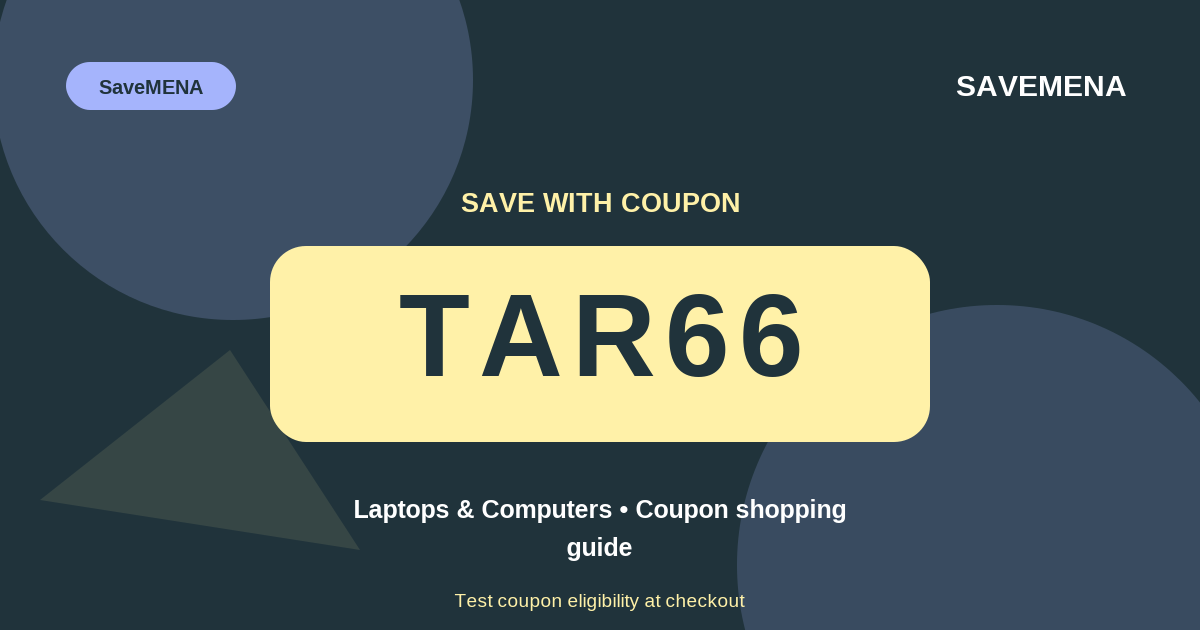
Codes available to try while comparing
These codes are not guaranteed for the article topic or listed brands; test them at checkout and use the live result.
1. Pinpoint the Exact Laptop Variant You Want
Begin by listing the precise specifications that matter to you—processor type, RAM, storage capacity, screen size, and any preferred brand. Laptops often come in multiple variants under a single model number, and even small differences in build can affect price and stock levels. Write down the exact model code or SKU you envision, as Noon UAE may display several similar options that look alike at first glance.
When you have those details, search Noon’s site using the product name plus the variant keywords. This helps filter out unrelated listings and brings the specific item directly into view. Take note of any extra options like color or additional accessories that might alter the variant and confirm that you’re looking at the same configuration you intend to purchase.
2. Check Availability and Seller Information on Noon UAE
After locating the exact listing, review the seller information. Noon often hosts multiple vendors, and each can vary in stock status and shipping terms. Look for the “Item status” indicator—if it says “In Stock,” the variant is ready to ship, whereas “ Limited Stock” or “Out of Stock” signals that the SKU may run out quickly or require back‑ordering.
Note the seller’s name and any customer ratings or feedback visible on the product page. While a high rating suggests reliability, it does not guarantee that the variant will persist through checkout. Keep a quick screenshot or copy the product link for reference after you add it to your cart.
3. Add the Variant to Your Cart and Review the Listing Price
Click “Add to Cart” for the precise variant you identified. Once the item is in your cart, open the cart page to verify the SKU and ensure no other configuration appeared. The listing price visible here is the starting point before coupon or any additional fees. Make sure the text “Price” matches the amount in the product page to confirm consistency.
Before applying any coupons, double‑check the quantity and the item description. Laptops sometimes have hidden accessories like carrying cases or additional chargers that can be purchased separately; these will affect the final price and should be accounted for early in the process.
4. Apply the TAR66 Coupon Code and Observe the Adjustment
Enter the TAR66 code in the designated coupon field on your cart or checkout page. The platform will attempt to validate the coupon against the current item. If the code is eligible, the discount will appear as a reduction beside the item price. This visual cue is the only reliable way to confirm coupon applicability before proceeding.
Take note that Noon UAE may apply different rules for certain sellers or specific variants. If the discount does not appear, the platform will usually note an error or a message that explains the reason. Do not assume the coupon automatically applies—you must see the numerical change reflected in the cart.
5. Review the Final Price Including Delivery Fees at Checkout
Proceed to checkout and observe the final price breakdown. Noon typically separates the item subtotal, any applied coupon discount, and delivery fees. The final payable amount shown here is the definitive amount you will owe once payment is processed, assuming no further adjustments.
If a delivery fee is visible, confirm that it reflects your address and the nearest pickup zone. In some cases, sellers offer free shipping for certain laptop configurations, but this is subject to change. Verify that the final total matches your expectations before confirming the payment method.
6. Confirm Payment Method and Secure the Order
Choose a payment method available on Noon UAE—credit card, debit card, or the platform’s wallet system. Each option may have different processing times or fallback security checks. Once selected, ensure the payment is authorized and that the platform confirms the transaction. Receipt or order confirmation should include the final price, coupon application detail, and the seller information.
Keep the order reference handy; it is the ticket you need if the vendor disputes the price or if you need to request a refund or exchange. This document is your proof that the final payable amount included the coupon discount at the moment of purchase.
7. Track Order Status and Expect Delivery Times
After confirming the order, navigate to the “My Orders” section on Noon UAE. The status will update from “Processing” to “Shipped” and eventually “Delivered.” Tracking info may offer a recipient detail, estimated delivery window, and a link to the courier’s tracking system if the seller provides it.
While waiting, verify that the items listed in your shipment match the variant you selected, especially if the seller ships from multiple warehouses. If discrepancies arise, contact Noon customer support with the order reference and the variant code displayed on your receipt.
8. Reflect on the Purchase and Learn for Future Deals
Once the laptop arrives and you confirm the specifications match, consider documenting the seller’s performance and the accuracy of the price and discount. This reflection will help you make informed choices on your next purchase, whether you aim for a different laptop or use another coupon code.
Keep notes of any price variations discovered during the process, such as sudden stock changes or delivery fee adjustments. Store this information in your personal shopping log so you can reference it when hunting for the best overall deal on Noon UAE—or any other platform—in the future.
Related SaveMENA pages
Related articles
Official sources to check
Frequently asked questions
Does TAR66 apply to all laptop listings on Noon UAE?
The coupon is available to try, but its eligibility depends on the specific listing and the seller’s terms. Only listings that accept the code will display a discount when you enter TAR66 during checkout. Review the checkout page for confirmation.
How can I be certain the exact laptop variant I want is still in stock at checkout?
During checkout, Noon UAE lists the item’s SKU and stock status beside the price. If the vendor still has the variant available, the status will read “In Stock.” If it has changed, the platform will typically update the quantity or display an out‑of‑stock notice.
Will I be charged extra if I use the TAR66 coupon?
Coupons like TAR66 only reduce the item price. They do not add extra charges. Any delivery fees or service charges are shown separately on the checkout screen and are unaffected by the coupon code.
Can I cancel my order after applying the coupon if I find a better deal?
Cancellation policies are set by Noon UAE and the seller. Once the order moves to “Processing” or “Shipped,” it may not be cancelable. Check the order status and contact customer support promptly for any potential changes.