Anker Headphones on Noon UAE: basket contents — final price comparison · TAR84
In the quest to compare final prices after applying a coupon, UAE shoppers need clarity on how basket composition impacts the final amount on Noon.
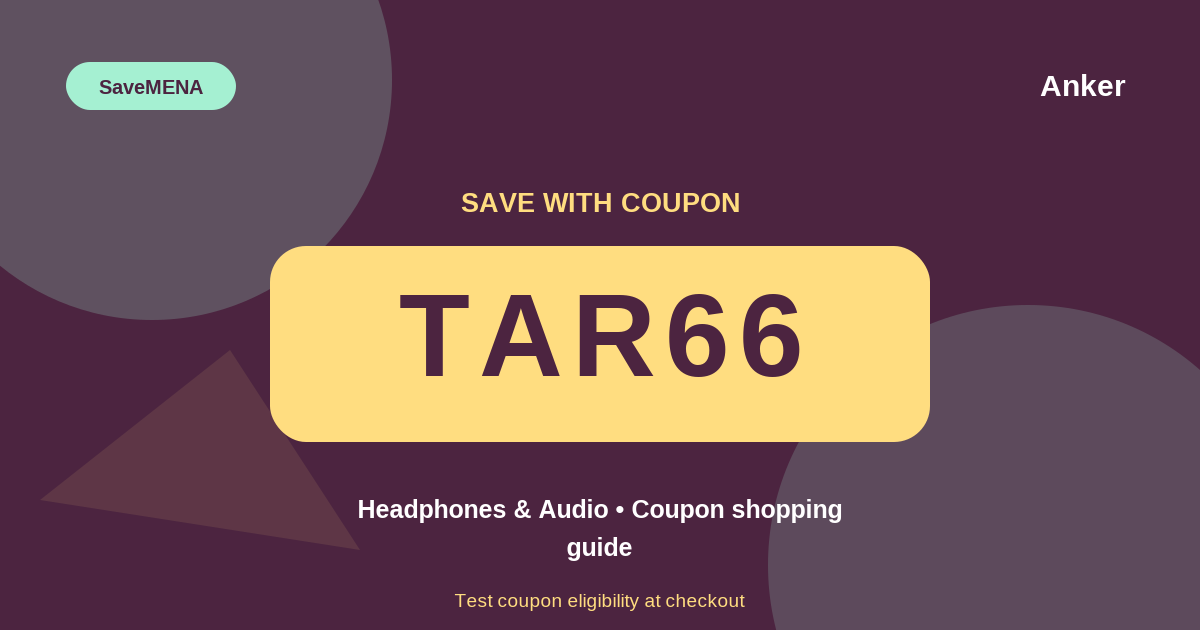
Codes available to try while comparing
These codes are not guaranteed for the article topic or listed brands; test them at checkout and use the live result.
1. Understanding the Final Price on Noon UAE
On Noon, the displayed price is only the starting point; a shopper’s final payable amount comprises several components. These include the base price for each product, applicable taxes, potential shipping fees, and any discounts or coupon adjustments that are applied later in the checkout flow. Each of these factors can shift the ultimate total, so examining the final price requires you to trace every element, rather than rely on any single figure.
To truly grasp what your wallet will be charged, pay special attention to how Noon presents pricing in the cart. The cart summary lists each item’s unit price, the quantity selected, an aggregate subtotal, and a line for any applied coupon. The final total displayed just before payment is the true indicator of your out‑of‑pocket cost, as it accounts for all selected discounts and fees.
2. Decoding the Coupon Code TAR84
The coupon code TAR84 is presented as a potential option for shoppers, but its correspondence to a specific discount is not guaranteed until checkout. When you input TAR84 in the coupon field, Noon evaluates the code’s eligibility against the current cart contents and reflects any effect, or lack thereof, only after the checkout step.
Given that Noon does not disclose coupon terms upfront, the best practice is to test the code against the exact items in your basket. This will reveal whether the code activates, its applicability threshold, and any unforeseen behaviour such as partial or full discount application. Until that test occurs, the coupon’s influence remains speculative.
3. The Role of Basket Composition in Price Comparison
Basket composition refers to the combined list of products, their quantities, and associated options (such as color or size) that a shopper places before checking out. In the context of buying Anker headphones on Noon, the composition will dictate tax brackets, shipping calculations, and coupon eligibility.
When comparing final prices, it is essential to examine how every element in your basket interacts. A single additional accessory may trigger a different tax rate; a larger quantity could shift the shipping tier. Therefore, the thorough audit of each item’s status is crucial to understand why the final payable amount looks the way it does.
4. How to Add Anker Headphones to Your Noon Basket
Navigate to the Anker headphone section on Noon and select the model you wish to purchase. Ensure that you review the product details page for variant options such as battery life, color, or bundle offers. Adding the exact variant you want to the basket preserves consistency throughout the checkout process.
Once an Anker headphone is in the cart, adjust the quantity if needed, but remember that multiple units may alter shipping calculations. For bundles that include cases or charging docks, adding them to the basket will also modify the tax and shipping parameters, which will reflect in the final price.
5. Tracking and Adjusting Item Pricing Within the Basket
While you have the basket open, Noon presents each product’s unit price and a running subtotal. You can also see if there are any add‑on services such as extended warranties or accidental damage protection that automatically increase the cost. Removing or altering these extras refines the final price closer to what you expect.
It is advisable to maintain a clear record of each line item. The cart page typically lists them alphabetically or by addition order. If you spot an unintended item—perhaps a promotional accessory that auto‑applied—remove it to prevent miscalculations in your final amount.
6. Applying the Coupon and Evaluating the Final Amount
During the checkout flow, locate the coupon entry field. Input TAR84 and watch for the system’s response. Some codes may apply instantly, while others wait until shipping and tax components are calculated. Verify that the final total displayed after coupon application reflects only the changes you anticipate.
Since Noon does not publish all coupon details publicly, confirm that any discount appears within the “Coupon Applied” line item or by a reduction in the subtotal. If the code does not activate, the final total will remain unchanged; in that case, you might consider removing or adding items to satisfy any hidden conditions.
7. Real‑World Example: Anker Headphone Case Study
Assuming a typical Anker headphone model, add the product to the cart. The cart shows the base price, no coupon discount at this stage. After entering TAR84, Noel recalculates. If the code applies, you should see a value lower than the base price in the cart summary before shipping and tax calculations. This visual cue confirms the coupon’s effect on the basket composition.
Should the code fail to apply, the cart will confirm the unchanged subtotal. In such scenarios, double‑check the quantity and any optional add‑ons because some coupons require a minimum spend or a specific product line. Adjusting the basket accordingly will allow you to test another iteration.
8. Practical Tips to Maximise Your Savings
Keep your cart lean by removing unneeded accessories, especially those that may trigger extra fees. Always double‑check the final total at the last checkout page, as this is the sole place where all adjustments, including potential coupon effects, are finalized.
When bargain hunting for Anker headphones, consider stacking coupons or other promotions only if they don’t conflict. Since Noon’s system processes coupons sequentially, a failed code will leave the basket unchanged; planning your coupon strategy helps to avoid wasted effort.
Related SaveMENA pages
Related articles
Official sources to check
Frequently asked questions
How do I confirm if the TAR84 coupon worked?
You can confirm by looking for a reduction in the subtotal or a “Coupon Applied” line in the cart summary. The final total before payment will also reflect any change if the coupon was accepted.
Is there a limit to the number of Anker headphones I can buy with TAR84?
Until the coupon is applied in checkout, there is no publicly stated limit. The system may enforce thresholds automatically, so testing various quantities will reveal any constraints.
Will adding a charging dock alter the coupon’s effect?
Adding items can change eligibility; some codes require a minimum spend or exclude accessories. Remove or adjust extra items to see how the final price modifies during checkout.
Can I use TAR84 after I’ve placed the order?
No. Coupon codes on Noon must be entered during the checkout process. Once payment is complete, the coupon cannot be retroactively applied.