LG TVs on Noon UAE: checkout message — final price comparison
Noon UAE final price TVs LG the live coupon message at checkout: Discover how to compare the final price of LG TVs on Noon UAE by focusing on the live coupon
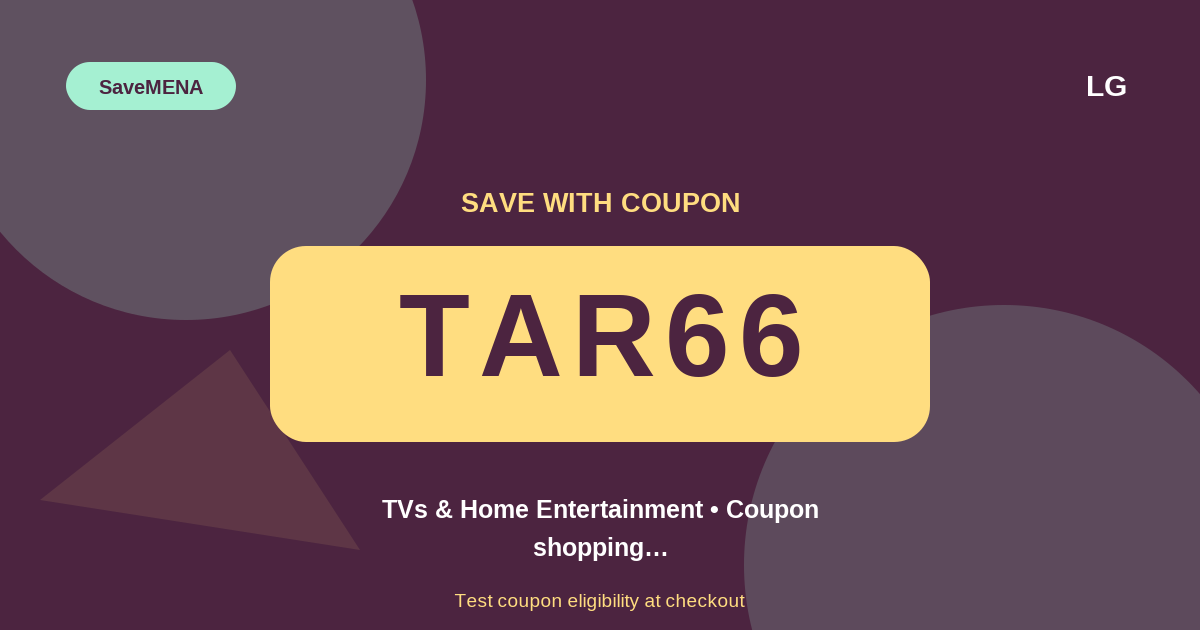
Codes available to try while comparing
These codes are not guaranteed for the article topic or listed brands; test them at checkout and use the live result.
1. Clarify Your TV Requirements Before Shopping
Start by mapping out the essential features you need in a TV—screen size, resolution, smart capabilities, refresh rate, and connectivity options like HDMI‑ARC or Wi‑Fi. Decide whether you want a standard Smart TV, a 4K or 8K option, or a specific brand preference such as LG. Understanding your own priorities will help discriminate between listings and narrow the search, reducing the time spent parsing irrelevant deals on Noon UAE. Listing only TVs that match your criteria saves time and also helps you avoid surprise costs later in the process.
Once your feature list is set, jot down a few must‑haves versus nice‑to‑have items. For instance, if smart streaming is critical, make that a priority; if you’re okay with a less expensive model, that can inform the brand or size range. Having a clear list keeps you focused when scrolling through Noon’s extensive catalog and prevents impulsive clicks on models that seem great until you examine the final price and any additional charges at checkout.
2. Use Noon’s Advanced Filters to Narrow Down Models
Navigate to the TV category on Noon UAE and employ the advanced filter panel. Select your desired screen size, resolution, brand (LG), and price range. You can also filter by seller rating and availability status. This step ensures you only view products that meet the baseline you established in the previous section, giving a cleaner comparison list. While applying filters, take note of each listing’s ‘Add to Cart’ button rather than the ‘Buy Now’ option, as the dynamic coupon process typically applies during the cart or checkout stages.
After filtering, scroll through the results and look for product identifiers that match your criteria. Pay attention to the displayed price, but remember this may change due to shipping, taxes, and potential coupon application. At this point, jot down the SKU or product reference number; it will help if you need to revisit the exact model for detailed comparisons or discuss questions with customer support. This early documentation is vital because the live coupon message can modify the final amount, so having the base price handy gives context for any differences you see later.
3. Add the LG TV to Cart and Enter the TAR66 Coupon
Select the LG model you prefer and click ‘Add to Cart.’ On the cart review page, locate the coupon entry section. Type TAR66 exactly as shown—no spaces or additional characters. Do not press any “Apply” button until you’re ready to see if the coupon is accepted; some pages update automatically, while others require a confirmation click. This simple step triggers the live coupon message that will appear once you proceed to the next stage of checkout.
Ignore any pop‑ups that show unrelated offers or discount suggestions; focus only on the TAR66 field. If the coupon does not process, note the message or lack thereof and consider moving to the next step for verification. The live coupon message is your first concrete indicator that the discount has been applied or rejected, and it also signals whether additional steps are needed to activate the final price reduction. Keep this checkpoint in mind as you scroll through your cart details, ready to confirm the amount post‑coupon.
4. Observe the Live Coupon Message on the Checkout Page
When you click ‘Proceed to Checkout,’ the page should display the live coupon message that reflects whether TAR66 was accepted. This message typically appears under the subtotal and shipping section, explicitly stating “Coupon applied” or providing an error if the code was invalid. The live coupon message is the best real‑time reference for the discount’s effect on your final taxable amount. If the message confirms the coupon, the discounted price will appear immediately below the original price, and the system will recalculate any fees accordingly.
If the coupon message is absent or shows an error, double‑check that you entered the code correctly. Removing and re‑adding the code or refreshing the page can sometimes trigger the correct badge. The live coupon message is essential for understanding whether the discount is applied before taxes and shipping. Avoid assuming the coupon is valid simply because it “appears to work” earlier on the product page; the real confirmation is the live message at checkout.
5. Review Sales Tax, GST, and Final Add‑On Charges
Before confirming payment, make sure to parse the extended breakdown of charges. Noon UAE typically lists a sales tax or goods and services tax (GST) that applies to the net amount after the coupon deduction. Some sellers add optional add‑ons such as extended warranties or accessory bundles; each of these adds to the final payable total. The live coupon message will not affect these extra items, so review the total before finalizing to confirm that the aggregate matches your expected budget.
You should also verify whether any shipping discount is applied separately and whether the shipping fee remains unchanged after the coupon. In many instances, the coupon reduction applies only to the product price and not to shipping or fixed fees. Understanding this distinction will help you evaluate the true discount effect. If the live coupon message states “Coupon applied” but the total still feels high, perhaps the shipping cost has not been reduced by the same percentage—double‑check the final summary for clarity.
6. Confirm Seller Authenticity and Return Policy Details
When you see the live coupon message, take a moment to review the seller details for authenticity. Look for seller ratings, comments, or policy links that confirm they are authorized distributors of LG products in the UAE. Also read the return policy specifics—time frame, condition of returns, and whether return shipping is covered or the customer pays. This step ensures you’re dealing with a trustworthy vendor before you lock in a discounted price.
Re‑examine the coupon acceptance line after a quick glance at seller details. If the live coupon message says “Coupon applied” but you notice a warning on the seller page about potential price changes or restrictions, you might want to double‑check the order summary. Absence of such warnings usually indicates a standard transaction route. Transparent seller information protects against post‑purchase disputes, especially when a coupon has altered your expected final cost.
7. Decide on the Payment Method That Maximizes Your Savings
With the final payable amount displayed, choose a payment method that suits you. Some vendors or payment platforms in the UAE offer cash‑on‑delivery options or credit card incentives, which could add extra value beyond the coupon. Note any fees or interest that may apply if you select a card versus an alternative. The live coupon message will not modify these third‑party fees, so incorporate them into the total to see your ultimate expense.
If you’re using a credit card, check for any loyalty points or cashback that could further reduce your overall cost. Conversely, if you have a Noon wallet balance or a promotional voucher, consider using it after the coupon effect is confirmed. Keep the final amount in mind when evaluating whether to pay immediately via digital wallet or split the payment into a scheduled method; both options might affect how your coupon’s savings are applied across the transaction.
8. Final Confirmation: Review the Summary and Submit Your Order
Prior to clicking ‘Place Order,’ carefully read the summary page. Focus on the total amount due after the live coupon message, taxes, shipping, and any additional charges. Confirm that the displayed figure matches what you expected based on the initial base price and the coupon deduction. If there is any discrepancy, scrolling through the “Order Details” should reveal even tiny adjustments that could be reviewed further.
Related SaveMENA pages
Related articles
Official sources to check
Frequently asked questions
What does the live coupon message show during checkout?
The live coupon message indicates whether the code you entered—such as TAR66—has been accepted, showing either a “Coupon applied” confirmation or an error notification. It’s the real‑time representation of the discount as applied to your order before final shipping or tax calculations.
Will the coupon also reduce shipping fees on Noon UAE?
Noon typically subtracts coupons from the product price, not from shipping. Shipping remains at the listed rate unless the seller explicitly marks it discounted. The live coupon message will only reflect a product discount, not shipping changes.
How can I confirm if the seller is an authorized distributor of LG products?
Check the seller’s profile page for badges, ratings, or explicit statements of partnership. Look for return policies and warranty details; authorized sellers usually list comprehensive service information aligned with LG’s official guidelines.
Should I use a credit card or digital wallet after applying the coupon?
Choose the option that offers additional benefits like cashback or loyalty points. The live coupon message only affects the product price; additional savings or fees from payment methods are applied afterward, so review them in the final order summary.