Apple Mobile Accessories on Noon UAE: delivery timing — final price comparison
When you first add an Apple mobile accessory to your cart on Noon, the platform displays the listed price.
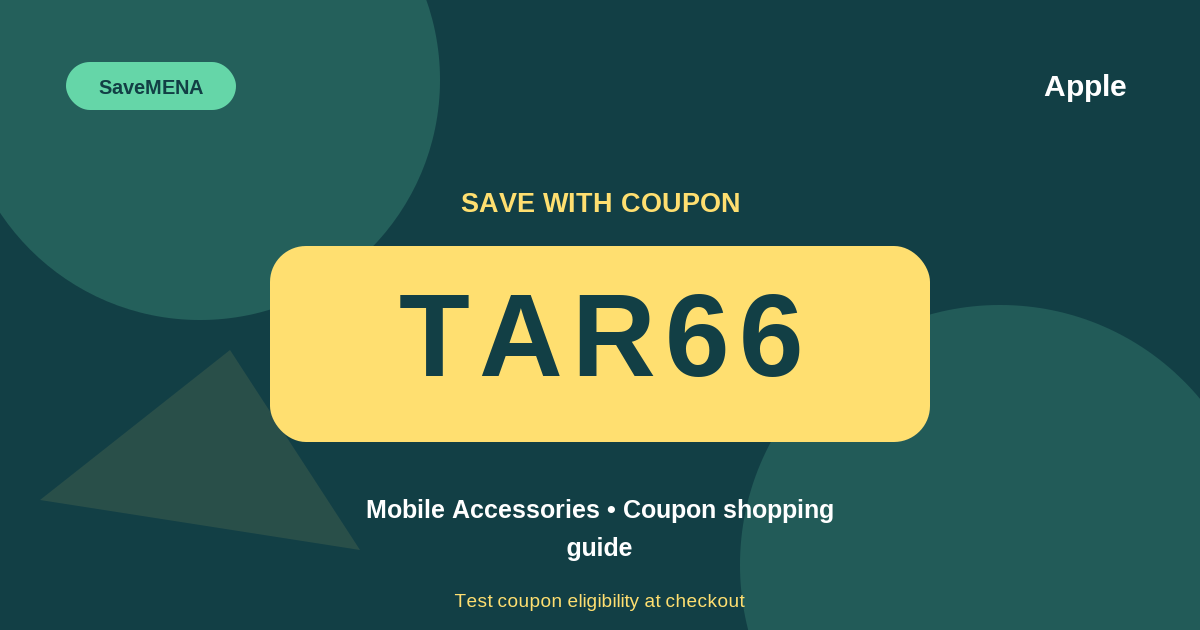
Codes available to try while comparing
These codes are not guaranteed for the article topic or listed brands; test them at checkout and use the live result.
1. Decoding Noon UAE Final Price for Apple Accessories
When you first add an Apple mobile accessory to your cart on Noon, the platform displays the listed price. However, this figure is not the final amount you’ll pay unless you go through checkout. At the basket level, any applicable taxes, handling fees, or parcel charges are not yet shown, and the final price awaits the application of a coupon or any shipping adjustments. Knowing this helps you avoid confusion when you later see the checkout summary and realize the total has changed.
In the Apple accessories segment, Noon usually lists items with a standard retail price, but variations in region, seller, or availability can alter that base figure. To compare correctly, add a single unit of the product you intend to purchase, note the listed price, and then later return to the same product page after applying the TAR66 code. This step ensures you have a baseline against which the final price can be measured accurately.
2. Applying the TAR66 Coupon Safely
The next step is to enter the TAR66 coupon code in the designated coupon field during the checkout process. It is crucial to enter the exact code as spelled, within the text box that typically appears near the total price summary. After submission, Noon will recalculate the total, showing any discount applied. Because the coupon code is “available to try,” it may or may not be accepted, so you should confirm its activation before proceeding to payment.
Once the code has been entered correctly, the checkout screen will immediately display the new total price. Do not rely on home or subpage alerts; the final amount is only guaranteed when you see it during the checkout steps. If the discount does not apply, double-check that the code matches the coupon’s exact spelling and that it has not expired or is not restricted to different seller categories.
3. Confirming Product Compatibility with Apple Devices
Apple mobile accessories often require compatibility checks. Many accessories function only with specific iPhone or iPad models. When the final price is displayed after applying the coupon, it is also a good moment to re‑visit the product description and verify that your device’s model and OS version fall within the supported range. This step avoids the costly scenario of purchasing an accessory that ultimately cannot be used.
During this review, note any warnings or specifications listed by Noon about required firmware updates or storage limits. While the forum or any user reviews might hint at compatibility, the seller’s description remains the most reliable source. Matching device specifications before proceeding to payment secures the purchase and eliminates return processes related to incompatibility.
4. Scrutinizing Seller Information and Shipping Proposal
Tomorrow, before finalizing payment, always check which seller is offering the product. Noel’s platform displays the seller’s name alongside the product listing. Pricing can vary between sellers; a cheaper list price does not guarantee a more favorable final price once shipping costs are added. The seller’s shipping policy is posted immediately beneath the price, often indicating whether the item ships free or at a small fee, and outlining an estimated delivery timeframe.
Estimated delivery timing is vital for the UAE market, where many shoppers rely on delivery windows for daily plans. Sellers typically provide a range like “6-8 days” or a specific date; compare those ranges across multiple sellers if more than one offers the same item. This comparison enables you to pick not only the best price but also the most convenient arrival time.
5. Analyzing Estimated Delivery Windows Across Sellers
Having identified several sellers offering the same Apple accessory, the next comparison step is to record each seller’s estimated delivery window. Look at the start and end dates or the stated number of days. Some sellers might have “5-7 days,” while another offers “8 days.” Even a day’s difference can influence your decision if you have a fixed schedule or event.
When compiling these windows, use a simple table: seller name, base price, total price after TAR66, shipping fee, and delivery window. This visual arrangement highlights whether a slightly higher base price results in a quicker arrival, potentially saving you time and inconvenience. Always remember that the final checkout price might still adjust shipping if the seller automatically changes to a different courier for a last‑minute update.
6. Anticipating Possible Shipping Fees or Adjustments
Some sellers on Noon automatically apply a small shipping fee if the product is not stocked locally. The estimated delivery timing often correlates with this fee: items shipped from farther locations may incur higher charges. During checkout, after the entire price is summed, the shipping fee will appear separately—this is where you confirm the amount and its justifiability based on the deliverable timeframe.
Given the focus on estimated delivery timing, decide whether the added shipping fee is worth the faster arrival. It helps to flag the “same day” versus “7‑day” shipping options. If a seller’s delivery timeframe falls outside your required period, consider adding another seller’s price that may be competitively lower yet still delivers within your window.
7. Verifying the Final Payable Total Before Confirmation
Before clicking the confirm payment button, review the final payable total displayed at the checkout’s last step. This number will reflect: the original price, any applied TAR66 discount, shipping fees, tax assessments, and any other additional charges. A careful review prevents misinterpretations that can arise from differences in displayed prices at earlier stages.
At this point, confirm that the final amount corresponds to the figures you noted earlier in your comparison table. If the final price diverges, double‑check that the coupon code was accepted, that no hidden fees apply, and that the shipping window remains unchanged. Once satisfied, proceed to secure payment via the payment gateway of your choice, whether it be credit card, Apple Pay, or another supported method.
8. Tracking the Order and Preparing for Arrival
After confirming your order, Noon will provide a tracking ID along with an estimated delivery date. Logging the entry into the Noon app or website’s “My Orders” section gives real‑time updates. Use these notifications to set reminders or plan your schedule so you’re ready to receive the package when it arrives.
If the estimated delivery window does not materialize, or if you notice significant delays, contact Noon’s customer support. Providing the order number and the seller details eases the communication. Maintaining this level of attention to the delivery timeline keeps the shopping experience smooth and underscores why the estimated delivery timing is a critical decision lens.
Related SaveMENA pages
Related articles
Official sources to check
Frequently asked questions
What does the final price on Noon include that the listed price doesn’t?
The final price at checkout includes the product cost, applied coupon discounts, applicable taxes, and any shipping or handling fees. These elements are not shown in the product listing until you proceed to the basket or checkout stage.
After adding TAR66, how can I verify it applied correctly?
When you enter the code at checkout, the screen will immediately update the total price. A direct discount subtraction or a note will usually appear—if nothing changes, double‑check the code’s exact spelling and entry timing.
Do seller‑specific delivery windows guarantee arrival on the exact date?
No. The windows are estimates provided by sellers and can change based on logistics or carrier updates. Tracking numbers and real‑time updates on Noon’s platform give the most accurate arrival forecasts.
Can I change the seller after applying the coupon and before final payment?
Once you add a product to the basket and proceed with a coupon, swapping sellers typically requires removing the item and selecting a new listing, which may reset the coupon’s application. Plan the seller choice early in the process.