Huawei Smart Watches on Noon UAE: delivery timing — final price comparison
Noon UAE final price Smart Watches Huawei estimated delivery timing: Finding the true cost of a Huawei Smart Watch on Noon UAE goes beyond the sticker price shown
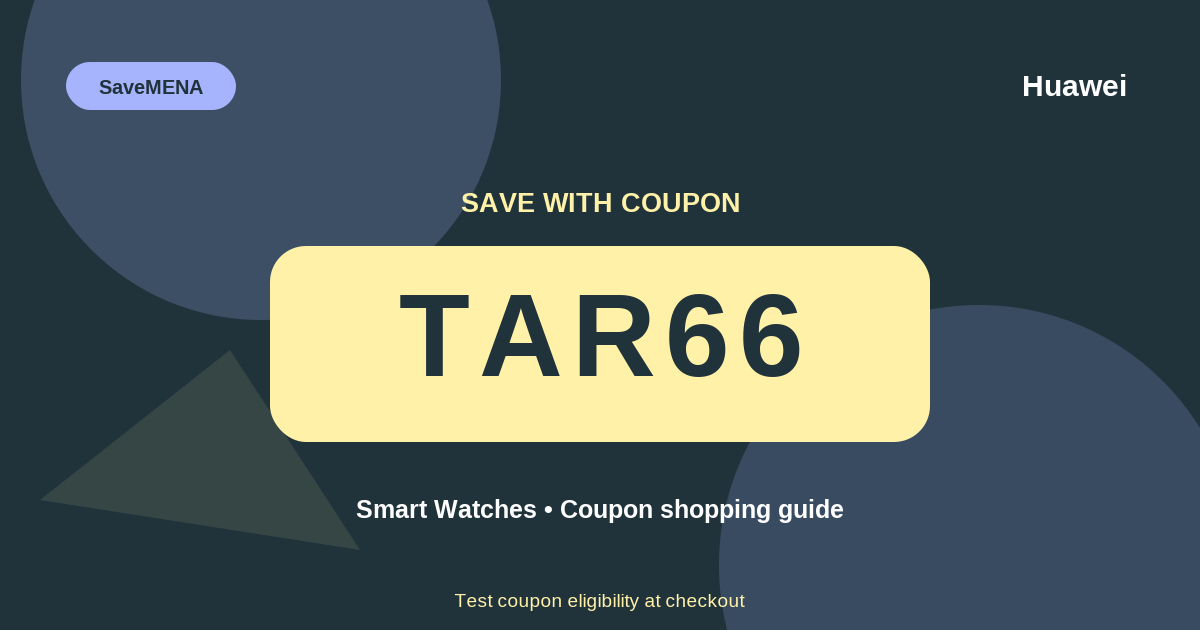
Codes available to try while comparing
These codes are not guaranteed for the article topic or listed brands; test them at checkout and use the live result.
Step 1: Begin with the Listed Price and the Coupon Potential
The first action is to note the plain listed price of the Huawei Smart Watch you wish to buy on Noon UAE. This figure is static and independent of coupon usage. While the platform sometimes offers an integrated “apply coupon” field, you must remember that the TAR66 coupon is optional; the site will confirm its validity only at checkout. Rather than relying on pre-shared discount percentages, take the listed amount as your base reference and prepare to see whether the coupon actually reduces it when you proceed to payment.
Once you’ve loaded the watch into your cart, an immediate check of the “promo code” box reveals whether TAR66 is recognized. Even if the site accepts it, the final discount subtraction will only be visible after the cart refreshes. This refresh recalculates the total in real time and shows you the new subtotal that includes any coupon deduction. Use this turn of events to evaluate how much you save before you worry about delivery.
Step 2: Verify Coupon Eligibility at Checkout
In the Noon UAE checkout sequence, the “Apply Coupon” prompt appears beneath the cart summary. Input TAR66 and click “Apply.” The software will process the code and reflect any change on the screen. Recognize that the system does not guarantee a discount; the code may be invalid, expired, or simply not applicable to the Huawei Watch. If no percentage or dollar amount appears beside the subtotal, the coupon was not valid for that item. Stay alert for a gentle “code not accepted” message and proceed without it if necessary.
Even when the coupon is accepted, the new total will carry over to the next screen that lists taxes, fees, and delivery charges. It is only here that you can confirm the exact amount payable, inclusive of all costs, and cross‑check it against any earlier figures. Make a note of this figure for the forthcoming steps, as it becomes your new baseline for comparison.
Step 3: Confirm Smart Watch Selection and Huawei Details
Return to the product page and ensure you have selected the exact Huawei Smart Watch variant you intend to purchase. Some listings offer multiple colors or bands that are treated as separate items. Since the coupon’s effect is applied to the total cart value, grouping distinct variants can alter how the discount spreads across the order. Verify that the selected items match the earbuds, band type, and other optional attachments you desire before proceeding.
Because Noon UAE sometimes separates the device and its accessories into separate lines, check that the subtotal reflects the combined price of the watch and any accessories you added. The coupon will reduce this combined total. Also keep in mind that the delivery estimation for each item is recalculated once the cart is finalized, so confirm the merged subtotal before viewing the shipping cost window.
Step 4: Identify the Seller and Shipping Options for Smart Watches
On the checkout page, the platform typically lists the seller responsible for that specific product variant. Sellers may vary in their shipping policies, and a reputable vendor often offers a more reliable delivery window. You should examine the listed delivery timing for the Hong Kong‑designed Huawei watch, noting whether it states standard or faster shipping. The estimated delivery time is shown in days from the date of order confirmation and from Noon UAE’s logistics center.
Some sellers include a shipping fee in their price, while others advertise free delivery for UAE orders over a certain amount. The final price displayed on the checkout will list any shipping fees before taxes, but the total payable amount will only update after the buyer confirms payment. This subjectivity underlines the importance of recording the exact shipping estimate now.
Step 5: Examine Estimated Delivery Timing Specific to Smart Watches
Delivery estimation for Huawei Smart Watches on Noon UAE can differ from other product categories. Technical devices sometimes trigger a longer processing time due to customs clearance or special packaging. The platform will show you the estimated arrival range (for example, 3‑5 days). This figure is not a guarantee but a guideline posted regardless of coupon usage. The estimated delivery timing remains constant whether or not TAR66 enters the final calculation.
At this stage, scroll to see if the delivery estimate updates after the coupon is applied. Usually, it does not change, but confirmation is useful. Record the chosen delivery window and store it closer to the final price; this ensures you can reference potential discrepancies between intended shipping speed and actual arriving time.
Step 6: Add Post‑Purchase Fees, Taxes, and Sandwiched Charges
Beyond the subtotal, Noon UAE adds a local tax value that applies to most electronics, including smart watches. The tax rate is automatically calculated based on UAE tax policies and shown separately before the final total. Make a mental note that this tax is a fixed portion of the subtotal, irrespective of the coupon’s effect, unless the coupon happened to reduce the taxable amount to a new threshold.
Occasionally, the checkout window will feature a “processing fee” line, particularly when a purchase involves a particular payment method or a new seller. The fee is a charge applied after all discounts. Keep a snapshot of this figure as well. Only after all these elements—the tax, any processing fee, and shipping—are added to the discounted subtotal will the final amount be clear.
Step 7: Confirm the Real Final Price Before Payment
When you sit at the final payment screen, the “Your Total” amount will represent the culmination of every line item. It is your number of choice: the price you pay and the date the sender claims to deliver. At this point, rewrite down the final amount in your own notes—even if you’re using a phone or print‑out—so that a quick comparison with any prior figures becomes possible. The checkout also reiterates the delivery timing, making it easy to fact‑check what you initially recorded earlier.
Before proceeding, examine the payment method you intend to use. Some credit cards offer cashback or rewards only on a certain subset of purchases. If maximizing such benefits is part of your shopping strategy, align them with the final taxable amount named on the card issuer’s site to determine whether you should pay by the same method or potentially switch to a different one for better savings.
Step 8: Recalculate and Compare – Your Decision Checklist
Now that the exact final price, delivery estimate, and all fees are on hand, create a simple comparison sheet. List the original price, the discounted subtotal (if TAR66 applied), final taxes, shipping, and total. Add a margin column for your personal satisfaction with how the final price aligns with your budget. This exercise lets you detect any abrupt price jumps that might indicate hidden fees or misapplied coupons in the interim steps.
Once confirmed, proceed to payment and keep a copy of the order confirmation. This confirmation will provide a formal receipt for your purchase, a reference for any future returns, and a reliable source to verify that the estimated delivery timing reflected at checkout matches the promised window.
Related SaveMENA pages
Related articles
Official sources to check
Frequently asked questions
Will the TAR66 coupon always reduce my smartwatch price on Noon UAE?
There is no guarantee that the TAR66 coupon will apply to all Huawei Smart Watch listings. The coupon may be accepted during checkout or it may be rejected. The final discount will only be visible after you input the code at checkout.
How can I know the pickup or shipping location for my smart watch?
The checkout page will list the seller’s store or warehouse and the projected delivery area. If you prefer a pick‑up option, look for a “Pick‑up” radio button and ensure the location aligns with your convenience.
Do I need to pay additional customs duties for a Huawei smartwatch in the UAE?
Phones and smart watches generally are not subject to customs duties when purchased from Noon UAE for local delivery. However, any applicable VAT and local taxes are included in the checkout total.
Are there any hidden fees that I should look out for besides shipping?
The checkout will detail any processing fee, sale tax, or additional handling charges. These usually appear as separate line items in the final payment screen. Ensure they are included in your final price calculation.