Computer Accessories on Noon UAE: listing condition — final price comparison
Begin by checking the ‘condition’ field listed in the product description. This indicates whether the item is new, used, refurbished, or open‑box.
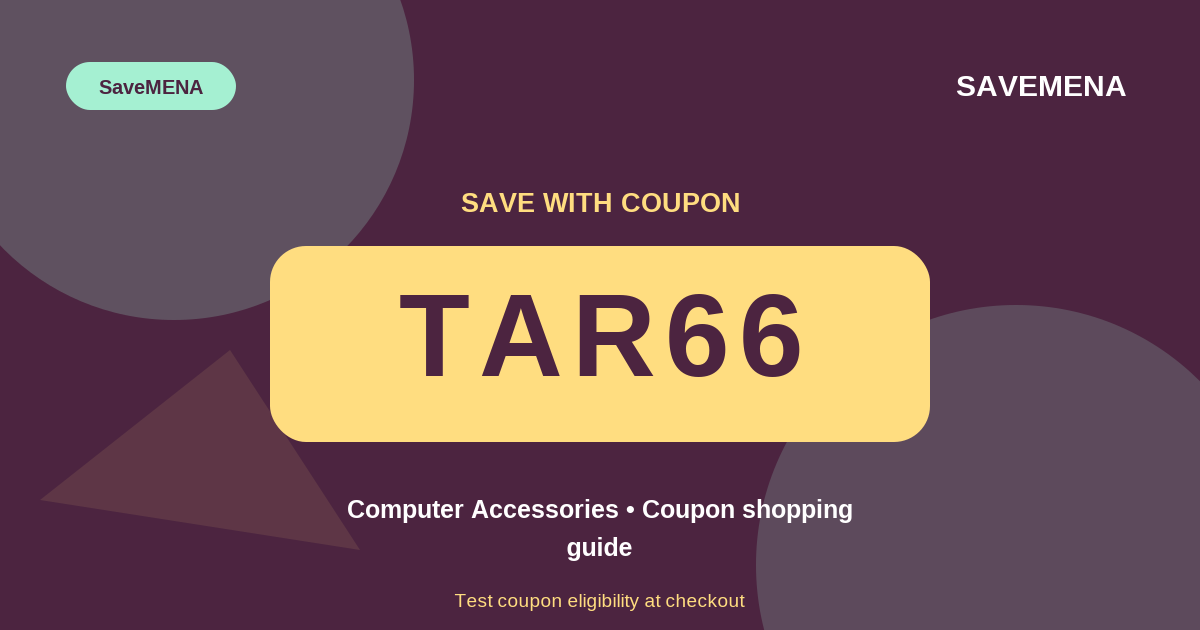
Codes available to try while comparing
These codes are not guaranteed for the article topic or listed brands; test them at checkout and use the live result.
1. Verify the Listing Condition Note in the Product Description
Begin by checking the ‘condition’ field listed in the product description. This indicates whether the item is new, used, refurbished, or open‑box. While the listing condition provides a baseline for quality, it may not reflect the exact status of the individual unit you will receive. Consulting the seller’s rating and any user reviews can give additional context. Even if a listing states ‘new’, discrepancies can arise from returns or restocks, so cross‑reference the seller’s reputation before proceeding.
Once the condition is clear, remember that the final price you will pay may shift if you apply a coupon code. However, this transformation happens only during checkout; the listing condition remains unchanged. Therefore, double-check the condition again after entering your coupon code if you wish to ensure the pricing reduction did not alter the item’s status in an unexpected way. This extra step protects you from inadvertent upgrades or downgrades during the transaction.
2. Scrutinize the Displayed Item State Through Photos and Details
The product listing typically includes multiple images that show the item from various angles, often with labels indicating its physical state. Examine these visuals for imperfections, factory seals, or packaging differences. High‑resolution images can reveal scratches or missing components that might affect the final price you’re prepared to pay. Alternate photos may display the item in its original packaging or show a discharged battery, both factors relevant for electronic accessories.
Notice that, unlike curated press releases, the photos come directly from the seller. Therefore, if the item state appears inconsistent with the stated condition, consider contact the seller before adding it to your cart. An accurate visual assessment can help you decide whether waiting for a coupon application might be worthwhile, especially if the described condition does not match the visual evidence. These precautions play an essential part when you’re evaluating the potential savings from an unverified coupon like TAR66.
3. Compare the Displayed Price With the Preliminary Coupon‑Adjusted Estimate
To gauge the coupon’s effect, note the base price shown on the product page and follow a quick mental calculation: base price minus an estimated discount percentage. Keep in mind that the actual discount percentage is not guaranteed. This exercise provides a ballpark for how low the final price might land. If you notice that the estimated discount would push the price below a critical threshold—such as where the item becomes a bargain relative to competing listings—it may be worth applying the coupon.
However, do not assume the coupon will automatically push the price to that estimated point. Coupon applicability, discount limits, and any coupon exclusions can alter the final outcome. For example, some items may be listed as ineligible for additional promotions. By comparing the displayed price with the potential coupon‑adjusted price before checkout, you can identify which listings stand to benefit the most from a coupon application, guiding you toward more cost‑effective purchases.
4. Evaluate Shipping Fees Added After Checkout
Upon applying a coupon code, the checkout screen recalculates totals to include any applicable shipping fees. These fees can vary by seller, payment method, and even your delivery address. A low coupon‑adjusted product price may be offset by a high shipping charge, especially for heavy or bulky computer accessories. Carefully review the shipping details displayed after the coupon is entered.
If shipping costs appear unusually high, consider whether alternative delivery options such as express or standard delivery are available and how they affect the final price. Sometimes, opting for free shipping on a higher‑priced item could outweigh a coupon applied to a lower‑priced item. Therefore, the shipping cost should be part of the comparison process, and you should verify that it aligns with your budget before proceeding to payment.
5. Confirm Final Price Calculation in the Checkout Summary
The ultimate reference for any discount’s impact is the checkout total displayed in the payment summary. This section lists the item price, any applicable coupon discount, shipping fees, and the grand total. Examine each line item carefully. Verify that the coupon code entered appears and that the discount applies to the correct product and quantity. If the discount line is missing or the amount is zero, the coupon likely did not activate.
When uncertainty arises, you can delete and re‑enter the coupon code to ensure it is correctly captured. Conversely, if you notice a mismatch between the expected discount value and the actual amount shown, contact Noon’s customer support. The checkout summary is the only place where the final payable total appears, making it essential for confirming whether the coupon truly helped reduce your cost. This step resolves any doubts about the coupon’s effectiveness for that particular computer accessory.
6. Review Seller Credentials Without Assuming Verified Status
The presence of a seller badge on Noon UAE’s marketplace does not necessarily confirm the seller’s reliability regarding product condition or coupon eligibility. While such badges indicate certain standards, they should not be presumed to guarantee that a coupon code like TAR66 will apply or that the item will match the listed condition. Instead, use the badge as a preliminary indicator and reinforce your decision by reviewing the seller’s overall rating and any recent customer feedback.
If a seller has a low rating or frequent complaints about mismatched conditions, it might be safer to wait or consider an alternative listing. Even a high‑rated seller may occasionally ship a refurbished unit when the listing claims a new unit, especially if stock discrepancies exist. Cross‑checking seller reputation against the listing condition and state ensures you are not misled by a sub‑standard coupon or condition parading as a better deal. This diligence helps you stay aligned with your budget and quality expectations.
7. Monitor Regional Variants for Docking and Compatibility Issues
Computer accessories may come in different variants tailored for regions—OEM versions versus universal models, or voltage differences. Examine the listing’s variant options to ensure the version you select is compatible with your local hardware, especially for power adapters, docking stations, or peripherals. Misaligned variants can affect the final price due to differing retail values on Noon UAE’s platform.
When discount codes are involved, remember that some variants may be excluded from coupon applicability. Therefore, if you pick a rare or high‑end variant, double‑check that the coupon determines correctly for that specific SKU. A mismatch here can render the coupon ineffective or adjust the final price unpredictably. By verifying the variant before finalizing the coupon, you maintain control over the final transaction cost and avoid surprises at checkout.
8. Use the ‘Compare’ Feature Carefully When Prices Vary
Noon UAE provides a ‘compare’ feature that allows you to juxtapose two or more listings side‑by‑side. If the price of a discounted computer accessory differs across sellers, a comparison can surface the best final price after coupon application. However, keep in mind that the feature displays listed prices and not necessarily the potential coupon‑adjusted totals.
After enabling the compare view, manually calculate the estimated coupon discount for each listing and record the potential final amounts. Once you have a clear picture, choose the seller with the lowest projected final price, then proceed to checkout to confirm that the coupon applies as expected. If the coupon does not activate for the chosen seller, repeat the comparison with an alternative seller. This methodically ensures you ultimately pay the lowest possible price for the accessory.
Related SaveMENA pages
Related articles
Official sources to check
Frequently asked questions
How does a coupon affect the listing condition?
Coupons only modify the monetary price; they do not alter the product’s listed condition. The condition (new, refurbished, etc.) remains as described in the listing, and the final price after coupon is simply the discounted amount payable.
Can I apply the TAR66 coupon to multiple accessories in one order?
Coupon applicability depends on Noon UAE’s rules, which are not guaranteed. Some coupons allow multiple uses, while others are single‑use. Confirm the terms during checkout when you enter the code.
What if the final price after applying the coupon is higher than the original?
Check for hidden fees, such as shipping or additional charges that may appear only after coupon entry. If the final total still seems higher, the coupon may not apply to that item; consider contacting support or choosing a different listing.
Is a high seller rating sufficient to rely on the listing’s condition?
A high rating indicates good overall performance, but it does not guarantee the stated condition is accurate for every product. Verify the condition details and photos, and read recent customer reviews for the specific item.