Anker Headphones on Noon UAE: payment method — final price comparison · TAR78
To compare the final price after a coupon, start by reviewing the product listing, then apply the voucher, and finally, verify the payable amount at checkout.
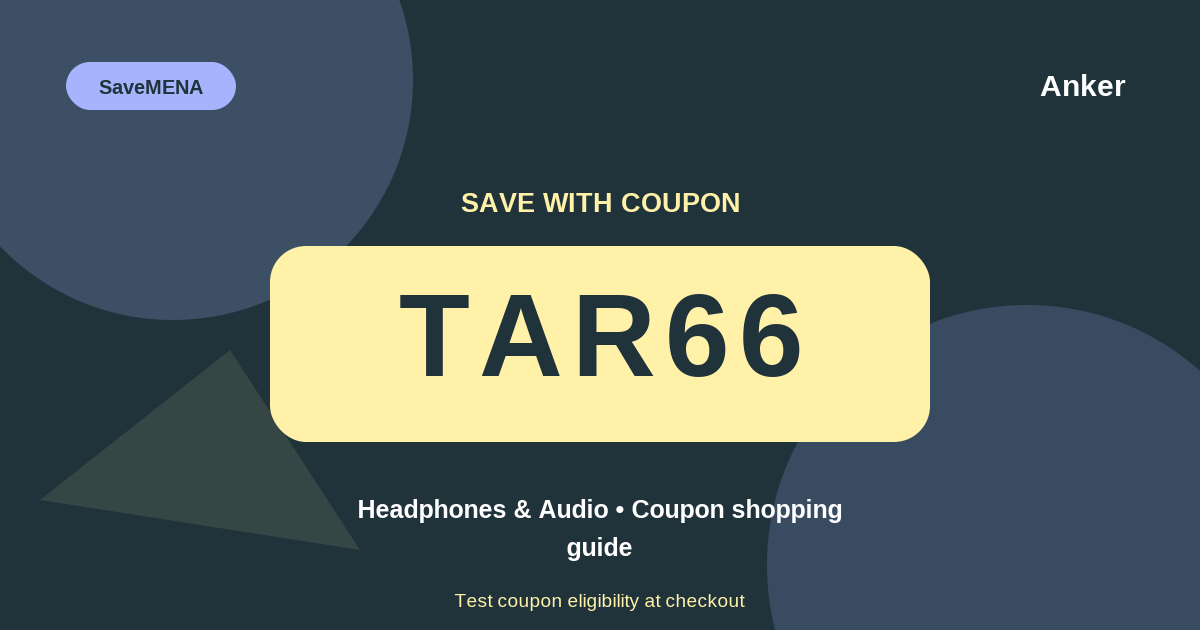
Codes available to try while comparing
These codes are not guaranteed for the article topic or listed brands; test them at checkout and use the live result.
1. Understanding the Noon UAE Final Price Structure
The price displayed on a Noon product page is typically the base price before any deductions. For headphone purchases, this base price may include VAT but excludes delivery fees. Mark-up or seller-specific discounts are not visible until you add the item to the cart and proceed to the checkout stage. Once in the checkout flow, the platform calculates the final payable amount based on your chosen coupon code, selected delivery method, and payment option. The final price is the figure that appears just before you confirm payment.
When comparing final prices, it is important to note that Noon UAE allows sellers to set varying prices for the same headphone model. Therefore, the base price you see might differ between sellers offering the same Anker headphones. Checking the seller rating and stock status can help mitigate the risk of receiving a mid-market listing or a price mismatch. Always verify that the chosen seller is reputable before proceeding to checkout, as this will influence the final amount you pay.
2. Checking the Earphone SKU and Seller
Each headphone variant on Noon is identified by a unique SKU. Identifying the correct SKU ensures that you are comparing prices for the exact product you intend to buy. To locate the SKU, scroll to the product details section or view the product specifications. A misidentified SKU can lead to an unexpected final price if the variant has a different base price or delivery fee.
Seller information is displayed alongside the SKU. Noon allows multiple sellers for the same product, and each seller can set its own price. Be sure to compare identical SKUs across sellers to avoid confusion. While some sellers may offer the same headphones for a lower base price, the final payable amount could still be higher if they charge unexpected delivery fees or do not accept certain payment methods. Always double-check seller details before adding the headphones to your cart.
3. Applying the TAR78 Coupon: Where and How
The TAR78 coupon is available for use during the checkout process on Noon UAE. To apply it, navigate to the cart, scroll to the discount code field, and enter “TAR78.” A free trial of the coupon is offered, meaning the discount may or may not apply based on eligibility filters set by Noon. If the coupon cannot be used, you will be notified at checkout and the final price will reflect the original amount.
Never assume that the coupon has a fixed discount percentage.A coupon is not guaranteed; verify its result at the retailer checkout. If the coupon does not apply, the final amount displayed will be the same as if you had not entered any code. Always observe the post-application total before proceeding to payment.
4. Verifying Final Payable Amount: The Role of Payment Method
When you reach the payment page, Noon lists the final payable amount in UAE Dirhams (AED). This figure represents the ultimate cost after all discounts, fees, and taxes have been applied. It is the amount you will actually be charged once you confirm your chosen payment method.
Payment method selection can influence the final payable amount in some cases. Certain payment options may trigger additional convenience fees or service charges, or may be restricted for certain discounts. Consequently, it is advisable to confirm that your chosen payment method does not incur extra costs. If you notice a discrepancy between the pre-payment total and the final figure, double-check the payment method rules to identify whether an extra fee has been applied.
5. Anker Headphones Payment Method Options on Noon
Night UAE offers several payment methods, including credit/debit card, PayPal, and the Noon Wallet. For Anker headphones specifically, all payment methods are accepted, but some may be subject to additional handling fees according to Noon’s policy. Checking the payment gateway’s fee schedule will help you decide whether a card or a wallet payment is more cost‑effective.
When using a debit or credit card, be aware that the bank’s own fees and currency conversion charges may be applied if you order from an international seller. Noon’s own wallet often provides a smoother transaction with lower or no additional fees. Once you select a payment method, the final amount displayed will incorporate any applicable fees, allowing you to make an informed decision.
6. Common Mistakes That Affect the Final Price
Inadvertently skipping the coupon application step is a frequent mistake that leads to a higher final price. It can be easy to overlook the discount field, especially after multiple cart updates.A coupon is not guaranteed; verify its result at the retailer checkout.
Another common mistake is not confirming the delivery method. Some delivery options have extra handling fees, and some may not be available for all sellers. Since the final price is affected by shipping fees, choose a delivery method that aligns with your budget or the seller’s offerings. This ensures that the number you plan to pay truly reflects the cost of the headphones.
7. Practical Steps to Secure the Best Deal
Before you add the headphones to your cart, compare different sellers’ prices for the identical SKU. A cheaper base price might appear advantageous, but the final payable amount can be higher if the seller’s payment method is restricted or includes delivery premiums.
After adding to cart, immediately input the TAR78 coupon and review the updated total. If the discount does not reflect or the coupon is rejected, try a different seller or reach out to customer support for clarification. Once the coupon is applied, carefully examine each component of the final price—base price, taxes, shipping, payment fees—to ensure that no unexpected charges have been added.
8. Final Checklist Before You Confirm
Verify that the selected headphone SKU matches your desired specifications. Confirm that the chosen vendor is a reputable seller with adequate stock and delivery options that support your preferred payment method.
Double‑check that the final amount displayed during the payment step includes all discounts and fees. If the sum differs from earlier totals, review for hidden charges. Once you’re satisfied, proceed to confirm your order and complete the payment. This confirmation lock ensures the final price will be honored and that you receive the headphones you paid for.
Related SaveMENA pages
Related articles
Official sources to check
Frequently asked questions
Does the TAR78 coupon apply to all headphone models?
The coupon can be attempted on any headphone model during checkout. Its applicability depends on Noon’s current eligibility criteria and may vary by product. Check the final price after applying the code to confirm its use.
Will the chosen payment method add extra fees on Noon?
Some payment methods may incur convenience or service fees. These fees appear in the final payable total at checkout. Review your payment option carefully to determine any added cost before confirming.
Can I change the payment method after applying the discount?
After applying the coupon, you can select a different payment method before final confirmation. However, certain payment methods may not support that coupon, potentially altering the final price. Verify before changing.
How do I ensure I’m buying the seller I want?
Check the seller’s name and rating next to the product SKU. Choose the seller that meets your quality and delivery preferences. The chosen seller is confirmed once the item is added to your cart.