JBL Headphones on Noon UAE: payment method — final price comparison · TAR78
It is entirely possible to compare the final price of JBL headphones on Noon UAE after you input the coupon code TAR78, yet the most reliable way to do that is to
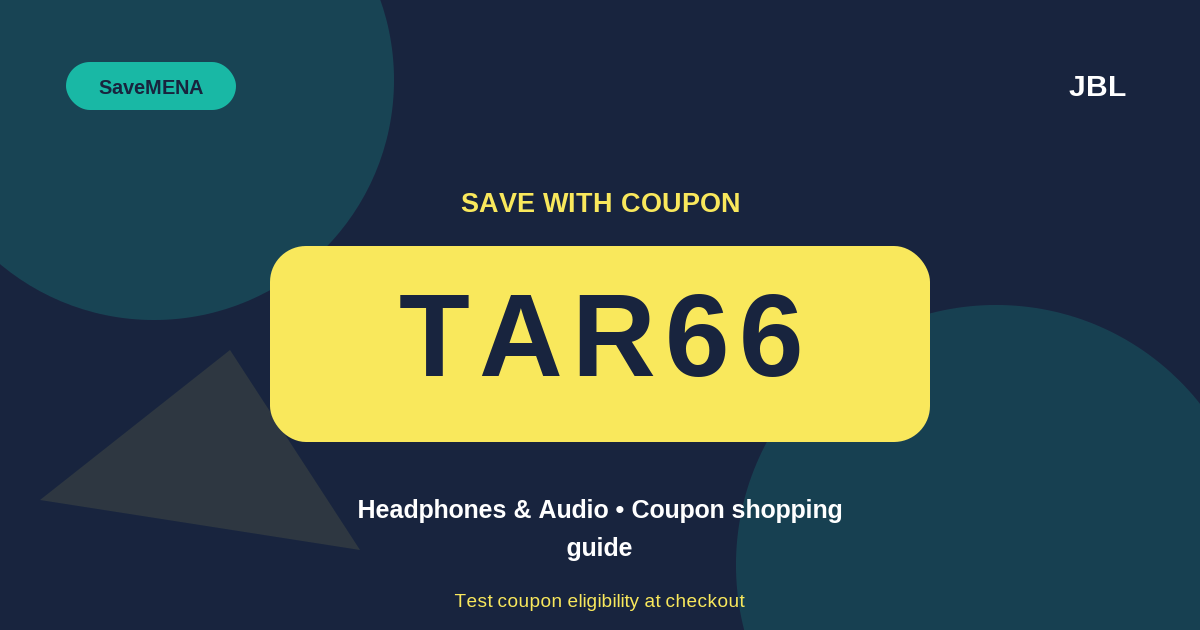
Codes available to try while comparing
These codes are not guaranteed for the article topic or listed brands; test them at checkout and use the live result.
Finding the Right JBL Headphones on Noon
Start by navigating Noon’s extensive catalog and filtering by brand to locate JBL models that fit your needs. Pay attention to the product details; look for listings that state “JBL,” “True Wireless,” or “Noise Cancelling” to narrow down options that match your listening preferences. Each listing will display a base price and, if applicable, a promotion bar. Use the search bar, sort by “Best Selling” or “Customer Rating,” and check if the product is being offered by an authorized seller; this can affect delivery options and warranty support.
Once you select a specific JBL headphone variant, review its features section to confirm specifications like battery life, connectivity, and comfort. Is it open‑ear or in‑ear? Does it support Bluetooth 5.0? These attributes determine whether the model is suitable for commuting, gym use, or home listening.A coupon is not guaranteed; verify its result at the retailer checkout.
Understanding the Coupon Code TAR78
The coupon code TAR78 appears on Noon as a conditional discount that can be entered during the checkout process. It is not guaranteed to be accepted for all JBL headphone listings, and its application depends on the item’s eligibility rules, such as minimum cart value or specific seller restrictions. Because the coupon is a “try” feature, you should only consider it as a potential reduction and not assume it will be applied automatically.
When you add a Bluetooth headphone to your cart, plan to earmark the coupon code for a quick attempt. Be ready to re‑enter or re‑apply it if Noon indicates it was successfully accepted, as some updates to the cart—like additional accessories—might remove its eligibility. Checking the coupon’s status at the payment review screen is essential for verifying any benefit you obtain.
Comparing Base Prices Before Discounts
Before entering any coupon, capture the base price shown on the product page. This “list price” reflects the amount you would pay were there no promotion at all. If multiple sellers offer the same JBL model, compare their individual prices; a lower base price does not always translate into lower final cost if seller‑specific fees are higher.
Keep a small note of each base price in a separate document or note-taking app; you will later find this reference useful when you calculate how the coupon reduces the total. Since Noon does not disclose real‑time fee changes, the base price remains a constant baseline until checkout decisions, like adding shipping or payment fees, adjust the total.
How Coupon Application Modifies the Total
After adding the headphone to your cart, move to the cart overview and enter the coupon code TAR78 in the designated field. The platform will attempt to validate the code, and if accepted, the visible order total will reflect the reduction. The interface sometimes shows a “Discount” line explaining the amount or percentage subtracted.
Remember, the adjustment will not be applied until you proceed to the next step where the payment method is selected.A coupon is not guaranteed; verify its result at the retailer checkout.
The Role of Payment Methods in the Final Tally
Different payment options can influence the final amount a shopper pays. For example, credit cards may come with a convenience fee, while certain wallets might waive it, but they can impose a minimum spend ceiling. Similarly, some debit card transactions can trigger a transactional fee if the merchant is a non‑local bank.
Because the final payable price only becomes visible after you choose a payment method, it is crucial to look at each option’s listed fee structure. If Noon offers debit, credit, COD, or a local wallet, verify whether a fee is displayed under the payment method description or on the final review screen before confirming the order.
Step‑by‑Step: Calculating the Final Payable Amount
Start with the base price, subtract any verified coupon discount, and add the shipping cost as it appears on the cart. The remaining sum will be your “subtotal.” At the checkout page, select a payment method and note any service fee that appears adjacent to it, such as “+ AED 2.” Add that fee to the subtotal; the result should match the “total payable” textbox displayed. This final number is what you will be charged on your chosen card or wallet.
If the payment method requires a “credit card” type to secure the purchase, be aware that some issuing banks might apply an extra surcharge, typically present only upon confirmation. Verify the exact amount that appears in the order summary before authorizing the transaction.
Practical Tips for Choosing the Best Payment Option
Prioritize payment methods that have no additional fee or a lower surcharge compared to others. Digital wallets offered within Noon or local payment services often provide a zero‑fee option, especially if you are the coupon code a lower total price after coupon application.
Consider your bank’s fee policy when selecting a credit or debit card. Some institutions waive fees for online purchases, but it can vary. If you’re unsure, contact your bank to confirm whether a fee will be applied to the transaction; this knowledge will help you refine your final cost estimation at checkout.
Final Checklist Before Checkout
Before you finalize your order, scroll to the payment review screen. Double‑check the base price, the coupon discount display (if applicable), the shipping cost, and the selected payment method’s fee. Subtract the discount, add shipping and payment fees, and confirm that the resulting total matches the line labeled “Total Payable.A coupon is not guaranteed; verify its result at the retailer checkout.
Finally, look for any remaining bolded text or alerts that might indicate a transaction fee or a required promotional code field. This step prevents late‑stage surprises and guarantees the price you see before payment confirmation is the actual amount your wallet or card will be charged.
Related SaveMENA pages
Related articles
Official sources to check
Frequently asked questions
Can I use the same coupon on multiple JBL headphone orders?
No, each coupon typically applies to a single transaction. You can only try TAR78 once per shopping session, and re‑applying it to another order will require a new session. Verify eligibility at checkout before confirming payment.
Will the coupon reduce the shipping cost too?
The coupon more often affects only the item price, not the shipping fee. If Noon lists shipping separately, it will remain unchanged unless there’s a separate shipping discount. Review the final total for clarification.
What if my payment method charges a fee after checkout?
Some banks add a fee after the transaction is processed. Check with your bank to see if such charges apply to online purchases. This fee will not appear on Noon’s checkout screen but might surface on your bank statement.
Does using a credit card guarantee a secure transaction?
Using a credit card often provides an extra layer of protection and dispute resolution. Make sure to use a reliable card from a reputable issuer and keep confirmation emails for your records.