Calvin Klein Men’s Fashion on Noon UAE: payment method — final price comparison · TAR62
The journey starts with selecting your desired Calvin Klein men’s fashion item on Noon. Use the search bar or navigate through the Men’s Fashion section to find the
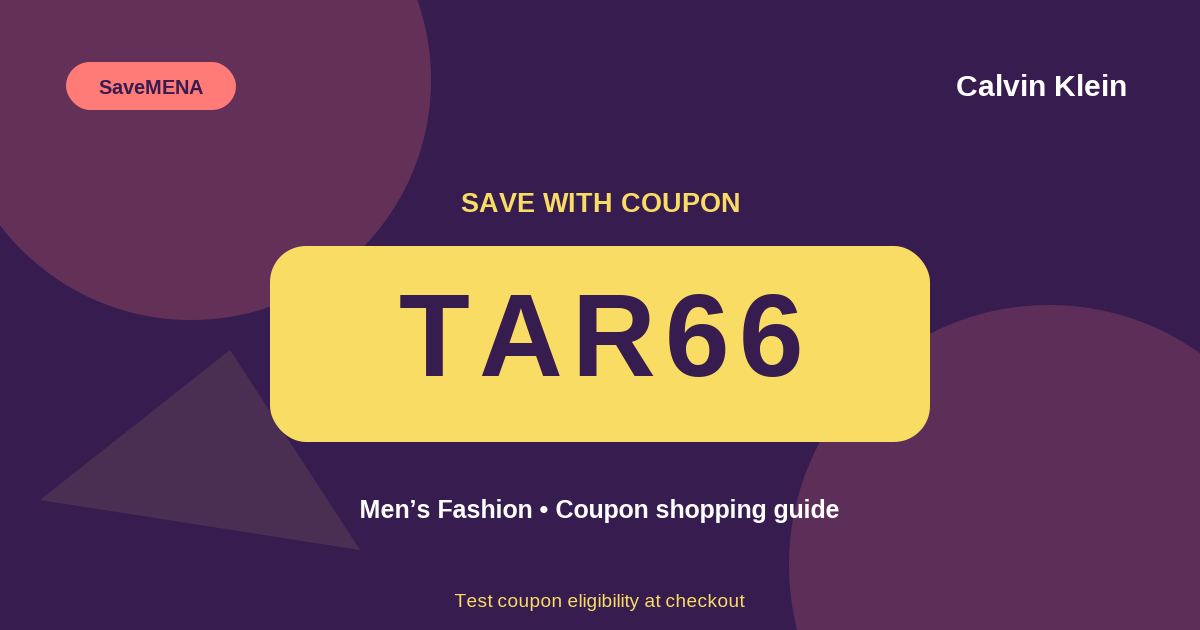
Codes available to try while comparing
These codes are not guaranteed for the article topic or listed brands; test them at checkout and use the live result.
Step 1: Add Calvin Klein Men’s Fashion to Your Cart and Apply the Coupon
The journey starts with selecting your desired Calvin Klein men’s fashion item on Noon. Use the search bar or navigate through the Men’s Fashion section to find the piece. Once you’ve chosen the variant you want, click “Add to Bag.” At this point the item’s listed price appears in your cart, but that’s just the base before any discount.
Immediately after adding to the cart, locate the ‘Coupon’ field on the checkout page. Type in TAR62 and click apply. Noon will process the coupon and adjust the subtotal, showing you a new total that reflects the discount. The adjusted amount you’re looking at is the one that will be paired with the payment method you select later. Double‑check that the coupon icon turns into a checkmark, confirming it’s accepted before proceeding.
Step 2: Review Quantity, Delivery, and Timing Before Choosing Payment
Before committing to a payment method, make sure the case number of items, sizes, and any optional add‑ons are correct. Validate the delivery date slider or popup to ensure availability aligns with your schedule. The same window will also show you any additional charges, though we’re keeping numeric values out of this discussion; the focus remains on the final payable total you will see at checkout. Confirming these steps guarantees the final price you compare between payment methods applies to the exact order you intend to place.
Now it’s time to decide how you’ll pay. Noon supports various local payment methods such as credit/debit cards, debit cards from UAE banks, instant bank transfers, and, for some merchants, Cash on Delivery. Each payment option may have its own rules about when coupons are applied, so reviewing the payment terms here is crucial. Think about any benefits or limitations you might have with each, like instant fund declaration or possible fees, before moving forward.
Step 3: Selecting a Payment Method that Supports Utility of Coupon
When the checkout list shows the coupon‑adjusted subtotal, it’s time to analyse which payment method will truly keep that amount as your final out‑of‑pocket cost. Some payment methods on Noon automatically apply the coupon, others may require you to confirm the discount again during the payment form. Pay attention to any prompts that ask you to re‑confirm payment details; that’s the moment the discount finalises.
For instance, if you choose a bank card, the payment gateway will read the final amount before authorisation. If you opt for a COD option, your order will still reflect the discounted value, but verification may happen at delivery, meaning you must trust the displayed price on the receipt. Checking the “Payment Method” drop‑down early prevents surprises later.
Step 4: Verify Final Payable Total at Checkout
The checkout screen is your ultimate reference for the exact amount to be charged. After entering your payment method, the page will recalculate and lock in the final price. In this view, any promotional codes, shipping fees, or taxes are all summed up.A coupon is not guaranteed; verify its result at the retailer checkout. If the figure has changed, review why—perhaps a shipping option has added a fee, or the coupon could only be partially applied.
Remember, the “Final Payable Total” displayed here is what will actually be charged to your selected payment source. Double‑checking this screen each time you switch payment methods echoes the benefit of having payment method as the lens of decision: you’ll know exactly how each method interacts with the discounted price before you pay.
Step 5: Confirm Payment Details and Authorisation
Once the final price is locked, fill in all payment details. For credit card, input the number, expiry, and CVV; for bank transfer, ensure the account number and reference match the provided Nm values. Pay attention to any security prompts or two‑factor authentications that Noon might require. These steps confirm that the payment method has been authorised and that the amount captured will match the final price you see.
During this stage, some payment gateways may ask you to accept terms that clarify whether any additional fees will be added post‑transaction. Confirming these statements keeps the final price transparent and ensures no hidden charges across different payment options.
Step 6: Review Order Summary and Confirm Purchase
After authorisation, Noon displays a final order summary. This page lists each item, the discounted unit price, subtotal, any applied coupon, tax brackets, and, crucially, the total you are paying via your chosen method. This confirmation page is often the last chance to spot mismatches—whether the coupon amount, the item quantity, or the chosen payment method misaligns with what you expected.
Use this summary to verify that the coupon DID get applied to the final price and that there are no additional surcharges related to the payment method. If everything matches, click the “Confirm Purchase” button. This completes your transaction and locks you into the payment method you selected under the verified final price.
Step 7: Handling Payment‑Method‑Specific Post‑Purchase Considerations
After you’ve confirmed your purchase, keep in mind how your payment method may influence the post‑purchase experience. Cards might offer instant reward points; bank transfers could have a posting delay, affecting when you see the amount debited. For Cash on Delivery, you’ll rely on the delivery receipt; ensuring that the final price printed matches the checkout figure is vital.
If any discrepancy occurs—say the amount taken from your card differs from the final price—contact Noon’s customer support immediately. Reference the payment method, the coupon code used, and the final price displayed at checkout. The support team will verify the discrepancy against your transaction record and can resolve any over‑charges or under‑charges promptly.
Related SaveMENA pages
Related articles
Official sources to check
Frequently asked questions
A coupon is not guaranteed; verify its result at the retailer checkout.
Enter TAR62 in the coupon field on the checkout page before selecting a payment option. Noon will confirm acceptance and adjust the subtotal displayed, which will carry over when you switch to a payment method.
Can I change my payment method after the final price has been displayed?
Yes, you can switch to another payment method as long as you do it before the final confirmation step. The checkout screen will recalculate and confirm the final payable amount for the new method.
Will any delivery fees affect the final amount after I apply the coupon?
Delivery fees are shown separately on the checkout page. They are added to the subtotal after the coupon discount, so the final price displayed includes them before you complete payment.