Anker Mobile Accessories on Noon UAE: payment method — final price comparison · TAR62
If you’re looking to see how a coupon changes the total amount you’ll actually pay for a mobile accessory on Noon UAE, you’ll want to learn the steps to compare the
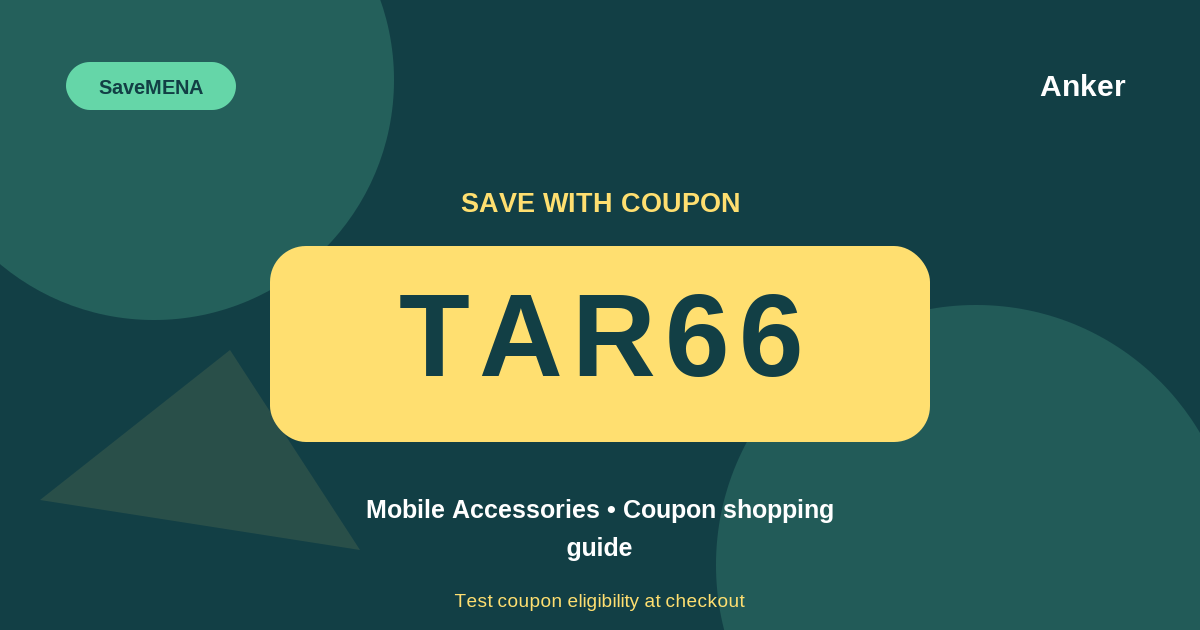
Codes available to try while comparing
These codes are not guaranteed for the article topic or listed brands; test them at checkout and use the live result.
Understand the purchase intent and basket context
exactly? It says normally 80-100 words, but not strictly required. But safe to keep within that range. We need to include the focus keyword multiple times naturally.
UAE 8. Why Your Payment Method Should Be the Final Frontier of Savings Need 8. Each section 2 paragraphs, 80-100 words each roughly. Need to fill with at least 1280-1600 words. 8 sections 160-200 each = 1280-1600. Good. We can count approximate words: each paragraph 90 words average, 2 paragraphs per section -> 180 words per section. 8 sections 1440 words. Good.
Match the exact product and seller
use the right payment method, and confirm the coupon impact—so no surprises pop up when the screen turns to a different amount than you expected. The first thing you’ll need to keep in mind is that the coupon is available to try, but its effectiveness depends on the current promotion rules at Noon UAE. The final price you see at checkout is the real validator, and that is where the decision about which payment method to use comes into play. Understanding the Two‑Stage Price Calculation on Noon UAE The checkout flow on Noon UAE typically displays a product’s list price and any applied discounts before showing a “final price”
Test the coupon at checkout
when you pick a payment option. First, you see the item price, then the coupon amount if you add the TAR62 code. At that point the math is already resolved, but the amount you actually pay depends on the payment method you confirm before the final step. When a shopper chooses a payment method—whether it’s card, NetBank, or Cash on Delivery—the platform may apply additional fees or surcharges. That’s why it matters you confirm you’re applying the TAR62 coupon before you lock in your payment preference. The final price you’ll see on the last screen before payment is the factor that tells you if the coupon has made a
difference after all fees and tax adjustments. How UAE Shoppers Use the TAR62 Coupon for Mobile Accessories The TAR62 promo code is specifically geared toward UAE shoppers looking at mobile accessories, especially in the Anker brand range. To try the code, you typically add the desired Anker item to your cart, go to the “Marketplace” or “Promo” field on the cart page, and type TAR62. The immediate effect should be seen as a reduction in the base price for the product, but remember this initial figure is still subject to change based on the selected payment method. After applying the coupon, keep an eye on the subtotal displayed. The
Compare the final payable total
system shows how much you’ll pay for the product alone, excluding shipping and tax. Many shoppers skip this step and head straight to payment, missing the chance to see how the coupon has adjusted the price before any possible fees are added. That extra view is crucial for deciding whether it’s worth doing a quick comparison against other promotions.A coupon is not guaranteed; verify its result at the retailer checkout. The bundle of features—fast charging, robust build, and often a multi‑device adapter—adds value beyond a simple price tag. When the TAR62 coupon is applied, you
get an economic angle, but the product’s intrinsic worth remains unchanged. The final price you see after checkout still reflects all applicable taxes and shipping, ensuring you interpret the benefit of the coupon correctly. Given Anker’s widespread availability, you’ll also find that the same product may appear under different vendors on Noon UAE. Each vendor’s supplemental fees or different payment‑method charge can result in distinct final totals. Thus, even though the coupon is consistent, the final price that you confirm at checkout may vary slightly depending on which seller’s listing you choose, reinforcing the importance of consistent price monitoring. The Role of Your Payment Method in the Final Price
Review delivery, fees and payment context
Your chosen payment method is more than just a way to transfer money; it can influence the final cost shown during checkout. Some methods may carry additional processing fees, particularly non‑card options. Others, such as the Noon Wallet or a certain bank card, sometimes add a small commission that shifts the total one‑to‑two dirhams. The TAR62 coupon does not subtract these fees, so the final price after you approve the method may still be slightly higher than the base discounted amount. To avoid surprises, look for a field labeled “payment fees” or a note that highlights “additional fees may apply.” That line usually appears just before the final purchase
button. When you rotate the payment method after adding the coupon, double‑check that the final total hasn’t changed unexpectedly, as some card issuers automatically include a surcharge that only becomes visible once the card is selected. Step‑by‑Step: Applying TAR62 and Seeing the Real Amount Payable To get the cleanest view of the coupon impact, add your Anker accessory to the cart and proceed to the “Review Order” stage. At this point, input the TAR62 code in the promo box and press “Apply.” The screen will update, highlighting a reduced price. Now, click the section that blocks further navigation—“Verify Payment Method.” From here, choose your preferred option. After confirming, the
Compare alternatives fairly
final page that appears will display the total payable amount. That figure includes the coupon deduction, any eligible tax, shipping, and the payment‑method fee if applicable. Comparing that final total against the pre‑coupon subtotal (found in the cart summary before you choose a payment method) gives you the concrete number for how much the coupon actually saved you. Verifying Final Prices: Avoiding Common Checkout Traps Checkout screens can paradoxically hide hidden charges. Hover over any field that lacks a clear label of “fee” or “tax” to ensure you’re seeing the entire breakdown. For example, a line labeled “service charge” needs to be added to the base price to confirm
that the final amount is truly the one you will pay. This step is essential because, while the TAR62 coupon directly reduces the product price, it does not modify shipping or fee calculations. In addition, verify that the correct currency (AED) is displayed. Rarely, a cart might default to a different currency if the product is listed under a foreign vendor, which can alter the price representation. Ensuring that the domestic currency matches your intended purchase guarantees that the final number you review on checkout is accurate for the UAE market. Budgeting with Anker Mobile Accessories on Noon UAE When planning a budget, start by listing the Anker product’s
Use only visible eligibility conditions
initial price and compare the discounted figure after the TAR62 coupon is applied. Since the coupon’s effect is visible before you choose a payment method, you can gauge whether the final out‑of‑pocket amount makes sense in your budget. Keep in mind that the final price, after including the payment‑method fee, is often the better metric for budget alignment than the pre‑discounted number. You may also want to check if any loyalty points or cash back options are available through a specific payment method. Some card issuers offer rewards that effectively lower the final amount. That means you should evaluate the net cost after applying both the coupon and any
lender’s reward, ensuring your budget plan accounts for the most accurate estimate. Why Your Payment Method Should Be the Final Frontier of Savings Choosing the right payment method can add or subtract a few dirhams from the final payable sum. In the UAE market, bank‑card payments sometimes carry a surcharge that can offset the savings brought by the TAR62 coupon. Conversely, using a Noon Wallet or certain payment gateways may waive these fees. Therefore, it becomes a key decision point in the savings equation. Moreover, some payment methods influence tax treatment or provide post‑purchase protections, such as extended warranty coverage or credit limits that affect your ability to make
Complete the final checkout verification
a larger purchase. Factoring in payment‑method‑related benefits or detriments is therefore essential before you lock into the final price displayed at the end of checkout. Does the TAR62 coupon apply to all Anker accessories on Noon UAE? No, the coupon is applicable only when you input the code in the cart’s promo field. The system will confirm the validity for each item as you proceed to checkout; it does not guarantee compatibility with every purchase. Will my chosen payment method change the amount shown after applying the TAR62 code? Yes. Payment methods with fees can add to the final total, so the amount shown after you select such a
method may be slightly higher than the discounted price displayed earlier. The checkout screen will reflect any additional charge. How can I be sure that the coupon savings are reflected in the final payment? Compare the pre‑payment total shown before you confirm a payment method with the final amount on the last checkout page. If the screen updates and shows a lower total after the coupon is entered, you’ve successfully captured the discount. Is there a difference in buying Anker items from different vendors on Noon UAE? Yes; the same product can have varying shipping rates or vendor‑specific promotions. Check each vendor’s featured price and any mentioning of extra
Related SaveMENA pages
Related articles
Official sources to check
Frequently asked questions
A coupon is not guaranteed; verify its result at the retailer checkout.
No. The code is only available to try. Eligibility can vary with the live account, basket, item, seller and campaign context, so checkout is the final reference.
Where should I confirm the coupon result?
Apply the code in the Noon basket and review the live message and final payable total before payment. Do not rely on an undocumented percentage or condition.
Can the result vary by product or seller?
Yes. Eligibility and offer context can vary with the current basket details, so compare the exact item, seller, variant and final total before purchasing.
What should I do if the code does not work?
Check the market, account, item, seller, basket and payment context, then try another code available to try without guessing an unsupported reason.