Braun Beauty on Noon UAE: price changes — final price comparison
Noon UAE final price Beauty Braun rechecking after a price change: When you spot a Braun beauty item on Noon UAE and curiosity strikes — how does the final price
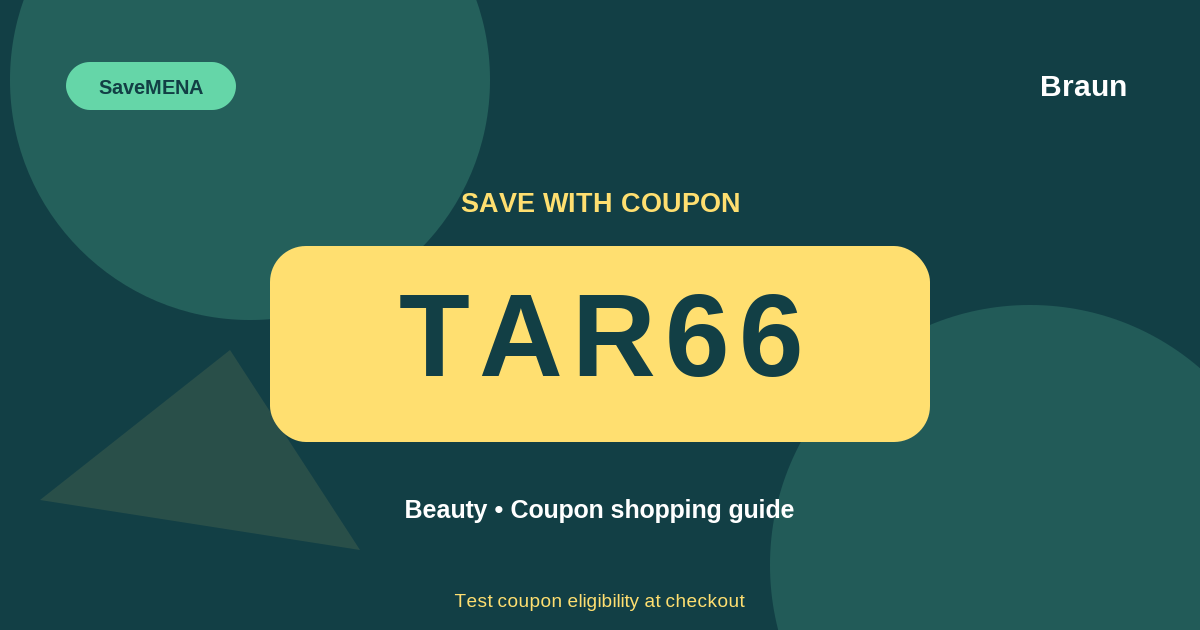
Codes available to try while comparing
These codes are not guaranteed for the article topic or listed brands; test them at checkout and use the live result.
1. Check Official Price History
If a product price on Noon UAE has recently changed, the first thing to confirm is its historical trend. Many price‑tracking tools capture the daily price of a listing and flag significant decreases or increases. Even without a professional tool, a quick Google search of the product name plus the current price can reveal older listings and price stamps from the past week. This gives you a reference point: is the sticker price you see truly the new baseline after a recent adjustment or a temporary surge?
After you’ve gathered this data, compare the found values to the price displayed in your cart. Pay special attention to precision; a few cents’ difference might be a rounding error, but a larger gap could indicate a mis‑displayed value. Because Noon occasionally updates its UI, reconfirming that the "current price" is indeed the revised figure helps you avoid surprises when checkout rolls in taxes or fees.
2. Verify Listing Currency and Tax
Noon UAE displays prices in Egyptian or other local currencies by default, depending on your location settings. Even if a price seems clear, many sellers list it excluding VAT. Look for a note near the price box that states “+ VAT” or a separate tax field. This is essential, as VAT can add up to 5‑the discount shown at checkout of the subtotal for beauty items. Missing it is a common cause of under‑budgeting.
Before adding the Braun beauty item to your basket, verify whether the “VAT inclusive” option is available or whether the tax will be calculated at checkout. You can toggle the “Show price includes VAT” setting if it’s offered. This step ensures that the amount you see on the product page aligns with what will appear on your final billing page, keeping rechecking after a price change manageable.
3. Apply Coupon at Checkout
Once you’ve added the Braun item to your cart, it’s time to test the TAR66 coupon. Go to your shopping cart and enter the code in the “Gift code or coupon” field. Notice whether the system grants any discount or displays an error. A successful entry will typically reduce the subtotal displayed on the cart page.
Do not assume the coupon will automatically apply if you enter it; some conditions may be hidden, such as a minimum purchase requirement or an exclusion of certain categories. The best practice is to review the resulting summary: does the subtotal change? Is there a note explaining the discount? If the system still displays the original amount, you’ve confirmed that, for now, TAR66 did not apply.
4. Compare With Other Marketplaces
Online price dynamics vary across platforms. It’s useful to open a new tab and search for the same Braun beauty model on another UAE portal, such as Amazon UAE or the official Braun website. Check if they list the item at a different base price after the same time interval.
Comparing a few purchase points gives context: if Noon’s price is substantially higher or lower, a price change may have impacted the listing in a different way. This comparison can also reveal hidden promotions exclusive to other sites, allowing you to decide whether Noon’s price remains competitive after you apply TAR66 and taxes.
5. Understand Return Policy
Beauty products, especially those that are consumables or involve skin contact, often have strict return windows. Examine the product page’s “Return Policy” link to read the terms. Pay attention to whether a full refund is available after adjustment, or whether the return windows short‑enclose the relief earned via the coupon.
When a price adjustment is made after you’ve placed a cart, the return policy might still refer to the original purchase total or the new, discounted total. Knowing which baseline your final return amount will be calculated against helps prevent last‑minute confusion and keeps your overall cost forecast accurate.
6. Assess Seller’s Reputation
Skip the urge to rely solely on product ratings. The seller’s profile offers separate metrics such as “seller rating,” “fulfilled in 24h,” and “first‑time seller.” A high product rating does not guarantee the seller’s reliability; a low seller score may reflect shipping delays or incomplete customer service.
Check whether the vendor has a history of handling warranty claims swiftly. On Noon, seller dashboards often contain a “Verified Seller” badge; however, this does not guarantee that price changes were communicated. Confirming the seller’s reputation ensures that any re‑checking of price changes post‑purchase is rooted in trustworthy service delivery.
7. Watch for Hidden Charges
Even when the cart shows an accurate subtotal after the coupon, surcharges can be added during checkout. These can include delivery fees for distant emirates, cash‑on‑delivery handling fees, or a payment‑method surcharge if you opt for certain cards.
Before finalizing the purchase, verify the “Delivery Charges” row and any “Payment Options” notes. When in doubt, adjust the delivery location or payment method and observe if the final total changes. This practice prevents unexpected increases that could otherwise negate the savings gained from TAR66 and a reduced base price.
8. Recheck Prices During Checkout
When you’re at the payment page, all figures should now be transparent: subtotal, discount from TAR66, VAT, delivery, and the grand total. Carefully review each line item, noting that any discrepancy after the earlier steps indicates a possible pricing error or a misapplied coupon.
If the final total differs from the cart value, contact Noon’s customer service or the seller directly before confirming payment. While the system typically updates automatically, this last check is the safest way to confirm that rechecking after a price change has indeed captured the true cost for your wallet.
Related SaveMENA pages
Related articles
Official sources to check
Frequently asked questions
Does TAR66 apply to Braun beauty products on Noon UAE?
There’s no guarantee that TAR66 will work on all Braun beauty listings. You must test the code at checkout; if it doesn’t apply, Noon will explain why, or the coupon may simply be inapplicable to that category.
How often does Noon update the price of a product after a sale?
Noon may update prices at any time, especially around flash deals or holiday sales. Typically, changes appear instantly but can also be delayed by a few minutes while the platform processes the new rate.
Can I use TAR66 together with other promotions on Noon UAE?
Combining coupons is generally restricted. Noon will indicate if a coupon is exclusive or can be stacked with other offers during the checkout process when you input TAR66.
If the final price changes after I place my order, what should I do?
Contact Noon customer service immediately; they can confirm if the new price applies to your order or if it will revert to the cart value. Document any changes for reference.