Logitech Gaming on Noon UAE: offer combinations — final price comparison
Noon UAE final price Gaming Logitech coupon interaction with visible promotions: Curious how the final amount you pay on Noon UAE is shaped by a game‑changing
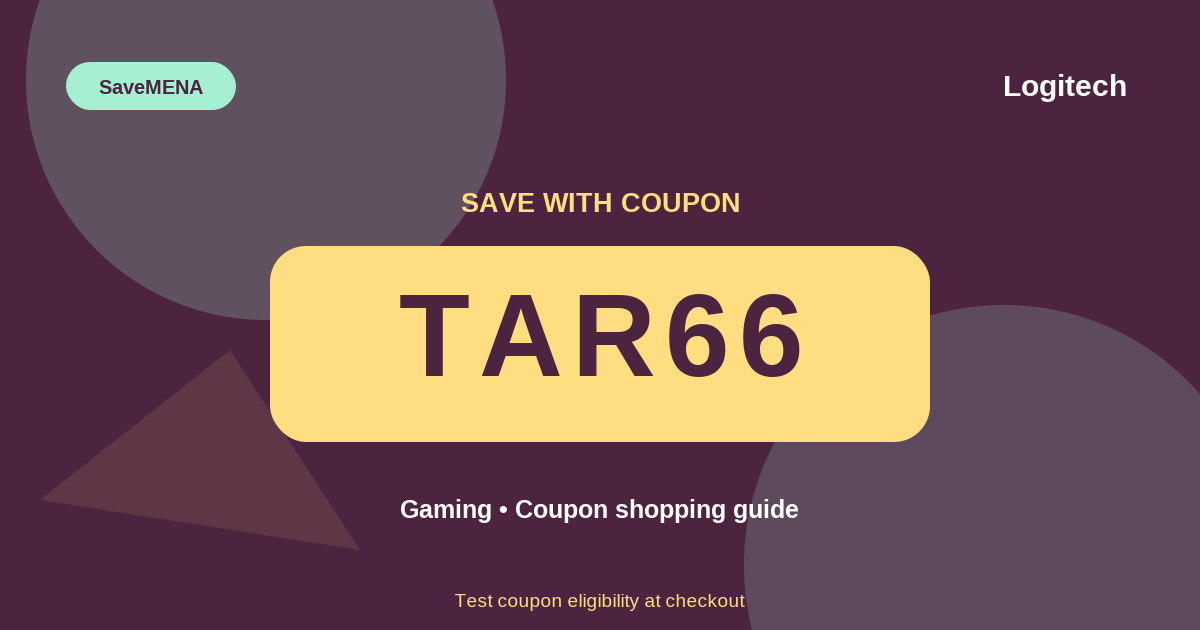
Codes available to try while comparing
These codes are not guaranteed for the article topic or listed brands; test them at checkout and use the live result.
1. Spot the Base Price and Acknowledged Promotions
When you first land on the Logitech listing page in the Gaming category on Noon UAE, the screen shows the original price for the product. Keep an eye on any badges such as “Zero Delivery” or “Exclusive Noon Deal” that may already be attached. These visible promotions, often positioned next to the price or in a pop‑up banner, represent discounts that Noon has determined to apply automatically. Make a mental note of each tagline—makes it easier to confirm later that you’ve captured all relevant offers in the final calculation.
At this point, no coupon has entered the equation, so the amount displayed reflects the retailer’s standard pricing policy coupled with any official Noon promotions. It is crucial to separate this base figure from potential cart‑level discounts so during later steps you clearly see which parts of your savings come from visible promotions versus the coupon you’ll use.
2. Add the Logitech Item to Your Cart and Review Cart Overview
Proceed to add the the coupon code Logitech gaming peripheral to your active cart. Once inside the cart, Noon presents a consolidated view of all ordered items and the total before any discounts. The interface distinctly lists each visible promotion, often in a sub‑section beneath the product price. These entries will carry labels like “the discount shown at checkout Off • Noon Member” or “Buy One Get One Free.” These are the promotions you already earned simply by selecting the item.
Notice that the cart doesn’t yet adjust for the TAR66 coupon. At this juncture, the visible promotion totals remain untouched, giving you a baseline against which the impact of the coupon will be measured. This step lets you verify the cart’s completeness—quantity, variant, and any available bundle offers—before you introduce an external discount code.
3. Enter the TAR66 Coupon Code in the Cart Discount Field
Below the itemized list in the cart, locate the “Coupon” or “Enter a promo code” field, typically centered under the price summary. Type the coupon code TAR66 exactly as it appears, ensuring no additional spaces or characters. Noon will immediately evaluate whether the code is valid and applicable to the current cart composition.
If the coupon is eligible, the cart will display a new row in the promotion list with the code name, a brief description of the discount (for example, “Earned Savings”), and the monetary value subtracted from the total. If the coupon can’t be applied, the interface will show an error notification—stay alert to variations like “code invalid” or “eligible for different items” so that you can adjust accordingly.
4. Observe Interaction Rules Between Coupon and Visible Promotions
In Noon’s coupon-system, certain rules govern how a coupon’s discount interacts with other concurrent promotions. Visible promotions linked to the product or to your Noon membership often stack below the coupon discount. To gauge the hierarchy, check the order in which adjustments show up: the coupon usually applies first, followed by any product‑specific or membership bonuses. Note that some combinations might be excluded—for instance, if a coupon offers a fixed amount and a product has a “Buy X Get Y” offer, the platform may apply the bigger saving first.
If the visible promos appear after the coupon entry, it indicates that the coupon and the local promotions are additive. Double‑check that the final subtotal minus the sum of all cash‑back entries equals the amount displayed in the “Total Payment” field. If the screen shows different totals, it may be a sign of promotion overlap, in which case reaching out to Noon support can clarify exclusivity or alternative routes.
5. Confirm the Final Price Exactly as It Appears at Checkout
Proceed to the Checkout page where the final amount payable is tallied. Here Noon recalc‑alculates all aforementioned discounts and then appends any applicable service or shipping fees. Carefully compare each line item listed in Checkout to the cart summary: the product price, the coupon discount, the visible promotions, and any additional charges. This is the authoritative snapshot of the exact amount you will be charged.
Remember that the checkout is the definitive reference point; once you confirm and continue to payment, the listed total finalizes your purchase. Screenshots or manual checks at this stage are prudent, especially if you plan to revisit the order later for a potential dispute or refund.
6. Check for Additional Fees or Shipping Charges That Alter the Final Price
Before confirming payment, review the “Shipping” section at the bottom of the Checkout page. Noon often tags a fee or specifies “Free Shipping” when your cart total surpasses a threshold. Verify that any surcharge or floating delivery fee is clearly documented. Even the smallest fee can offset the apparent savings you calculated from the coupon and visible promotions.
If the shipping fee’s inclusion modifies the total substantially, test an alternate delivery option—perhaps a nearby depot or expedited route—to see if alternative rates further optimize the final payable amount. At this step, you confirm whether the net savings from promotional interactions outweigh any added logistics costs.
7. Finalize Payment Method and Validate Order Confirmation
Select your preferred payment instrument—credit card, debit card, or any validated Noon wallet—and complete the transaction. Noon will display a payment confirmation page summarizing the order details: items, quantities, finally payable amount, and the applied coupon. This confirmation page is the last checkpoint: any discrepancy in the charge versus your earlier calculations signals a need for clarification.
Store a copy of the confirmation or a clear screenshot for future reference. If the displayed final amount diverges from the cart total, consider contacting Noon’s customer service to reconcile the differences, pointing to the precise line items you observed. Concluding this verification cycle ensures that your gaming gear arrived at its expected price.
8. Planning Future Purchases: Automating Coupon Use and Visible Promotion Tracking
After each successful transaction, keep a simple log of how the TAR66 coupon interacted with existing Noon promotions and whether any new discount condition emerged. By doing so you build a pattern of which combinations yield the greatest savings. On subsequent shopping trips, you can pre‑select items that historically pair well with the coupon, or test whether the coupon’s application changes across different gaming peripherals.
Use the Noon app’s “Save for Later” feature to gauge how promotion totals shift before placing an order. This mini‑simulation can confirm that a newly added item keeps the coupon active or introduces a new visible promotion. Consistently tracking these dynamics will refine your purchasing strategy, helping you secure the best possible price on every Logitech gaming product on Noon UAE.
Related SaveMENA pages
Related articles
Official sources to check
Frequently asked questions
How can I be sure the TAR66 coupon applied correctly?
During checkout, confirm that the coupon appears in the discount list and that its value reduces the total shown before the final payment amount is displayed. If the coupon entry is missing or an error message appears, the code may be ineligible for the chosen items.
What happens if a visible promotion conflicts with the TAR66 coupon?
On Noon, most coupons and visible promotions stack additively. If a conflict arises, the platform typically shows a warning or adjusts the order of deductions. Review the promotion list on the checkout to see how the discounts are applied.
Can I apply the TAR66 coupon to multiple items at once?
The coupon’s applicability depends on the current cart. If the coupon is valid for the selected items together, Noon will automatically deduct the discount at cart level. If it applies only to single items, the discount will reflect only one product’s cost reduction.
Do shipping fees affect the final price calculation of the coupon?
Shipping fees are added after all product and promotional deductions. The final total displayed at checkout reflects the sum of the discounted product price plus any shipping charges, ensuring you pay exactly what the platform indicates.