Headphones on Noon UAE: offer combinations — final price comparison
The journey begins by searching for your preferred headphone on Noon UAE and adding the desired variation to your cart.
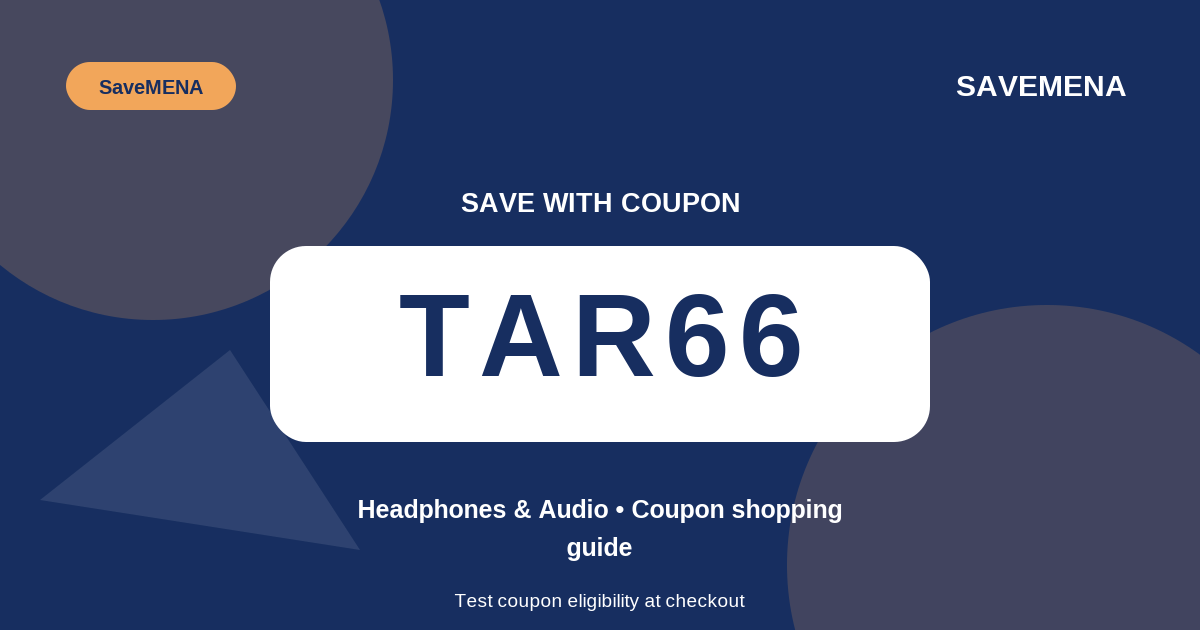
Codes available to try while comparing
These codes are not guaranteed for the article topic or listed brands; test them at checkout and use the live result.
1. Add the Headphones to Your Cart: Initiate the Comparison Process
The journey begins by searching for your preferred headphone on Noon UAE and adding the desired variation to your cart. Only after the product appears in the cart can you trigger the subsequent pricing logic that aggregates discounts, promotions, and coupons. Pay attention to any ongoing instant sales staff‑highlighted on the product page, as these may also influence the intermediate price shown after you add the item. Confirm that the quantity is correct before proceeding; the cart total will be recalculated immediately after any change to the number of units.
Once the cart reflects the headphones, take a screenshot or note the displayed subtotal. This snapshot will be handy for cross‑checking later when the final price after all coupon interactions appears. Do not yet apply any coupon; it is essential to capture the undiscounted subtotal, as this serves as the baseline against which each subsequent discount—visible promotion or coupon—is measured. With the initial price now documented, you’re ready to apply the TAR66 coupon and observe how it alters the total.
2. Locate the Coupon Field on Noon UAE and Prepare to Apply TAR66
Navigate to the cart or checkout page where Noon typically presents a field for coupon codes. This input box is usually labeled “Coupon Code” or “Enter Promo Code.” Double‑check that the page is fully refreshed and that no promotional banners have loaded new discount offers, as these can shift the calculation after you enter a coupon. Keep the keyboard or mobile interface ready; entering the code requires a simple manual input followed by clicking “Apply” or a similar button.
It is crucial to type the exact coupon code without any spaces or punctuation—“TAR66” in uppercase or lowercase. After clicking apply, wait for the page to reload and for the system to recalculate the cart total. This recalculation will consider visible promotions, gift card balances, store credits, and any automatic discounts that Noon may enforce. Observe the message that confirms whether the coupon has been accepted or rejected; a rejected coupon usually appears with a brief user‑friendly note, which you should note for later verification.
3. Apply the TAR66 Coupon and Note the Reduction Displayed Directly
When the TAR66 coupon is accepted, the cart interface normally shows the new subtotal beneath the original header. If the coupon lends an instant reduction, the new amount often appears in a distinct color or format to differentiate it from the base price. Record this figure, as it reflects the immediate effect of the coupon before other promotions are combined. Any changes in the applied tax regime or shipping fee—if they are contingent on the cart total—will also become apparent at this stage.
If the platform does not visibly adjust the subtotal immediately after applying TAR66, it might postpone recalculation until the final checkout or when a specific button is clicked. In such a scenario, proceed to the checkout step to ensure that the final price reflects all applied discounts. Remember, the absence of an on‑screen change does not necessarily mean the coupon was ineffectual; only a full checkout review can confirm the final payable sum.
4. Review Visible Promotions and Compare – Which Offers Apply?
Noon UAE often displays additional price‑adjusting promotions even after a coupon is applied. These can include flash sales, special bundles, or retailer‑initiated discount tags that are visible on the product or category page. At checkout, the platform typically lists any such promotions in a summary section, clarifying whether they stack with your coupon or replace it. Carefully read each line item to see if any other discount has been automatically applied; if so, note how the coupon interacts—does the coupon come before or after the promotion in the calculation sequence?
Also examine the “Deals & Offers” panel where Noon may present time‑limited deals that trigger automatically when the cart contains eligible items. These can adjust the final price while the coupon remains in effect. If there are overlapping discounts, the system usually prioritizes the higher savings, but the order can vary. Ensure you capture the displayed value for each promotion type, allowing you to confirm that they are all contributing to the final figure and that the coupon is not nullified inadvertently.
5. Calculate the Final Payable Total in the Checkout Summary
Proceed to the checkout page where Noon aggregates every costing component: product subtotal after coupon, visible promotions, taxes, shipping fees, and any account‑specific credits. The “Order Summary” table should provide a clear, line‑by‑line breakdown, enabling you to validate that the TAR66 coupon’s effect appears as a distinct discount. Typical columns might include “Original Price,” “Coupon Discount,” “Promotion Discount,” “Tax,” “Shipping,” and “Total Payable.” Verify that the Total Payable matches the amount you intend to pay.
If the checkout screen offers toggles to expand or collapse detail views, use them to inspect subtotals comprehensively. Pay particular attention to the final amount listed under the “Total” heading; this is the amount your payment method will be charged. Document this figure—your final pre‑payment price—before proceeding to the payment step, as this ensures you have a concrete reference to compare against potential changes in price after selecting payment options or applying additional credit.
6. Verify Coupon Eligibility Conditions at Checkout
In many cases, coupons have usage restrictions such as membership level, cart value thresholds, or being limited to specific product categories. Even if the TAR66 coupon seems accepted earlier, the checkout page will often display a short note if the coupon is not valid for the chosen headphone or if the cart does not meet any implicit conditions. Read any such messages carefully, as they may indicate that your coupon is partially or fully inapplicable at the final step.
Should a restriction become apparent, you’ll need to decide whether to remove the coupon and rely on other promotions or to adjust your cart until the discount requirement is satisfied. Sometimes the platform offers a “Remove Offer” button, but beware that this will revert the total to a level that might not reflect the best possible price. Keep a mental note of any restriction messages, as they can be referred back to if you later want to modify your order.
7. Confirm Delivery Fees and Payment Method Impact on Final Price
Delivery charges on Noon UAE can fluctuate based on the total order value, delivery location, and chosen shipping speed. During checkout, the system usually recalculates the shipping fee after all discounts are applied. Verify that the fee listed reflects the most recent cart total, as a reduced product price could otherwise trigger a higher delivery cost threshold. Document this fee to ensure it remains consistent whether you later decide to split the shipment or choose a faster courier.
Payment method selection might also affect the final payable amount, especially if Noon or the payment provider offers transaction fees or discounts for certain cards or wallets. Some payment options might impose a minimal transaction fee, which will appear in the checkout totals. Confirm that the method you plan to use is listed and that its associated cost is added or subtracted accurately before you proceed to finalize the purchase.
8. Review the Final Price Post‑Validation and Commit to Purchase
Once all the above checks are satisfied—coupon applied, promotions verified, restrictions clarified, shipping and payment costs accounted for—review the final total one last time. Cross‑check it against the screenshot or notes you made earlier. If the amount matches your expectations and you see no hidden charges or pending adjustments, you can confidently click the “Place Order” or equivalent button to complete the transaction.
After placing the order, a confirmation page or e‑mail will typically display the precise amount charged, the applied coupon code, and any promotions that were active. Use this confirmation to verify that the order summary was correct. If discrepancies arise, contact Noon customer support or use the built‑in order tracking tools to resolve the issue before any delivery is dispatched. Properly documenting each step ensures you have a clear trail of how the final price was determined, safeguarding your purchase against future disputes.
Related SaveMENA pages
Related articles
Official sources to check
Frequently asked questions
Will the TAR66 coupon automatically apply to all headphones on Noon UAE?
Noon’s coupon system may prioritize certain categories or product conditions, so you should check the coupon’s eligibility for your specific headphone before applying it.
Do visible promotions on Noon override the coupon discount?
Visible promotions can stack or replace coupons depending on Noon’s calculation order; you’ll see the effect in the order summary after the coupon is applied.
Can the final price change after I complete the payment?
Once payment is processed, the final total is fixed; however, order adjustments or refunds can occur if the coupon or promotion was ineligible.
What should I do if the checkout shows a lower total than expected?
Verify each discount line in the summary and confirm that no additional charges were omitted. Contact Noon support if a discrepancy remains.