Adidas Sports on Noon UAE: review signals — final price comparison
Noon UAE final price Sports Adidas visible product and seller review signals: Answering your question about how to compare the final price on Noon UAE after
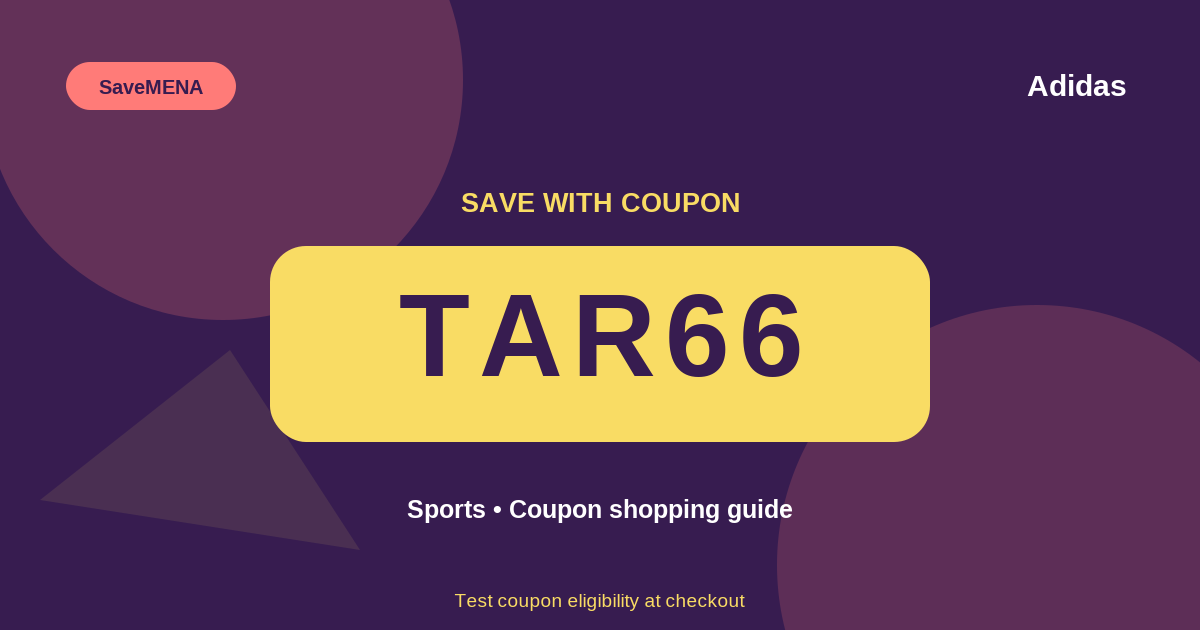
Codes available to try while comparing
These codes are not guaranteed for the article topic or listed brands; test them at checkout and use the live result.
1. Identifying the Right Adidas Sports Listing on Noon UAE
Start by searching for the specific Adidas sports item you’re after, using precise keywords such as “Adidas sports” or “Adidas running shoes”. Limit the filter to “Salvage,” “New,” or “Refurbished” based on your preference, then sort by “Price: Low to High” to view the lowest‑priced options first. Carefully read the product title to confirm it includes the correct style number, size, and any model-specific identifiers—these details are critical for ensuring the item meets your needs before you proceed.
Once a listing catches your eye, tap through the product page to examine the images, description, and specification table. Look for mentions of the exact material, cushioning technology, and any certifications that indicate authenticity. If the product claim states it is a genuine Adidas item, running a quick cross‑check against the official Adidas website can add confidence before you add it to your cart.
2. Checking Seller Eligibility and Ratings Before Adding to Cart
The selling profile is essential for judging reliability. Find the seller name displayed underneath the product title, then click to view the seller’s page. Here you’ll find the overall rating, number of orders completed, and repeat customer percentage. A rating close to 4.5 stars or higher indicates consistent customer satisfaction and reduces the risk of a problematic transaction.
Beyond the rating, verify whether the seller carries a “Seller Verified” or “Gold” badge. These badges, where available, signal that the seller has met Noon’s criteria for inventory quality and customer service. Confirm that the seller’s return policy aligns with your expectations before committing to purchase.
3. Verifying Product Condition and Authenticity Tags
In the product details area, scroll to the “Condition” label. A “New” tag assures you that the item has never been worn, which is particularly important for performance‑critical Adidas sports gear. If the condition reads “Used” or “Open Box,” read the accompanying description to understand the wear level and any included accessories.
Also check for an authenticity tag—some listings embed an “Adidas Authentic” logo or a reference to a collectible series number. These tags are not guaranteed proofs, but they give a strong hint that the product is genuine. Comparing such tags across sellers can help you avoid counterfeit goods.
4. Inspecting Shipping Options and Handling Fees
Before moving to checkout, review the “Delivery” section for available shipping methods. Noon often offers standard, express, and pickup options. Note the estimated delivery date and any additional delivery fees that may apply to specific routes or timeframes—this fee can affect the final total significantly.
Seek out any “Handling Fee” that applies to the product or the seller. Handling fees appear beside the price or in a separate line during the checkout step. Understanding these fees early helps you calculate the true cost of adding a particular item to your basket.
5. Comparing Final Price with Other Platforms
With the product details and seller information gathered, create a simple sheet listing the base price, shipping/delivery fee, and handling fee. Then, navigate to a competitor like Amazon.ae or eBay UAE, searching for the same Adidas model in the same size. Compare the total of price plus all applicable fees to gauge whether Noon offers the most competitive package.
Remember that coupons, return policies, and customer support differ across platforms. Even if Noon’s total is slightly higher, robust seller support or a better return window may justify the additional cost. Use the comparison to evaluate non‑price factors that impact your overall value.
6. Applying the TAR66 Code and Understanding Its Scope
When the “TAR66” coupon is in your cart, click on the coupon field to submit the code. Noon’s checkout will indicate whether the code is accepted and the level of discount it applies to. Pay close attention to the message above the total: it will show if the code applies to the product price, shipping, or both. This clue determines how the final total is adjusted.
Because Noon does not guarantee that the “TAR66” code applies, verify that the discount is reflected in the subtotal before completing the transaction. If the code appears ignored or causes an error, note that the final price will remain unchanged, and you may choose a different platform or be prepared to pay the full amount.
7. Calculating the Final Payable Total at Checkout
At the checkout screen, the interface lists a breakdown: product subtotal, shipping fees, handling fees, any coupon deduction, and the final payable amount. Cross‑check each line with the data you collected earlier to ensure no hidden charges. This step confirms that the amount you will actually be charged matches the composed figures.
Also watch for the “Tax” line, if applicable. Some services add local tax to the final total or may not. The final total in the checkout is the definitive number – no other entities can alter it. Capture the digital invoice or screen to verify your final total if you want a record for future reference.
8. Using Seller Review Signals to Decide on Post‑Purchase Support
After purchasing, the seller’s rating and review comments remain vital. A high rating combined with positive logistics feedback indicates reliable delivery and responsive problem handling. Access the “Buyer Satisfaction” section on Noon’s order page to see detailed ratings for delivery time, item condition, and communication.
Further review the “Return & Refund” status in the seller’s profile; sellers who offer a 30‑day return window and prompt refunds typically earn higher buyer satisfaction. These seller signals can be decisive if you encounter shipping delays or product defects, ensuring you have recourse that respects the final price agreement.
Related SaveMENA pages
Related articles
Official sources to check
Frequently asked questions
How can I confirm that my coupon will work before I pay?
The checkout page will display a confirmation message for “TAR66” if it applies. If the discount is not shown, the coupon has not been accepted for that transaction. You may need to retry or verify that there are no extra conditions like minimum spend or selected items.
What if the product is listed as “New” but I think it shows wear?
If the item’s condition claim conflicts with the photos or description, you can contact Noon’s customer service or leave a review. Sellers are encouraged to update the condition and provide accurate images, which helps future buyers trust the listing.
Are shipping fees the same on all stalls in Noon UAE?
Shipping fees can differ between sellers due to their location or fulfillment center. The specified fee in the product page’s “Delivery” section reflects the cost you will pay. Always double‑check before adding items to your cart.
Will the “TAR66” coupon affect the shipping fee?
Only if the coupon’s terms include shipping. The checkout will show whether the discount applies to the shipping charge. If it isn’t applied, the standard shipping fee will remain in your final total.