Calvin Klein Women’s Fashion on Noon UAE: review signals — final price comparison
Noon UAE final price Women’s Fashion Calvin Klein visible product and seller review signals: When you’re scrolling through Noon UAE for that Calvin Klein women's
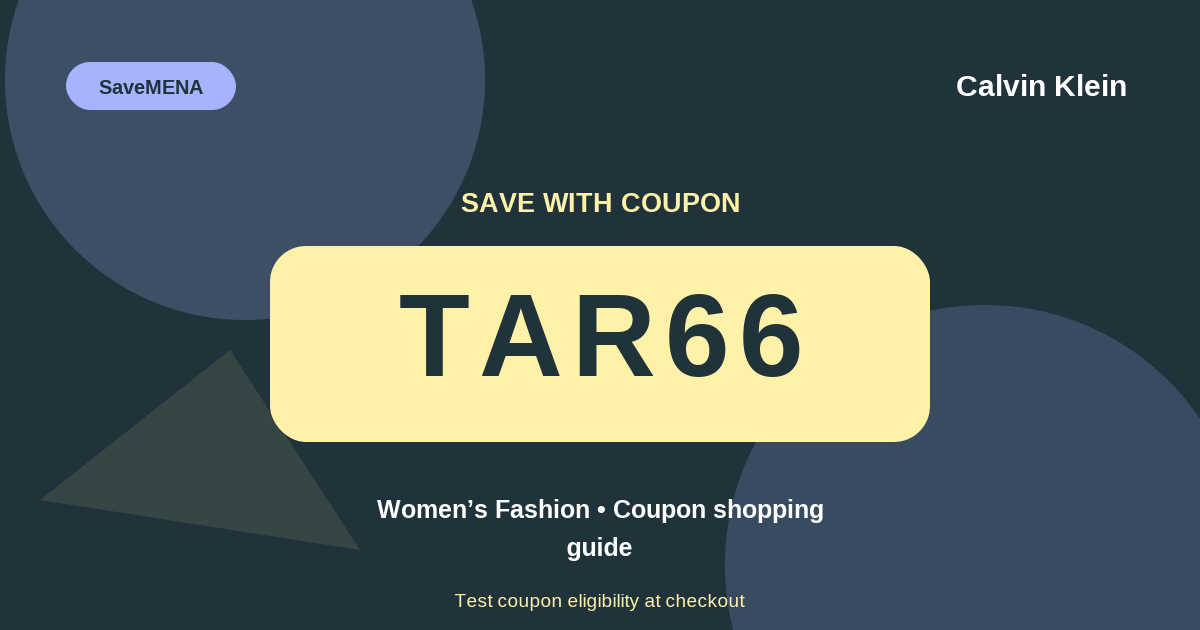
Codes available to try while comparing
These codes are not guaranteed for the article topic or listed brands; test them at checkout and use the live result.
1. Verify the Exact Calvin Klein Women’s Fashion Variant
Start by reading the full product title presented on Noon’s page. The title usually lists key attributes such as fabric, color, and model number – details that differentiate different Calvin Klein outfits. Inspect the photo gallery to confirm these attributes match your expectations. If you’re looking for a specific sleeve length or pattern, note that in your shortlist; this will prevent accidental purchases of off‑by‑one variants that could void a coupon’s applicability. Make sure the SKU or product code, if displayed, matches the seller’s listing to avoid confusion later on.
Another visual cue is the product’s “Fit” information. Noon often displays a brief guide indicating a model’s height and the item’s sizing range. Use this data to double‑check that the item will fit you before you calculate the final price. If the guide suggests a size smaller or larger than you usually wear, consider recalculating or searching for an alternative retailer. This step is essential because applying a coupon to a mis‑selected size may result in a rejected discount when you reach payment.
2. Examine Seller Ratings and Service Status
On the product page, Noon provides a seller profile section that lists the aggregate rating and the number of completed orders. A rating above four stars, coupled with a robust review count, signals consistent customer satisfaction. Additionally, look for the “Top Rated Seller” badge or “Noon Premium” labels; these visible cues suggest the seller complies with higher service standards, which can affect return policies and shipping times – both of which influence the overall cost when a coupon is used.
Do not rely solely on the star count; also scroll to the “Customer Reviews” tab where buyers share their experiences. Pay attention to comments about early delivery, accurate product descriptions, and seller responsiveness. If many reviews mention delayed shipping or inaccurate sizes, the discount from a coupon may be offset by additional refund or return costs. Therefore, choosing a seller with a solid reputation protects the final price you’ll pay after the coupon is applied at checkout.
3. Scrutinize Return Policy and Free Shipping Indicators
Visibility of return options is another critical factor in the final cost equation. Noon’s product listings often include a small “Returns” icon or a link to the seller’s return policy. Click it to confirm whether returns are free within a specific window. A free return policy can reduce hidden costs if the item does not fit or match expectations, especially after a discount has already been applied.
Free shipping is also displayed near the price. If the listing says “Free Delivery” for standard shipping, that fee is already deducted from the estimated total. Contrast listings with explicit delivery charges to understand how those fees trend upwards or downwards when a coupon is applied. Knowing the shipping cost in advance helps you accurately compare the cash value you actually save versus the coupon’s face value.
4. Detect Price History and “Previously” Discount Signals
Many Noon listings show a small text indicating a prior price – for instance, “Was AED 350”. Even if the exact figure is not presented, the page layout may feature a line of the form “Was”, “Original”, or similar. This visible price history informs you whether the current price is truly discounted from a baseline or if the coupon is the only price modifier. Tracking such history helps you gauge how much the coupon truly saves you after all other fees are added.
Look also for any temporary sale banners or exclusive deals that accompany the product. These banners are usually placed near the top of the product card and serve as a quick visual confirmation of existing promotions. If a banner says “Seasonal Sale – the discount shown at checkout Off”, that can be layered under your own coupon. Understanding these visible signals ensures you do not double‑apply a discount or assume a savings that isn’t available during checkout.
5. Calculate Final Price with Coupon at Checkout
When you add the item to your cart and proceed to checkout, Noon will recalculate the base price, add any delivery or payment fees, and then apply the coupon code if eligible. The “Final Total” box is the definitive place to see the amount you will actually pay. Make sure the “Coupon Applied” line reflects your code (TAR66) and check that the amount is shown in clear, separate fields to avoid misinterpretation.
Because the coupon may not automatically apply for some seller listings, read the note under the coupon field. If the system states “Does not apply to selected item” or “Requires minimum spend”, you need to adjust your cart or confirm a manual entry. After clicking apply, wait for the page to refresh; the final total should include the discount if valid. This step is crucial as it reveals the true payment you are committing to after all variables settle.
6. Account for Additional Fees Showcased Up‑Front
In the final price card, Noon typically lists separate lines for “Delivery”, “Payment fee”, and “Government tax”. These fees are visible before vous finalize your purchase. Verify that each fee is discrete and measured against the pre‑coupon total. If the “Delivery” fee changes upon applying the coupon, Noon will update the line items accordingly. This allows you to see how much each fee contributes to the final payable amount.
When you review the fee breakdown, look for flags like “Surge fee” or “Express delivery charge”. These can vary per day or per region; the visible meter indicates how the coupon might offset or not affect them. By checking these lines, you understand whether a coupon will deliver a net savings or simply reduce the product price while fees remain unchanged.
7. Leverage Noon’s Price Comparison Tools
Noon’s “Compare” feature, when available, lets you view multiple sellers for the same Calvin Klein product side‑by‑side. In the comparison table, each seller’s final price line will show the total amount after the application of their own coupon if any. Use this tool to see which listed seller offers the lowest final price once the TAR66 code is applied. Importantly, ensure you’re looking at the same style and size to maintain validity in the comparison.
While comparing, filter by “Seller Rating” and “Free Shipping” to reduce the chance of hidden costs later. Notice any seller that advertises “No Extra Fees” – these often have integrated shipping and payment fees into the displayed price. In that case, the final figure you see is the most reliable indicator for what you’ll actually pay.
8. Confirm and Commit to Purchase
Before confirming the purchase, review the “Review Your Order” page one last time. This page will mirror the final price card and should include all selected coupons, seller notes, and delivery options. Double‑check that the coupon code entered in the cart step is still listed and that the total reflects it accurately. If there are any warnings or mismatches, address them first, as they can override your intended savings.
Once satisfied, proceed to the payment method screen. If you’re using a debit card or bank transfer, ensure your payment gateway reflects the same final amount shown. After you complete payment, a receipt email will echo the final price, as confirmation. Store the receipt and the seller’s contact details in case you need to reference them for returns or future questions. This practice ensures your shopping experience remains transparent and you fully understand the cost you incurred after every visible signal and coupon application.
Related SaveMENA pages
Related articles
Official sources to check
Frequently asked questions
What if the TAR66 coupon doesn’t apply at checkout?
If the coupon doesn't automatically apply, check the listing’s eligibility requirements or reach out to Noon support for clarity. A coupon may be restricted to certain sellers or items, and the listing usually indicates such limitations in the coupon note.
Can I use TAR66 on both the product and shipping fees?
Coupons typically apply only to the product price. Shipping fees are generally added after coupon application. The final total will reflect whether the coupon offset product price while shipping remains unchanged.
How can I be sure the seller’s rating is trustworthy?
Review multiple customer comments, not just the star rating, and look for entries mentioning accurate product details or prompt shipping. Consistency across reviews often signals seller reliability.
Does the final price on Noon include taxes?
Yes, the final price shown at checkout incorporates all applicable taxes, fees, and any coupon discounts. Verify the breakdown to see each component clearly.