Philips Electronics on Noon UAE: seller context — final price comparison
Before stepping into Noon’s electronic aisles, UAE shoppers should know that the final price for Philips devices hinges on two factors: the seller’s listed price
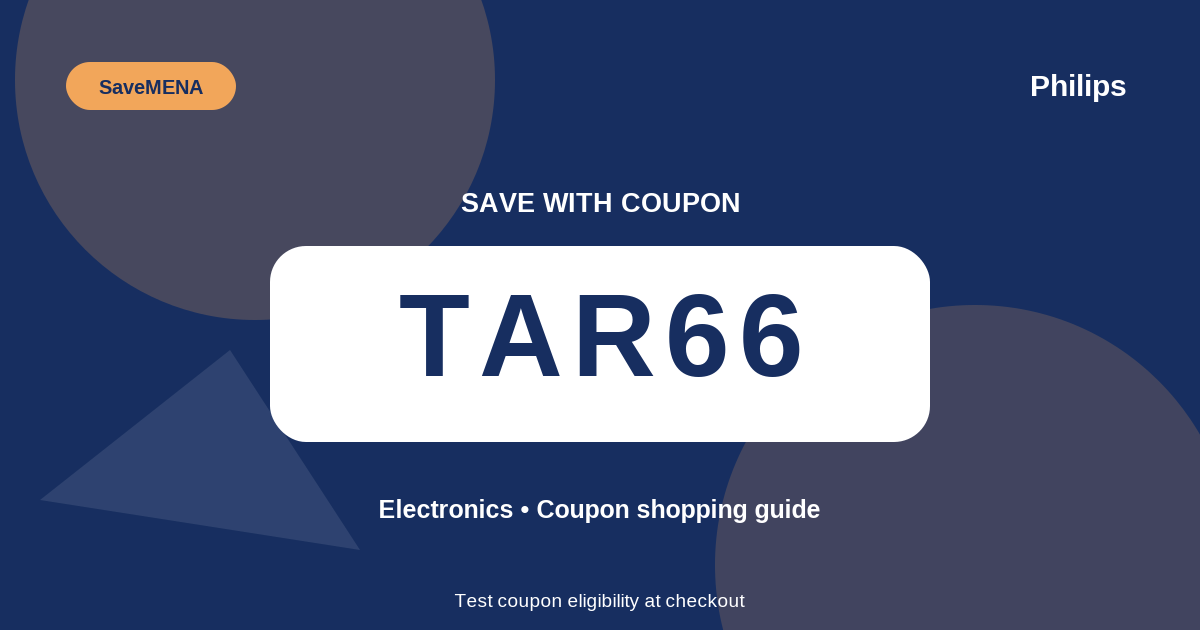
Codes available to try while comparing
These codes are not guaranteed for the article topic or listed brands; test them at checkout and use the live result.
Understanding Seller Dynamics on Noon for Philips Electronics
On Noon, Philips appliances typically appear from various sellers—some are official brand distributors while others are private vendors. Seller context matters because it influences not only price but also warranty handling, shipping speed, and return policies. When you open a Philips listing, note the seller’s rating, the number of completed orders, and any verified seller badges. A higher rating usually indicates reliable customer service, which is especially important for electronics that may require support post‑purchase.
Furthermore, sellers can set different prices for the same Philips variant. This variation sometimes results from promotional partnerships, local pricing strategies, or inventory availability. Before applying any discount, you should cross‑check the base price offered by each seller. Only after comparing these can you determine whether a coupon like TAR66 provides a meaningful advantage relative to the lowest base price you encounter.
Step 1: Identify Philips Products and Their Variants
Philips offers a broad spectrum of electronic goods—refrigerators, vacuum cleaners, tablets, and more. Each product may come in multiple configurations (size, color, storage, power). The variant list is commonly displayed beneath the product title. Carefully scrutinize the technical specifications and read the SKU labels, as these details influence seller pricing. For instance, a Philips vacuum with a HEPA filter plus an added dust bag may cost more than the base model, and this difference will affect how much you save after a coupon is applied.
When you have identified the exact variant, transfer its details (SKU, model number) to a comparison sheet. Keeping these specifics organized helps you later verify that the seller context you compare all refers to the same Philips product, preventing accidental purchases of an alternate, potentially non‑discounted version.
Step 2: Compare Base Prices Across Sellers
Navigate to the Philips variant page and locate the list of sellers offering that particular item. Noon typically shows the seller name, rating, and the price they charge for the product. Sort the list by price to see the lowest‑priced seller at the top. Note that some sellers may list slightly higher prices but compensate with lower shipping fees or better return terms. Document each seller’s price in a simple table for comparative purposes.
Remember that base price comparison is only the first layer of decision‑making. Even if Seller A offers the lowest listed price, Seller B might provide a superior warranty period or a more flexible return window. Therefore, the seller context must be weighed together with the price when determining which listing ultimately appears most advantageous in the final checkout calculation.
Step 3: Apply the TAR66 Coupon Before Checkout
With your curated list of sellers and their base prices in hand, add the Philips variant of interest to your cart. Proceed to the checkout summary screen, where you will find the coupon field. Enter TAR66 in the designated box, and press apply. Noon will process the coupon immediately, showing any reduction applied next to the product subtotal. If the coupon does not reduce the price, the screen will indicate that the code is not applicable or that the product is ineligible.
Because the coupon’s effect may be seller‑specific, it is essential to verify the discount against each seller’s base price. Insert the same cart contents with a different seller and repeat the coupon application. This step ensures you capture the exact savings that will reflect at the final payment stage, rather than relying on assumptions based solely on the product listing.
Step 4: Inspect the Final Price and Shipping Details
After the coupon is applied, the checkout screen should display an updated subtotal, any applicable tax, and the shipping fee. These components together determine your final payable amount. Crucially, sellers can set different shipping costs, and some may offer free delivery on certain orders or for specific zip codes in the UAE. Make sure to review the shipping fee for each seller before finalizing the purchase.
Once you have the final price—including courier charges—you can compare it against the earlier calculated totals from Step 3. The seller that presents the lowest complete cost, factoring in coupon savings and delivery charges, is the one that offers the best value. If two or more sellers end up with identical final amounts, consider other seller context factors such as return policy or customer support reliability.
Seller Reliability and After‑Sale Services
Beyond pricing metrics, the seller’s reliability shapes the overall buying experience. Check for seller‑specific return policies: some vendors allow a 15‑day return window, while others may require a longer period or impose restocking fees. For Philips electronics, warranty duration and support options are vital; a reputable seller often extends the manufacturer’s guaranteed coverage or offers expedited service.
Review any available feedback from prior buyers—comments mentioned in the seller’s profile can highlight consistent issues such as delayed shipments or problematic customer support. A seller with a high rating but negative comments about post‑purchase service might pose hidden risks that outweigh any initial price advantage. Balancing these insights ensures that the final decision is comprehensive, not solely price‑driven.
Decidability: When to Choose a Specific Seller
The final decision rests on comparing two key vectors: the absolute price after coupon application and the quality of seller context. If one seller offers the lowest final amount but has a lower rating or more restrictive return terms, the logical choice might shift toward a slightly pricier but more reliable vendor. Conversely, a high‑rated seller with a comparable final price often becomes the default recommendation.
During the checkout process, Noon automatically records the chosen seller and displays a confirmation panel. Here, double‑check that the displayed seller matches the one you deemed acceptable in your weighing process. This verification step prevents accidental purchases from a different vendor that posted a similar price but different service terms.
Compare alternatives without guessing
When you compare another option in philips, keep the specifications, quantity and seller as consistent as possible and compare the total shown at checkout. A different coupon does not automatically make a deal better because delivery, fees and the live basket context can change the outcome. Use the final payable total as the practical comparison point.
If the retailer shows a specific condition, rely on that visible message; if it does not, do not turn an assumption into a general rule. Test available options one at a time and note any real change in the total or eligibility message. That creates a verifiable shopping comparison instead of a recommendation built on an unsupported marketing claim.
Related SaveMENA pages
Related articles
Official sources to check
Frequently asked questions
How do I know if a Philips product on Noon is eligible for the TAR66 coupon?
Before adding the item to the cart, read the product description for any coupon eligibility notes. After adding to the cart, try applying TAR66 in the checkout; if not applicable, the system will display a message indicating the code cannot be used with that product. No numeric details are supplied, so always rely on the checkout confirmation.
Can I stack the TAR66 coupon with other promotions on Noon?
Noon’s policy permits only one coupon code per transaction. When you apply TAR66, any other promotional offers automatically deactivate. Verify at the coupon application step; once you press "Apply," the screen will confirm that the coupon is active and no other code can be entered.
Which seller metrics should I prioritize when comparing Philips electronics?
Start with the seller’s overall rating and the number of completed orders to gauge reliability. Next, look at return policy terms and warranty extensions. If a seller offers free shipping, factor that into the final cost. These metrics combined give a full picture of both price and after‑sale support.
What happens if I enter the TAR66 coupon but the coupon is invalid for a specific seller?
During checkout, once you press “Apply,” Noon verifies the coupon against the selected seller’s eligibility. If the code is not valid, the system will revert the discount to the base price and display an error message. No financial transaction occurs until the coupon is successfully applied.