Logitech Gaming on Noon UAE: seller context — final price comparison
To determine how much you actually pay for a Logitech gaming product on Noon UAE after using a coupon, you must compare the final price that appears during checkout
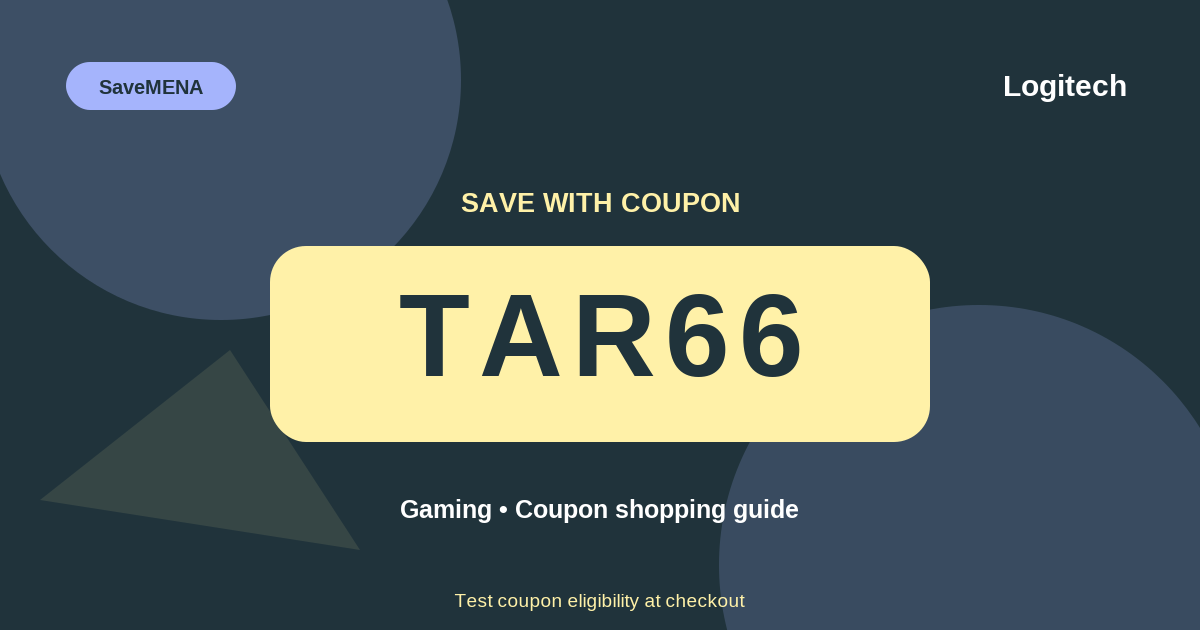
Codes available to try while comparing
These codes are not guaranteed for the article topic or listed brands; test them at checkout and use the live result.
Choosing the Right Logitech Gaming Item on Noon UAE
Begin by narrowing down your Logitech gaming purchase on Noon UAE to the exact variant—model, colour, and any extra accessories you might need. For example, a Logitech G502 HERO gaming mouse or a G Pro Wireless headset. Once the item page is loaded, note the base price shown, any listed promotional badges, and the seller’s rating indicator. Accurate comprehension of the product specifications and seller reputation sets a reliable baseline before any coupon is applied. Remember, the sticker price you see on the product page is the starting point for your comparison.
After confirming the model, double‑check for firmware or bundle options that could affect the final cost. Many Logitech items have optional upgrades, such as extra lighting kits or cable replacements. Ensure that the chosen configuration is what you intend to purchase, as different variations may have distinct seller listings and return policies. Clear product identification helps avoid later confusion when comparing the final price against the coupon-augmented amount during checkout.
Understanding Seller Information for Fair Comparisons
Noon UAE features multiple sellers for a single Logitech product. Each seller may present varying shipping fees, return windows, and customer support protocols. In the product listing, locate the seller name, and review the displayed rating and the number of orders completed. A high‑rating seller with many completed sales often signals reliable fulfillment. Understanding these nuances is essential; they directly influence the final price as you reach checkout.
Before you add the item to the cart, confirm that the seller offers the delivery location you require. Check the available shipping methods—standard, expedited, or free shipping promotions. These options will appear under the “delivery info” section once the product is in your cart. The final cost will conflate item price, selected shipping, and any applicable taxes, so getting a clear seller profile early on simplifies the later price‑comparison process.
Applying the TAR66 Coupon: Step‑by‑Step Guidance
When you have chosen the Logitech item and verified the seller, proceed to the cart to test if the TAR66 coupon is applicable. Click the coupon field, enter the code, and confirm. Noon UAE will process the code instantly, showing any movement in the total. If the form rejects the coupon, double‑check that you have selected the correct product category and that the coupon’s eligibility criteria are met. No discount guarantee is made, so if the code does not apply, continue with the original price.
If the code is accepted, observe the line items that change. Usually the discount appears as a subtraction in the price breakdown. The displayed amount may vary depending on the seller’s pricing structure, but the value will be clearly indicated before checkout. This step is critical because it allows you to capture the adjusted item cost, which will then be combined with shipping for an accurate final price snapshot.
Calculating Final Price: From Sticker to Checkout
Once the coupon has been applied, add the Logitech product to the cart and review the order summary. The interface splits the purchase price, shipping fee, and any taxes. Each row will refresh once the coupon is in place, updating the subtotal accordingly. Compare this subtotal with the original list price B including any shipping. The effective discount is the difference between the two, but avoid relying on guessed percentages; simply note the numeric adjustment shown.
Proceed to the payment section where the final payable amount is confirmed. It is here that Noon UAE displays the concluding total that will be charged to your card or digital wallet. Double‑check that the applied coupon still appears and that the final total matches the earlier breakdown. The final price at checkout is the authoritative figure for any subsequent comparison or decision.
Factors Influencing the Final Amount Beyond the Coupon
Even after the TAR66 discount, various other factors can sway the final amount. Shipping costs might differ if you opt for a faster delivery mode or if the seller has a fulfilment location closer to you. Taxes, which are calculated after the coupon, can also affect the final bill. In addition, any loyalty or membership benefits you carry may automatically adjust the total. These elements are independent of the coupon, yet integral to the final price you pay.
Seller‑specific offers such as “free return” or “extended warranty” bundles may appear in the cart and influence the overall cost. Some sellers enable optional add‑ons which can increase the bill without affecting your coupon amount. By reviewing the cart preview and ensuring no unintended add‑ons are selected, you can prevent unexpected price jumps before the final confirmation.
Avoiding Common Pitfalls in Seller Selection
Seller regarding quality, shipping speed, and after‑sale service can vary significantly. When you see a lower advertised base price from a less‑known seller, confirm that the seller’s rating is satisfactory and that they have a balanced return policy. A lower price might not reflect total affordability if shipping fees or slow delivery raise the final cost. Avoid sellers with minimal order history unless you’re comfortable with the risk.
Another frequent snag arises when the coupon applies only to certain sellers or exclusive deals. If the TAR66 code is not accepted, double‑check whether it is limited to premium sellers or applicable only to specific product variations. You may also wish to compare two or three sellers for the same Logitech item to see which offers the most favorable total including shipping and ancillary fees. Always rely on the checkout final figure rather than the many advertised discounts.
Tips for Using SaveMENA to Track Optimal Deals
SaveMENA, though independent from Noon UAE, aggregates product listings across multiple sellers to aid in price scouting. By inputting the Logitech product name and selecting gaming as your niche, the platform surfaces comparable options and highlights any known coupons. Use the filter to limit results to verified sellers, ensuring that seller context remains your focal lens. Though SaveMENA doesn't calculate final totals, it provides a reference point for base prices and seller ratings.
Keep a spreadsheet or a simple note of the seller ratings, shipping estimates, and coupon eligibility if a product appears in both SaveMENA and Noon UAE. This dual‑source approach lets you compare the final price from checkout with earlier estimates, verifying if your chosen seller delivers the best value. SaveMENA’s alert feature can also notify you when a product’s price drops, allowing you to pre‑emptively test coupon application before checkout.
Making the Decision: A Seller‑Centric Evaluation
After gathering all data—original price, coupon impact, shipping costs, and seller credentials—synthesize the information to decide whether purchasing occurs. Focus on the seller who offers the most consolidated final price after the TAR66 code applies, alongside dependable shipping and a solid return policy. Keep seller context central to your analysis; a seemingly cheaper price may only be attractive if the seller is reputable. A rational choice balances cost with service quality for a lasting gaming experience.
When you confirm the final amount on checkout, note the total in your records, especially if you later experience changes in pricing or delivery status. If the final price aligns with your expectations, submit the order; if not, revisit the seller selection or search for alternative vendors. This methodical approach ensures that the final price reflects not just the discount but the entire cost of ownership in your gaming purchase.
Related SaveMENA pages
Related articles
Official sources to check
Frequently asked questions
Where can I verify if the TAR66 coupon works for my Logitech item?
Enter the code in the coupon field on the cart page before proceeding to payment. If the coupon is valid, the summary will update with the adjusted price and a confirmation line indicating the discount applied.
Can I combine the TAR66 coupon with other promotions?
Noon UAE typically allows only one coupon per order. If the TAR66 code is accepted, any other promotional offer will be replaced or overridden. Confirm during checkout if other offers are still in effect.
How do shipping fees influence the final price after applying a coupon?
Shipping costs are added after the coupon adjustment. They appear as a separate line item on the checkout page. The final total reflects both the discounted product price and the shipping fee.
What if the seller’s rating is low but the price is very cheap?
We recommend reviewing seller ratings and recent customer reviews before deciding. A low rating may indicate reliability issues that could offset a lower price in the long run, especially for high‑value gaming gear.