Anker Headphones on Noon UAE: seller context — final price comparison
If you're wondering how to compare the final price after applying the TAR66 coupon when shopping for headphones on Noon UAE, this article will walk you through
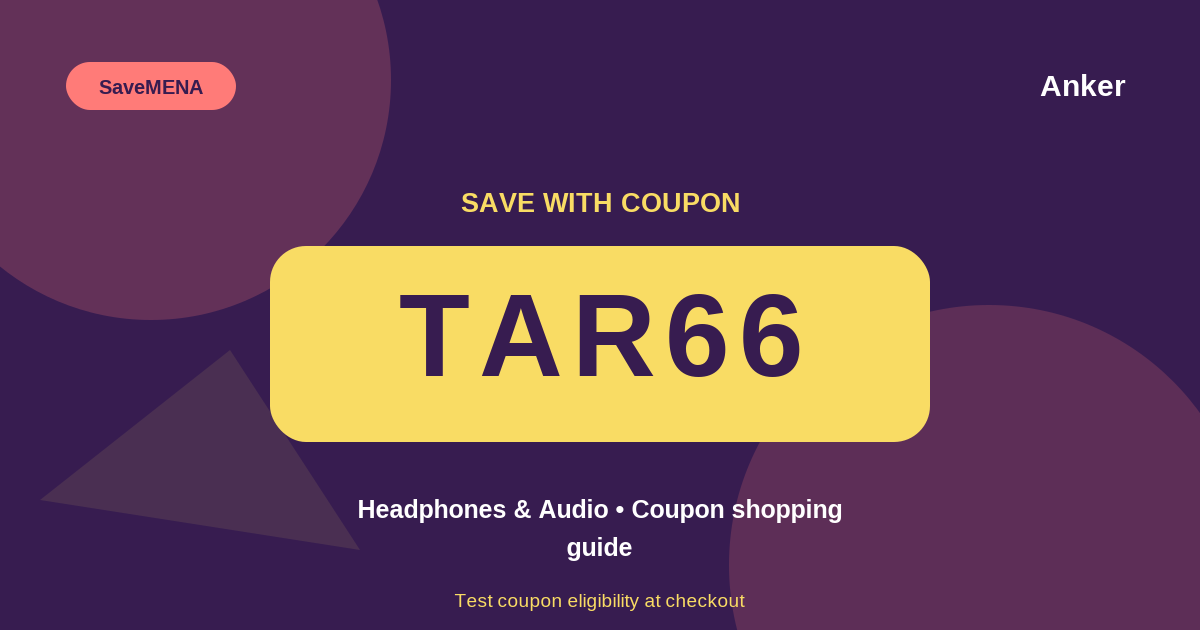
Codes available to try while comparing
These codes are not guaranteed for the article topic or listed brands; test them at checkout and use the live result.
Title
Paragraph1
Paragraph2
Understanding the Final Price Landscape on Noon UAE for Headphones
When you search for headphones on Noon UAE, the price tag you first see on the product page reflects the seller’s quoted cost, adjusted for any ongoing promotions or bundle offers. However, this “list price” is merely a starting point. The real cost is only revealed once you add the product to your cart and view the pre‑checkout screen, where tax, potential delivery fees and platform fees appear.A coupon is not guaranteed; verify its result at the retailer checkout.
Seller context further shapes that number. Noon allows multiple independent retailers to list the same Anker headphone model, each with distinct ratings, return policies, and shipping speeds. Therefore, when you compare final prices, you should consider not only the numeric value but also whether the listed seller has a strong reputation, a proven track record of authentic product shipment, and clear proof of warranty transfer. These factors often decide whether a thin margin actually reflects a trustworthy purchase.
How Coupon Code TAR66 Can Affect Your Checkout
The TAR66 code is one of the few available coupons that can be entered during Noel’s checkout process to reduce the payable amount. To see if it applies, place the desired headphone in your cart, proceed to checkout, and then input the code in the designated field. The platform will do an automatic recalculation of the subtotal, reflecting any discount the coupon provides. It is important to remember that the application of this coupon depends on Noon’s current promotion catalog; if the coupon isn’t currently active, the system will display a message and the final price will remain unchanged.
Once the coupon is applied, you should then review the “Summary” section again. Noon’s system will list the discounted subtotal, any applicable tax, a delivery fee, and the final total you need to pay. This is the precise figure you’ll later see on your payment confirmation email. Do not rely on the product page’s original price; always verify that each element, especially the coupon effect, is actually reflected in the terminal total.
Seller Assessment: What to Look For When Buying Anker Headphones
A higher seller rating on Noon is often a reliable indicator that the merchant dispenses genuine Anker products and honors warranties. In the UAE market, several niche sellers specialize exclusively in audio gear, and many of them boast 5‑star reviews across thousands of transactions. When you find an Anker headphone in the hopes of a good deal, preference should be given to a seller who lists detailed shipping timelines, offers express delivery options, and provides a clear return‑policy statement. Checking for a verified seller badge can also reduce the risk of counterfeit or refurbished items slipping through.
During the cart‐checkout phase, Noon gives you the opportunity to view additional seller information in the “Seller” tab beneath the product details. Here you can confirm that the chosen seller remains the same even after a coupon is applied. If the seller changes – a rare but possible technical quirk – you should redo the purchase with the original seller. This ensures that the warranty terms you expect from an Anker headphone remain valid.
Step‑By‑Step: Comparing Pre‑ and Post‑Coupon Prices
Begin by adding your chosen Anker headphone to the cart. At the cart page, record the “Subtotal” value presented before any discount. Next, clear any promotional pop‑ups and proceed to the “Checkout” screen. There you’ll see the same product listed again, but with a new window to enter coupon codes. Input TAR66 and hit “Apply”. Immediately review the new “Subtotal” and note any decrease – this represents the coupon’s effect.
After the discount is applied, scroll to the bottom of your final bill. This area lists all charges: the reduced subtotal, local VAT, and a fixed delivery fee if you’re not eligible for free shipping. Add these numbers together to generate the “Total Payable”. This final figure must match the one displayed on your payment confirmation stamp. If the total remains unchanged, the coupon was not accepted, and you should either attempt the code again or proceed without it.
Handling Delivery, Fees, and Payment Options Safely
Noon’s platform standardises a single delivery fee for most UAE locations, but certain sellers may offer a discounted or free shipping promotion. Once the TAR66 coupon has been applied, the resulting “Delivery Fee” appears on the same “Summary” page. Verify that the fee aligns with your chosen shipping speed, which is often selectable at checkout. If an unexpected high fee shows up, it could be due to the seller’s standard rate or a potential shipping constraint on the specific product model.
When you proceed to payment, Noon offers a variety of methods: credit or debit cards, in‑store payment options, and digital wallets. It’s advisable to use a payment method that preserves your track record with the seller, as refunds or claims can be linked to the original payment source.A coupon is not guaranteed; verify its result at the retailer checkout.
The Importance of Checking Return Policies and Authenticity
Because headphone retail on Noon involves multiple independent vendors, not all sellers provide identical warranties for Anker products. On the product page, the “Warranty” section may state “2 years” or “1 year”, but this is often seller‑dependent. Before finalising your purchase, scroll down to the seller’s dedicated ‘Return Policy’ link, which clarifies whether return windows are 30 or 60 days, and if a restocking fee applies. Confirming these details upfront prevents surprises after delivery.
Authenticity can also be verified by inspecting the packaging details displayed in the product gallery. Reputable sellers will feature an official Anker box, a product serial number, and a QR‑code that links to the manufacturer’s certification. These images are usually embedded in the seller’s media carousel and are part of the seller context you should check before applying the coupon. This practice safeguards you against counterfeit items that might otherwise be discounted by the coupon but lack genuine warranty support.
Timing Your Purchase: When Sales and Stock Variations Matter
Headphone demand surges during certain UAE retail events – for instance, the “E‑Biz” period or the monthly “Holiday Bazar”. These occasions frequently trigger sizeable boost to stock levels, allowing sellers to introduce new Anker models at reduced prices. Checking the “Review‑by‑Date” or “Last Updated” field on the product listing can give you clues about how fresh a sale update is. Although applying TAR66 might still cut down the price, some sellers reserve the discount for older inventory only, making timing essential.
The stock indicator on Noon’s product page is occasionally showcased under a “Available” tag, and sellers with large inventories often mark stocks as “High” or “Low”. If the item is low on stock, you may face a mandatory shipping fee increase or a delayed delivery. In such cases, even with the coupon applied, the final price could swell due to service‑force fees, so reviewing the stock level before checkout is prudent.
Related SaveMENA pages
Related articles
Official sources to check
Frequently asked questions
How do I enter the TAR66 coupon on Noon?
Navigate to the cart page, click “Proceed to checkout,” and locate the “Enter coupon code” field. Type TAR66, then hit “Apply.” Noon will automatically recalculate the subtotal if the coupon is active.
Will the coupon value change the delivery fee?
Noon does not typically adjust delivery charges when a coupon is applied. The delivery fee is calculated based on shipping speed and seller policy, and it is added to the discounted subtotal before determining the final amount.
Is the final price shown before checkout final?
The price displayed on the cart page is preliminary; only the checkout summary, which includes taxes, fees, and any applied coupon, reflects the exact amount you will pay. Verification at checkout is essential.
What if the coupon does not apply?
If the TAR66 coupon fails to activate, double‑check the code spelling and its validity window. Should it still refuse, you can proceed without the discount or contact Noon support for clarification. The original final price remains the amount charged.