Dell Office on Noon UAE: seller context — final price comparison · TAR64
If you’re looking to compare the final price after applying a coupon for a Dell office laptop on Noon UAE, this guide tells you exactly what to check.
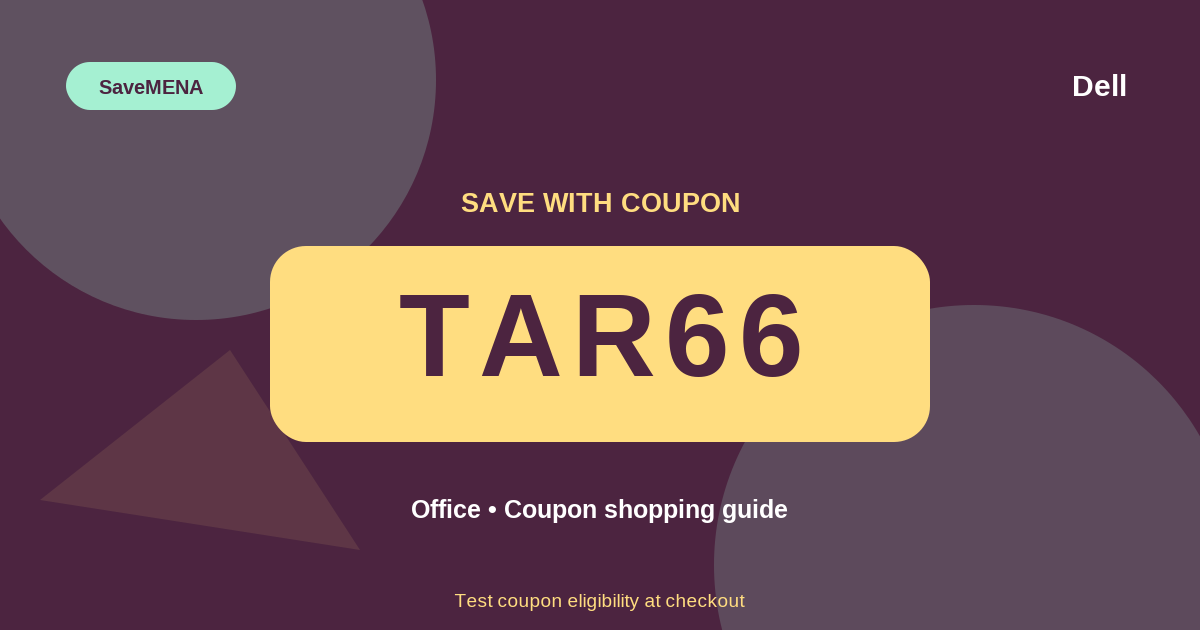
Codes available to try while comparing
These codes are not guaranteed for the article topic or listed brands; test them at checkout and use the live result.
Determining Your Office Needs with Dell on Noon UAE
The first decision before chasing a discount is to match the right Dell model to your office workload. A basic document‑centric worker might only need a modest processor and modest RAM, whereas a graphic designer or data analyst requires a faster CPU, larger memory, and dedicated graphics. When browsing Noon UAE, filter by “Office” to see Dell laptops dedicated to productivity, and compare features like screen size, battery life, and connectivity options. By establishing a baseline of what your office really needs, you avoid impulsively buying a higher‑end model that offers a discount but exceeds your requirements.
Once you’ve identified the model that fits your workflow, turn your attention to the seller’s reputation on Noon. A vendor’s rating, number of completed orders, and customer feedback give a reliable indicator of product authenticity and after‑sales service. This seller context will be critical when you later compare final prices because it can affect your risk tolerance and the expected value of any discount you apply. Reaching this early decision point prepares you to evaluate subsequent price offers more objectively.
Sellers of Dell Office Products: What to Look For
On Noon UAE, multiple sellers list the same Dell models. To make an informed final‑price comparison, examine each seller’s profile for verified status, the length of their business, and the volume of sales they have completed. A seller with a long, consistent track record often has better access to manufacturer funding and may offer alternative savings that are not visible on the product page. Take note of any personalized seller ratings, as these reflect customer satisfaction with delivery, packaging, and responsiveness.
Don’t overlook the return policies or warranty provisions that each seller offers. Some official Dell partners provide extended warranties or on‑site support, which may justify a slightly higher upfront price. If the seller offers a generous return window, this can reduce the perceived risk of a final‑price dip that may or may not be applied. Mapping these factors creates a numbered list of trusted sellers you can consult when you load the product page and overflow with the coupon code.
Navigating Noon UAE's Price Structure: How Final Prices Are Calculated
Noon UAE employs a complex algorithm that integrates base cost, seller markups, and applicable promotions. The “Noon UAE final price Office Dell seller context” reflects the sum of these components after the coupon is applied and any store‑wide offers are accounted for. Because the platform processes discounts on the fly, the interim price you see while browsing may differ from the final amount displayed during checkout. Therefore, verifying the final price once you reach the cart remains essential.
When you add a Dell laptop to the cart, a dynamic price window calculates the final cost in real time. This stage also includes any additional fees such as delivery or currency conversion, which can vary between sellers. The final price is the conclusive figure that will be charged when you confirm your order. Whether you’re comparing multiple Dell models or sellers, this checkout step is the definitive checkpoint for validating the effectiveness of your coupon and final savings.
Applying the TAR64 Coupon: Step‑by‑Step
To test the TAR64 coupon on a Dell office listing, simply type the code into the promotional code field that appears in your cart summary before you proceed to payment. The system will refresh your final total and indicate if the coupon has been accepted or declined. If the coupon is applied, the discount will adjust the base price immediately; otherwise, the cart will continue to display the standard amount.
Remember that the coupon availability is a trial offering; it does not guarantee a reduction for every eligible item. Some sellers might restrict this code to certain categories or outlet stores. If the coupon isn’t accepted, you still have the option to shop through another seller listed for the same Dell model.A coupon is not guaranteed; verify its result at the retailer checkout.
Checking Your Final Price at Checkout: Ensuring Accuracy
Once the cart reflects any coupon impact, proceed to the checkout page for a final review. This screen displays the complete billing breakdown: product price, applied coupon discount, delivery charge (if any), taxes, and the total payable amount. It is the definitive reference for “Noon UAE final price Office Dell seller context.” If any inconsistency arises—such as a missing discount or an unexpected fee—contact Noon’s customer support or consult the seller’s messaging platform for clarification before confirming your payment.
Confirm that your chosen payment method is accepted, and ensure you’re reviewing the final amount before clicking the payment button. Noon’s system calculates real‑time amounts; any administrative updates or late‑day promotions may shift the final sum. Double‑checking during checkout eliminates surprises after the order is placed, guaranteeing that the conditions you accepted at that stage match what the seller will ship.
Comparing Final Prices Across Dell Office Models on Noon UAE
With multiple Dell office laptops available, use the final price as the central comparison metric. Once you’ve applied the TAR64 coupon (or any other promotional code) and reviewed your cart for each model, create a simple comparison list that includes the seller name, final total, shipping fee, and warranty terms. This organized approach ensures you’re not just comparing surface prices but the whole purchasing equation.
Weigh the final price against the hardware specifications relevant to your workflow. A slightly higher final figure may be worth the upgrade if it delivers significant performance gains. Conversely, a lower price from a less reliable seller could expose you to risk. By balancing final price with seller context, you can make a quantified decision that aligns with both your budget and quality expectations.
Bonus Tips: Extending Warranty, Customer Support, and Return Policies
Beyond the direct price comparison, check whether sellers on Noon UAE offer extended warranty plans or priority customer support. Official Dell partners frequently provide service contracts that can add value over time, even if the upfront cost is marginally higher. Even a small premium may be worthwhile when you factor in potential repair costs and downtime for critical office work.
Similarly, review each seller’s return policy. If the policy allows a longer return window for Dell laptops, you can afford a slightly higher final price with peace of mind. Returns that require a shipped inspection or a return label can considerably reduce the burden on the buyer. Ensure that the return conditions are clearly listed in the product details or seller profile before you finalize your purchase.
When to Pause: Evaluating Final Prices Before Finalizing the Purchase
Waiting for final confirmation, especially after applying a coupon, is a habit that pays dividends. By pausing at the checkout screen, you give yourself the option to switch sellers or to revisit the product page if the final price is outside your budget. During this pause, store the current price snapshot and the applied coupon code for future reference.
If you notice that the final amount no longer reflects the coupon or that new fees have appeared, revisit the seller’s offer or consider an alternate Dell model. Use Noon UAE’s “Compare” feature to visually stack final prices side‑by‑side. This pause not only protects you from last‑minute price swings but also keeps the “Noon UAE final price Office Dell seller context” truly transparent throughout the transaction.
Related SaveMENA pages
Related articles
Official sources to check
Frequently asked questions
What steps should I take if the TAR64 coupon doesn’t apply to my Dell laptop?
First, double‑check that you entered the code correctly and that it hasn’t expired. If it still fails, look for alternate sellers offering the same Dell model, or consider testing a different promotional code if available.
Can I rely on Noon UAE to provide an accurate final price for my Dell office laptop?
Noon UAE calculates the final price at checkout, reflecting all applicable fees, taxes, and any applied coupons. The amount shown after you confirm payment is the final charge.
Is it safer to buy from a seller with a high rating versus a lower‑rated seller?
Higher‑rated sellers often provide better customer support, reliable delivery, and clearer return policies, reducing risk. Low‑rated sellers may offer lower final prices but could increase the chance of post‑purchase issues.
Does Noon UAE guarantee that the final price will match what I see in the cart?
In most cases, yes.A coupon is not guaranteed; verify its result at the retailer checkout.