Apple Tablets on Noon UAE: seller context — final price comparison
To compare the final price after a coupon, you need to follow a clear process that starts at product listing and ends at checkout.
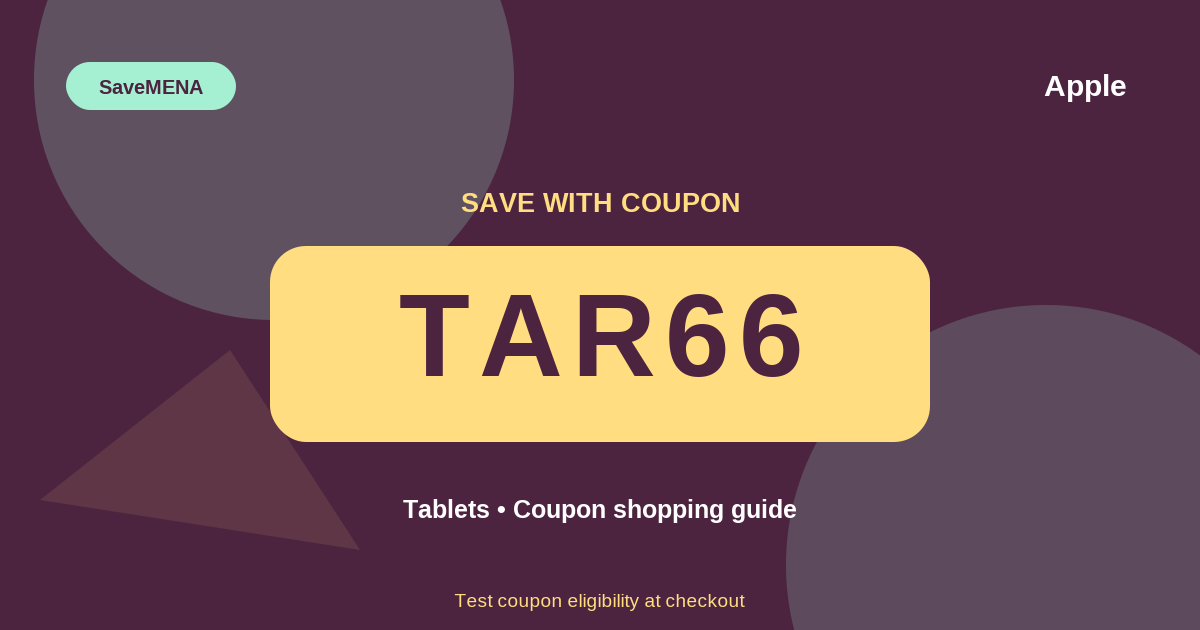
Codes available to try while comparing
These codes are not guaranteed for the article topic or listed brands; test them at checkout and use the live result.
1. Understanding the Noon Pricing Structure
When browsing Apple tablets on Noon UAE, each product page lists a base price that reflects the manufacturer’s retail cost plus local taxes. This base price is the same regardless of the seller listed, but the final payable amount may differ due to shipping fees, handling charges, or promotional codes applied at checkout. It is crucial to recognize that the base price is the starting point from which all other adjustments are made. By understanding this structure, you can predict how a coupon or seller‑specific fee will influence the total.
Visibility of the base price is positioned prominently next to the “Add to Cart” button, giving shoppers immediate insight into the product’s price before they decide to proceed. The displayed amount is consistent across all variations of the tablet, such as storage capacity or color, unless a product is re‑listed with a different price tag. This uniformity simplifies comparisons across sellers because the initial cost remains constant while the downstream variables can be examined individually.
2. Identifying Sellers in the Tablet Category
On Noon UAE’s Apple tablet listings, each seller is named clearly beside the product title. Sellers can range from official retail partners to authorized resellers that offer additional warranty packages or bundled accessories. The seller name is linked to a profile page containing limited public information, such as the seller’s rating, total sales, and certification status. By clicking the seller link, you can evaluate their reputation within the platform’s marketplace ecosystem.
When comparing offers, note that the same tablet model can appear under multiple sellers, each potentially carrying different shipping terms and return policies. The seller’s context becomes vital when selecting a purchase that aligns with your priority—whether it is a lower shipping fee, a faster delivery window, or a seller known for prompt customer support. Understanding who you will be transacting with frames the subsequent pricing decisions.
3. The Role of Coupons in Final Price Calculation
A coupon on Noon UAE, such as TAR66, can modify the amount you pay but does not alter how the base price or seller‑specific fees are presented initially. When you enter a coupon at checkout, a new line appears summarizing the adjustment, whether it is a direct reduction or a conditional benefit. The platform calculates the adjusted total automatically before shipping and tax are added.
Because the coupon code is applied during the payment phase, it is essential to remember that the final number you see is the result of that algorithm. The checkout page is the only place where the coupon’s effect is finalized, making it the definitive reference for the actual amount that will appear on your invoice and in your bank statement. Cookies or local storage do not preserve coupon changes once the session ends.
4. Applying the TAR66 Coupon: Step‑by‑Step
To apply TAR66 to your Apple tablet, add the item to your cart and navigate to the cart overview. Within the cart, locate the “Enter Coupon” field. Type the code exactly as shown, including any capital letters or numbers, and press the apply button. The platform will validate the code and display any available adjustment.
After pressing apply, the cart’s total will update beneath the original subtotal. The details of how the coupon was applied—be it a flat amount, a percentage, or a conditional threshold—are not disclosed until the final checkout screen. If the coupon is not recognized, the system will revert to the previous amount and notify you. Once the adjustment is confirmed, proceed to the next step to verify the seller context.
5. Navigating the Seller Context on Noon
Seller context refers to the specifics that differentiate one vendor from another within the same product category. Once you reach the checkout page, you should verify the seller’s name next to the item details. This confirmation ensures that you remain informed about which vendor will handle shipment, warranty, and support for your purchase.
On Noon UAE, the seller information is displayed under the product description and again on a separate line in the receipt preview. Checking this line is critical, as it confirms the vendor’s identity before the final payment is processed. If the seller changes unexpectedly—an event that can occasionally happen due to platform optimizations—you have the chance to amend or remove the item before completing your order.
6. Comparing Prices Across Different Sellers
When Apple tablets are listed by multiple sellers, each entry displays the same base price but may differ in shipping charges and whether they have a current promotion or coupon eligibility. You can use Noon’s filter function to narrow the list by seller ratings or by additional features such as “Quick Delivery” or “Extended Warranty.” This separation allows you to compare true costs that reflect your product of choice.
Combine the listed information with the expected coupon impact by mentally noting the potential discount shown during the apply‑code step. While it is impossible to know the exact post‑coupon amount without cart interaction, the relative differences between sellers give a clear indicator of which seller will yield a better net price. Always reconfirm on the final checkout screen, where the true payment number is confirmed before you confirm your transaction.
7. Final Price Verification at Checkout
At the final checkout screen, Noon UAE presents a consolidated breakdown that merges the base price, shipping fee, tax, and coupon adjustment. Excluding any potential narrative about card or payment fees, this breakdown is the definitive indicator of the amount that will be charged to your chosen payment method. The “Final Payable Total” line is prominently displayed for clarity.
Before confirming payment, pause to verify that the seller name matches the one you selected earlier. Confirming that the seller context is intact ensures that the product will be shipped from the correct vendor. When all elements align—base price, shipping, tax, coupon, and seller—proceed to submit your order. At this point, the checkout is the last checkpoint before the transaction is recorded in your account history.
8. Tips for Saving on Apple Tablets
While Noon UAE’s platform does not automatically reveal the coupon’s full impact until checkout, you can anticipate savings by reviewing any “Promo” badges or “Deal of the Day” tags displayed beside product listings. These indicators often suggest that a coupon may yield an additional benefit, but the only way to be sure is to apply the code during the cart review stage.
Additional methods for achieving lower net costs include leveraging free shipping thresholds that some sellers offer, opting for a seller with a history of prompt delivery, and ensuring you are logged into your Noon account—sometimes account status can influence eligibility for certain coupons. Verify every variable—price, shipping, seller, and coupon—at checkout to capture the real final payment.
Related SaveMENA pages
Related articles
Official sources to check
Frequently asked questions
How does the TAR66 coupon affect the final price on Noon UAE?
The coupon is applied during checkout and immediately changes the subtotal displayed. Its exact impact—whether it reduces the amount by a fixed rating or a percentage—becomes visible only in the final checkout summary, which is the definitive reference for how much you will actually pay.
Can I change the seller after I’ve added an Apple tablet to my cart?
Yes, you can switch sellers by removing the current item and selecting another listing by a different vendor. Make sure to review the seller details and shipping terms again before applying any coupon and proceeding to checkout.
Will the seller’s rating influence the final price or shipping cost?
A seller’s rating informs you of past customer satisfaction but does not directly alter the calculated base price. Shipping fees and return policies are set independently by each seller, so it’s important to compare those costs as part of your final decision.
Is it necessary to be logged in to apply the TAR66 coupon on Noon UAE?
Coupon codes can typically be entered even when you are not logged in, but being logged into your Noon account ensures that any personalized offers, savings, or loyalty rewards are fully incorporated into the final checkout calculation.