Philips TVs on Noon UAE: seller context — final price comparison
If you’re wondering how to confirm the final price of a Philips TV on Noon UAE, especially after applying the TAR66 coupon, this guide is designed for you.
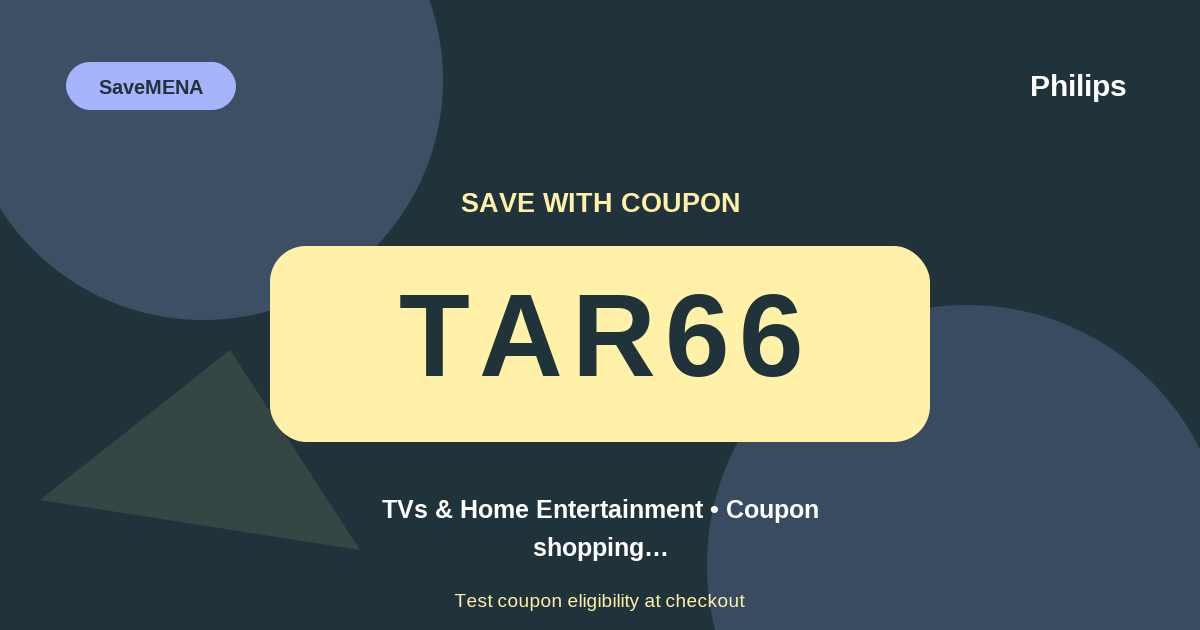
Codes available to try while comparing
These codes are not guaranteed for the article topic or listed brands; test them at checkout and use the live result.
Understanding Noon UAE Final Prices for Philips TVs
Noon UAE displays a retail price that is the starting point for any Philips TV purchased on its platform. The listed amount usually includes standard VAT but may leave room for additional seller‑specified charges. At this stage, it is crucial to note that the final payable amount you will see after checking out may differ because of discounts, coupons, or delivery fees. This can be especially true when a coupon like TAR66 is considered, even though the exact savings are not guaranteed until checkout.
To truly gauge the true cost, you need to verify the “final price” that appears in the shopping cart once you have added the Philips TV to your list. This figure reflects the base price, any applicable tax, and the current delivery fee structure. Always double‑check that the cart’s “final price” matches the advertised price before proceeding, as this will serve as the baseline for any coupon application or further price adjustments later in the process.
Checking the Seller’s Credibility
A reliable seller on Noon UAE enriches the buying experience by offering transparent return policies and customer support details. When searching for Philips TVs, pay close attention to the seller’s rating and the number of completed transactions. High seller ratings typically correlate with a smoother purchasing procedure and fewer complications if the coupon does not apply as expected.
Confirm that the seller’s profile indicates a history of dealing with Philips products, as domain expertise can be a benefit in case of product questions or warranty claims. Additionally, reviewing customer reviews for the seller’s service can provide insight into how effectively they handle listing errors or coupon issues. A reputable seller will also clearly display any return or exchange requirements that may affect your final cost or post‑purchase experience.
How to Apply the Coupon Effectively
To redeem the TAR66 coupon, you must place the Philips TV you intend to buy in your cart and proceed to the checkout page. The coupon input box usually resides near the payment section. Enter TAR66 precisely, as case‑sensitivity can affect the verification process, and then submit it to see if the discount is applied.
Because the coupon is only “available to try,” the deduction may or may not activate depending on any sale limitations set by Noon or the seller. If the coupon does not validate, the cart will retain the original final price. In such cases, you may want to review any eligibility constraints or consider waiting for a promotional period where the coupon is more likely to apply.
Comparing Philips TV Models on Noon
Noon hosts a variety of Philips TV models ranging from 55‑inch LCDs to 70‑inch OLEDs. Use the platform’s filtering tools to narrow down by resolution, screen size, and feature set. While comparing, always view each product’s “seller” and “final price” to ensure a consistent comparison base across listings.
If two TVs share identical specifications but belong to different sellers, anticipate potential variations in delivery fees or seller‑added taxes. These minor adjustments can impact the final amount you pay, even if the base price remains the same. Make a note of these differences, as they help in making an informed decision before applying the coupon and proceeding to checkout.
Accounting for Delivery and Service Costs
Delivery fees on Noon UAE may vary by product size, seller location, and the chosen shipping method. The cart will automatically calculate the fee applying to your Philips TV, and it will show up as a distinct line item in the final price breakdown. Some sellers offer free shipping, which can reduce the total cost considerably.
Apart from delivery, service charges such as extended warranties or installation packages can be presented during checkout. These charges are optional and can raise the final payable amount; however, they are not part of the base TV price. Verify whether your selected outcome includes any add‑ons, and decide if these services are necessary for your use case.
Tracking the Final Payable Amount
Once the cart reflects all components—base price, delivery, any optional services, and potential coupon discount—the “final payable total” will appear just before you choose a payment method. It is vital to read this number carefully, as it represents the exact amount your payment card or selected financing plan will charge.
If the final total still seems higher than expected, revisit each part of the breakdown: confirm the listed product price, verify that the coupon code hasn’t been applied incorrectly, and double‑check any hidden seller fees. The final price after checkout is the definitive figure; you should not anticipate further reductions unless a separate promotion is active at that moment.
Making a Secure Payment
Noon UAE accepts various payment options, including credit/debit cards, net banking, and PayPal. Before confirming your purchase, ensure you choose a secure method that offers fraud protection and easy dispute resolution should the TV yearn for inspection. The platform’s checkout screen will confirm your chosen payment method and the amount you are about to remit.
After submitting payment, you will receive a confirmation email containing the order number, expected delivery date, and any additional seller instructions. Keep this confirmation handy; it links the final payable amount to the physical product you expect to receive, and is essential should discrepancies arise later on the delivery or warranty process.
Post‑Purchase Steps and Guarantees
Once the card is authorized, the seller will process the Philips TV and begin shipping logistics. Noon typically provides a tracking link that updates the shipment status, ensuring you can follow the delivery in real time. This step safeguards you from any unexpected delays or miscommunication.
Should the TV arrive and you find faults, consult the seller’s return policy outlined at checkout. Early verification of the policy can expedite reimbursement or replacement. Importantly, remembering that the initial final price is set at checkout means any changes in cost are unlikely unless a new promotion or return kicks in, which would be reflected in subsequent correspondence from Noon or the seller.
Related SaveMENA pages
Related articles
Official sources to check
Frequently asked questions
How can I tell if the TAR66 coupon will actually discount my Philips TV?
Enter TAR66 during checkout to see if it is applied. The cart will instantly reflect any discount. If the coupon does not validate, the final price will stay unchanged, so you can only confirm its effect by checking the updated total after input.
Will a seller’s positive rating guarantee no extra fees on my Philips TV?
Higher seller ratings usually indicate reliability in handling product listings and fees. However, any delivery or optional service charges are set by the platform, so you should always review the final price line items for hidden costs before confirming payment.
Can I cancel my order after seeing the final price but before I’ve paid?
You may cancel if the platform’s cancellation window is still open, typically within a few hours of order placement. Always check the cancellation policy displayed after checkout to confirm the time limit and any potential fees.
What steps should I take if the final price changes after I’ve paid?
Contact Noon UAE customer support and provide your order number. Any post‑payment price changes typically result from system errors or promotions, and the support team can guide you on refunds or adjustments based on the updated order details.